The Midnight Phone Nightmare: A Familiar Story
Imagine this exact scenario. You spend well over a thousand dollars on a brand-new, flagship smartphone. You love the crisp display, the amazing camera, and the lightning-fast performance.
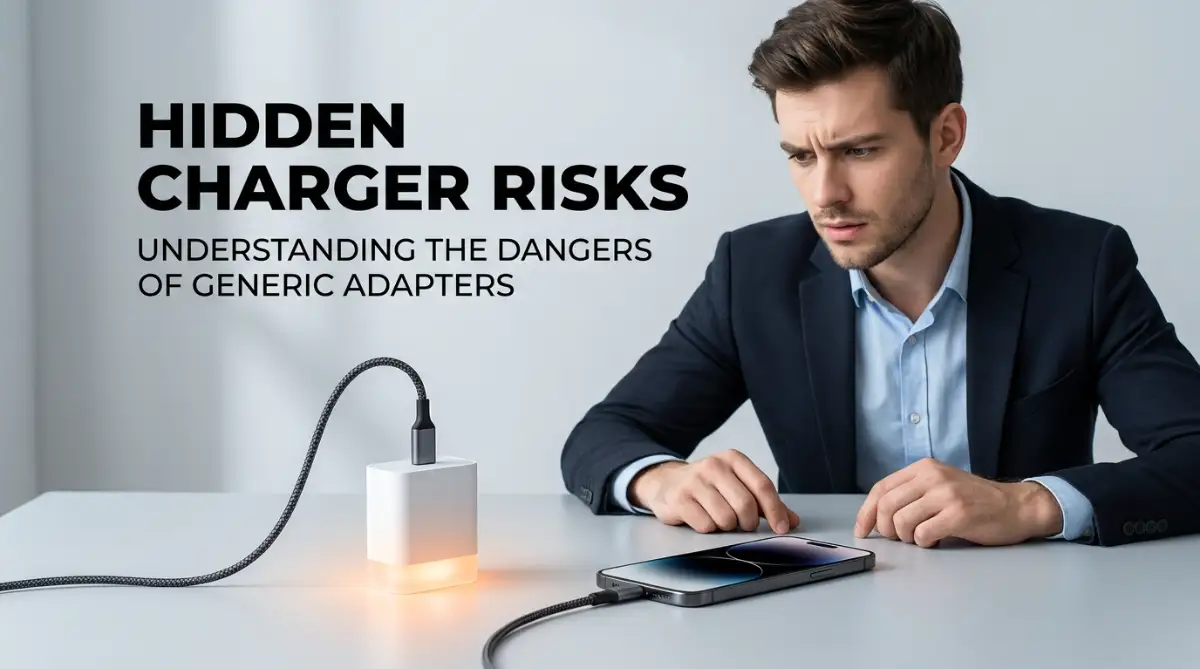
But you made one tiny mistake. You left the original charging brick at a friend's house. To keep your battery from dying, you order a cheap "super-fast" charger online for just ten bucks.
At first, everything seems completely fine. You plug it in before going to sleep, expecting a fully juiced-up phone by morning.
Instead, you wake up to a terrifying reality. You grab your expensive phone off the nightstand, and it feels unusually hot to the touch. The screen is glitching, and the battery percentage has actually dropped instead of going up.
This is not just a random accident. It is a very real problem happening to thousands of smartphone owners every single day. We blindly trust random wall adapters to push massive amounts of electricity into our fragile pocket computers.
The mental stress of ruining an expensive device over a cheap accessory is incredibly frustrating. You start noticing your battery dying completely halfway through the day. You constantly worry if your phone will randomly shut down during an important phone call or a family emergency.
We often ignore the warning signs until the damage is already permanent. Today, we are going to expose exactly what happens inside your phone when you use unregulated power sources.

The Secret Language of Your Charging Port
To understand why generic adapters are so dangerous, we first need to look at how modern charging actually works. Your premium smartphone does not just blindly accept power from the wall. It actually has a conversation with the charger.
When you plug in an official or certified adapter, a very specific handshake takes place. The charger essentially asks your phone, "How much power do you need right now, and how hot are you getting?"
Your phone replies with exact instructions. If the battery is almost empty, it asks for a massive burst of energy. As the battery gets closer to eighty percent, the phone politely asks the charger to slow down to prevent overheating.
This smart communication keeps your internal components completely safe. But what happens when you use a low-quality third-party brick?
The Uninvited Guest: When Power Goes Rogue
Generic adapters completely ignore this smart handshake. They are designed with one simple goal: push as much electricity as possible, as fast as possible. Think of it like trying to drink water from a massive fire hose instead of a regular glass. Your phone simply cannot handle that uncontrolled rush of energy.
Without that smart communication, the cheap adapter keeps pushing maximum power even when your phone is nearly fully charged. This creates a massive bottleneck of electrical current inside your device.
The immediate result of this bottleneck is extreme heat. You might notice the back glass of your device becoming uncomfortably warm within just twenty minutes of plugging it in.
The Science of Battery Degradation
Your premium phone relies on a carefully balanced lithium-ion battery. Inside this battery, chemical reactions happen every single time you charge and discharge the device.
These chemical reactions are extremely sensitive to temperature changes. When a third-party charger forces unregulated power into the battery, it generates excess thermal energy.
Heat is the absolute worst enemy of any lithium-ion cell. When the internal temperature rises above a safe level, the chemical structure inside the battery actually begins to break down.
This process permanently destroys the battery's ability to hold a charge. That is exactly why your phone goes from lasting a full day to dying by lunchtime after just a few months of bad charging habits.
The Silent Role of the PMIC
You might be wondering, "Does my phone not have a built-in defense system?" Yes, it absolutely does. It is called the Power Management Integrated Circuit, or PMIC. The PMIC acts like a strict bouncer at a very exclusive club. Its job is to filter the incoming electricity and block any dangerous voltage spikes from reaching the battery.
When you use a high-quality charger, the PMIC has a very easy job. The power flows smoothly, and the bouncer just waves it right through.
However, cheap chargers deliver messy, unstable electricity. This forces your phone's PMIC to work extremely hard to filter out the bad power.
Over time, this constant stress can actually burn out the PMIC entirely. If this tiny chip fails, your phone will completely lose the ability to charge, turning your thousand-dollar device into a useless brick of glass and metal.
Myth vs Reality: The Fast Charging Debate
The Myth: Any charger that says "Fast Charging" on the box will safely charge my phone in thirty minutes.
The Reality: The label "Fast Charging" is not regulated on cheap products. Unofficial chargers often use brute force to push power, bypassing your phone's built-in safety limits and causing severe heat damage.
The Myth: If the charging cable fits into the port, it is perfectly fine to use.
The Reality: Physical fit means nothing. The internal wiring and smart chips dictate safety. A bad cable paired with a bad brick is a recipe for hardware failure.
The Creepy Phenomenon of Ghost Touch
Have you ever plugged in your phone and noticed the screen acting completely crazy? Apps open by themselves, the keyboard types random letters, and your swipes do not register properly.
This highly annoying issue is commonly known as "ghost touch." It is a direct symptom of using an unregulated third-party power adapter.
Your smartphone touch screen works by detecting tiny electrical charges from your fingertips. It is a highly sensitive grid of electrical currents.
When a cheap charger pushes unstable, "noisy" electricity into your phone, it creates heavy electromagnetic interference. This interference scrambles the digitizer underneath your glass screen.
Your phone gets confused and thinks invisible fingers are tapping all over the display. While unplugging the device usually stops the ghost touch immediately, doing this repeatedly can cause permanent damage to the display controller.
Physical Deformities: When Batteries Swell
We need to talk about one of the most frightening consequences of bad charging habits. If you consistently use dangerous adapters, you might eventually notice your phone screen lifting away from the metal frame.
Many people mistakenly think they dropped their phone and bent the frame. The truth is much scarier. Your battery is literally swelling up like a balloon inside the device.
When unregulated power breaks down the chemical balance inside a lithium-ion cell, it releases highly flammable gases. Because the battery is sealed tight, these gases have nowhere to escape.
The pressure builds up slowly over time. Eventually, the battery expands so much that it pushes against the back glass or the front display, cracking your device open from the inside out.
If you ever notice your phone bulging in the center, you must stop charging it immediately. A swollen battery is a severe fire hazard and requires immediate professional replacement.
Why the Cable Quality Is Equally Important
Most people only blame the power brick when things go wrong. But the cable connecting the brick to your phone plays an equally massive role in device safety.
Premium charging cables have tiny microchips embedded directly into the connector heads. These chips act as a secondary safety checkpoint for the electricity.
If a sudden power surge comes from the wall outlet, a good cable will sacrifice itself. The chip will shut down the power flow before it ever reaches your expensive smartphone. Gas station cables or heavily discounted online cords do not have these safety chips. They are just cheap copper wires wrapped in thin plastic.
Using a bad cable is like driving a race car with no brakes. Even if you use an official wall adapter, a cheap cord can easily ruin the smart communication between the devices.
Expert Insight for Daily Protection:
Always check for official certifications before trusting a new charging accessory. Look for labels like USB-IF certification, MFi (Made for iPhone), or the exact proprietary standard your phone brand uses. Spending an extra twenty dollars on a verified charger is the cheapest insurance policy for your expensive device.
The Hidden Cost of Saving Money
We all love finding a great deal online. Saving money on accessories feels like a smart financial move in the short term.
But you have to calculate the long-term risk. Buying a five-dollar generic charger might seem like a total steal today.
Six months down the road, you will be paying over one hundred dollars for a battery replacement. Or worse, you might have to buy an entirely new device because the internal motherboard got fried.
Your premium smartphone is an engineering marvel. It deserves accessories that match its quality and internal safety standards. Protecting your daily tech is not just about keeping the screen crack-free; it is about feeding it the right kind of energy every single day.
Mastering the Art of Device Preservation: Pro-Level Charging Secrets
Now that we understand exactly how unregulated power damages your internal hardware, it is time to take full control. You do not have to be a hardware engineer to protect your expensive smartphone. You just need to build a few smart, science-backed habits into your daily routine.
Just like humans suffer from the hidden medical reasons behind evening fatigue when overworked, your smartphone battery experiences a similar form of structural exhaustion. If you push it to its absolute limits every single day, it will eventually burn out. Let us look at some highly effective ways to keep your battery healthy for years.
The Golden Ratio of Power Management
Most people plug their phone in when it hits one percent and leave it connected until it reaches one hundred percent. This is actually the worst possible way to treat a modern lithium-ion cell. Going from extreme empty to extreme full puts massive mechanical stress on the internal chemistry.
Think of your phone battery like a dry kitchen sponge. When a sponge is completely dry, it struggles to absorb water at first. When it is completely soaked, forcing more water into it causes leaks and drips.
Your battery works the exact same way. The sweet spot for long-term health is keeping your device between twenty percent and eighty percent. By staying within this middle range, you dramatically reduce the strain on the internal cells.
Controlling the Ambient Environment
We already talked about how heat is the ultimate enemy of electronic components. But your charger is not the only thing generating heat. The environment around your phone plays a massive role in thermal management.
If you charge your phone while it is sitting on a soft blanket or a pillow, you are trapping the heat inside. Soft fabrics act as insulators, preventing the normal cooling process. Always place your phone on a hard, flat surface like a wooden desk or a glass table while charging.
The "Naked Phone" Charging Strategy
Here is a secret that very few people know about. Thick, heavy-duty phone cases trap a terrifying amount of thermal energy. When you use a high-wattage adapter, that heat has absolutely nowhere to escape.
If you are going to use a heavy-duty protective case, make a habit of taking it off before plugging into a fast-charging brick. Simply exposing the bare glass or metal back of your device allows the internal cooling system to work as intended. It takes two extra seconds, but it can double the overall lifespan of your device.
Leveraging Smart Software Protections
Your premium smartphone has incredible built-in software tools designed to protect you from bad charging habits. Unfortunately, most users never bother to turn them on. Dive into your battery settings today and look for features named "Optimized Battery Charging" or "Adaptive Battery Protection."
When you activate this setting, your phone learns your daily sleep schedule. It will quickly charge to eighty percent, completely pause the power intake, and then finish the last twenty percent right before your morning alarm rings. This keeps the lithium-ion battery aging process strictly under control.
Expert Q&A: The Wireless Charging Dilemma
Question: Is it safer to use cheap wireless charging pads instead of cheap cables?
Answer: Absolutely not. Wireless charging naturally generates significantly more heat than a direct cable connection. If you use an unverified wireless pad without proper cooling fans, you are literally baking your phone slowly.
Question: What if I just use my old laptop charger?
Answer: While high-end laptop chargers are usually built well, using them on a phone requires perfect communication protocols. If your phone cannot properly negotiate the voltage, the adapter might deliver too much raw power too quickly.

Dangerous Pitfalls: What You Must Stop Doing Today
Knowing what to do is important, but knowing what to avoid is what actually saves your hardware. People unintentionally destroy their expensive devices through very common, everyday mistakes. Let us look at the most dangerous habits you need to break immediately.
You would never ignore identifying dangerous engine noises coming from your car. So why do we completely ignore our electronics when they get dangerously hot?
The Gaming and Charging Nightmare
One of the most destructive habits is playing heavy, graphics-intensive video games while plugged into a fast charger. This creates a massive thermal disaster inside your device.
Your processor is working incredibly hard to render the game, generating extreme heat. At the exact same time, your battery is absorbing raw power, generating even more heat. This combination completely overwhelms the internal cooling system.
It is like trying to run a marathon in the summer heat right after eating a massive meal. Your system cannot handle both intense tasks at once. If you need to charge your phone, put it down and let it rest completely.
The Desperation Airport Purchase
We have all been in this stressful situation. You are rushing through an airport, your battery is at five percent, and your digital boarding pass is on your phone. In a complete panic, you buy a fifteen-dollar generic adapter from a random kiosk.
When people want to enjoy stress-free travel logistics, they often make terrible impulse purchases. These kiosk chargers are usually mass-produced with the cheapest possible components. They rarely pass any legitimate safety inspections.
Using one of these kiosk chargers just one time can be enough to fry your internal charging port. Instead of risking a thousand-dollar phone, always pack an official, certified power bank in your carry-on bag.
The Dashboard Oven Trap
Many drivers plug their phone into a cheap gas station car charger and mount the device right on the dashboard. They leave the GPS running while the hot afternoon sun beats down directly on the black screen.
This creates a terrifying triple threat of heat generation. The cheap car charger pushes unstable power, the GPS processor works overtime, and the sun cooks the external glass.
Under these extreme conditions, the internal battery expands rapidly. According to official consumer electronic safety standards, exposing lithium batteries to direct sunlight while charging is a severe fire hazard. Always mount your phone near an air conditioning vent to keep the internal temperature stable.
Trusting "Universal" Multi-Port Bricks
You will often see cheap, generic charging stations online that feature six or seven different USB ports. They claim to safely charge your phone, tablet, and smartwatch all at the exact same time.
The problem is that these budget hubs rarely have individual power management chips for each port. When you plug multiple devices in, the power distribution becomes highly unstable.
Your phone might suddenly receive a massive spike of energy meant for your tablet. This sudden surge easily bypasses the built-in defenses and damages the motherboard. Always stick to adapters from respected, trusted brands that guarantee individual port safety.
Your Immediate Action Plan for Hardware Safety
We have covered a massive amount of technical and practical ground today. The main goal is to shift your mindset from saving a few quick dollars to protecting your valuable tech investments. Your premium smartphone is an incredible piece of engineering, and it deserves clean, safe energy.
Instead of waiting for a total hardware breakdown and needing to automate your service appointments for a costly repair, you can take control of the situation right now. Good habits cost absolutely nothing to build, but they save you hundreds of dollars in the long run.
A Simple Checklist for Tonight
Do not let this information overwhelm you. Start by taking a few simple, highly effective steps this evening. First, walk around your house and gather up all the random, unbranded charging bricks you have collected over the years.
Look closely at the text printed on them. If you cannot recognize the brand name, or if there are no official safety certification logos, throw them in the recycling bin immediately. It is simply not worth the risk.
Next, go into your phone settings and turn on the adaptive battery protections we talked about earlier. Finally, make a promise to yourself to stop using your phone for heavy gaming or video editing while it is plugged into the wall.
A Final Word from the Expert
Understanding thermal management in mobile electronics does not have to be complicated or boring. It is simply about respecting the limits of modern technology. You hold a powerful computer in your hand every single day.
By treating that computer with a little bit of care, you ensure it stays fast, reliable, and completely safe to use. Spend the extra money on official accessories. Remove that thick case during heavy charging sessions.
Most importantly, listen to your device. If it feels too hot to comfortably hold, unplug it immediately. Your future self, and your bank account, will heavily thank you for making these smart changes today.
Disclaimer: The information provided in this article is for educational and informational purposes only. We are not responsible for any damage caused to your personal devices. Always refer to your smartphone manufacturer's official guidelines and use certified original accessories to ensure maximum safety and warranty compliance.