
The Hidden Cost of a Cluttered Mind
You are sitting at your desk, staring blankly at your computer screen. You know you read a brilliant article last Tuesday about this exact problem, but you cannot remember where you saved it. Was it a bookmark? Did you email it to yourself? Did you take a screenshot on your phone?
You spend the next twenty minutes desperately digging through your browser history, opening endless tabs, and scrolling through old messages. By the time you finally give up, your original spark of inspiration is completely gone. This is not just a minor inconvenience; it is a massive drain on your daily energy.
We consume more information in a single day than our ancestors did in an entire lifetime. You listen to podcasts while commuting, read newsletters over coffee, and watch educational videos before bed. But how much of that valuable information actually stays with you? If you are honest with yourself, the answer is probably very little.
Your brain feels like a leaky bucket. You keep pouring amazing ideas, quotes, and strategies into it, but they just slip through the cracks. This constant cycle of learning and immediately forgetting creates a heavy background anxiety. You feel overwhelmed by the sheer volume of data, yet you constantly feel like you do not know enough.
Think about the brilliant ideas you have in the shower or during a walk. If you do not write them down immediately, they vanish into thin air. We expect our natural memory to act like a perfect hard drive, but it simply does not work that way. Human memory is designed to process the present moment, not to securely store thousands of random facts for future use.
This daily struggle is exhausting. It makes you second-guess your own intelligence and kills your productivity. But the problem is not your brain. The real problem is that you are relying on your natural memory to do a job it was never built for.
Why You Need an External Brain Right Now
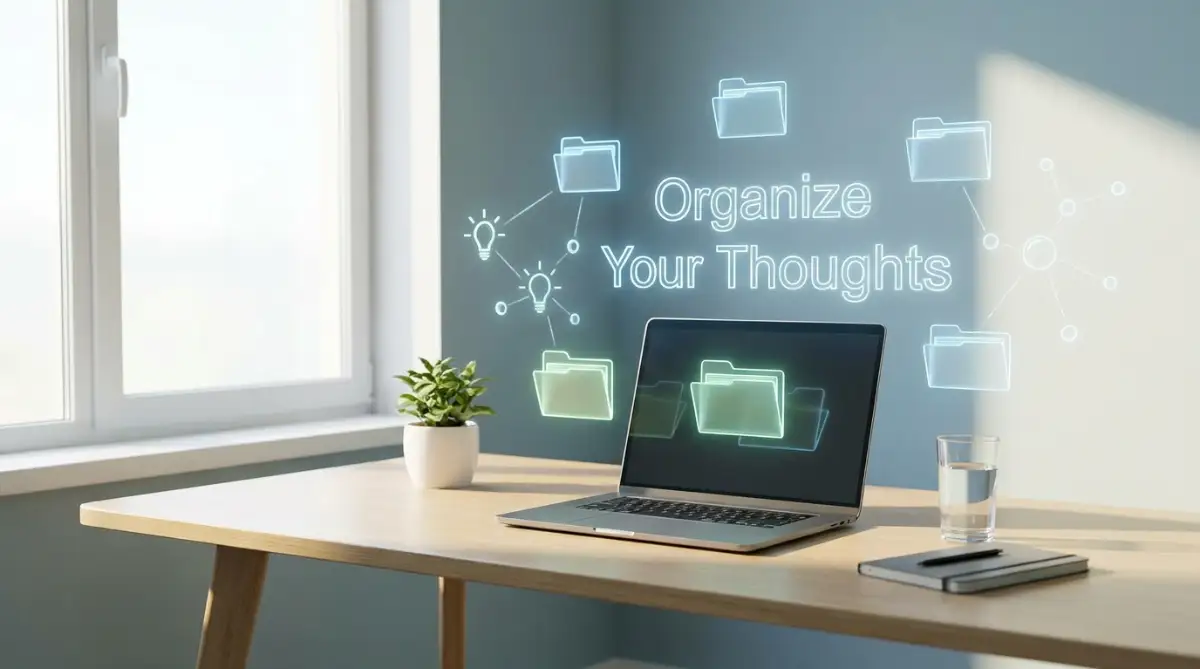
To solve this painful problem, we need to shift our entire approach to handling information. You do not need a better memory. You need a trusted external system where your ideas can live safely.
This is exactly what a Personal Knowledge Base (PKB) does for you. Think of it as a customized digital library where every great idea you encounter is stored, organized, and easily searchable. When you build this system, you give your brain permission to stop worrying about forgetting things.
The relief you feel when you finally set this up is incredible. Your mind becomes quiet, clear, and ready to focus on creative thinking instead of simple storage. Let us break down exactly how you can create this powerful system from scratch, even if you are completely new to digital organization.
The Science Behind Why We Forget
Before we jump into the setup steps, it helps to understand why your current method is failing. In the late 19th century, a psychologist named Hermann Ebbinghaus discovered the "Forgetting Curve." His research showed that humans forget roughly 50% of new information within a single hour.
Within a week, you forget up to 90% of what you learned. This means reading a great book without taking notes is almost completely useless. Your brain aggressively clears out memories that you do not actively use to make room for new experiences.
A Personal Knowledge Base acts as a permanent safety net against this natural forgetting curve. Instead of fighting your biology, you work around it. You store the raw data in your digital system, and you use your biological brain to connect the dots and generate new ideas.
Myth vs. Reality in Information Management
People often hold onto limiting beliefs about organizing information. Let us clear up some of these common misunderstandings right now.
Common Myth You Might BelieveThe Actual Reality of the SituationI need to memorize important facts to be smart.Smart people offload facts to external systems and use their brains for creative problem-solving.Setting up a knowledge system takes too much time.The initial setup takes maybe an hour, but it saves you hundreds of hours of searching in the future.I need expensive, complicated software to do this.You can build a world-class system using entirely free, simple note-taking apps available today.
1: Mastering the Art of Quick Capture
The absolute foundation of any good knowledge system is your ability to capture things quickly. If an idea takes more than five seconds to write down, you will simply not do it. Friction is the enemy of organization.
You need a single, reliable "Inbox" for your brain. This is the default place where every new thought, web clipping, or book highlight goes first. You do not need to organize the information right away. The only goal at this stage is to safely trap the idea before it escapes your mind.
Imagine you are standing in line at the grocery store. You suddenly remember a great topic for your next work presentation. You should not try to hold that thought in your head until you get home. You pull out your phone, open your chosen capture app, and type a rough sentence. That is it. You have successfully captured the idea.
Choosing Your Digital Capture Tool
You probably already have a notes app on your phone. Apple Notes, Google Keep, or a simple voice recorder are all excellent choices for quick capture. Do not overcomplicate this step.
The secret is to put the app directly on your phone's home screen. Make it the easiest app to reach. Whenever you find an interesting article, use the sharing feature on your phone to send the link straight to this inbox.
- Pro Tip for Heavy Readers: If you read a lot of digital books, highlight passages as you go. Most e-reading apps allow you to export these highlights directly into a text document later. This automatically captures the best parts of the book without any extra typing.
Setting Boundaries on What to Keep
Many beginners make a huge mistake during this phase. They start saving absolutely everything they see on the internet. They clip hundreds of articles they will never actually read.
Your Personal Knowledge Base should not be a digital dumping ground. It is a highly curated garden of your favorite thoughts. Before you save something, ask yourself a simple question: "Does this information spark a new idea, or is it directly useful for a project I care about?"
If the answer is no, let it go. You do not need to save a generic news article just because it sounds smart. Only capture the things that deeply resonate with you or challenge your current way of thinking. Quality is always better than quantity when building your system.
2: Creating a Filing System You Can Actually Trust
Capturing information is only the first half of the battle. If your digital inbox gets too full, you will end up feeling just as overwhelmed as you did before. This brings us to the most important habit you must develop: the weekly review and sorting process.
Once a week, you need to sit down and empty your digital inbox. Think of this like checking your physical mail. You take the raw, unorganized notes you collected throughout the week and you put them where they truly belong.
This is where the real magic happens. As you review your quick notes, you will often find unexpected connections. An idea you had on Tuesday might perfectly match an article you saved on Thursday. By reviewing your notes regularly, you actively force your brain to engage with the material again.
Structuring Your Digital Folders
How exactly should you organize these notes once they leave your inbox? Traditional school taught us to organize information by strict subjects. You might be tempted to create folders named "Psychology," "Marketing," or "History."
This old method is actually quite terrible for personal productivity. Why? Because human knowledge does not fit perfectly into neat little boxes. An article about human psychology might actually be incredibly useful for your upcoming marketing project.
Instead of organizing by subject, organize your notes based on exactly how you intend to use them. This action-based approach completely changes how you interact with your stored knowledge.
The Action-Based Folder Strategy
Let us look at a highly effective way to structure your main folders. This method ensures that your notes never get lost in a massive, unsearchable archive.
First, create a folder for your Active Projects. These are things you are working on right now, with a clear deadline. If you are planning a family vacation or writing a specific report for work, all related notes go exactly here.
Second, create a folder for Areas of Responsibility. These are ongoing parts of your life that never really end. This folder might include sub-sections for your personal finances, your physical health routines, or your general career development.
Third, set up a space for Resources. This is where you store interesting things that are not useful right now, but might be helpful later. If you are learning to play the guitar just for fun, the chords and tutorials you save belong in this resource folder.
Finally, create an Archive. Whenever a project is finished, move all those notes into the archive. You never want to delete your hard work, but you need to get it out of your daily view so your workspace remains clean and focused.
3: Making Your Notes Talk to Each Other
A traditional filing cabinet is very static. A piece of paper goes into a folder, and it stays there forever. A modern digital knowledge base should be completely different. It should be a dynamic network where ideas freely connect with one another.
When you copy and paste a long article into your system, do not just leave it there. Read through it and summarize the main point in your own words. Writing a short summary forces you to actually understand the material. If you just save a link, you have not learned anything. You have simply moved the burden of learning to a future version of yourself. Take two minutes to write down why you found the information interesting in the first place.
The Power of Linking Concepts
Most modern note-taking applications now offer a feature called "backlinking." This allows you to create a direct link from one note to another, much like how Wikipedia pages connect.
Imagine you are writing a note about building healthy morning habits. You suddenly remember an older note you wrote about getting better sleep. Instead of copying the text, you simply create a link between the two notes.
Over time, this creates a beautiful web of interconnected thoughts. When you are stuck on a problem, you can click through your own personal Wikipedia and find solutions you had completely forgotten about. This linking process mimics how the human brain naturally works. We do not think in isolated folders; we think through associations and connections.
Keeping the System Frictionless
As you build this out, you might feel tempted to create complex color-coding rules, elaborate tagging systems, and deeply nested folders. Resist this urge.
The more complicated your system becomes, the less likely you are to actually use it on a tired Friday evening. Your knowledge base should serve you, not the other way around.
Start very small. Begin with just ten notes. Learn how it feels to easily search for a keyword and instantly find the exact quote you were looking for. That small victory will give you the motivation to keep building. A simple, messy system that you use every single day is infinitely better than a perfect system that you abandon after a week.
Your goal is not to become a professional librarian. Your goal is to clear the mental clutter, lower your stress, and give your best ideas a permanent home.
Upgrading Your Digital Brain for the Long Haul
You have successfully set up the basic foundation of your personal knowledge system. You now have a designated inbox for your thoughts and a simple folder structure. But how do you make sure this system actually grows with you over the coming months?
Many people start building a digital library with intense enthusiasm. However, they abandon it a few weeks later because it becomes too messy. To prevent this, you need to adopt a few advanced habits that keep your system clean, fast, and highly effective.
Let us explore some powerful techniques used by top-level researchers and writers. These methods will transform your notes from a passive storage unit into an active thinking partner.
The Magic of Layered Highlighting
When you save a long article into your system, your future self will likely not have the time to read the whole thing again. You need to make the best ideas stand out instantly. This is where a technique called layered highlighting becomes incredibly useful.
Imagine you save a three-page text about human psychology. Do not just leave the plain text sitting in your folder. Read through it once and use the bold formatting tool to highlight the most interesting sentences.
A few days later, review that same note and use a yellow highlighter tool on the absolutely best phrases within those bold sections. This creates a visual summary of the document. When you search for this note months from now, your eyes will immediately jump to the yellow highlights. This simple trick saves you countless hours of re-reading. It drastically reduces your mental effort by filtering out the noise. According to educational guidelines from the American Psychological Association on managing cognitive load, reducing unnecessary text helps your brain process and remember core concepts much faster.
Creating a Daily Review Ritual
The absolute biggest secret to maintaining a clean knowledge base is regular, small doses of maintenance. You should never let your digital inbox pile up for a whole month. If you wait too long, the thought of organizing everything will cause massive anxiety.
Instead, build a five-minute review session into your daily evening routine. Right after you close your computer for work, take just a few minutes to process the quick notes you took that day. Move them into their proper project folders or rewrite them clearly.
This tiny daily habit prevents massive digital pile-ups. It is a form of mental hygiene, much like brushing your teeth before bed. By clearing out your digital inbox daily, you wake up the next morning with a completely fresh, organized mind.
Put Your System on Autopilot
You want to remove as much manual effort from this process as humanly possible. If your note-taking app requires ten clicks just to save a web link, you will eventually stop using it. You need to set up smart shortcuts.
Take advantage of browser extensions that allow you to clip text directly into your notes with one click. Use mobile widgets on your phone screen so you can capture an audio note instantly while walking. The smoother the process, the more consistent you will be.
We often forget that our mental energy is a limited resource. Taking steps to automate your workflow is just like the stress-free guide to automating your service appointments; it removes the burden of remembering from your shoulders. When the system works for you, your mind is free to focus on creativity rather than basic logistics.

The Hidden Traps That Will Destroy Your Setup
Building a reliable system is an amazing feeling, but the journey is full of hidden traps. Many beginners fall into the exact same predictable pitfalls. Recognizing these traps early on will save you from incredible frustration.
I have seen countless people spend entire weekends building beautiful digital workspaces, only to abandon them completely by Wednesday. The problem is rarely the software; the problem is usually a flawed mindset.
Let us carefully walk through the most dangerous mistakes you can make. If you can avoid these specific behaviors, your success rate will multiply dramatically.
The Danger of Digital Hoarding
The most common mistake beginners make is trying to save the entire internet. You discover how easy it is to clip articles, so you start saving every news piece, tweet, and random recipe you find. Your digital inbox quickly becomes a massive, overflowing dumping ground.
This behavior actually defeats the entire purpose of a knowledge base. If you save everything, you essentially save nothing. You will never be able to find your truly brilliant ideas because they are buried under hundreds of useless links.
Think about it like packing for a long vacation. If you throw your entire wardrobe into a suitcase, you will struggle to carry it. Just as you must learn how to stop overpacking and enjoy stress-free travel logistics, you must stop overpacking your digital system.
Be aggressively selective about what enters your trusted space. According to behavioral research on the psychology of digital hoarding published by the National Institutes of Health, collecting excessive digital files leads directly to severe anxiety and lowered productivity. Only capture information that deeply resonates with your current goals or strongly challenges your perspective.
The App-Hopping Syndrome
There is a massive industry built around selling you the "perfect" productivity app. You will see endless videos claiming that a new piece of software will magically fix your life. This creates a terrible habit called app-hopping.
You spend a month setting up your notes in one app, then you see a shiny new tool on social media. You spend the next two weeks painfully migrating all your data to the new platform. This is a massive illusion of productivity.
You feel busy, but you are not actually doing any real work. You are just moving digital boxes from one room to another. Pick one simple, reliable text application and promise yourself you will stick with it for at least six months. The tool you use matters very little compared to the habits you build. A plain text file used consistently is infinitely more powerful than an expensive database that you never update.
Over-Engineering Your Folders First
Another massive trap is trying to perfectly design your folder structure before you even take a single note. Beginners will often create fifty empty folders with complex color codes and tagging systems.
When it comes time to actually save an idea, they get paralyzed. They do not know which specific tag or folder to use, so they just give up. Your system should grow naturally alongside your actual needs.
Start with just one single folder. Let your notes accumulate naturally over a few weeks. Once that one folder gets a bit too messy, then you can create a second folder to organize things better.
If your system is too rigid and complex, the mental friction will slowly drain your energy. This constant background stress is terrible for your health. In fact, severe information overload can make you physically exhausted, leaving you feeling entirely tired by 6 PM, much like the hidden medical reasons behind evening fatigue. Keep things simple so your mind stays fresh.
Your Personal Action Plan for Tomorrow
You have just learned exactly how to rescue your ideas from the chaotic noise of the internet. You now understand that your brain is a factory for creating ideas, not a warehouse for storing them.
This realization alone is going to dramatically lower your daily stress levels. You no longer have to panic when you read a brilliant book because you know exactly how to capture its value permanently.
However, reading about this process is not enough. You must take immediate, physical action while this inspiration is still fresh in your mind. Do not wait for the perfect moment to start organizing your digital life.
Start With One Tiny Step
I want you to close this article and do one incredibly simple thing right now. Pick up your smartphone and open the default notes application. Create a brand new note and title it "My Thoughts Inbox".
That is your entire assignment for today. You have officially created your first knowledge base. Over the next twenty-four hours, whenever you have an interesting thought or see a helpful article, simply paste it into that single note.
Do not worry about formatting, folders, or linking just yet. Just experience the profound relief of knowing an idea is safely written down. Once you feel that peace of mind, you will naturally want to keep building and expanding your system.
Your future self is going to be incredibly grateful for the simple steps you take today. You are building a digital library that will serve you, support your career, and protect your best memories for the rest of your life.
Disclaimer: The information provided in this blog post is for educational and informational purposes only. It is not intended to replace professional organizational or technical advice. Always ensure your digital data is properly backed up and secure.
