
The Hidden Cost of "Zero Dollars": A Digital Nightmare
You know that awful feeling when you click on an old folder, hoping to see your favorite college photos, and it is just... empty? My heart actually dropped into my stomach the day I lost thousands of pictures just because my "free" cloud account got wiped without warning. We all love getting stuff for zero dollars, but saving a few bucks is never worth losing your best memories. Let me show you the hidden traps of unpaid storage and how to actually keep your files safe.
Imagine waking up on a quiet Sunday morning. You grab a warm cup of coffee, sit on your comfortable couch, and open your laptop. You just want to look at some old family photos or check an important tax document you saved a few months ago.
You confidently log into your unpaid online drive. The loading screen spins for a few seconds. Suddenly, a cold, gray error message pops up on your screen: "Account Suspended" or "Files Not Found."
Your heart instantly sinks. Your chest tightens. You refresh the page, hoping it is just a simple internet glitch.
But the screen remains exactly the same. All those irreplaceable memories, important work contracts, and digital pieces of your life are simply gone.
You desperately search for a customer support phone number. You want to talk to a human being who can fix this. Instead, you are redirected to a generic, automated FAQ page. Nobody is there to help you.
This is not just a scary story. This exact scenario happens to thousands of unsuspecting people every single day.
We naturally love the word "free." It feels like a smart hack to save a little bit of money each month. We sign up, check the terms of service box without reading a single word, and hand over our most private files to a massive tech corporation.
But when it comes to your most personal memories and sensitive documents, that zero-dollar price tag carries a massive, invisible cost. You might not be paying with your credit card, but you are paying with your privacy, your security, and your peace of mind.
Are you blindly trading the safety of your entire digital life just to save a few gigabytes of unpaid digital space? Let us look at exactly what happens behind the scenes when you trust the wrong platform.

The 30-Second Data Safety Cheat Sheet
- Free accounts can permanently delete your files if you do not log in often enough.
- Always use the 3-2-1 rule: Three copies, two different devices, one online backup.
- Free platforms often scan your private files to feed their advertising machines.
- A $50 physical external hard drive is the best one-time investment you can make for your privacy.
The Silent Traps Inside Unpaid Storage Accounts
When you sign up for a non-paying account, you automatically become a user with zero leverage. You hold no real power. The tech company sets the rules, and they can change those rules at any moment without asking for your permission.
Understanding these hidden traps is the first step toward true digital safety.
The Immediate Danger of Account Inactivity
One of the biggest secrets tech companies hide deep inside their policy pages is the inactivity clause.
If you do not log into your unpaid account for a specific amount of time, the company has the legal right to permanently wipe your data. They want to free up server space for active users.
Think about a college student who creates a separate drive just to store their final thesis and research papers. They finish school, get a job, and forget about that specific account for a while. A few months later, they need that research for a new project.
They log in, only to find an empty folder. The company deleted everything simply because the student did not log in frequently enough. If you do not pay for the space, you do not actually own it. You are merely borrowing it until they decide to take it back.
Quick Reality Check:
Did you know Google account policies clearly state they can delete your data across Gmail, Drive, and Photos if you are inactive for 2 years? You are not just losing old homework; you could lose your primary email access entirely.
Security Gaps You Never Agreed To
Free accounts are absolute magnets for hackers and cybercriminals. Because millions of people use these basic tiers, bad actors constantly run automated scripts to guess passwords and break into accounts.
When you use an unpaid plan, you usually miss out on advanced security features. You get basic encryption, which is like sending a postcard through the mail. Anyone who intercepts it can easily read what is written on the back.
Paying customers, on the other hand, often get end-to-end encryption. This is like sending a heavy, locked steel box through the mail. Even if the delivery person intercepts it, they cannot see what is inside without your specific key.
Why Your Privacy is Compromised
There is a very famous saying in the tech industry: If you are not paying for the product, you are the product.
Server farms cost millions of dollars to build, cool, and maintain. Tech companies are not charities. They have to make their money somehow.
Many unpaid platforms use automated bots to scan your uploaded files, photos, and documents. They analyze this data to build a detailed advertising profile about you. They track what you like, what you do, and where you go.
If you are uploading personal medical records, bank statements, or private family pictures to a non-paying account, you are willingly feeding sensitive information into an advertising machine.
Think About It This Way:
Imagine giving a stranger the keys to your filing cabinet just because they offered to store it for free. That is exactly what happens when you use platforms that scan your private tax documents and medical PDFs just to show you better ads on your phone.
Myth vs. Reality: The Storage Illusion
Let us clear up some common misunderstandings about online data management.
- The Myth: Once I upload a file to the web, it is backed up and safe forever.
- The Reality: Web platforms can experience server crashes, data corruption, or sudden company bankruptcies. Your files are only as safe as the company holding them.
- The Myth: Customer support will help me if I lose my files.
- The Reality: Non-paying users rarely get human support. You are entirely on your own if a technical disaster strikes.
A Smarter, Stress-Free Strategy for File Protection
Now that we understand the deep risks, we need a solid plan. You do not need to be a computer genius to protect your files. You just need a practical, logical system.
Here are the most effective steps to secure your digital life starting today.
Implementing the Golden 3-2-1 Rule
Security experts around the world swear by the 3-2-1 backup strategy. It is the most reliable way to ensure you never lose a file again. Here is exactly how it works in plain English:
Keep 3 Total Copies of Your Files:
Never rely on just one single copy. You should have your original file, plus two extra backups. If one gets corrupted, you have immediate backups ready to go.
Use 2 Different Types of Media:
Do not keep all your copies on the same device. If your laptop gets stolen, and your only backup is a folder on that same laptop, you lose everything. Keep one copy on your computer, and another copy on a physical external hard drive.

Keep 1 Backup Offsite (Securely Online):
This is where a high-quality, secure online drive comes into play. If your house experiences a fire or a flood, your physical computer and physical hard drive might be destroyed. Having one encrypted copy securely stored in a different geographical location saves you from total disaster.
I used to think that copying my files into a new folder on the exact same laptop meant I was fully backed up and safe. I quickly realized how silly that was when my computer crashed and took both the original files and my so-called "backups" down with it! Now, I always keep a completely separate physical hard drive in my desk drawer, and it gives me so much peace of mind knowing my memories are safe even if my laptop completely breaks.
Combining Physical Drives with Online Security
The smartest thing you can do is combine old-school physical storage with modern digital security. Physical drives are incredibly cheap today and offer massive amounts of space.
Think of an external hard drive as a physical safe inside your home. You control who touches it. You control when it is plugged in. Nobody can hack an external hard drive that is sitting inside your desk drawer unplugged from the internet.
Quick Comparison: SSD vs HDD for Beginners
If you want to buy a physical drive, you will see two main options. Here is a simple breakdown to help you choose.
For most people, buying a basic, affordable HDD to keep in a desk drawer is the perfect first step to securing their files.
If you are still a little confused about whether you should buy an SSD or an HDD for your home backups, watch this quick and simple video below. It perfectly explains the exact differences between the two drives, helping you choose the best option before you continue reading about how to clean up your digital mess!
How to Clean Up and Secure Your Digital Mess
Before you rush out to buy physical drives or upgrade your online accounts, you need to know exactly what you are trying to protect. Most of us are digital hoarders. We save everything and organize nothing.
Taking control of your files will save you time, money, and massive amounts of stress.
1: Perform a Personal Data Audit
Set aside thirty minutes this weekend. Open your laptop and hunt down every single place you store files.
Check your email attachments, your phone gallery, and any old unpaid drives you signed up for years ago. Make a simple list of where your files actually live. You will likely be shocked at how scattered your personal information is across the internet.
2: The Art of Digital Decluttering
You do not need to back up every single blurry photo or outdated grocery list. Storing useless data just makes it harder to find the things that actually matter.
Go through your files and delete the junk. Focus only on protecting your irreplaceable items. These include birth certificates, financial records, legal contracts, and high-quality family memories. By reducing your total file size, you make backing up much faster and cheaper.
3: Upgrading to a Basic Paid Plan
Once your files are cleaned up, consider moving away from the zero-dollar trap. You do not need to spend hundreds of dollars.
Almost every major tech platform offers a basic paid tier for just two or three dollars a month. That is less than the price of a single cup of coffee.
When you pay for an account, your legal status instantly changes. You become a recognized customer. You gain legal rights. Your files are no longer at risk of sudden deletion due to inactivity, and you finally get access to actual human customer support.
What to Look For Before You Pay
Do not just hand your money to the first company you see. Read the features carefully.
You want to look for platforms that clearly advertise Zero-Knowledge Privacy. This means the company physically cannot see what you upload. You are the only person holding the digital key. If they cannot see your files, they cannot scan them, sell your data, or hand them over to hackers.
By taking these proactive steps, you build an invisible fortress around your digital life. You sleep better at night knowing that no matter what happens to your laptop or your phone, your most precious memories and important documents are completely safe and fully under your control.
Next-Level Data Protection Strategies Experts Actually Use
Moving away from unpaid digital storage is just the beginning of your security journey. If you want to truly lock down your personal information, you need to think like a cybersecurity professional.
You do not need an advanced computer science degree to apply these expert methods. You just need a clear understanding of how to layer your defenses properly. The goal is to create a system so secure that you never have to worry about losing a file again.
Let us look at a few highly effective strategies you can set up right now to protect your digital life for the long haul.
The Magic of Automated Redundancy
The biggest enemy of data protection is human memory. We always tell ourselves that we will back up our photos this weekend, but life gets busy.
Weeks turn into months, and suddenly, you are walking around with thousands of unprotected photos in your pocket. This is why you must remove human error from the equation completely. Setting up automated backups is the smartest move you can make.
Imagine a freelance graphic designer working on a massive project. If they rely on manual drag-and-drop habits, one spilled cup of coffee on their laptop could ruin their career. By using automated background syncing, every single change they make is instantly copied to an external drive or a paid secure server.
Encrypting Files Before They Leave Your Computer
Even if you upgrade to a paid account, you might still feel uneasy about uploading sensitive medical records or tax returns to the web. There is a simple, highly professional trick to solve this problem entirely.
You can lock your files before you even upload them. This process is known as client-side encryption.
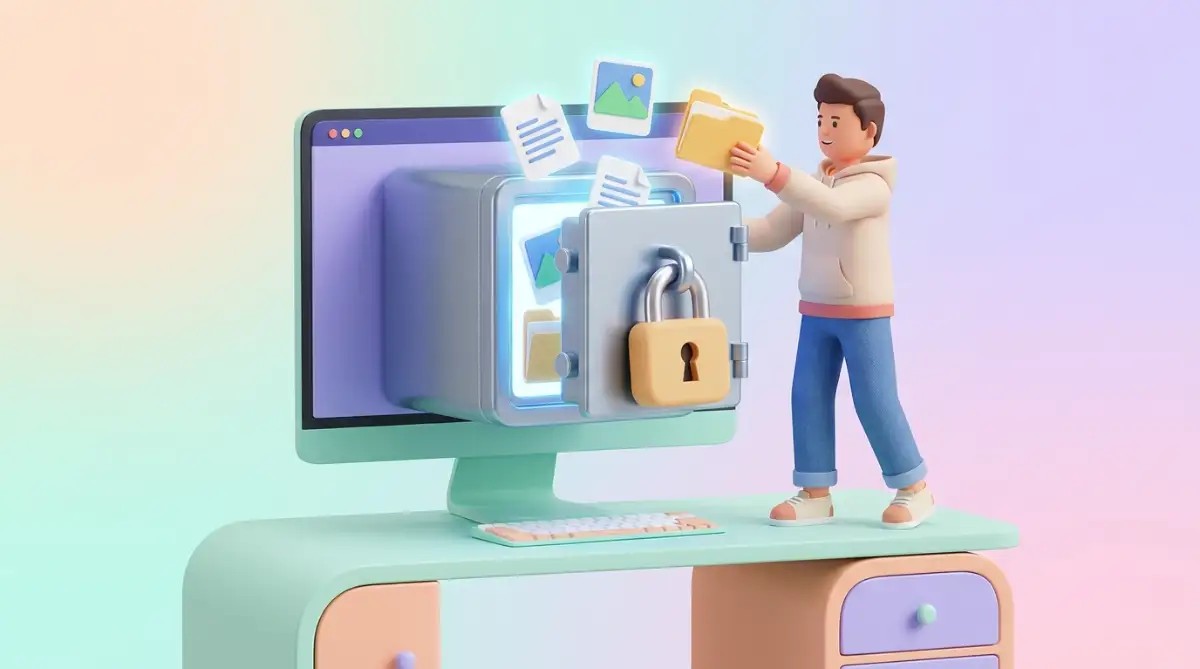
Think of it like putting your personal letters into a heavy steel lockbox before handing it to the postman. The postman can carry the box to its destination, but they can never look inside. You hold the only key in existence.
You can use free, open-source software to scramble your most private folders with a heavy password on your local computer. Once the folder is locked, you can safely upload it to any online drive. Even if the platform gets hacked, the cybercriminals will only find a useless block of scrambled text.
Practicing the "Fire Drill" Restoration Habit
Creating a backup is only half of the job. A backup is completely useless if you cannot actually open the files when an emergency strikes.
Many people spend money on physical hard drives, load them up with data, and throw them in a drawer for years. When their main computer crashes, they plug in that old drive only to discover the files are corrupted or unreadable.
You need to test your backups regularly. Think of this as a digital fire drill for your household.
Every three months, plug in your external drive or log into your secure paid account. Try to download and open three random files. Check a video, open a PDF, and look at a photograph. If they open smoothly, your system is working perfectly.
Creating a Long-Term Archiving Strategy
Not all files need to be available instantly. You probably have hundreds of gigabytes of old college projects, past tax returns, and childhood videos that you rarely look at.
Keeping these huge files on your daily laptop just slows your machine down. Instead, you should practice "cold storage."
Cold storage means moving inactive files onto a completely separate physical hard drive that stays disconnected from the internet. This drive lives safely in a fireproof box in your closet. Because it is never connected to the web, it is completely immune to online viruses, ransomware, or hacking attempts.

The Heartbreaking Traps That Erase Digital Memories
When data loss happens, it is rarely a loud, dramatic event. It usually happens quietly in the background because of a simple misunderstanding.
We blindly trust technology to do the heavy lifting for us. But when we fail to understand the rules of the game, the consequences are absolutely devastating.
Losing your data is not just an inconvenience. It is an emotional blow. Imagine losing every single video of your child’s first steps just because a massive tech company decided to purge unpaid accounts.
To prevent this nightmare, you must recognize and actively avoid these massive security mistakes.
The "Silent Sync" Storage Trap
One of the most dangerous illusions in the digital world is the automatic sync feature on smartphones. Most phones come with a tiny amount of unpaid digital space right out of the box.
People turn on the auto-backup feature and assume they are protected forever. But they never check how much space they actually have left.
Usually, that unpaid space fills up entirely within a few weeks. The phone stops backing up new photos, but it rarely gives you an obvious, loud warning. You go on living your life for months, assuming your recent memories are perfectly safe on a remote server.
Then, you accidentally drop your phone in a swimming pool. You buy a new phone, log into your account, and realize the last photo backed up was from six months ago. You just lost half a year of your life because you trusted a tiny, unpaid data plan.
Using Social Media as a Personal Vault
Many people think they have found a clever loophole for unlimited free storage. They upload all their family photos to private albums on massive social media platforms.
They think to themselves, "Why should I pay for secure storage when I can just hide my pictures here for free?" This is a massive mistake for two major reasons.
First, social media platforms severely compress your images. They strip away the high-quality resolution to save space on their own servers. If you ever try to download those photos and print them, they will look blurry and heavily distorted.
Second, your account can be banned or deleted by an automated bot at any given moment. You have absolutely zero control over these platforms. If a computer algorithm mistakenly flags your account for violating a random policy, your profile is wiped out instantly, taking all your hidden albums with it.
The Danger of Reusing Weak Passwords
You can have the most expensive, highly secure paid account in the world, but it means nothing if you use a terrible password.
Most people use the exact same password for their email, their banking app, and their online storage. This is a dream scenario for cybercriminals.
Hackers regularly steal massive lists of passwords from poorly defended websites. They then use automated software to try those exact same passwords on premium storage platforms. This method is called credential stuffing.
According to reports from trusted cybersecurity organizations like the National Cybersecurity Alliance on account protection, reusing passwords is the leading cause of unauthorized account takeovers today.
You might think your browsing habits are private, but the internet is highly interconnected. Just like people misunderstand the real truth behind incognito browsing habits, they also misunderstand how easily hackers can track a reused password across multiple websites.
Always use a dedicated password manager to generate long, random, and completely unique passwords for your secure file storage.
Your Immediate Action Plan for Total Digital Peace of Mind
Reading about data protection is great, but taking actual steps is what will save your files. You have the power to secure your entire digital history before you go to sleep tonight.
Do not let the fear of technology paralyze you. Building a safe, private environment for your documents is entirely within your control.
Here is exactly what you need to do next to take back your digital freedom.
1: Secure Your Most Important Documents Today
Do not try to organize your entire life all at once. That is overwhelming. Start small.
Gather your absolute most valuable files. This might include your digital birth certificate, property deeds, or perhaps safeguarding your university application documents and transcripts. Put all of these highly sensitive items into one single, clearly named folder on your desktop.
Buy a small, affordable physical USB drive. Copy that single folder onto the drive, unplug it, and put it in a safe drawer. Congratulations, you just created your first truly secure cold storage backup.
2: Transition Away from the Unpaid Traps
Take an honest look at the online platforms holding your data right now. Are you using an unpaid tier?
If the answer is yes, it is time to evaluate your budget. Find a privacy-focused company that respects your rights as a paying customer. Look for terms like "Zero-Knowledge" and "End-to-End Encryption."
Move your most precious memories to this new, paid environment. Once everything is safely transferred and verified, delete the files from your old, unpaid accounts. You do not want sensitive data sitting abandoned on a platform you no longer monitor.
A Final Word on Your Digital Legacy
Your personal files are the digital footprint of your entire life. They hold your greatest professional achievements, your deepest personal memories, and the legal proof of who you are.
Trusting these irreplaceable items to a massive corporation for zero dollars is simply not worth the massive risk. The constant anxiety of potential data loss is a heavy burden to carry.
By investing a small amount of money into a proper storage plan and a physical hard drive, you are not just buying server space. You are buying a deep sense of relief. Take action today, secure your legacy, and enjoy the confidence of knowing your digital world is completely protected from harm.
Trust me, taking just one hour this weekend to finally organize and protect your files will be the best decision you make all year. You do not have to be a tech expert to buy a simple USB drive or upgrade to a cheap paid plan right now. Start with just your most precious photos and documents today, and take back full control of your beautiful memories
Disclaimer: The information provided in this article is for educational and informational purposes only and does not constitute professional IT or legal advice. Always conduct your own research and consult with a certified cybersecurity professional before making major changes to your personal or business data management systems.


