The Midnight Panic and the Rejected Dream
I remember staring at my glowing laptop screen at two in the morning, my eyes burning from pure exhaustion. My college personal statement was finally finished, or so I confidently thought. I had poured my entire heart, my deepest childhood memories, and my biggest dreams into those 650 words. I clicked the submit button with a massive sigh of relief, feeling incredibly proud of the emotional story I had just shared.
A few weeks later, an admissions officer I met during a campus tour agreed to look at a printed copy of my submitted application. He took one quick glance at my essay page, frowned, and told me my story was almost impossible to read. My entire essay had morphed into one giant, solid block of text without a single paragraph break. I felt my stomach drop instantly, realizing all my hard work was ruined by a simple layout mistake.
It breaks my heart seeing brilliant students go through this exact same panic every single admissions cycle. High school seniors spend months agonizing over their opening hooks, their vocabulary choices, and their overall message. They lose sleep, skip hanging out with their friends, and argue endlessly with their parents over tiny grammar edits. The mental exhaustion of writing the perfect story is already completely overwhelming for a teenager.
You finally finish the writing part, thinking the hardest work is completely behind you. You simply copy the text from your word processor, paste it into the online application portal, and hit submit without a second thought. But behind closed doors, that simple copy-and-paste action often destroys the entire visual structure of your essay.
Admissions officers are very tired people reading thousands of applications a day. When they open your file and see strange fonts, missing paragraphs, or weird margins, their brain immediately checks out. Your beautiful, heartfelt story gets tossed into the rejection pile simply because it physically hurts their eyes to read it.
It is incredibly unfair, but it is the harsh reality of the competitive admissions game. The normal anxiety of waiting for college acceptance letters is already bad enough for your mental health. Knowing a silly margin error or a broken paragraph might be the reason you get rejected destroys your peace completely.
The Psychology Behind Reading Your Application
Before we fix the specific layout problems, you need to understand how human beings actually read information. Admissions readers do not read your essay like a comfortable novel on a lazy Sunday afternoon. They scan through documents rapidly, looking for clear ideas, easy transitions, and a comfortable visual experience.
When a reader sees a well-organized page with plenty of empty white space, their brain relaxes. They feel invited to start reading because the text looks manageable and highly organized. On the other hand, a messy page triggers immediate stress and reading fatigue.
If your layout looks exhausting, the reader will naturally assume your thinking is also messy and disorganized. You always want the admissions team to focus entirely on your amazing story, not on how hard it is to read your sentences. Creating a clean visual presentation is just as important as the actual words you write.
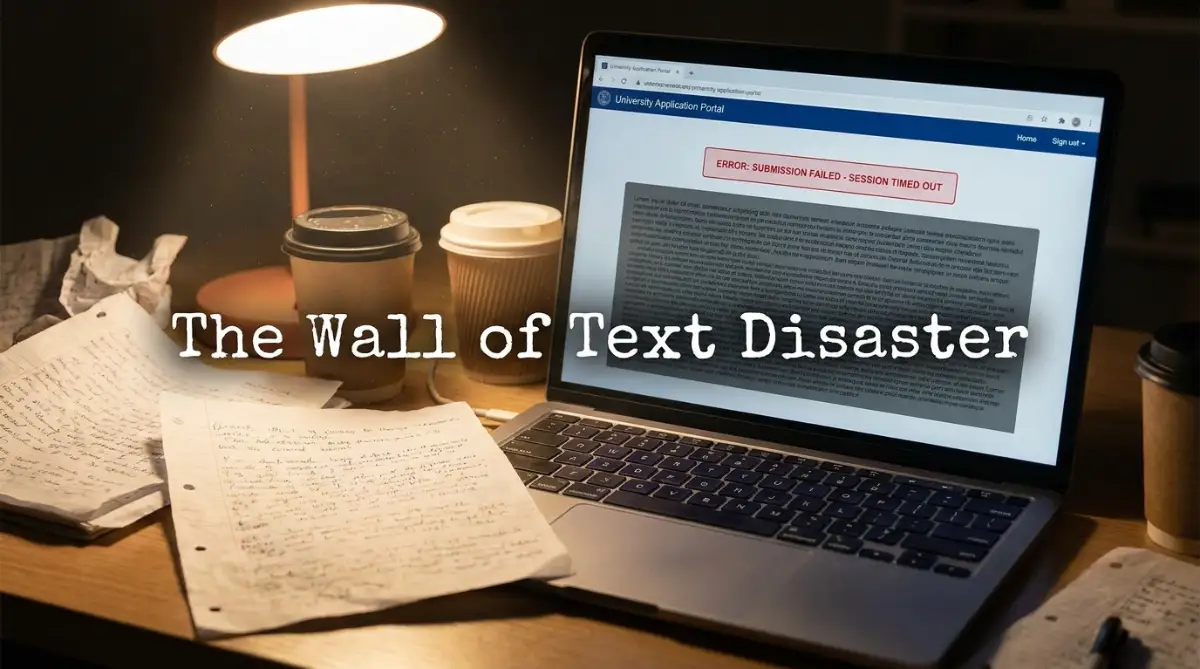
Escaping the "Wall of Text" Trap
The most common formatting disaster is submitting an essay that has zero paragraph breaks. This usually happens when students paste their work from Google Docs directly into the Common App text box. The online portal often strips away your original formatting, pushing all your sentences into one massive paragraph.
Imagine trying to eat an entire, uncut pizza in one single bite. It is completely impossible, messy, and totally overwhelming to even look at. Your essay is exactly the same; it needs to be sliced into easily digestible pieces so the reader can actually enjoy it.
Eye-tracking studies show that readers need visual breaks to process complex information and emotions. When you force an admissions officer to read forty lines of unbroken text, they will inevitably skip sentences and miss your main point. You must physically hit the "Enter" key twice between your paragraphs when pasting into an online portal.
Creating Natural Stopping Points
A good paragraph break acts like a deep breath for your reader. It signals that you are moving from an introduction to a specific example, or from a story to a personal reflection. Without these visual breathing rooms, your essay feels like a person talking incredibly fast without ever pausing for air.
Pro Tip: I once submitted an early draft of my essay that had paragraphs taking up an entire page each. My English teacher completely crossed it out and told me that any paragraph longer than six sentences is holding the reader hostage. I quickly learned to break my big thoughts into smaller, punchy sections that looked much friendlier on the screen.
The Dangerous Allure of Fancy Typography
Many high school seniors desperately want their application to stand out from the massive crowd. They think changing their font from standard Times New Roman to a fancy script font will make them look unique and creative. This is one of the worst visual mistakes you can possibly make.
Standard fonts like Arial, Calibri, or Times New Roman are standard for a very good reason. They are highly legible, professional, and they do not distract the reader from your actual message. When you use a crazy font, you are basically wearing a neon clown suit to a professional job interview.
Some application portals will automatically convert your text back to a standard font anyway. However, if you upload a PDF file, your weird font choices will stay locked in place. Stick to the basics, keep your font size between 11 and 12 points, and let your amazing personal story do all the heavy lifting.
Controlling the Urge to Yell (Bold and Italics)
When we write about things we are deeply passionate about, we want the reader to feel our strong emotions. Students often try to force this emotion by putting entire sentences in bold text or writing whole paragraphs in italics. They think this visual emphasis will make the reader pay closer attention to their main point.
In reality, overusing formatting tools feels like you are screaming directly into the reader's ear. It comes across as highly aggressive, slightly immature, and completely distracting. If you highlight everything on a page, nothing actually stands out anymore.
You should only use italics for very specific, standard grammatical reasons. For example, use them for the titles of books, foreign words, or a very rare internal thought. Trust your vocabulary and your sentence structure to convey emotion, rather than relying on bold text to do the job for you.
Watch this video to see exactly how admissions officers review your screen layout, and then keep reading to fix your spacing issues.
Mastering the Art of Dialogue Formatting
Adding a short conversation or a powerful quote to your personal statement is a brilliant way to show your personality. However, formatting dialogue incorrectly is a massive red flag that shows you do not understand basic writing rules. Many students write dialogue as if they are typing a script for a high school play.
A common mistake is putting multiple people speaking inside the exact same paragraph. This makes it incredibly confusing for the reader to figure out who is actually talking at any given moment. You end up confusing the admissions officer, forcing them to re-read the section multiple times.
The golden rule of formatting dialogue is incredibly simple but powerful. Every single time a new person starts speaking, you must start a brand new paragraph. It does not matter if they only say one short word; they still get their own dedicated line with proper quotation marks.
The Word Count vs Character Count Illusion
Every college application portal has a very strict limit on how much you can write. The Common App usually limits your main personal statement to exactly 650 words. However, some specific supplemental essays limit you by the number of characters instead of words.
This difference often catches high school seniors completely off guard at the worst possible moment. A character count includes every single letter, number, punctuation mark, and even the empty spaces between your words. If you do not pay close attention, the portal will violently cut off your text right in the middle of your final sentence.
Always check whether the text box is asking for words or characters before you start drafting your essay. Write your draft in a program like Microsoft Word or Google Docs, and use their built-in counting tools frequently. Leave yourself a safe buffer of about ten to fifteen words so you never have to panic at the last second.
Myth vs Reality: The Perfect Length
Let's clear up a massive misunderstanding about essay formatting and length right now.
Myth: If the portal says the limit is 650 words, my essay looks bad if I only write 500 words.
Reality: Admissions officers care about the quality of your message, not just filling up visual space. If you can tell a powerful, complete story in 500 words, stretching it out with useless fluff actually hurts your chances.
Myth: I should remove spaces after periods to cheat the character count and fit more words.
Reality: Removing spaces makes your essay look like a massive, unreadable typo. The admissions team will instantly notice this trick and might assume you lack basic computer skills or respect for their rules.
The Indentation Inconsistency
When you start a new paragraph, there are two standard ways to format it visually. You can either indent the first line by pressing the "Tab" key, or you can use a block format with an empty line between paragraphs. Both methods are acceptable, but mixing them together is a terrible idea.
Many students will indent their paragraphs, but also leave massive double spaces between them. This creates a weird, choppy visual layout that looks highly unprofessional on the page. It makes your essay look like a badly formatted poem rather than a serious academic submission.
If you are pasting your text into an online text box, the block method is almost always the safest choice. Simply press the "Enter" key twice between your paragraphs and do not worry about indenting the first line at all. This guarantees your essay will remain readable, no matter what browser or computer the admissions officer is using.
The Hidden Danger of Special Characters
Sometimes, we want to use em-dashes, smart quotes, or bullet points to organize our thoughts beautifully. These special characters look absolutely fantastic when you are working inside a modern word processor. But online application portals run on very basic, often outdated text systems.
When you paste your beautiful essay into the portal, those special characters often transform into weird symbols. Your perfectly placed em-dash might suddenly turn into a confusing question mark or a strange box icon. This instantly ruins the flow of your writing and makes your application look careless.
To easily avoid this annoying problem, stick to standard keyboard characters whenever possible. Use standard hyphens instead of long dashes, and avoid copying bullet points directly from Microsoft Word. Always take five minutes to manually review your text inside the portal's preview window before you finalize your submission.
The PDF Upload Safety Check
Some colleges allow you to upload your personal statement as a separate document rather than pasting it into a box. This is usually a much better option because you have total control over the final visual presentation. However, uploading a standard Word document (.docx) can still cause formatting chaos.
Different computers open Word documents in very different ways depending on their software version. Your perfectly centered title might suddenly jump to the next page when the admissions officer opens the file. The only way to completely lock your formatting in place is to save your document as a PDF file.
A PDF acts exactly like a digital photograph of your essay. No matter who opens it, what device they use, or what fonts they have installed, your essay will look exactly as you intended. Always double-check the final PDF file on your own computer before uploading it to the application portal.
Protecting Your Hard Work
Your college personal statement represents years of hard work, personal growth, and intense dedication. You have spent countless hours refining your voice and ensuring your story represents your true self. Letting a small, easily fixable layout error destroy that hard work is a tragedy you can completely avoid.
By taking just a few extra minutes to review your visual presentation, you show the admissions committee deep respect. You show them that you are a careful, detail-oriented student who is fully ready for college-level academic work. A clean, beautiful format is the perfect frame for your amazing personal story.
Do not rush the final step of your application journey. Take a deep breath, review your spacing, check your fonts, and ensure your paragraphs are perfectly clear. Give your brilliant ideas the beautiful visual presentation they truly deserve.
Expert Layout Secrets for a Stress-Free Submission
Getting your story onto the screen perfectly requires a few hidden technical tricks that most students never learn. You spend months agonizing over the perfect vocabulary words, but you ignore the actual software handling your text. The biggest secret to maintaining a flawless layout is understanding how text formatting actually travels between different computer programs.
When you write in modern software like Microsoft Word or Google Docs, the program adds invisible background code to your words. This hidden code controls your fonts, your bold text, and your paragraph spacing. When you copy your essay directly into an online college portal, that hidden code often crashes the portal’s basic text box.
This is exactly why your beautifully spaced essay suddenly turns into a messy, unreadable disaster upon pasting. To stop this completely, you need to use a method called the "Plain Text Wash" before you submit anything. You simply copy your final essay, paste it into a basic program like Windows Notepad or Apple TextEdit, and then copy it again from there.
This simple middle step entirely strips away all the dangerous hidden code from your document. When you finally paste the clean text into your college portal, you get a perfectly blank canvas. From there, you can safely hit the "Enter" key to create your natural paragraph breaks without any technical glitches.
The Physical Print Strategy
We all suffer from a modern problem known as screen blindness when we edit our own writing for too long. Your brain becomes so incredibly used to seeing the digital letters that it automatically skips over massive visual errors. You might have two massive paragraphs glued together, but your tired eyes will simply refuse to see the problem.
To break this dangerous cycle, you must physically print your essay on real paper before your final review. Holding the physical paper forces your brain to process the visual information in a completely different way. According to research on reading comprehension by the Nielsen Norman Group, human beings spot structural errors much faster on paper than on digital screens.
Take a bright red pen and draw a big circle around any paragraph that looks slightly too long or intimidating. If a section looks exhausting to read on paper, I promise you it will look ten times worse to an admissions officer on a computer monitor. Just like you might use proven methods to master complex topics rapidly with the feynman technique, you must simplify your visual structure so anyone can process it effortlessly.
Scheduling Your Editing Phases
One of the main reasons students make terrible layout mistakes is pure, uncontrolled last-minute panic. They finish writing their final sentence at 11:30 PM on the night the application is actually due. At that point, they are rushing so fast to beat the midnight deadline that they completely ignore how the text looks.
You need to treat the formatting process as a completely separate task from the writing process. Do not try to fix your margins, check your word counts, and edit your spelling all at the exact same time. If you learn how to build a study timetable that actually helps you pass, you can apply that same organized logic to scheduling your essay editing phases.
Dedicate one entire day just to reviewing the flow of your story, and dedicate the next day entirely to the visual presentation. Give yourself at least 48 hours between finishing the draft and actually hitting the submit button. This calm buffer period is exactly when you will catch the tiny spacing errors that ruin great applications.
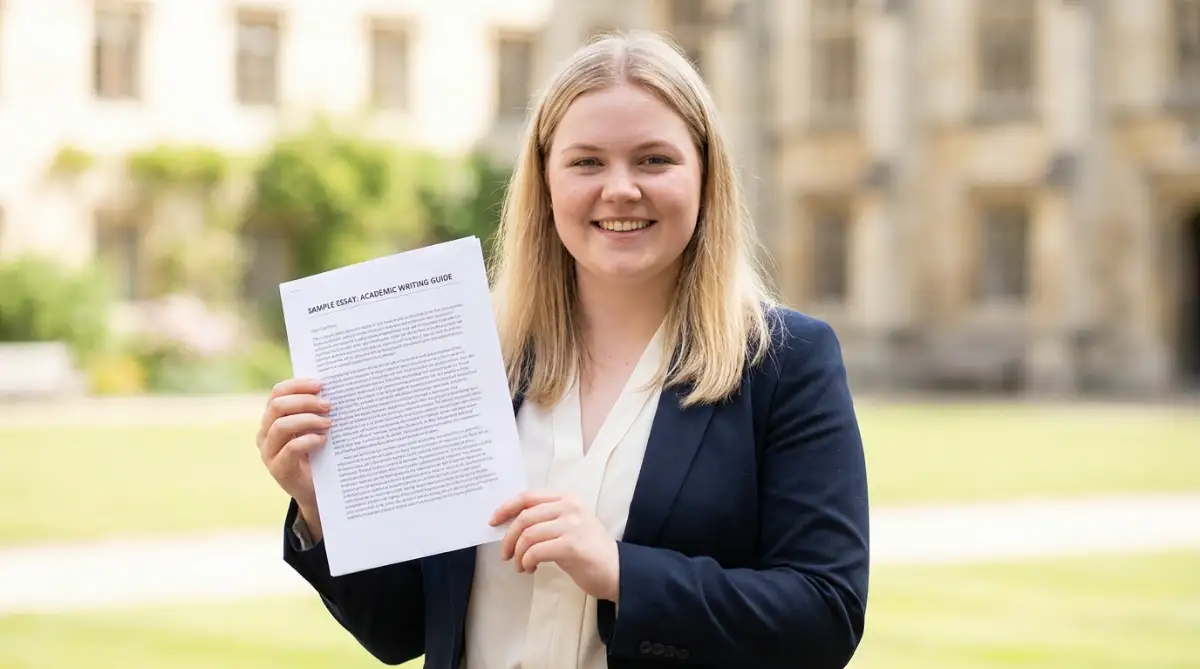
The Fatal Layout Traps That Ruin Great Stories
Let’s talk about the silent rejections that happen every single year because of bad visual decisions. I have seen incredibly smart students, with perfect grades and amazing test scores, get completely ignored by their dream schools. They assume their test scores will save them, but they forget that presentation is a massive part of the evaluation.
If you want to understand the real facts about university application success, you have to accept that readers are human beings. Admissions officers are sitting at their desks at eight o'clock at night, drinking cold coffee, reading their fiftieth essay of the day. They are exhausted, their eyes hurt, and they are desperately looking for a reason to move on to the next file.
When they open your application and see a giant wall of messy text, they feel a sudden wave of physical exhaustion. It is very similar to understanding the hidden medical reasons behind evening fatigue; when the brain is tired, it rejects complicated visual information immediately. You never want your essay to be the reason an admissions officer decides to take a break.
The "Squeeze" Technique Disaster
Some specific college programs ask you to upload your personal statement as a PDF file instead of using a text box. This often triggers a massive panic for students who realize their story is slightly too long to fit on one single page. Instead of editing their words down, they try to cheat the physical system using terrible layout tricks.
They will shrink their page margins down to a quarter of an inch, making the text touch the very edge of the paper. Then, they will reduce their font size to eight or nine points just to squeeze every single word onto the page. This creates a document that looks like a dense legal contract rather than a personal story.
The admissions team will instantly notice this cheap trick, and it sends a very bad message about your character. It tells them that you completely refuse to follow basic instructions or edit your own work properly. Just like how appraisers calculate true home value by looking at structural integrity, colleges judge your maturity based on how well you follow their basic formatting rules.
The "Creative" Alignment Mistake
Another massive trap is trying to make the essay look artistic by playing with the paragraph alignment tools. Some students decide to use the "Center Align" button for their entire essay, making it look like a very long poem. Others will use the "Justify" button, which stretches the text evenly across the page like a newspaper column.
Center alignment forces the reader's eyes to constantly jump around to find the start of the next line. This completely ruins the natural reading rhythm and makes the reader feel slightly dizzy after a few paragraphs. Justified text is even worse because it creates massive, awkward blank spaces between random words in your sentences.
According to accessibility standards published by Harvard University, left-aligned text is always the easiest format for the human eye to track. You must keep all of your paragraphs strictly aligned to the left side of the page. Let your unique personality shine through your amazing words, not through weird paragraph shapes.
Do's and Don'ts for a Clean Presentation
To make this completely foolproof, here is a simple breakdown of what works and what absolutely fails. Keep these rules beside you when you are doing your final visual check.
- DO: Use standard fonts like Times New Roman, Arial, or Calibri.
- DON'T: Use playful fonts like Comic Sans or difficult script fonts.
- DO: Leave a clear, empty line between your paragraphs.
- DON'T: Indent your paragraphs if you are already using double spaces between them.
- DO: Break long conversations into smaller, separate lines of dialogue.
- DON'T: Write an entire page without a single paragraph break.
The Danger of Over-Editing Your Spaces
Sometimes, the worst formatting mistakes happen right at the very last second during a panic edit. You are staring at the application portal, and you suddenly decide to change a sentence to make it sound smarter. You quickly delete a word, type a new one, and hit submit without re-reading the line.
In your rush, you accidentally delete the empty space between two words, mashing them completely together. It might seem like a tiny error, but having words stuck together makes your application look incredibly careless. Many students think bad grammar is the only thing that gets them rejected, but that is a massive misunderstanding.
This logic is very similar to how people misunderstand general health risks and ignore the real dangers. Just like we need to learn what actually causes heart disease instead of believing old myths, you must understand what actually causes essay rejections. A careless typo or a missing space screams that you did not care enough to proofread your final work.
Your Action Plan for a Perfect Submission
You now have a massive advantage over thousands of other stressed-out students applying to the exact same schools. While they are randomly copying and pasting messy text into the portal, you are strategically building a beautiful, professional document. You understand that respecting the reader's eyes is the very first step to winning their heart.
Take a deep breath and completely separate your writing process from your formatting process. Write your draft with total emotional freedom, letting your true personality pour onto the page without worrying about margins. Only when the story is completely finished should you put on your editor's hat and start cleaning up the layout.
Use the plain text trick to strip away hidden code, left-align your paragraphs, and ensure your fonts are highly readable. Always double-check your word counts inside the actual portal, and never try to cheat the system with tiny text. By following these simple rules, you guarantee that your amazing story actually gets the full attention it deserves.
I know exactly how terrifying it feels to hover your mouse over that final submit button, wondering if you missed a tiny mistake. My absolute best advice is to step away from your computer for an hour, take a quiet walk, and trust the hard work you have already done. You have built a beautiful, clean, and powerful application, and I am incredibly excited for the amazing college journey waiting for you.
Common Questions About College Essay Layouts
Do I need to include a title at the top of my personal statement?
No, you generally do not need to include a title unless the specific prompt asks for one. Titles just take up valuable character counts and often distract the reader from your powerful opening hook.
What is the absolute best font size to use if I am uploading a PDF?
You should always use a standard 11 or 12-point font size for any document you upload. Anything smaller than 11 points will force the admissions officer to squint, which immediately creates a bad impression.
Is it acceptable to use bullet points in my main college essay?
Bullet points are great for standard resumes, but they absolutely do not belong in a narrative personal statement. Your essay should flow naturally as a connected story, using standard sentences and proper paragraph breaks.
How do I fix weird symbols showing up in the Common App preview?
Those weird symbols happen when the portal cannot read your word processor's special quotation marks or fancy dashes. You can easily fix this by deleting the symbols directly inside the portal box and typing standard keyboard characters instead.
Will a single spacing mistake automatically get my application rejected?
A single extra space or one minor typo will not instantly destroy your chances of getting accepted. However, a consistent pattern of messy formatting shows a lack of care, which will definitely hurt your overall evaluation.
Disclaimer: The information provided in this article is for educational and guidance purposes only. College admission processes and specific portal formatting rules change frequently and vary heavily between different universities. Always double-check the specific formatting guidelines provided by your target university and their official application platform before submitting your final documents.