
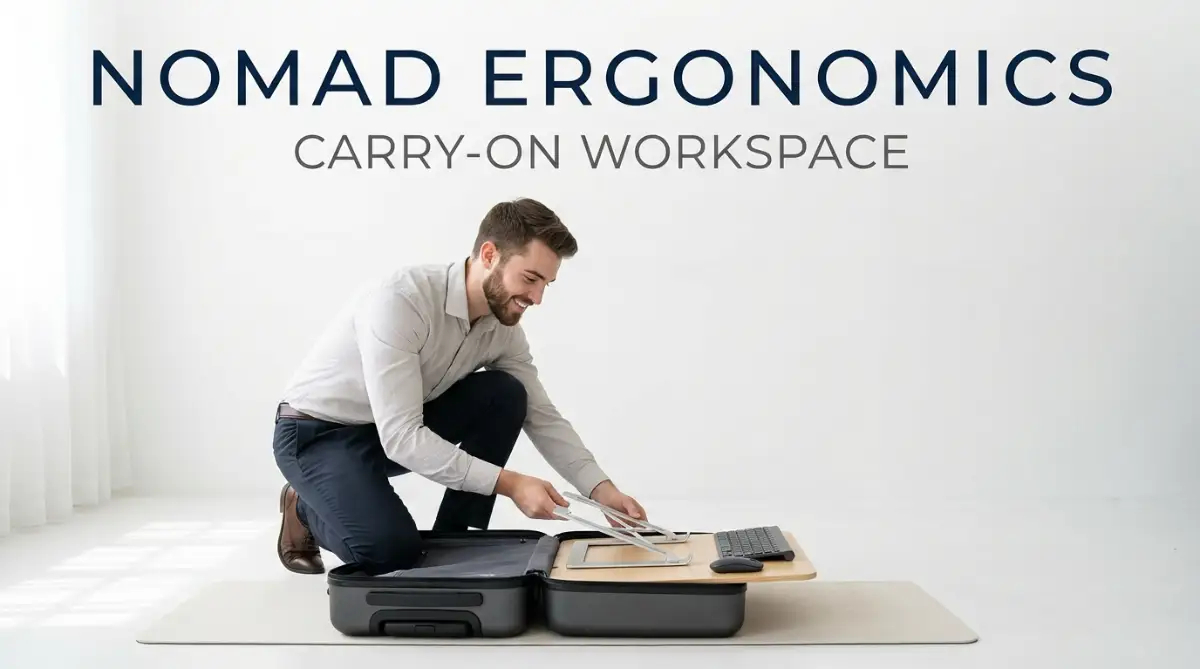
The Hidden Physical Cost of the One-Bag Lifestyle
Packing your entire life into a tiny suitcase feels incredibly freeing right up until the moment your lower back gives out. You trade your heavy office chair for a cheap Airbnb stool, and suddenly, finishing a simple spreadsheet feels like running a marathon. I spent months popping painkillers and blaming bad mattresses before realizing my tiny, poorly planned travel desk was actually destroying my health. Let me show you how to build a healthy, pain-free workstation without buying a bigger bag.
My neck was screaming in pain, and my lower back felt like it was tied in tight, uncomfortable knots. I was hunched over my glowing laptop screen, propped up against two flat pillows, trying desperately to finish a client project. I had romanticized the idea of traveling light, bringing only a small backpack to travel the world.
I completely forgot that my body needed a proper foundation to work long hours without breaking down. I quickly learned that living out of a tiny bag meant sacrificing the comfortable office chair and large monitor I left back home. My wrists began to ache from typing at weird angles on tiny cafe tables.
Every new location brought a new physical challenge, from soft sinking couches to incredibly hard plastic dining chairs. I was taking painkillers just to get through a normal workday, and my mental peace was entirely shattered. The freedom of remote work suddenly felt like a heavy physical burden.

Quick Action Plan: What You Will Learn Today
- Why standard hotel furniture quietly destroys your spinal alignment over time.
- How to build a complete, healthy workstation using just a folding stand, flat keyboard, and a slim mouse.
- Smart ways to hack cheap cafe chairs and bad lighting using everyday items you already packed.
- The exact daily habits you need to build right now to stay completely pain-free while working on the road.
Why Our Bodies Reject the "Work From Anywhere" Fantasy
Our bodies simply were not designed to sit folded like pretzels on cheap hotel mattresses for eight hours a day. When you look down at a laptop screen resting on your lap, your head acts like a heavy bowling ball pulling on your spine. This constant forward pull creates massive tension in your neck and shoulder muscles.
Over time, this unnatural angle forces your spine out of its natural, healthy curve. Your chest muscles tighten up, and your upper back muscles become weak and overstretched. This is exactly why you might feel a sharp, burning sensation between your shoulder blades after a long remote work session.
To fix this, we have to start thinking like smart engineers rather than just carefree travelers. You do not need a massive heavy suitcase to protect your spine and joints. You just need to pack the right lightweight tools and understand how to arrange your temporary environment.
Building Your Minimalist Foundation
The first step to fixing your travel setup is changing how your laptop sits on any table. Your eyes should naturally hit the top third of your screen without forcing you to tilt your head down. When your laptop sits flat on a desk, you are guaranteed to ruin your posture within minutes.
To solve this within the strict limits of a tiny suitcase, you need a foldable, lightweight laptop stand. There are amazing aluminum and carbon fiber stands available today that fold up smaller than an umbrella. They weigh practically nothing and easily slip into the side pocket of any carry-on bag.
[New Content Block 1]:
Here is a quick breakdown of my favorite travel stand materials to help you choose the right one:
Pro Tip: I used to think I could just stack my laptop on top of a few thick books at every new apartment. I quickly realized that many modern Airbnbs have absolutely zero books, leaving me scrambling to stack my laptop on empty shoe boxes and folded clothes. Always pack a dedicated stand because you can never predict what your next room will actually provide.
By raising your screen, you immediately force your back to straighten up. Your shoulders will naturally roll back into a healthy, relaxed position. This one simple adjustment completely changes how your body handles a heavy workday.
The YouTube Strategy for Neck Relief
Sometimes, simply watching someone adjust their setup is the easiest way to understand perfect posture.
Watch this incredibly helpful breakdown of how to perfectly position your screen and keyboard anywhere in the world.
Replacing the Built-In Keyboard Trap
Once your laptop is pushed up high in the air, you obviously cannot type on its built-in keyboard anymore. Reaching your arms up into the air to type will quickly exhaust your shoulders and arms. This means you must carry a separate, ultra-thin wireless keyboard.
Many travelers worry that a full keyboard will take up too much precious space in their limited luggage. However, you can find incredibly thin, flat keyboards that slide perfectly right next to your laptop. Some clever designs even fold directly in half, becoming no larger than a standard smartphone.
When you place this flat keyboard directly on the desk in front of you, your elbows can finally rest at a comfortable ninety-degree angle. Your wrists will stay perfectly straight and relaxed while you type. You completely eliminate the awkward wrist bending that causes deep joint pain.
Mastering the Travel Mouse
Relying on a laptop trackpad while trying to maintain good posture is a massive mistake. Using a trackpad forces your hands into the middle of your body, rounding your shoulders forward. You need a dedicated, slim travel mouse to keep your arms spread naturally at your sides.
A good travel mouse does not have to be a giant, bulky gaming accessory. Look for flat, pebble-shaped designs that offer a comfortable grip without forming a large lump in your bag. A simple wireless mouse allows your dominant arm to rest comfortably exactly where it naturally wants to fall.
Hacking Unpredictable Seating
We all know the deep frustration of arriving at a new rental only to find a wooden stool or a deeply sunken couch. You cannot pack an office chair in a carry-on, but you can definitely pack simple items to modify bad chairs. The secret lies in understanding your lower back's natural inward curve.
When you sit on a hard, flat chair, your lower back flattens out, pushing your spine into an unhealthy shape. To fix this, you need proper lumbar support to push that curve back into place. You can use simple items you already carry to instantly fix a terrible chair.
[New Content Block 2]:
My Go-To DIY Lumbar Support Checklist:
- The Hoodie Trick: Roll a thick sweatshirt tightly from the hood down to the waistline.
- The Packing Cube: A half-full clothing packing cube works wonders right behind your lower spine.
- The Soft Bottle: Wrap your empty plastic travel bottle in a t-shirt for firm, instant back support.
Try rolling up a thick sweater or a soft travel towel into a tight cylinder shape. Place this rolled-up fabric directly behind the curve of your lower back, right above your belt line. It might sound too simple, but this natural cushion forces your hips forward and keeps your spine perfectly aligned.
Myth vs Reality: The Travel Workspace
Let us break down a very common misunderstanding about remote work gear.
Myth: You need thick, heavy, padded equipment to feel comfortable while working.
Reality: Ergonomics is entirely about angles, not just softness.
A perfectly positioned flat keyboard and a correctly angled screen will always beat a soft, expensive armchair. Soft furniture often tricks us into slouching deeply, which feels nice for five minutes but causes terrible pain later. Hard surfaces actually provide the best foundation for a healthy workday, as long as your angles are strictly controlled.

Managing Lighting in Strange Rooms
Physical posture is not the only thing that ruins a nomadic workday. Straining your eyes in poorly lit rooms causes extreme fatigue, tension headaches, and neck stiffness. We often lean closer to our screens when the lighting is bad, completely ruining the good posture we just built.
Most temporary rentals have terrible, dim, yellow lighting that makes working very difficult. You cannot easily change the light bulbs, but you can control your direct environment. Try to always place your temporary desk directly facing a window to capture as much natural daylight as possible.
If you must sit with your back to a window, the bright sunlight will bounce directly off your screen. This creates terrible glare, forcing you to squint and lean forward uncomfortably. If natural light is not an option, pack a tiny, USB-powered clip-on light that attaches directly to your laptop stand.
The Leg Alignment Trick
Your feet play a massive role in how your upper body feels throughout the day. When you sit on a chair that is too high, your feet dangle, putting extreme pressure on your lower thighs. This cuts off blood circulation and makes your lower back compensate for the lack of ground support.
If you find yourself stuck at a high dining table, you must find a way to support your feet. Look around your room for sturdy items you can use as a makeshift footrest. A hard piece of luggage, a sturdy box, or even a stack of thick magazines can completely change your sitting experience.
When your feet rest firmly on a solid surface, your knees naturally rise to hip level. This simple geometry instantly takes the heavy pressure off your lower spine. You will feel a wave of relief wash through your back simply by planting your feet securely.
Creating a Routine of Movement
Even the absolute best ergonomic setup in the world will hurt you if you sit completely still for too long. Human bodies are designed for constant movement, not for remaining frozen like statues. When living out of a small bag, movement becomes your most powerful ergonomic tool.
Set a strict timer on your phone to remind you to stand up every single hour. You do not need to do an intense workout; just walk around your room, stretch your arms, and shake out your legs. This simple habit keeps your blood flowing and stops your muscles from locking up into painful knots.
Adapting to the Cafe Environment
Working from local coffee shops is a massive part of the digital nomad experience. However, cafe tables are notoriously small and usually built for quick meals, not for long hours of typing. When you set up in a cafe, you have to be highly strategic about your limited space.
Keep your setup absolutely minimal: just your stand, your laptop, and your slim keyboard. Avoid bringing out thick notebooks or messy cables that will clutter the tiny surface area. Sit deeply back into the cafe chair, using your sweater for back support, rather than leaning eagerly over the table.
The Psychological Impact of a Clean Setup
Having a consistent physical setup in every new country does more than just protect your spine. It provides a massive psychological anchor in a lifestyle that is constantly changing and shifting. When you pull out your stand and keyboard, your brain instantly recognizes that it is time to focus.
This little ritual completely separates your relaxation time from your serious work time. It stops the dangerous habit of working lazily from bed, which destroys both your posture and your sleep quality. Building your personalized workspace