The Daily Nightmare Inside My Inbox
Do you ever stare at your inbox and wonder how 400 new junk emails appeared overnight? You probably haven't signed up for weight-loss pills, nor did you enter that shady foreign lottery, yet here they are blocking your screen. Instead of helping you connect with friends or coworkers, your email has turned into a chaotic dump of scams and annoying flyers. Honestly, it is mentally exhausting to clean this mess up every single morning. Let's fix this right now by finding out who sold your email address and how to shut them out for good.
But when I opened the app, it was just an endless flood of random newsletters and weird product offers. Mixed in were some incredibly shady lottery claims that I absolutely never signed up for. It literally felt like my private digital space had been invaded while I was sleeping.
The absolute worst part was that this kept happening every single day without fail. I would spend twenty minutes just deleting garbage before I could even find the messages from my boss or my friends. Missing important work updates because they got buried under weight-loss pill promotions was incredibly frustrating.
We often blame ourselves, thinking we must have clicked the wrong button somewhere online while shopping or reading news. But the reality of why our inboxes look like this is much deeper and more organized than a simple everyday mistake. Let me show you exactly what is happening behind the scenes and how you can fix it.
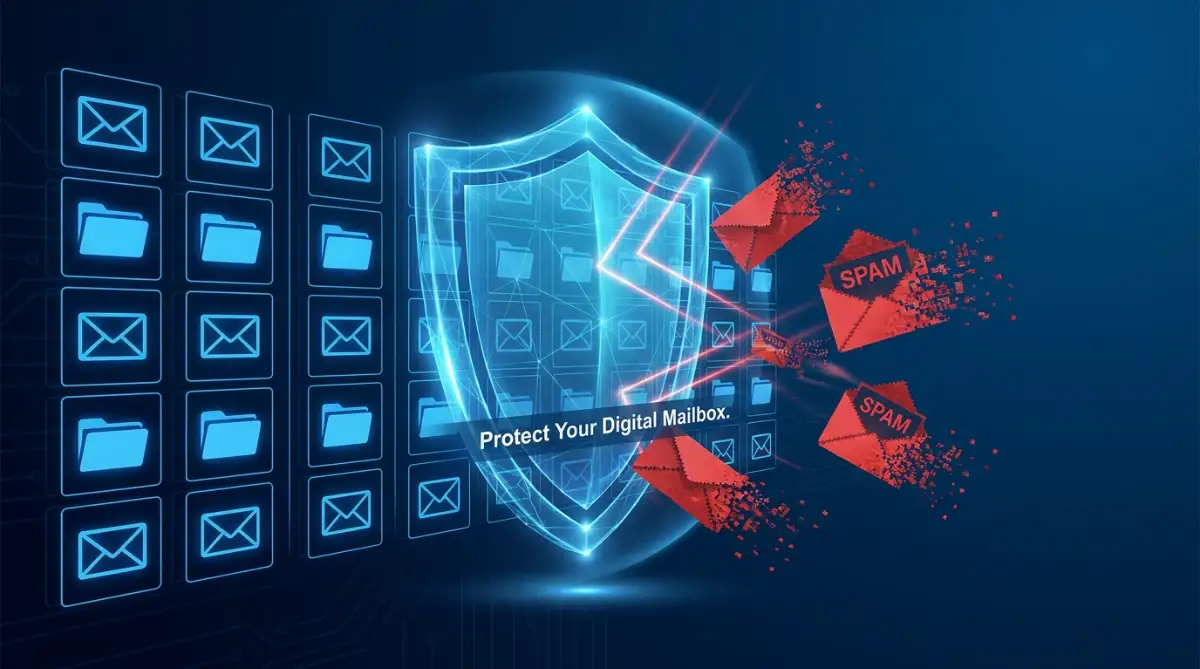
Quick Fixes to Stop the Spam Today:
- Never use one single email address for everything; create separate accounts for banking, social media, and random shopping.
- Stop clicking the "unsubscribe" button on sketchy emails—it just proves to scammers that your account is active.
- Turn off "Load remote content" in your mail app settings to block invisible tracking pixels from spying on you.
- Use temporary email aliases (like SimpleLogin) when signing up for one-time discounts or free guides online.
How Your Private Address Becomes Public Property
Before we can fix the problem, we need to understand how these strangers got your information in the first place. You might think you are being careful, but our digital habits often leave a massive trail of personal data. Every time you interact with a new website, your email address becomes a valuable piece of currency.
Think about the last time you bought a pair of shoes online from a brand new store. During the checkout process, you typed in your email to get a digital receipt and shipping updates. What you probably missed was the tiny, pre-checked box at the bottom of the page.

That little box legally gave the store permission to share your contact details with their "trusted partners." In the corporate world, a trusted partner is often just a fancy name for a data broker. These brokers collect millions of email addresses and sell them in massive bundles to marketing companies.
This means you only gave your address to one shoe store, but suddenly ten different companies have it. Soon, those ten companies sell their lists to other networks, creating a never-ending chain of data sharing. This is why you start getting messages about random things like car insurance when you only tried to buy shoes.
Think of data brokers like digital gossips. If you buy a dog bed online and miss that tiny privacy box, the store shares your email with a broker like Experian or Acxiom. Within 48 hours, that broker categorizes you as a "Pet Owner" and sells your profile to five different pet food brands, a pet insurance company, and a local vet. That single checkout mistake is why you suddenly get spam from companies you have never even heard of.
The Hidden Danger of Public Forums and Social Media
Another massive reason for unwanted messages comes from how we use public spaces on the internet. People often drop their contact details in Facebook comments, public forums, or online job boards without thinking twice. We do this to be helpful or to quickly connect with someone we want to talk to.
However, there are automated software programs constantly scanning these public pages. These programs are basically digital vacuums that suck up any email address they can find. Once your address is scraped from a comment section, it gets added directly to global spam lists.
This is why you should never type your actual contact details in plain text on a public website. If you absolutely must share it, try breaking it up by writing something like "john dot doe at email dot com." It is a very old trick, but it still confuses many automated scraping tools today.
Understanding the Data Breach Epidemic
Sometimes, you do everything perfectly right, but your inbox still gets flooded with suspicious links and weird demands. In these situations, you are likely the victim of a corporate data breach. A data breach happens when hackers break into a company's secure servers and steal customer information.
Even major companies with massive security budgets get hacked, exposing millions of user accounts to the dark web. Once hackers steal this information, they usually post the massive lists on secret forums for other scammers to download. Your address then becomes a prime target for phishing scams.
Phishing messages are those scary emails pretending to be from your bank or a popular streaming service. They try to trick you into handing over your passwords by claiming your account has been locked. Because these lists are sold cheaply to thousands of scammers, the volume of bad emails you receive skyrockets overnight.
Taking Back Control of Your Digital Mailbox
Now that you know exactly how the mess happens, it is time to take aggressive action. You do not have to live with a cluttered inbox for the rest of your life. By changing a few simple habits, you can drastically reduce the noise and protect your online privacy.
The Smart Strategy of Using Multiple Identities
One of the biggest mistakes people make is using a single email address for every single thing they do online. They use the same address for their banking, their doctor, online shopping, and signing up for free mobile games. This is like using the exact same physical key for your house, your car, and your office.
When you use one address for everything, one small mistake exposes your entire digital life to marketers and scammers. The smartest way to handle this is to divide your online life into specific categories. You should create at least two or three different accounts to act as filters.
The 3-Tier Email Strategy:
- The Vault (Primary): Use this only for banking, government ID, and medical portals. Never use your real name in the address.
- The Network (Secondary): Use this for real human communication (friends, family, jobs, and colleagues).
- The Burner (Trash): Use this to sign up for store discounts, free Wi-Fi at airports, and social media. When the spam gets too heavy, simply delete the account and make a new one.
Use your main, professional account strictly for banking, medical records, and official business. Keep this address extremely private and never use it to sign up for a retail store discount. Then, create a secondary account specifically designed just for online shopping, newsletters, and social media.
By keeping things separate, your official messages will never get lost in a sea of promotional flyers. If your shopping account gets overwhelmed with junk over time, it will not affect your daily life. You can simply abandon the cluttered account and easily start a new one without losing touch with your bank or family.
Creating Temporary Digital Shields
If you want to take your privacy a step further, you can start using temporary email aliases. An alias is basically a fake address that automatically forwards messages to your real inbox. It acts as a protective shield standing between your personal information and a suspicious website.
When a random website asks for your email to download a free guide, you give them the alias instead. If that company decides to sell your information to spammers, only the alias gets compromised. You can then simply delete that specific alias with one click, instantly cutting off the flow of garbage.
I learned this the hard way after giving my main email to a random discount site just to save five dollars. Now, I always use a temporary forwarder like SimpleLogin for random purchases, and it keeps my main inbox completely silent. I highly suggest you make this a daily habit if you want total peace of mind.
The "Unsubscribe" Trap You Must Avoid
When we see a message we do not want, our first instinct is to scroll to the bottom and click "unsubscribe." For legitimate companies and well-known brands, this button actually works and will remove you from their list. However, for real spammers and scammers, clicking that button is the absolute worst thing you can do.
When you get a message from an obviously fake or sketchy sender, the unsubscribe button is actually a trap. By clicking it, you are sending a signal back to the scammer that a real, active human being uses this account. You are basically raising your hand and shouting, "I am here, please send me more!"
Once they know your account is active, they will sell your address at a much higher price to other scammers. Instead of looking for the unsubscribe link in a sketchy message, you should use your email provider's native reporting tools. Simply marking the message as spam trains your provider to automatically block them in the future.
Setting Up Iron-Clad Filters Without Technical Headaches
Most modern email providers have incredibly smart filtering systems built right into them. The problem is that most people never take the five minutes required to properly set them up. You can easily tell your inbox to automatically move specific types of messages away from your main view.
For example, you can create a rule that says any message containing the word "unsubscribe" should skip your main inbox completely. You can have these messages sent directly to a special reading folder that you only check on the weekends. This keeps your daily view clean while still letting you read your favorite newsletters when you actually have free time.
If you want a visual walkthrough on setting up smart filters that instantly block the noise without accidentally hiding messages from real people, watch this quick guide below. It completely changed the way I organize my daily digital life.
Myth vs Reality: Common Misconceptions About Junk Mail
There is a lot of bad advice floating around the internet about how to handle digital clutter. Let us clear up some of the most common misunderstandings so you do not waste your valuable time. Knowing the difference between fact and fiction will make your cleanup process much faster.
The Psychology Behind the Clutter
Have you ever wondered why these annoying messages always sound so aggressive and urgent? Scammers intentionally use strong emotional words to make you panic and stop thinking logically. They want you to act quickly before you have time to realize you are being tricked.
They will use subject lines claiming your account is suspended, your package is lost, or you owe the government money. When you see these words, your brain naturally wants to resolve the stressful situation immediately. This emotional reaction is exactly what they rely on to make you click their dangerous links.
The best defense against this psychological trick is simply slowing down your reaction time. When you see an alarming subject line, take a deep breath and look at the actual sender address. You will almost always notice that the address is a bunch of random letters, proving it is a complete fake.
Decluttering the Mess You Already Have
If your inbox currently has thousands of unread messages, the thought of cleaning it up probably feels overwhelming. You do not need to delete them one by one, which would literally take days of non-stop work. You can use simple search tricks to wipe out massive amounts of junk in just a few seconds.
Go to the search bar in your mail application and type in the name of a brand that constantly bothers you. Once all their messages group together on the screen, you can select them all at once and delete them. Doing this for just the top five most annoying senders can instantly clear out hundreds of useless messages.
Another great trick is to search for messages that are older than six months or a year. Unless it is a special memory or a tax document, you probably do not need a shipping update from months ago. Highlighting and deleting these old, expired messages will instantly make your digital space feel lighter and much more organized.
Building a Long-Term Maintenance Habit
Cleaning your inbox is like cleaning your physical house; it is not something you just do once and forget about. If you want to keep the noise away permanently, you need to build a tiny bit of daily maintenance into your routine. The good news is that this habit only takes about two minutes a day.
Whenever you are waiting in line for coffee or sitting on the train, open your mail app. Instead of blindly swiping away notifications, take a moment to aggressively report the bad ones as junk. The more you use the reporting button, the smarter your email provider becomes at protecting you.
Eventually, the system will learn your personal preferences and start doing all the heavy lifting for you automatically. You will start noticing that the bad messages disappear before they ever reach your phone screen. Reclaiming your digital privacy takes a little bit of effort, but the peace of mind you gain is absolutely worth it.
Advanced Tactics for Absolute Digital Privacy
Once you have mastered the basics of separating your online accounts, you are ready for the really powerful strategies. These are the exact methods professional privacy advocates use to keep their digital lives completely silent. Implementing these advanced tricks will make you practically invisible to aggressive marketing companies and data scrapers.
The goal here is not just to manage the mess, but to aggressively stop it at the source. We want to build a digital fortress around your personal information so nobody can peek inside without your permission. Let me walk you through some high-level techniques that will permanently change how you interact with the internet.
The Hidden Threat of Invisible Tracking Pixels
Have you ever wondered how a company magically knows exactly when you opened their message? They do this by hiding something called a tracking pixel inside the body of the email. A tracking pixel is a tiny, invisible image that is completely completely undetectable to the human eye.
When you open the message, your phone or computer automatically downloads this tiny invisible image from the sender's server. This simple action sends a quiet signal back to the marketing company, confirming that your account is active and you are currently looking at your screen. They even know what kind of device you are using and roughly where you are located.

To stop this massive invasion of privacy, you need to change one simple setting in your mail application right now. Go into your settings and look for the option that says "Ask before displaying external images" or "Block remote content." Turning this on means those sneaky trackers can never load, keeping your reading habits completely private.
Becoming Invisible to the Data Broker Network
Data brokers are massive companies whose only job is to collect, package, and sell your personal information. They scrape public records, social media sites, and marketing databases to build a creepy, detailed profile about your life. If you want a deeper dive into this shady industry, I highly recommend reading up on understanding how data brokers operate through trusted privacy organizations.
You actually have the legal right to demand that these companies delete your information from their massive servers. However, finding all of them and sending individual removal requests can feel like an impossible puzzle. There are literally hundreds of these brokers operating in the shadows at any given time.
Instead of fighting them manually, many privacy experts use automated data removal services like DeleteMe or Incogni. These services act like your personal digital lawyers, continuously sending legal takedown notices to data brokers every single month. I started using one of these tools recently, and the amount of junk mail I receive dropped by almost ninety percent.
Setting Up a Personal Custom Domain
If you are willing to spend a few dollars a year, buying your own custom web domain is an absolute game-changer. You do not need to build a website; you just need the domain name to manage your digital communications. Once you own a domain, you can create an infinite number of unique, permanent forwarders.
For example, if you are shopping at a specific hardware store, you can create a custom address just for them on the spot. If that hardware store ever gets hacked and leaks your data, you will immediately know exactly who is responsible. You simply delete that single custom address, and the scammers are permanently locked out.
This gives you total control over who gets to contact you and when. If you combine this strategy with keeping private data secure in SaaS apps, your digital identity becomes incredibly strong. You essentially become the CEO of your own private communication network.
The Connection Between Your Network and Your Inbox
Sometimes, the spam problem is not actually coming from your email habits, but rather how you connect to the internet. When you travel or work from coffee shops, you are often relying on heavily monitored public networks. These open connections are playgrounds for hackers who want to steal your session tokens and intercept your data.
If a bad actor intercepts your login cookies on an open network, they can easily hijack your session. Once they are inside, they will harvest your entire contact list and start sending malicious links to your friends. If you regularly work outside your home, you must get serious about securing your remote work data with proper encryption tools.
Always use a high-quality Virtual Private Network (VPN) when checking your messages on an open connection. This scrambles your data into unreadable nonsense, protecting your login details from prying eyes. Taking this extra step ensures your private workspace remains completely secure, no matter where you travel.

The Dangerous Pitfalls Most People Ignore
Even with the best intentions, it is incredibly easy to make simple mistakes that completely ruin your privacy strategy. People often get frustrated and give up because they accidentally invite scammers right back into their lives. Let us look at the most dangerous traps you must actively avoid while cleaning up your digital footprint.
The Illusion of the "Catch-All" Feature
Many people who buy their own custom domains turn on a feature called a "catch-all" address. This setting basically says that anything typed in front of your domain name should automatically go to your main inbox. People do this because they are terrified of accidentally missing a message if someone misspells their name.
While it sounds convenient, activating this feature is like leaving your front door wide open in a bad neighborhood. Scammers use automated software to guess random words and names attached to known domains. They will send thousands of fake messages to random words at your domain, hoping just one goes through.
Because the catch-all feature accepts everything, your inbox will instantly flood with thousands of dangerous phishing attempts. You must always keep this feature completely disabled to protect your sanity. Only create specific, intentional addresses when you actually need them.
Mixing Devices and Blurring Boundaries
Another massive mistake is mixing your highly secure professional accounts with your casual, everyday entertainment devices. We often log into our banking email on the same family tablet that our kids use to download random games. This blending of worlds creates a massive security risk for your most sensitive information.
Many free mobile games and sketchy apps silently request permission to read your contacts and scan your messages. If you casually tap "allow" without reading, that silly game is suddenly harvesting your private data. This is exactly why you need strict rules about locking down your smart home devices and monitoring app permissions.
Keep your financial and medical accounts strictly isolated on your main computer or your personal, password-protected phone. Never leave these accounts logged in on shared household devices or smart TVs. Setting these strict physical boundaries prevents accidental data leaks from careless clicks.
Trusting Unknown Password Reset Warnings
Scammers have realized that standard marketing tricks no longer work on smart internet users. To bypass your natural skepticism, they have started sending extremely convincing, fake security alerts. You will suddenly get a message claiming someone in another country just tried to log into your account.
The message will include a massive, scary red button telling you to "Secure Your Account Now." When you panic and click that button, it takes you to a fake website designed to steal your actual password. By trying to protect yourself, you accidentally hand the hackers exactly what they wanted.
Never, ever click a link inside a security warning message, no matter how authentic it looks. Instead, open a completely new web browser window and manually type in the official website address yourself. If there is a real security issue, you will see a notification inside your actual account dashboard.
Ignoring the Broader Security Picture
You can have the cleanest, most perfectly organized inbox in the world, but it means nothing if your overall network is weak. People focus so heavily on their software that they completely forget about the physical devices sitting in their homes. Your internet router and your connected gadgets are the invisible doors to your digital life.
Hackers actively scan neighborhoods for weak internet routers and vulnerable wireless devices. If they compromise your network, they can redirect your web traffic and capture your login attempts in real-time. This is why you must invest time in securing your overall home network before you worry about anything else.
If you are ever working in a public space, the risks multiply significantly. Connecting your laptop to a random coffee shop network without protection is a massive gamble. You should really understand the mechanics of protecting your banking information on public networks to avoid a catastrophic financial disaster.
The Mistake of Replying for Revenge
When you get a highly offensive or annoying message, it is incredibly tempting to write back and tell them off. You might want to reply with angry words or demand that they remove you from their database immediately. While it might feel really good for about five seconds, it is a catastrophic privacy failure.
Scammers absolutely love it when you get angry and reply to their garbage. Your angry response acts as undeniable proof that there is a highly engaged, emotional human being monitoring the account. They will instantly categorize you as a "hot target" and sell your profile to the highest bidder on the dark web.
Your silence is your absolute best weapon against these digital parasites. When you completely ignore them and simply use the report button, their automated systems assume your account is abandoned. Eventually, the algorithms will drop you from their active lists because you are no longer profitable to them.
Your Roadmap to a Silent and Secure Digital Life
We have covered a lot of ground today, from understanding the sneaky tactics of data brokers to building unbreakable digital shields. The truth is, reclaiming your online privacy is not about downloading one magical app or clicking a single button. It is about completely shifting how you view your personal data and taking proactive ownership of your digital footprint.
You now have the exact blueprint needed to stop the endless noise and protect your mental peace. Start small by setting up just one temporary alias for your online shopping this weekend. Then, spend five minutes adjusting your settings to block those creepy invisible tracking pixels we talked about earlier.
Remember to rely on trusted resources like the government guidelines on recognizing phishing attempts to stay educated on the latest threats. Security is a continuous journey, but every tiny step you take builds a massive wall between you and the scammers. If you stay consistent with these simple habits, you will slowly watch your daily digital stress completely disappear.
You deserve to open your phone in the morning without feeling a sudden rush of anxiety or annoyance. You have the power to take your private space back starting right now, today.
My Personal Promise to You:
I know exactly how overwhelming this cleanup process feels at the beginning, because I was once drowning in the exact same digital mess. But I promise you, the incredible feeling of opening a completely clean, silent inbox is worth every single minute of effort you put in today. Take a deep breath, follow these steps one by one, and watch your digital peace of mind beautifully return!
Answers to Your Most Pressing Inbox Privacy Questions
Why do I suddenly get spam from my own contacts?
If you are receiving weird links from a friend's address, their account has likely been hacked and taken over by scammers. The bad actors use the stolen account to blast malicious links to everyone in the address book because people trust familiar names. You should contact your friend outside of email, like through a phone call, to warn them immediately.
Can I actually get a virus just by opening an email?
Simply opening a standard text message usually will not infect your computer thanks to modern security protections. However, downloading an unknown attachment or clicking a disguised link can instantly install malware on your system. This is why you must always verify the sender before interacting with anything inside the message body.
How do I check if my email was part of a major data breach?
You can easily verify this by using trusted, free security tools built by industry experts. I always recommend checking if your credentials are in a known breach by simply typing your address into their secure search bar. If your account shows up in red, you need to change your password immediately and turn on two-factor authentication.
Is it completely safe to use the "unsubscribe" button on reputable brands?
Yes, well-known, legally operating businesses are required by law to honor your unsubscribe requests promptly. Big retail stores and official newsletters use secure marketing platforms that safely remove you without any shady behavior. Just make absolutely sure the message is genuinely from the real brand before you click anything.
How long does it take for my new aliases to completely stop the spam?
Setting up protective aliases works almost instantly for any brand new website or service you sign up for today. However, your old, exposed address is already floating around in massive databases on the internet. It usually takes a few weeks of consistent reporting and filtering before you notice a massive drop in the older junk.
Disclaimer: The information provided in this blog post is for educational and informational purposes only and should not be construed as professional cybersecurity or legal advice. While we strive to provide accurate and up-to-date strategies, the digital security environment changes rapidly. Always consult with a certified IT professional before making significant changes to your personal or business network security infrastructure.