I Know the Pain of the Spinning Loading Circle
Picture this: you’re about to pitch a career-changing idea on a video call, you hit "Join," and boom—your screen freezes. The dreaded spinning grey circle of doom takes over. If you live in a beautiful, quiet rural area, I know you feel my pain right now. But guess what? You don't have to choose between fresh country air and a stable paycheck. Let's fix your home network today.
Then, it happened. My screen froze. A small grey circle started spinning in the middle of my screen. I felt my heart drop into my stomach. I looked at my router, and the red light was blinking like a warning sign.
My phone had only one bar of signal. I tried to refresh, but the page just stayed white. I was sweating and felt totally helpless. That was the third time that week my rural internet failed me.
Living in a quiet, green area is a dream for many of us. But trying to keep a professional job with a shaky connection is a nightmare. It makes you feel like you are failing at your job. You start to worry that your boss thinks you are lazy or making excuses.
The 60-Second Rural Internet Fix
- Double Up: Don't rely on just one ISP; use a dual-SIM setup to build a guaranteed safety net.
- Go Outside: Walls block signals. Put an outdoor directional antenna on your roof to grab hidden cell service.
- Save Your Data: Stop background app updates and use "Metered Connection" settings on your laptop.
- Beat the Blackouts: Keep a simple battery bank ready for your router so you never drop a call during a power cut.
Why Rural Connectivity Feels Like a Constant Battle
The truth is, most internet companies do not care about small villages or quiet hills. They build big towers in the cities where they make the most money. We are left with old copper wires or signals that can't even get through a few trees.
When your internet is slow, your whole life slows down. You can't watch a movie to relax after work. You can't video call your family without the screen turning into big pixels. It feels like you are being punished for wanting a peaceful life.
I used to spend hours reading forums and trying to find a magic fix. I felt lonely because my friends in the city didn't understand. They would say, "Just use your hotspot," but they don't know that my house is in a signal dead zone.
But after months of trial and error, I found a way out. I learned that you don't have to just accept bad internet. There are ways to fight back and build a connection that actually works. You can have the quiet life and the high-speed career at the same time.
Building a Bulletproof Setup for Your Rural Home Office
If you want to stop the stress, you have to stop relying on just one connection. This was my biggest mistake for a long time. I thought one router was enough. In the city, it is. In the woods, it is a recipe for disaster.
The Power of Having Multiple Backup Paths
The first thing you need is a backup plan that kicks in automatically. I call this the "Double Safety Net" method. You should have your main ISP, but also a secondary mobile-based connection.
I started using a system where my router can take two different SIM cards from two different networks. This is great because if Network A goes down, Network B is usually still working. It feels much safer.
You can also look into "Bonding" services. These are tools that take two weak connections and glue them together. It makes one strong, stable line for your computer to use. This changed everything for me during rainy days.
Using External Antennas to Catch Every Bit of Signal
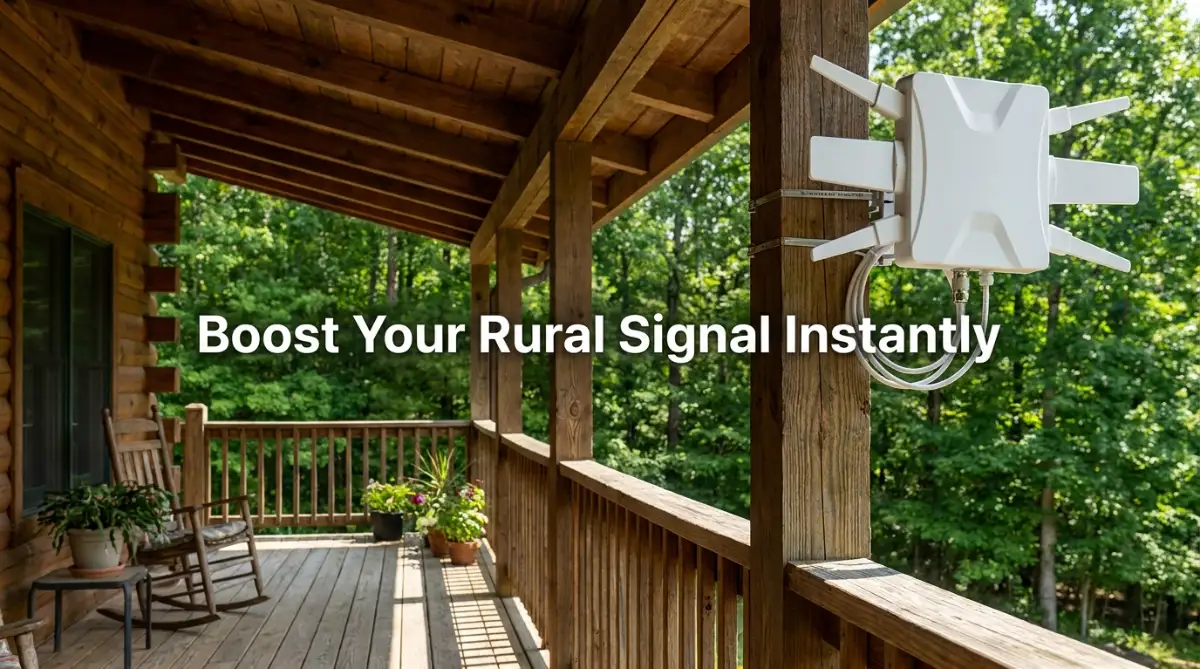
Most people keep their router inside a cupboard or behind a TV. In a rural area, this is like putting a blindfold on your internet. The walls of your house are thick and they block the signal.
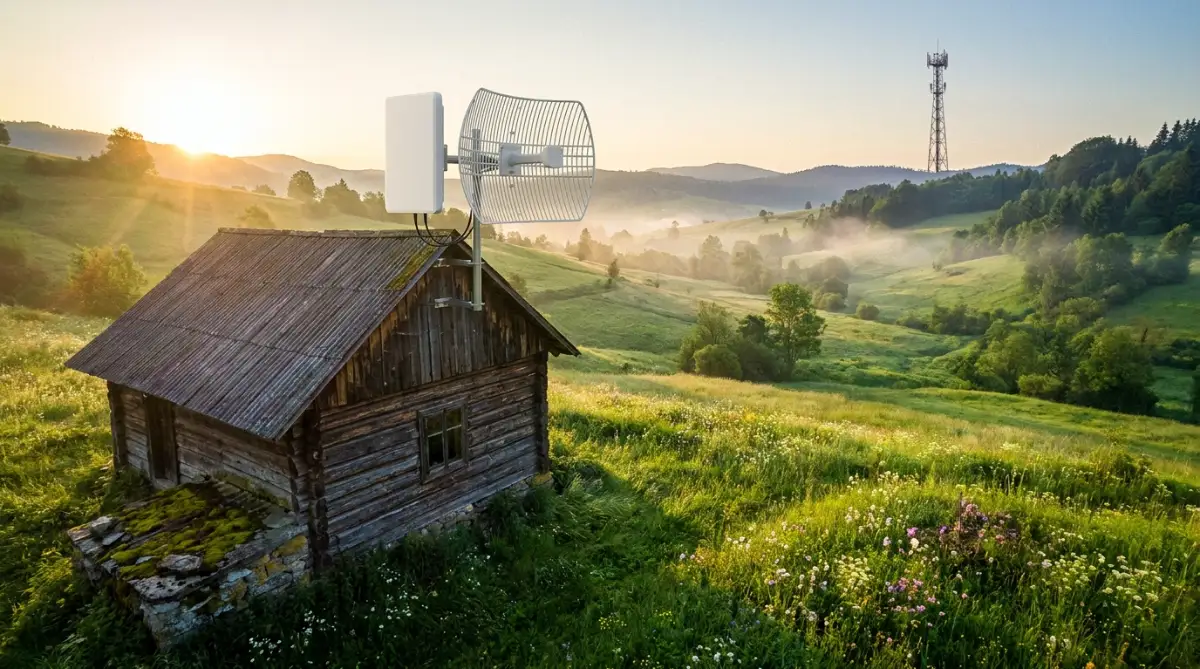
I learned that an external antenna is a game-changer. You mount it high up on your roof, just like an old TV aerial. It points directly at the nearest cell tower. It can grab a signal that your phone can't even see.
When I installed my first directional antenna, my speed went from 2 Mbps to 25 Mbps. It was like magic. It didn't cost a fortune, and it made my Zoom calls smooth again. Just make sure you point it in the right direction using a signal map app.
Quick Investment ROI Table: Is an Antenna Worth It?
| Gear Type | Average Cost | Expected Speed Boost | Setup Difficulty |
| :--- | :--- | :--- | :--- |
| Indoor Signal Booster | $30 - $50 | 5% - 10% | Super Easy |
| Outdoor Directional Antenna | $80 - $150 | 50% - 200%+ | Medium (Needs roof access) |
| 4G/5G Bonding Router | $150 - $300 | Stable Failover | Medium |
My personal verdict: Skip the cheap indoor boosters. Go straight for a roof-mounted antenna if you want real results.
Pro Tip: The Secret of the High Ground
I found out the hard way that the signal in my kitchen was zero, but my attic was full of bars. I moved my main router to the highest point in my house. Always place your gear as high as possible. Even a few feet can mean the difference between a dropped call and a perfect video.
Optimizing Your Software to Save Every Kilobyte
Sometimes the hardware is fine, but our computers are greedy. They try to update Windows or sync big photos in the background. This kills a weak rural connection instantly.
You need to tell your computer that your internet is "Metered." This stops those hidden downloads. I also turned off "Auto-play" on YouTube and Facebook. These small changes save so much bandwidth for your actual work.
I also started using "Offline Mode" for my Google Docs and emails. I write my drafts without the internet. Then, I only go online to hit the send button. This keeps me focused and saves the internet for when I really need it.
How to Stay Proactive When the Weather Gets Bad
Heavy rain or wind can actually knock out your signal. This happens because water droplets in the air can scatter the radio waves. It sounds like science fiction, but it is a real problem for us.
I now keep a "Low Bandwidth" version of my work ready. If I see clouds coming, I tell my team I will be on text-only for an hour. Being honest with your coworkers is better than just disappearing.
Watch This to See a Pro Setup in Action
If you are a visual learner, seeing a real rural office setup can help a lot. This video shows how to mount antennas and set up a failover system without spending thousands of dollars.
Mastering the Art of Asynchronous Communication
When your internet is jumpy, you have to change how you talk to people. Instead of jumping on a call for every little thing, I use voice notes or long-form emails. This is called asynchronous work.
It means I don't need a constant connection to be productive. I can record a video of my screen while offline. Then, when the signal is strong for a few minutes, I upload it. My team gets all the info they need without a 30-minute laggy call.
This shift in mindset actually made me a better worker. I think more before I speak. I document everything clearly. My boss actually likes this better than the old way. It shows I am organized and reliable.
Investing in a High-Quality Mesh WiFi System
If your house is large or has thick stone walls, a single router won't cut it. You will have "dead zones" in different rooms. I used to lose my connection just by walking to the kitchen for coffee.
A Mesh WiFi system uses several small pods placed around the house. They talk to each other and create a blanket of signal. It ensures that your laptop stays connected as you move around.
I suggest getting a system that has a "Dedicated Backhaul." This is a fancy way of saying the pods have their own private lane to talk to each other. It keeps your work traffic fast and steady.
The "Before You Buy" Mesh WiFi Checklist
Before you spend hundreds of dollars on a Mesh system, check these three simple things:
- Is my home over 2,000 sq ft? (If no, a single good router placed high up is totally fine).
- Do I have thick brick or stone walls? (If yes, you absolutely need Mesh pods in different rooms).
- Does the system have "Tri-band" support? (Don't buy dual-band; you really need that third private lane to keep speeds fast)
Managing Your Team's Expectations Like a Boss
One of the hardest parts of rural work is the guilt. You feel bad when you can't join a call. But you have to remember that you are a human, not a robot.
I created a "Connectivity Status" in our team's Slack channel. I use a simple emoji. A green circle means "Great Internet," and a yellow one means "I might be slow today."
This transparency builds trust. People stop wondering why you aren't replying instantly. They know you are working hard, but your tools are just a bit cranky. Most people are very understanding if you just tell them the truth.
Using Data Compression Tools for Smoother Browsing
There are special browser extensions that can shrink the size of websites before they load. This is a lifesaver when you are on a 3G or weak 4G signal. It removes heavy ads and extra tracking code.
I use these tools to read articles or do research. The pages load much faster. It feels like I am back on a high-speed city line. It is a simple software fix that costs nothing but saves hours of frustration.
Why You Should Consider Satellite Internet as a Last Resort
If you are truly in the middle of nowhere, cell towers might not reach you. This is where satellite internet comes in. It has changed a lot in the last few years. It is no longer the slow, laggy mess it used to be.
The new low-orbit satellites are much faster. They are great for rural workers because they don't care about trees or hills. As long as you can see the sky, you can get online.
However, they can be expensive to set up. And sometimes heavy snow can block the dish. It is a great backup, but I still prefer a good 4G antenna if I can get one. It is all about having options.
Testing Your Speed the Right Way
Don't just trust the bars on your phone. They can lie to you. I use a professional speed test app three times a day. Once in the morning, once at noon, and once in the evening.
This helped me find a pattern. I noticed that my internet was always slowest at 4 PM. Why? Because that is when the local kids get home from school and start gaming!
Now, I schedule my most important calls for 10 AM when the network is quiet. Knowing the "traffic hours" of your local tower is a huge advantage. You can plan your hardest tasks for the fastest times of the day.
The Role of a Good VPN in Rural Stability
Sometimes, local providers throttle your speed. This means they intentionally slow you down if they see you are on a video call. It is unfair, but it happens quite often in rural zones.
A VPN hides what you are doing from the provider. They can't see if you are on Zoom or just reading a blog. Sometimes, this actually makes the connection more stable because the provider's "throttling" doesn't kick in.
I always keep a VPN active on my work laptop. It adds a layer of security, but it also helps keep my speed consistent. Just make sure to pick a provider with servers close to your actual location.
Final Thoughts for Part 1: You Are in Control
Working from a rural area is a choice for freedom. Don't let a bad internet provider take that freedom away from you. It takes a little bit of work and a few smart tools, but you can fix this.
You deserve to enjoy your coffee while looking at the mountains without worrying about a disconnect. Start by moving your router higher. Then look into a backup SIM card. These small steps will change your work life forever.
In the next part, we will look at more technical gear and how to build a budget-friendly power backup. Because if the power goes out, the internet goes out too! Stay tuned and keep your head up. You’ve got this.
Taking Your Rural Connection to the Next Level
Once you have your basic gear ready, it is time to think like a pro. Most people stop at buying a router, but that is only half the battle. To truly win at remote work, you need to manage your network like an IT expert.
The Magic of Setting Your Own Priorities
Did you know your router can be taught which apps are the most important? This is called Quality of Service or QoS. I discovered this when my sister started watching a high-definition movie while I was in a meeting.
My video started lagging immediately because the router was giving all the power to her movie. I went into my settings and told the router to always give my work laptop the most bandwidth. Now, no matter who is doing what in the house, my work stays smooth.
This is a game-changer for anyone living with family or roommates. It ensures that your unbreakable morning routine for remote workers isn't ruined by someone else's heavy downloads. You can find these settings in almost any modern router dashboard under the "Advanced" tab.
Beating the Power Cut Monster
In rural areas, the power goes out much more often than in the city. If your electricity dies, your internet dies too. I used to lose hours of work because a small storm knocked out the local power lines.
I solved this by getting a small UPS or a DC-to-DC power cable for my router. You can plug your router into a simple power bank that you use for your phone. Since routers don't use much energy, a good power bank can keep your internet running for six hours or more.
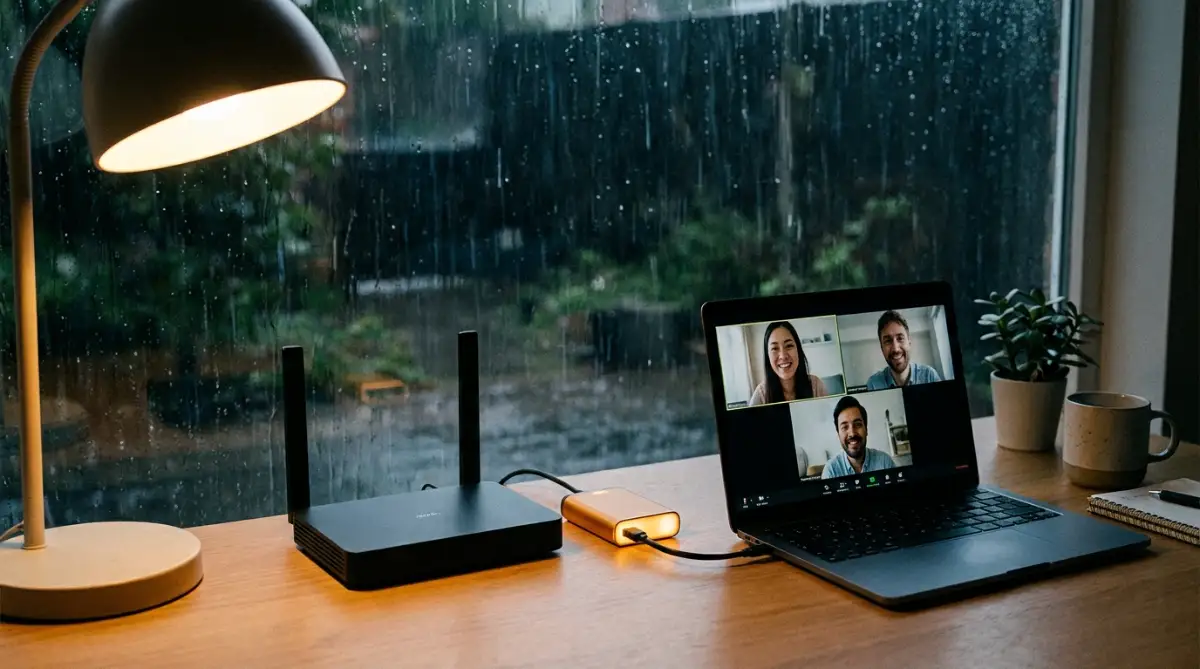
It feels amazing to keep working while the whole neighborhood is in the dark. It shows your boss that you are prepared for anything. You might also want to check out how to lock down your smart home network to make sure these backup devices are secure.
Why Local DNS Servers Make Everything Faster
Sometimes the internet feels slow not because of the signal, but because of the "phonebook" it uses. This is called the DNS. Most rural providers use slow, old DNS servers that take forever to find websites.
I switched my settings to use Google or Cloudflare DNS. These are free and much faster at pointing your browser to the right place. It makes every page feel snappier and reduces the "wait time" when you click a link.
You can change this in your computer's network settings or directly on your router. According to technical data from Cloudflare, using a fast DNS can shave seconds off your loading times. Every second counts when you are on a weak rural line.
Using Data-Light Tools for Heavy Tasks
If you have to send big files, don't do it through your browser. Use specialized tools that can "resume" a download if the internet drops for a second. Standard browsers often fail and make you start from zero.
I also use a tool called a "Text-Only Browser" for research. It removes all the heavy ads and images, showing me only the words. This lets me gather information lightning-fast, even on a tiny 3G signal.
When you are finished with your research, you can focus on remote networking without live events to build your career. This way, you save your data for talking to people instead of loading heavy website ads.
The Benefit of Load Balancing Routers
If you can afford it, look into a load-balancing router. These devices allow you to plug in two different internet sources at the same time. It combines them into one single, powerful connection.
I use one to mix my slow home DSL with my fast but limited mobile data. The router is smart enough to use the cheap DSL for background tasks and the fast mobile data for my video calls. It is like having a private highway just for your work.

The Trap of Thinking "One Connection is Enough"
The biggest mistake I ever made was trusting my local cable company. I thought because it worked for a month, it would work forever. Then a tractor hit a pole down the road, and I was offline for three days.
I felt so embarrassed telling my team I couldn't work. I felt like a failure. This taught me that in the countryside, "one is none and two is one." You must always have a backup plan ready to go.
If you don't have a backup, you risk losing your reputation. Your company might start to think that hiring someone from a rural area was a bad idea. We have to work twice as hard to prove that we are just as connected as city workers.
Buying Cheap Gear to Save a Few Pennies
I see many people buying the cheapest signal boosters they find online. These often don't work or, worse, they can interfere with the local cell tower. This can lead to the authorities knocking on your door!
I once bought a cheap $20 router from a local shop. It overheated every two hours and dropped my calls. I realized that my career is worth more than a few saved dollars.
Invest in quality hardware from brands that experts trust. It is better to spend a bit more now than to lose a day of pay later. Keeping your gear updated also helps with online privacy for remote employees because cheap gear rarely gets security patches.
Ignoring the "Line of Sight" Rule
When using mobile data or satellite, your signal travels through the air. Many people put their antenna behind a tree or a metal roof. They then wonder why their speed is so bad.
Metal and water are the enemies of wireless signals. I once spent an hour wondering why my signal dropped, only to find out my neighbor parked a large metal truck in the way. Always make sure your antenna has a clear view of the sky or the tower.
If you are worried about your data being intercepted over the air, you should learn about how to secure your personal data. Using a good physical setup is the first step in both speed and safety.
Not Setting Boundaries with Your Team
We often try to hide our internet struggles because we are afraid. We say "everything is fine" while we are sweating over a frozen screen. This is a huge mistake that leads to massive stress.
When you are honest about your situation, the pressure disappears. I told my boss, "I live in a beautiful area, but sometimes the storms make my video laggy." He was actually jealous of my view and didn't mind if I turned off my camera during rain.
By being open, you build a real human connection. It is better to be known as the "person with the mountain view and occasional lag" than the "person who randomly disappears." Trust is more important than a perfect 4K video feed.
Your Path to a Peaceful and Productive Rural Life
Living away from the noise of the city is a gift. You get to wake up to the sound of nature and breathe clean air. Your work-life balance will improve in ways you never imagined.
Yes, the internet can be a challenge, but it is a challenge we can solve. With the right antennas, a good backup plan, and a bit of honesty, you can be the best worker on your team. You don't have to choose between your dream home and your dream career.
You have the tools now to build a workspace that is strong and reliable. Don't wait for the next crash to take action. Start small, move your router, and look into a second SIM card today.
I believe that everyone should have the chance to work from wherever they feel happiest. My journey from a frustrated worker with no signal to a relaxed pro was long, but it was worth it. I want you to feel that same peace of mind every time you open your laptop.
How You Can Improve Your Rural Internet Connection
How do I find the nearest cell tower for my antenna?
You can use free websites like CellMapper or apps like OpenSignal. These tools show you exactly where the towers are and which network they belong to. Just stand outside with your phone and the app will point you in the right direction.
Can I use a mobile hotspot for 8 hours a day?
Yes, but you should keep an eye on the heat. Hotspots can get very hot if they are used for long periods. I recommend using a dedicated 4G/5G router instead of your phone for a full day of work.
Does rain really affect my internet speed?
It can, especially if you use satellite or high-frequency mobile signals. Water in the air absorbs the signal. If you notice this, try switching to a lower frequency or moving your antenna a bit higher to get a stronger grab.
What is the cheapest way to get a backup connection?
The simplest way is to have a second SIM card from a different provider in your phone. If your main home internet goes down, you can instantly turn on your phone's hotspot. It is a very low-cost way to stay safe.
Is satellite internet better than 4G for rural work?
It depends on your location. New satellite services are very fast but can be pricey. 4G is often cheaper and has lower "ping," which is better for video calls. I suggest trying 4G with an external antenna first.
How do I know if my employer is okay with me living in a rural area?
The best way is to ask! Most modern companies care about your output, not your zip code. You can learn more about what HR really wants to help you have that conversation with confidence.
Disclaimer: The information provided in this article is for educational purposes only. I am sharing my personal experiences and research. Internet speeds and hardware performance can vary greatly depending on your specific location and service provider. Always check with a local technician before installing hardware on your roof or modifying your electrical setup.