The Hidden Nightmare of Growing Too Fast
You finally land that massive enterprise client, and instead of popping champagne, you find yourself sweating while watching your servers crash in real-time. Sound familiar? Most startup founders focus so heavily on pushing out new features and closing sales that they completely ignore their tech foundation—until their monthly cloud bill suddenly hits five figures. Let's walk through how you can fix those invisible infrastructure leaks before they burn through your entire budget and ruin your reputation.
My mind raced with panic because I knew this single outage could bankrupt us and ruin our reputation forever. I had focused so much on selling the software that I completely ignored how our servers would actually handle the heavy load. This is the dark, silent reality that so many founders face behind closed doors. You build a great product, you market it well, but your technology foundation secretly acts like a ticking time bomb.
For ordinary startup owners and tech leads, this poor infrastructure planning destroys their mental peace daily. Every time a new customer signs up, instead of celebrating, you feel a deep wave of anxiety. You constantly wonder if the system will suddenly break down during a live product demo. This fear forces you to stay awake at night, constantly refreshing server status pages with tired eyes.
The financial drain is equally terrifying for a growing business. Small teams watch their server bills double or triple overnight, eating up all the profit they worked so hard to earn. Money that should go toward hiring great talent or running ads gets thrown into a black hole of unused computing power. You feel trapped, paying for expensive resources you do not even understand how to manage properly.
Actionable Takeaways Before You Start Fixing:
- Kill Ghost Traffic: Audit your servers today and set up auto-scaling so you never pay for idle computing power at night.
- Split Heavy Features: Move heavy tasks (like massive PDF generators) onto their own cheap mini-servers so they never slow down your main app.
- Divide the Database: Separate your database 'read' requests from your 'write' requests to instantly cure slow loading screens.
- Set Hard Limits: Put aggressive daily billing alarms on your cloud accounts right now to avoid sudden end-of-month financial shocks.
Transforming Your Tech Foundation from Chaos to Calm Control
Fixing a struggling system does not require you to be a genius programmer or a seasoned system administrator. It simply requires a clear understanding of where the waste happens and how to plug the holes quickly. Let us look at the practical, logical ways you can bulletproof your software and sleep peacefully at night.

Stop Paying for Ghost Traffic
The most common trap founders fall into is buying way more server space than they actually need. You expect a massive flood of users, so you rent the biggest, most expensive digital hardware available. This is exactly like renting a massive fifty-room hotel when you only have three guests staying the night. You end up burning thousands of dollars on empty space that adds absolutely zero value to your business.
To solve this, you need to set up automatic adjustments based on real-time traffic. Modern cloud platforms allow your servers to shrink or expand naturally, matching exactly how many users are logged in at any given second. When your customers go to sleep and traffic drops, your servers should automatically scale down to save you money. When they wake up and start working, the system should gently expand to handle the morning rush.
Think of it like a smart thermostat in your house that only turns on the AC when the room gets too warm. By implementing automatic resource management, you stop paying for idle time. This simple shift alone can slash your monthly hosting expenses in half, giving you back cash to grow your business.
Quick Reality Check: Cloud Cost Myths vs Facts
- Myth: Moving your software to the cloud automatically saves you money.
- Fact: The cloud is only cheaper if you actually use auto-scaling rules. Leaving a massive premium server running 24/7 just in case traffic spikes will often cost you three times more than renting a physical server.
- Myth: Setting up automatic adjustments is a headache meant for senior engineers.
- Fact: Modern hosting platforms like Vercel, Heroku, or basic AWS templates give you simple sliders to set up basic auto-scaling in under ten minutes. You don't need a PhD in computer science to stop overpaying.
Want to understand how automatic adjustments work visually? Watch this quick breakdown before moving on to the next step.
Breaking Down the Giant Rock
When most people build their first software product, they put all their features into one massive, tangled block. If the billing feature gets too much traffic, the entire software slows down, including the messaging and reporting tools. This means a tiny issue in one corner of your app can crash the whole system for everyone.
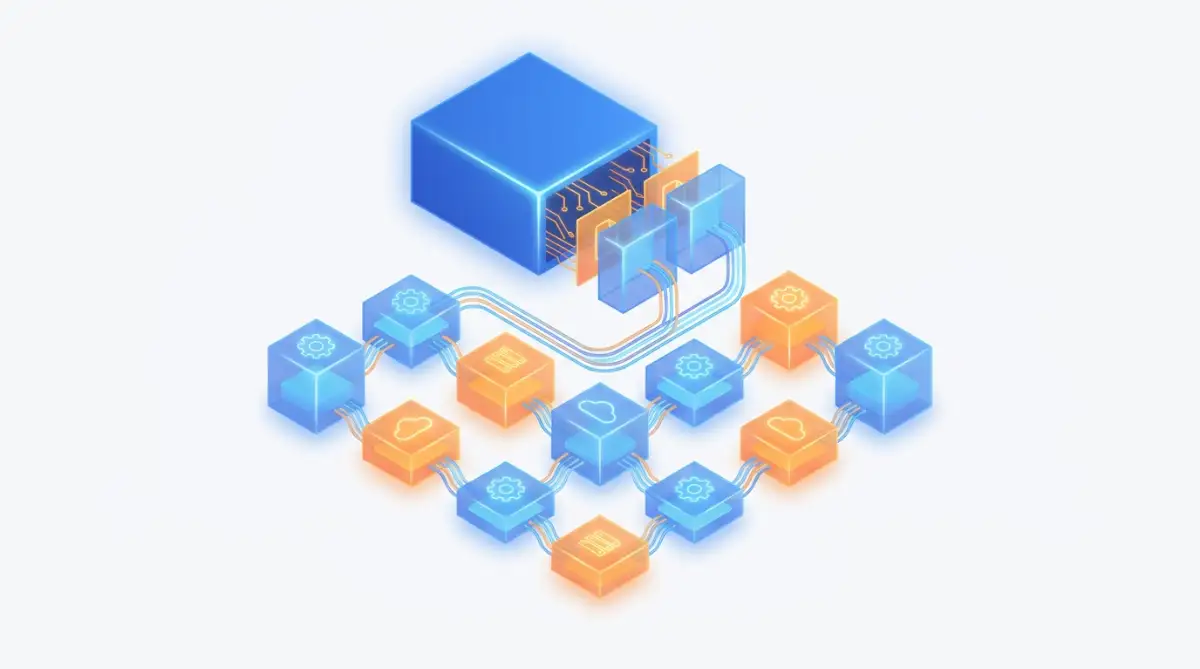
Instead of keeping everything tied together, start separating your features into small, independent pieces. If your billing system needs more power, you should only add power to the billing system, leaving the rest of the app alone. This separation keeps things fast, safe, and incredibly easy to manage as your user base grows.
I learned this the hard way during our second year of business. I kept adding more memory to our main server because our PDF generator was running slow, which ended up costing me an extra $800 a month for absolutely no reason. Once we separated the PDF tool onto its own tiny, cheap server, our main application became lightning fast, and our bill dropped instantly.
The Silent Database Bottleneck
Your software might look beautiful on the outside, but your database is the actual heart pumping blood to every feature. Many teams just dump all their customer information into one place without organizing it properly. As your B2B clients add thousands of their own employees to your platform, searching for simple data takes forever.

A scientifically proven way to speed things up is to read and write data differently. Most of your users spend their time just reading information, like viewing a dashboard or checking a report. Very few are actually typing in new data or making heavy edits at the same time. If you separate the 'reading' traffic from the 'writing' traffic, your loading speeds will improve dramatically.
This is like opening two doors at a busy restaurant instead of forcing everyone through one tight entrance. You have one door for customers coming in to eat, and a separate back door for delivery drivers picking up food. Organizing your data flow this way prevents traffic jams and keeps your enterprise clients extremely happy.
Implementing Hard Limits and Alarms
It is surprisingly easy to click a wrong button and accidentally launch expensive computing services you do not need. Cloud providers will happily charge your credit card for every tiny mistake or forgotten experiment your team leaves running. Without a strict monitoring strategy, you will eventually experience what industry experts call "Cloud Shock" at the end of the month.
To protect your startup's bank account, you must set up aggressive financial alarms. Tell your cloud provider to immediately send you an email and a text message if your daily spending crosses a specific dollar amount. Do not wait for the monthly invoice to arrive to find out you made a terrible financial mistake.
Myth vs Reality: Cloud Costs
Myth: The cloud is naturally cheaper than owning physical servers.
Reality: The cloud is only cheaper if you actively turn things off when you are not using them.
Myth: You need a massive engineering team to handle infrastructure.
Reality: A single well-trained developer using smart automation tools can easily manage an entire enterprise-grade system.
Avoiding the Single Point of Failure
Imagine building your entire business on an island that only has one single bridge connecting it to the mainland. If a storm washes that one bridge away, your business is completely dead until it gets rebuilt. This is exactly what happens when you host your entire software in just one specific data center.
If that specific data center experiences a power outage or a severe hardware failure, your software goes completely offline. Your B2B clients cannot do their daily work, and they will immediately blame you for the disruption. You must spread your application across multiple different locations to ensure absolute safety.
If one location goes down, the system should instantly and automatically redirect your customers to a backup location. They will not even notice that anything went wrong behind the scenes. This level of reliability is what convinces large enterprise companies to trust you with their daily operations.
Practical Data Storage Strategies
As your B2B customers use your platform over the months, they will generate a massive amount of files and documents. Storing every single old file on your fastest, most premium hard drives is a terrible financial decision. A file from three years ago does not need the same lightning-fast access speed as a file uploaded today.
You need to set up rules that automatically move old, unused data into cheaper, slower storage areas. Think of it like moving your winter clothes from your main closet into a dusty box in the attic during the summer. You still own the clothes, but they are not taking up valuable space where you need quick access every morning.
This simple data archiving habit prevents your storage costs from exploding as your company gets older. It keeps your main database lean, incredibly fast, and very cheap to maintain. Your customers will still be able to find their old reports if they really need them, it just might take an extra few seconds to load.
Pro Tip: Real Storage Pricing Breakdown
To give you a real idea of how much money we are talking about, look at Amazon S3's standard storage tiers:
- Hot Data (Standard): Costs around $0.023 per GB every month. Keep your daily active files here.
- Warm Data (Infrequent Access): Drops to about $0.012 per GB. Good for old invoices accessed maybe once a month.
- Cold Data (Glacier Deep Archive): Drops all the way down to $0.00099 per GB.
- Moving 1TB of junk files from your main database into a cold archive can drop that specific storage bill from $23.00 down to less than $1.00 a month. That spare cash adds up incredibly fast over a year.
Building a Culture of Cost Awareness
Infrastructure problems usually happen because the engineering team and the finance team never talk to each other. Developers just want to build cool features quickly, so they use the biggest tools available to save time. Meanwhile, the founders and finance people are left pulling their hair out trying to pay the massive bills.
You need to bridge this gap by making cost awareness a regular part of your team meetings. Show your developers the actual hosting bill and explain how their technical choices affect the company's bottom line. When engineers understand the financial impact of their code, they naturally start writing more efficient, cost-effective solutions.
Comparison Table: Reactive vs Proactive Management
The Power of Continuous Testing
You cannot just set up your server architecture once and blindly hope it works forever. As you add new features and onboard bigger clients, the weight on your foundation shifts constantly. You must routinely stress-test your own systems to see where they bend and where they break.
Run controlled experiments where you intentionally send a massive wave of fake traffic to your platform during quiet hours. Watch closely to see which parts of your application struggle the most under the heavy pressure. Finding these weak spots yourself is infinitely better than letting a real paying customer discover them during a busy Monday morning.
By actively looking for trouble, you stay one step ahead of total disaster. You fix the small cracks before they turn into massive sinkholes that swallow your business whole. This proactive mindset is the ultimate secret to surviving the chaotic early years of running a software company.
Next-Level Server Strategies for Growing Teams
Once you fix the basic leaks in your software foundation, it is time to turn your system into a highly efficient machine. Professional tech teams do not just react to problems, they build smart safety nets that handle heavy traffic automatically. Let us look at a few advanced methods that can save your business from unexpected disasters.
The Bouncer at the Club (Rate Limiting)
Imagine hosting a massive party where hundreds of people try to push through the front door at the exact same second. If you do not have a strong bouncer controlling the crowd, the door will break and your entire party will be ruined. In the software world, this protective bouncer is called "rate limiting".
Rate limiting puts a strict cap on how many times a single user can refresh or request data from your platform within a few seconds. If an angry client or a broken automated script tries to hit your login page a thousand times a minute, the bouncer steps in. The system simply blocks that specific user temporarily while keeping the rest of your app running smoothly.
This simple security trick stops malicious attacks and prevents accidental traffic spikes from taking down your enterprise software. It ensures that all your paying B2B customers get a fair, fast experience regardless of what anyone else is doing.
Storing Answers Closer to the User
Every time a user loads a dashboard, your main server has to do heavy math to calculate their reports. Doing this exact same math for the exact same report a hundred times a day is a massive waste of computer power. You can solve this by using an advanced memory trick known as caching.
Think of caching like a smart assistant sitting at a front desk with a cheat sheet of popular answers. When a customer asks a common question, the assistant just reads the answer from the cheat sheet instantly instead of calling the boss in the back room. You store the final results of popular reports in a fast memory layer so users get their data in milliseconds.
This takes an enormous amount of pressure off your main database. If you want a deep dive into building these independent memory blocks, exploring the Cloud Native Computing Foundation offers amazing insights into modern software architecture. It completely changes how your platform handles high-stress situations.
The Library Index Trick
If I ask you to find a specific sentence in a thousand-page book that has no index, you would have to read every single page. This is exactly what your software does when a user searches for an old invoice if your database is not organized properly. Searching through millions of unorganized customer records will completely freeze your application.
You must build a proper index for your most important data columns, like customer names, dates, and email addresses. An index works exactly like the back pages of a textbook, pointing your server directly to the exact row it needs instantly. This tiny adjustment can turn a ten-second loading screen into a lightning-fast click.
Many founders try to build these complex systems manually, but there are smarter ways to work. You can easily speed up this organization process by automating daily tasks using cloud AI to manage your backend sorting. Letting smart tools do the heavy lifting keeps your engineering team focused on building better features.
Creating a Safe Sandbox
One of the biggest risks you face is pushing a brand new software update directly to your live customers. A single misspelled word in your code can break the entire billing page, causing you to lose thousands of dollars in minutes. You should never practice your new tricks on the main stage during a live performance.
Instead, you need to create an exact, private copy of your software environment where only your developers can play. This is often called a staging server or a sandbox. You test every single update, button, and new feature in this safe zone before anyone else ever sees it.
If your company uses private hosting spaces, you must understand virtual private servers to properly separate your testing ground from your live product. If the sandbox breaks during a test, you just reset it and try again. Your actual paying B2B clients remain completely unaware of the messy trial-and-error happening behind the scenes.

The Trap of Early Success: What Ruins Good Software
When your tech business starts making real money, it is incredibly easy to get comfortable and lazy with your infrastructure. Founders stop checking their daily dashboards because everything looks perfectly fine on the surface. However, this false sense of security leads to terrible habits that will eventually destroy your profit margins. Let us explore the dangerous traps you must avoid at all costs.
Blindly Trusting Default Settings
When you open a new account with a major hosting provider, their default settings are designed to make them money, not save you money. They automatically turn on expensive premium features and massive backup drives that a new startup absolutely does not need. Accepting these default configurations is like buying a luxury sports car just to drive two blocks to the grocery store.
Many developers just click "next" during the setup process without reading what they are actually agreeing to pay for. This lazy habit creates invisible financial leaks that slowly drain your startup budget over several months. You should always read standard security guidelines, like those from the Center for Internet Security (CIS), to properly configure your network safely.
If you just leave the factory settings on, you are leaving your front door wide open for hackers and massive server bills. Take the extra hour to manually configure your security groups, storage limits, and network rules.
Relying on Handshake Agreements with Vendors
As your software grows, you will inevitably start using third-party tools to handle emails, payments, or special data processing. Many startup owners make the terrible mistake of integrating these tools without signing a strict Service Level Agreement (SLA). They assume the vendor will always be online just because they have a nice website and friendly sales reps.
If that third-party payment processor goes offline for three days, your clients will blame you, not the vendor. Thinking that are spoken business deals legally binding will save you during a major technical dispute is a foolish strategy. You need guaranteed uptime contracts in writing so you can protect your own business reputation.
Without a strict legal contract, you have absolutely zero leverage when a vendor ruins your customer experience. If their servers crash, you need a backup plan instantly ready to take over the workload. Never trust an external company with your core business operations without a signed guarantee of performance.
Treating Security as an Afterthought
When you are desperately rushing to launch a new product, security usually gets pushed to the very bottom of the priority list. You tell yourself that you will fix the passwords and encrypt the data after you get your first ten customers. This dangerous mindset is exactly how small businesses end up on the evening news after a massive data leak.
Hackers do not care if you are a small startup; they use automated bots to scan the internet for lazy mistakes. If they find an open database, they will lock your data and demand a massive ransom to give it back. Even modern tools have hidden flaws, which is why fixing machine learning vulnerabilities should be part of your weekly review.
Once your clients find out you exposed their sensitive business records, they will cancel their contracts immediately. You cannot regain trust once it is broken in the B2B world. Build your digital walls tall and strong from the very first day you write a line of code.
The "Cheap Shortcut" Illusion
We all love saving money, but cutting corners on your core tech foundation always costs you ten times more in the end. Some founders try to use cheap, outdated server software just to save a few dollars a month. This is highly risky, much like using free estate planning templates instead of hiring a real lawyer for important life decisions.
When that cheap server finally breaks down under heavy pressure, the damage is catastrophic. You end up spending days paying expensive emergency consultants to recover your lost files and restore your database. The money you thought you were saving gets completely wiped out by a single weekend of downtime.
Invest your money into reliable, proven infrastructure tools right from the start. High-quality technology pays for itself by giving you peace of mind and keeping your B2B customers perfectly happy.
Ignoring the Financial Monitoring
Tech founders love looking at user growth charts, but they completely ignore the daily server cost charts. They treat cloud expenses like a utility bill, just blindly paying whatever amount is charged at the end of the month. This lack of daily financial awareness is a guaranteed way to run out of cash before your next funding round.
You must treat your server costs with the exact same respect you treat your employee payroll. If you want to learn how big companies manage this, the FinOps Foundation is the perfect place to understand modern cloud money management. They teach you how to align your technical decisions with your actual business budget.
If an angry client demands a refund because of a server outage, the situation can escalate quickly. You might even find yourself needing to know about the ultimate beginner's guide to winning your small claims lawsuit if a B2B client decides to sue you for lost revenue. Avoid all this legal headache by simply monitoring your systems and preventing the crash in the first place.
Your Blueprint for a Bulletproof Tech Business
Building a massive software company is a wild, unpredictable ride filled with intense challenges and incredible rewards. Your product ideas might be brilliant, but those ideas will fail if your digital foundation cannot support the weight of real customers. Taking the time to properly organize your servers today ensures your business will thrive for decades to come.
Start by cleaning up your unused storage and putting strict financial alarms on your daily spending. Separate your large features into smaller pieces so a single error never takes down your entire platform again. Most importantly, bridge the communication gap between your developers and your finance team so everyone is working toward the same goal.
Your B2B clients are trusting you with their daily operations, their private data, and their business success. Honor that trust by delivering a stable, fast, and incredibly reliable software experience every single time they log in. You have all the knowledge you need to turn your fragile startup into an unstoppable enterprise powerhouse.
I know how overwhelming server management can feel when you are already working late nights just to keep your business alive. My biggest breakthrough happened the moment I stopped running from infrastructure problems and finally learned how to control my own digital environment. I promise you, taking action on these steps today will give you back your sleep, your peace of mind, and your confidence to grow.
Common Questions About B2B Server Growth
Why does my cloud hosting bill fluctuate so much every month?
Your bill changes constantly because you are paying for resources by the second or minute based on usage. If your users upload more files or run heavier reports one month, your computing costs will naturally increase. Setting up automatic scaling and daily budget alarms will help you predict and control these wild cost swings.
Can a small startup survive on physical servers instead of the cloud?
Yes, but managing physical machines requires buying expensive hardware upfront and hiring experts to fix them when parts naturally break. The cloud is usually better for young companies because it allows you to rent power only when you actually need it. Just be careful to monitor your usage so the rental fees do not get out of hand.
How do I know if my database is the reason my software is slow?
If basic text pages load quickly but heavy customer reports take forever to appear, your database is likely struggling. You can easily test this by checking your cloud provider's monitoring dashboard for high "read/write" wait times. Creating an index for your most searched columns usually solves this exact problem instantly.
Do I need to hire a dedicated server expert right away?
You do not need a full-time infrastructure expert when you are just starting out with a few clients. A smart developer using modern automation tools and smart alarms can easily manage a growing system. As your daily traffic crosses into the millions, that is when you should consider hiring a dedicated specialist.
What is the fastest way to reduce an expensive server bill today?
The absolute fastest way to save money is to find and delete "orphan resources" that are running but completely unused. Look for old backup files, abandoned testing environments, or unattached IP addresses and turn them off immediately. Simply cleaning up this digital trash can drop your bill by twenty percent overnight.
Disclaimer: The information provided in this article is for educational and informational purposes only. Managing cloud infrastructure involves complex technical and financial risks. We highly recommend consulting with a certified cloud architect or financial professional before making significant changes to your business systems. We are not responsible for any technical outages, data loss, or financial expenses incurred from applying these strategies.