The Silent Nightmare Behind the Screen
Let me guess. You pay for about a dozen software subscriptions every month, and you assume your data is perfectly safe just because you use famous brands. I used to think the exact same way—until a random calendar plugin I forgot I even installed almost cost me my biggest client. We spend so much time worrying about complex hackers breaking through our firewalls, but the real threat is usually a simple sharing setting we forgot to turn off. Let me walk you through the hidden backdoor mistakes you are probably making right now, and exactly how to fix them before tomorrow morning.
I quickly logged into my main software dashboard, and everything looked completely normal at first glance. There were no big red flashing lights or warning messages.
Then, I dug into the hidden user logs and felt a wave of pure panic wash over me. I realized a cheap, third-party scheduling app I had connected months ago had been quietly hijacked by bad actors.
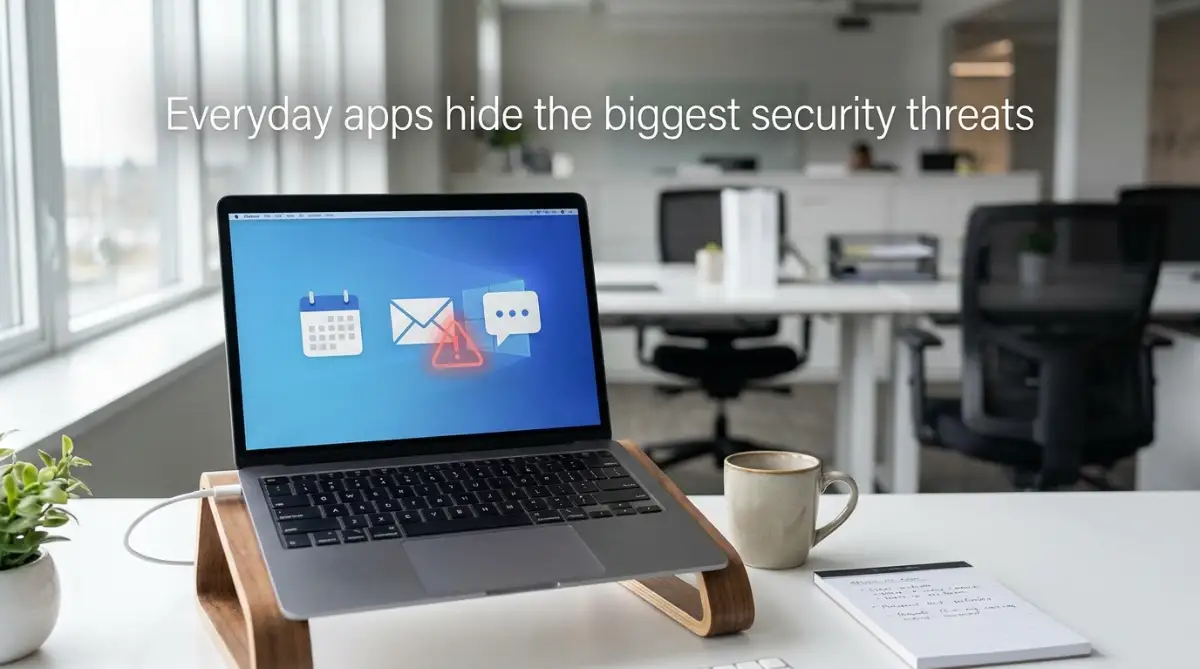
Because I gave that simple calendar app permission to read my emails, the hackers had a direct back door into my entire client database. I felt entirely betrayed by the technology I paid for every single month.
I lost three nights of sleep, constantly worrying about expensive lawsuits and a ruined business reputation. It took me weeks to rebuild the trust I lost with my best clients.
We blindly trust that big software companies have perfect digital walls protecting our private information. We pay our expensive monthly subscriptions and assume the security is fully handled on their end.
But when a major breach actually happens, the heavy blame always falls right back onto the business owner. Your clients do not care which specific tool failed; they only care that you lost their private details.
This constant, underlying threat drains your mental peace and turns your daily operations into a stressful guessing game. You start second-guessing every new tool you want to try, wondering if it will be the one that finally breaks your business.
The "Too Long, Didn't Read" Action Plan
- Audit your API connections: Those tiny browser extensions (like free grammar checkers) can easily bypass your main passwords. Clean them out immediately.
- Kill orphaned accounts: Leaving an ex-employee's software profile active is a massive open door for data theft. Delete them the day they leave.
- Never trust default settings: Software companies leave sharing settings wide open so the app feels easy to use. Lock your folders down the exact minute you buy them.
- Enforce Zero Trust: Treat every single user login request like a total stranger knocking at the door. Mobile two-factor authentication (2FA) is completely non-negotiable.
Exposing the Invisible Doors in Your Daily Operations
If you want to stop hackers in their tracks, you have to understand how they actually think. They do not usually attack the front door of your highly secure accounting software.
Instead, they look for the tiny, forgotten side windows that you left open by mistake. Let us break down the most dangerous hidden gaps in your daily software tools.
We will look at exactly how these digital leaks happen and how you can lock them down today.
The Danger of Digital Handshakes and API Keys
Most modern companies use at least ten different software tools to get through the workday. You probably have a tool for emails, a tool for chat, and a tool for sending invoices.
To make life easier, we connect all these tools together so they can share information automatically. This connection happens through something called an Application Programming Interface, or API.
Think of an API like a secret handshake between two different software programs. It allows your billing software to talk directly to your client database without you typing anything.
The massive problem happens when we hand out these digital keys and completely forget about them. We connect a random grammar checker to our email and never look at the permissions again.
How Hackers Exploit Your Forgotten Connections
When you give a random tool access to your main database, you are trusting their security as much as your own. If that tiny grammar company gets hacked, the attackers now hold the key to your business.
They use that API key to walk right past your expensive passwords and two-factor authentication. They are already inside the system, wearing a trusted disguise.
Pro Tip: I learned a very harsh lesson about this specific issue. I used to approve every single software integration my team requested just to keep them happy and working fast. Now, I personally review every single connection request, and I delete any integration we have not actively used in the last thirty days.
You must treat API keys like physical keys to your real house. You would never hand a house key to a stranger and just hope they do not come back at night.
Make it a strong habit to audit your connected apps every single month. Go into your Google or Microsoft settings and remove access for anything you do not recognize.
My Monthly 5-Minute API Audit Routine:
- Step 1: I open my Google Workspace or Microsoft security dashboard on the first Friday of every single month.
- Step 2: I filter my third-party connected apps by the "Last Used Date."
- Step 3: If an app has not been touched in 30 days, I click "Revoke Access" instantly. My rule is simple: they can always ask for permission again later if they truly need it.
The Silent Menace of Shadow IT
There is a growing trend in the business world that keeps security experts awake at night. It is a concept known as "Shadow IT," and it is probably happening in your company right now.
Shadow IT simply means that your employees are using unauthorized software to do their daily work. They are bypassing your official, secure tools because they found something cheaper or faster online.
Maybe your marketing manager did not want to learn the complicated official survey tool. So, they quietly signed up for a free, unknown survey builder using their work email address.
They then upload your entire private customer list into this free, unverified tool. Your official tech stack remains perfectly secure, but your private data is now floating in an unprotected cloud environment.
Common Shadow IT Culprits I Found in My Own Team:
- What we officially approved: Microsoft OneDrive (Secure, monitored, and paid for).
- What my team secretly used: Free Dropbox accounts and sketchy PDF-compressor websites because they felt "faster."
- The Fix: I did not yell at them. I just upgraded our official file-sharing size limits and taught them a faster shortcut. Sometimes, fixing a massive security hole just means making your official tools easier to use!
Why Employees Break the Rules
Your team is usually not trying to cause harm on purpose. They just want to get their assigned projects done quickly, and complicated security rules often slow them down.
When you make your official tools too hard to use, humans will always find a shortcut. Those shortcuts are exactly what bad actors use to steal your data.
A visual breakdown of the reality you need to see: If you truly want to understand how easily these background connections are manipulated by outsiders, you need to watch this exact breakdown.
Taking just a few moments to watch that explanation will completely change how you view your daily apps. It visually proves why relying on default settings is a massive mistake.
The Ghost Town of Orphaned User Accounts
When an employee leaves your company, what is your exact process for closing their digital presence? Most business owners simply change the main email password and call it a day.
This leaves a trail of dangerous "orphaned accounts" scattered across the internet. An orphaned account is an active profile that belongs to someone who no longer works for you.
Think about all the different tools your former sales manager used. They had a profile in the CRM, a profile in the design software, and a login for the social media dashboard.
If you do not manually delete every single one of those profiles, those digital doors remain wide open. Anyone who knows that old password can log in and quietly download your entire client list.

How to Lock Down the Exits
You need a strict, documented process for when someone leaves the company. You cannot rely on your memory to track down every single software license they held.
Create a massive spreadsheet that lists every single tool your company uses. When a team member departs, go down that list and physically delete their access one by one.
Myth vs. Reality in Software Security
There is a lot of bad advice floating around the internet regarding software safety. Let us clear up some of the biggest misunderstandings right now.
Understanding these realities is the first step to building a truly resilient business. You cannot fix a problem if you refuse to admit it exists in the first place.
The Trap of Misconfigured Default Settings
When you buy a brand-new software license, the manufacturer usually sets everything to the most open, sharing-friendly settings possible. They want the tool to feel easy and frictionless right out of the box.
This means your new project management board might be completely visible to anyone on the internet by default. A simple toggle switch hidden deep in a menu is often the only thing standing between your private data and the public.
Many cloud storage solutions have caused massive data leaks simply because a folder was accidentally set to "Public Link" instead of "Private." Hackers run automated bots that constantly scan the internet looking for these exact open folders.
They do not even have to break in. They just walk right through the open door you forgot to close.
Taking Control of Your Digital Environment
You must never accept the default settings on any new business tool. The moment you purchase a license, spend twenty minutes digging through the privacy and security menus.
Turn off public sharing. Force your team to use strong passwords. Turn off automatic data syncing with other apps unless it is absolutely required for your workflow.
By actively managing these small settings, you build a massive wall around your company. Security is not about buying expensive firewalls; it is about paying attention to the tiny details that everyone else ignores.
Next-Level Defense Tactics for Your Digital Office
Once you stop the immediate digital leaks, you have to build a system that actively protects itself. You cannot spend your entire day watching security logs and user activity. You need smart, automated barriers that do the heavy lifting while you focus on your clients.
The most powerful concept you can apply right now is called "Role-Based Access Control," or RBAC. This simply means that every person in your company only gets access to the exact tools they need to do their specific job.
Think about how a standard hotel operates. When you check in, your room keycard only opens the front lobby and your specific bedroom. It does not open the manager's office, the kitchen, or the IT closet.
Your business software needs to work exactly the same way. Your marketing intern never needs access to the main billing dashboard. Your graphic designer does not need to see your private human resources files.
By strictly limiting who can see what, you instantly shrink your attack surface. If a junior employee accidentally clicks a bad link, the attackers only get access to a tiny, isolated portion of your network.
Adopting the Bouncer Mentality for Cloud Apps
Another advanced strategy is shifting your entire company toward a "Zero Trust" model. The old way of thinking was like building a castle with a heavy front gate. Once someone logged in, they were trusted completely and could roam freely inside the network.
Today, that old model is incredibly dangerous. Zero Trust means you verify every single action, every single time. It treats every user, even your own CEO, as a potential threat until proven otherwise.
Just because a team member logged in safely yesterday does not mean they get a free pass today. You require continuous authentication for every new folder they try to open. You can review the National Institute of Standards and Technology guidelines on Zero Trust Architecture to see how major organizations build these exact verification systems.

Pro Tip: I used to trust my team completely, leaving all our shared drives open to make collaboration faster. After a terrifying near-miss with a phishing email, I realized that blind trust is a business owner's biggest weakness. I immediately locked down every folder, and honestly, nobody even complained about the extra security step.
You also need to start using a dedicated password manager across your entire organization. Never let your employees save their passwords inside their web browser. Browser-saved passwords are incredibly easy for basic malicious software to steal.
A central password manager lets you create impossibly long, complex passwords for every single business app. Your team only has to remember one master password to unlock their daily tools. Finding the best way to keep your information secure every single day starts with destroying the habit of using the same password twice.
Finally, you must mandate Two-Factor Authentication (2FA) for every application that touches client data. A password alone is no longer enough to protect your business.
If a hacker steals a password, 2FA stops them cold because they do not have the physical smartphone needed to approve the login. It is the single most effective roadblock you can place in front of a bad actor.

The Dangerous Traps That Quietly Expose Your Company
Even with great tools in place, human behavior is always the weakest link in your security chain. We are all incredibly busy running our businesses, and we often choose convenience over safety. These everyday shortcuts are exactly what attackers rely on.
One of the most destructive habits is the "set it and forget it" mentality. You buy an expensive new project management tool, configure the basic settings, and then never look at the administration panel again.
Over the next two years, the software company pushes dozens of updates. They add new sharing features and change their privacy policies. Because you never check your settings, your private project boards might slowly become publicly visible without you ever realizing it.
The Temporary Freelancer Disaster
Let us look at a very common scenario that destroys small businesses. You hire a brilliant outside consultant to help you launch a new product over the weekend.
To make their job easier, you give them full administrative access to your customer database. The project goes great, you pay their invoice on Monday, and everyone moves on to the next task.
Six months later, that consultant is working from a public cafe, and their laptop gets compromised. Because you forgot to revoke their admin access, the attackers now have a direct, active tunnel right into your company.
When you read the ultimate guide to working with global clients without losing sleep, you will see that managing outside access is a massive priority. You must treat temporary access like a ticking time bomb that you manually defuse.
Always set calendar reminders on your phone to delete contractor accounts the exact moment their contract ends. Never leave an open door just in case they need to come back later.
Ignoring the Annoying Software Updates
Software updates are incredibly frustrating. They always seem to pop up on your screen right when you are in the middle of an important client presentation.
It is a natural human reaction to click the "remind me tomorrow" button. The problem is, tomorrow turns into next week, and next week turns into next month.
Those updates are rarely just visual changes to the software. They usually contain critical patches for massive security holes that attackers have recently discovered.
When a software company releases a patch, they are basically announcing to the world exactly where their product is broken. Attackers instantly start scanning the internet for companies that have not installed the update yet.
According to the Center for Internet Security (CIS) protocols on vulnerability management, delaying a patch by just 48 hours dramatically increases your risk of a targeted attack. You have to stop viewing updates as an annoyance and start seeing them as emergency maintenance.
Force your team to restart their computers at the end of every workday. This simple habit ensures that basic background patches are installed overnight while everyone is sleeping.
Mixing Personal Devices with Enterprise Data
Since remote work became the standard, the line between personal devices and company property has completely vanished. Your sales team is likely answering customer emails on the same smartphone they use to download random gaming apps.
This creates a massive blind spot for your business. You have zero control over the security hygiene of your employee's personal phone.
If they accidentally download a malicious app over the weekend, that app can easily read the corporate emails stored on the exact same device. Learning how to stay safe on public wi-fi essential habits for remote workers is useless if the device itself is already infected.
If you cannot afford to buy dedicated company laptops for everyone, you must use Mobile Device Management (MDM) software. This creates a secure, isolated bubble on their personal phone that holds all your business data safely.
The Third-Party Plugin Addiction
We also love adding little helpers to our main software stack. We download browser extensions to check our grammar, format our spreadsheets, and transcribe our meetings.
Every single one of these plugins requires permission to read your screen or access your microphone. You might start wondering if these tools are actually safe, or are ai transcription apps stealing your private voice data right under your nose.
Many small plugin developers have terrible security standards. When hackers breach these tiny plugin companies, they use that connection to siphon data directly from your highly secure enterprise apps.
You must heavily restrict what your employees can install on their work browsers. Understanding the hidden dangers of adding ai tools to your website or your internal systems is the only way to stop this invisible data drain.
Your Immediate Action Plan for Tomorrow Morning
You do not need an expensive IT degree to completely transform your company's security posture. You just need the discipline to stop making assumptions and start verifying your environment.
Taking control of your digital tools is actually incredibly empowering. You move from a state of constant, quiet anxiety into a position of absolute confidence.
Tomorrow morning, sit down with a hot cup of coffee and pull up your main administrative dashboard. Look at the list of active users and boldly delete anyone who no longer works for you.
Next, run an audit of every single app you pay for each month. Building a smart strategy to plug financial leaks in enterprise saas will not only save you money but also highlight exactly which unused tools are creating unnecessary risks.
Cancel the subscriptions you do not use. Delete the API connections that look suspicious. Turn on two-factor authentication for every single person on your payroll.
You have worked incredibly hard to build your client list and your business reputation. Do not let a lazy default setting or a forgotten password tear it all down.
Protecting your data is the most profound way you can show respect to the customers who trust you. Take action today, lock your digital doors, and run your business with total peace of mind.
Common Questions About Business Software Safety
How do I know if my business software has been hacked?
You will usually notice strange automated behaviors before a massive breach becomes obvious. Look for missing emails, unknown user accounts suddenly appearing in your dashboard, or sudden spikes in outgoing data usage. If your clients report receiving weird links from your official email address, you need to lock down your system immediately.
Why is shadow IT so dangerous for small companies?
When your employees use unapproved, free software to do their jobs, your company loses all control over where that data is stored. If that random free tool gets breached, your private client data is exposed, but your main IT dashboard will show zero warning signs. You cannot protect data that you do not even know exists.
Can third-party browser plugins steal my company data?
Yes, they absolutely can. Many grammar checkers, screen recorders, and productivity extensions require permission to read everything on your screen. If the company that made that tiny plugin has poor security, hackers can use it to read your private accounting dashboards and client messages.
What is the best way to manage employee app passwords?
You should invest in a reputable enterprise password manager for your entire team. This prevents your staff from writing passwords on sticky notes or reusing the same weak password across ten different apps. You can easily revoke their access to the password vault the exact moment they leave the company.
Does two-factor authentication actually stop hackers?
It is currently the most effective defense you can deploy against basic attacks. Even if a hacker buys your exact username and password from the dark web, they cannot log into your account without having physical possession of your smartphone. It stops automated bot attacks completely in their tracks.
A Final Word on Your Digital Protection
I know tackling software security feels completely overwhelming when you just want to run your business. My biggest realization was that I did not have to fix everything in a single day. I just started by deleting one old user account and turning on one security setting at a time. Take that first small step today, and you will instantly feel a massive weight lift off your shoulders.
Disclaimer: This article is intended strictly for informational and educational purposes regarding general software security practices. It does not constitute formal cybersecurity, legal, or IT compliance advice. Technology and security threats change rapidly every single day. Always consult directly with a certified cybersecurity professional or an IT compliance expert before making major changes to your business infrastructure or data handling procedures.