The Midnight Server Panic: Why We Cling to Outdated Technology
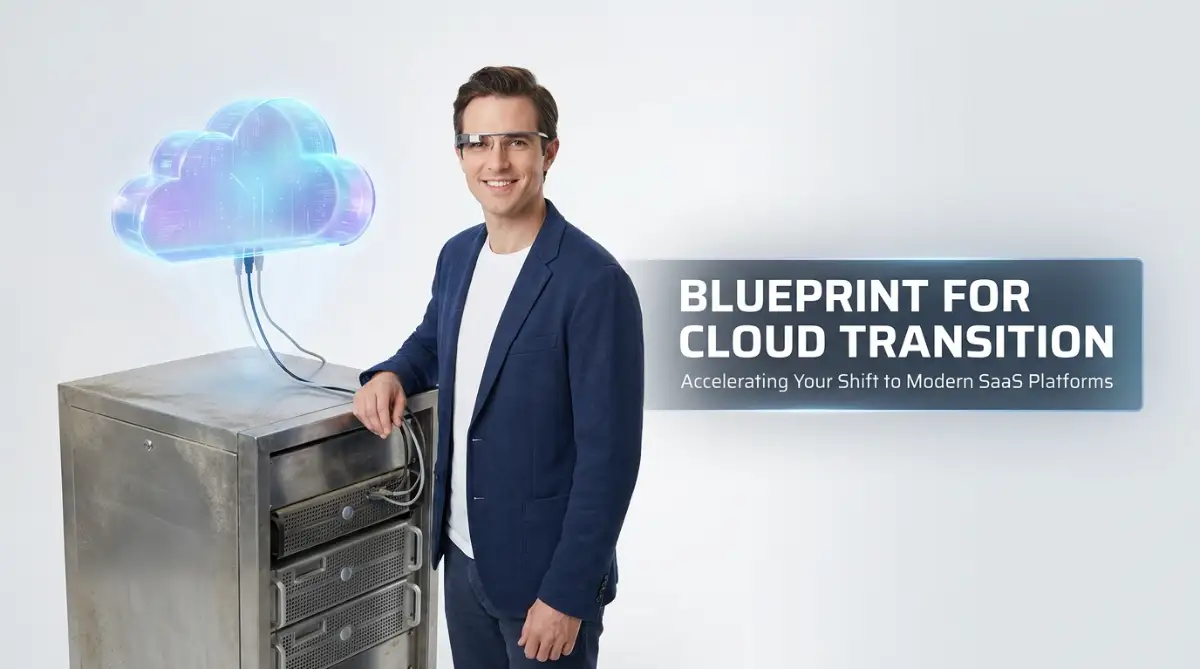
A dead physical server at 2 AM is a special kind of nightmare. I know the feeling—staring at a black screen, wondering if years of client data just vanished because a $5 cooling fan failed in the back room. If you are still keeping a loud, expensive metal box down the hall just because "the cloud" sounds risky, we need to talk. Let me show you exactly why moving your data online is not just safe—it is the only way to protect your business and your sanity.
We spent hours untangling cables and rebooting massive metal boxes, terrified that we had just lost a week's worth of financial records. That single night cost us thousands of dollars in downtime and permanently damaged our relationship with two major clients. Even after that nightmare, when my board suggested moving to a B2B SaaS cloud solution, I actively fought against it.
I was completely paralyzed by the false idea that letting someone else host our data meant giving up total control of my business. It felt like handing the keys to my house to a complete stranger.
You might be sitting in your office right now, listening to the loud humming of a physical server down the hall. You secretly worry about what will happen if the air conditioning breaks down or a pipe bursts over that expensive equipment.
Your employees complain daily that the internal software is incredibly slow when they try to work from home. The mental toll of managing your own hardware is absolutely exhausting, yet the fear of migrating keeps you trapped in this outdated cycle.
Let us completely tear down the walls of confusion surrounding business software migration. We need to look at the cold, hard facts so you can finally make a decision that brings peace of mind to your daily operations.
Quick Takeaways: Why You Should Care
- Stop the money drain: Cloud subscriptions wipe out hidden electricity, cooling, and hardware replacement bills.
- Zero downtime upgrades: Modern transition methods let you move systems in the background while your team works normally.
- 100% Data Ownership: Legal contracts guarantee you keep total control of your files, easily exporting them whenever you want.
- Built-in disaster survival: Automated geo-redundancy means your business stays online even if your local office loses power.
What You Will Learn in This Guide
- Why keeping a physical server in your office is actually riskier than using the cloud.
- How moving to a subscription model instantly cuts down your hidden electricity and repair bills.
- The simple truth about data ownership (yes, you still own 100% of your files).
- How your IT team can stop fixing broken cables and start helping your business make more money.
Shattering the Illusion: The Truth Behind Moving to Hosted Solutions
Moving your operations to a Software as a Service (SaaS) model is not magic, nor is it a dangerous gamble. It is simply a highly logical shift in how you manage your company's digital resources. Let us walk through the most common fears holding you back and completely unpack the science and logic behind them.
The Phantom Fear of Lost Security and Hackers
Whenever I speak with business owners about moving their data off-site, the very first word they mention is security. They picture a group of hackers easily breaking into an invisible network and stealing every single customer record they own.
This creates a powerful psychological barrier. They honestly believe that because they can physically touch the metal server in their office, it is somehow protected from the outside world.
Let us look at this logically through a real-world analogy. Keeping your data on a local office server is like keeping your company's entire cash reserve stuffed inside a locked filing cabinet in your breakroom. Sure, you can see the cabinet, and you have the key.
But if a determined thief breaks through your glass front door, that basic lock will not stop them. On the other hand, moving to a reputable B2B cloud provider is like putting that cash into a high-security national bank.
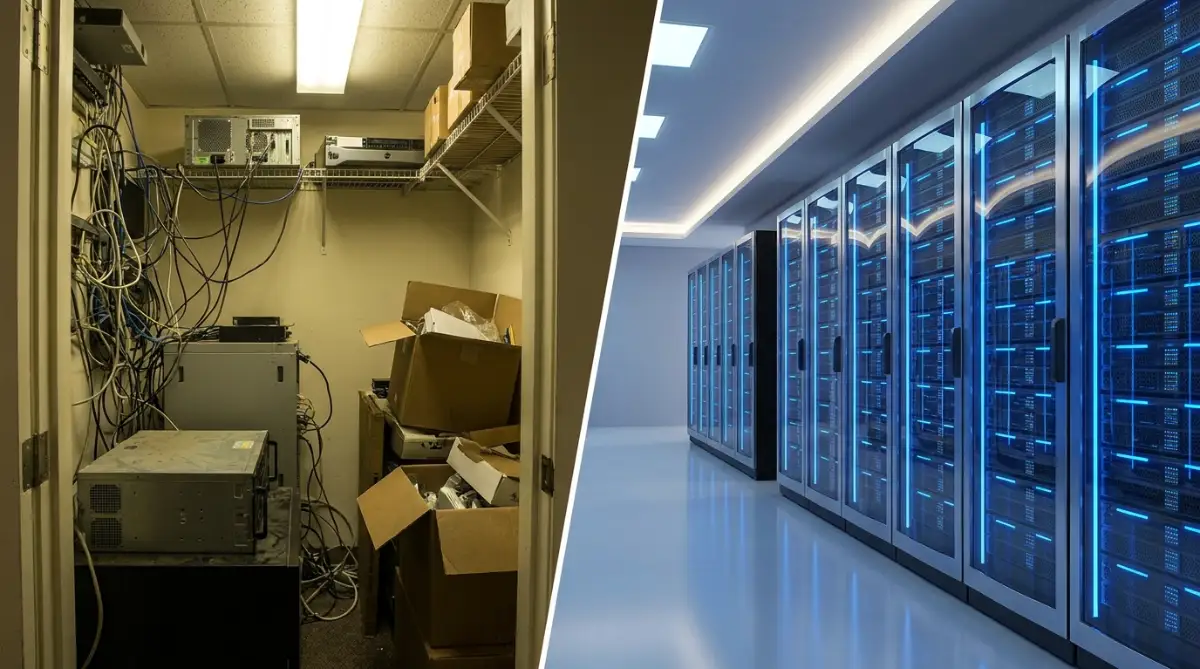
These massive cloud providers employ thousands of the world's brightest cybersecurity engineers whose only job is to protect those data centers. They use military-grade encryption, physical armed guards at server locations, and advanced threat detection systems that a normal business could never afford to build.
When you use a SaaS infrastructure, you are essentially renting access to a multi-billion dollar security setup for a fraction of the cost. The scientific reality is that your local office network is far more likely to be hacked through a simple phishing email than a major cloud server is to be breached directly.
Quick Reality Check: Office Server vs. Top-Tier SaaS Security
- Data Protection: You have basic local passwords vs. Providers using AES-256 military-grade encryption.
- Physical Security: Your standard office door lock vs. 24/7 armed guards and biometric scanners at data centers.
- Threat Detection: Your basic desktop antivirus vs. Thousands of dedicated engineers monitoring suspicious activity around the clock.
The Hidden Reality About Migration Costs and Budgets
The second biggest roadblock is the terrifying assumption that moving to the cloud will bankrupt the company. Managers look at the monthly subscription fees of premium SaaS platforms and immediately start sweating over the math.
They compare this monthly fee to the "free" cost of the servers they already bought five years ago. This is a massive mathematical error because it completely ignores the hidden costs of physical hardware.
Pro Tip: I used to proudly tell my colleagues that our internal servers were completely paid off, saving us money every month. It was only when I actually sat down with our accountant that I realized we were spending an absolute fortune on electricity, cooling systems, constant IT maintenance, and expensive software licensing upgrades. Moving to a cloud subscription actually cut our operational expenses by almost forty percent within the first year.
With on-premise systems, you are responsible for everything from the massive cooling bill to the emergency replacement parts when a hard drive burns out. You also have to pay a dedicated IT person just to babysit the machines.
When you move to a SaaS model, all of those unpredictable physical costs completely disappear. You shift from a Capital Expenditure (buying expensive hardware upfront) to an Operational Expenditure (a predictable, flat monthly fee).
This means you never have to panic about a surprise ten-thousand-dollar server replacement bill again. You pay exactly for the computing power you use, and if your business slows down, you can easily downgrade your plan to save money instantly.

Watch this excellent explanation of how businesses drastically reduce their hidden operational costs by switching to hosted infrastructure.
Quick Breakdown: Physical Server vs. Cloud Costs
- Upfront Hardware: Physical (5,000+)∣Cloud(5,000+)∣Cloud(0)
- Cooling & Power Bills: Physical (everymonth)∣Cloud(everymonth)∣Cloud(0)
- IT Maintenance: Physical (Requires a full-time salary) | Cloud (Included in your subscription)
- Scaling Up: Physical (Takes weeks to order new parts) | Cloud (Takes exactly two minutes online)
The Myth of "Total System Downtime" During the Switch
Many brilliant CEOs delay their migration for years because they believe the actual moving process will shut down their business for weeks. They imagine a chaotic scenario where employees cannot access their emails, clients cannot place orders, and the whole company grinds to a painful halt.
This fear of the "dark period" forces them to stick with a slow, dying local system out of pure self-preservation. In the early days of computing, changing systems did actually require pulling plugs and stopping work.
Today, the migration process is incredibly smooth and entirely scientific. Modern B2B SaaS providers use a strategy called parallel running.
This means your old physical server and your new cloud infrastructure run at the exact same time during the transition phase. The engineering team securely copies your data over to the new platform in the background while your employees continue working normally on the old system.
Once the new cloud system is completely set up, fully tested, and filled with your data, the team simply flips a digital switch. The actual switch over usually happens on a quiet weekend or in the middle of the night.
Your team leaves the office on Friday using the old slow system and logs in on Monday morning to a blazing fast cloud platform. There is absolutely zero reason for your business to suffer a week of downtime just to upgrade your technology.
The Fear of Losing Control Over Your Own Business Data
It is a very uncomfortable feeling to hand your most valuable customer lists and financial records to a third-party company. A common myth suggests that once your data enters the cloud, the software provider essentially owns it and can lock you out.
People worry that if the SaaS company goes out of business, their own business will instantly die with it. This is a very valid emotional concern, but it does not reflect the legal reality of enterprise software.
When you sign a contract with a reputable B2B infrastructure provider, the legal terms strictly dictate that you retain one hundred percent ownership of your data. The cloud provider is merely acting as a highly secure digital storage unit.
They have no legal right to sell, share, or hold your data hostage. Furthermore, high-quality SaaS platforms always provide automated, continuous backup options that you can download directly to an offline hard drive whenever you want.
If you decide to leave the service next year, you simply hit a button to export all your information in a standard format. The idea that your data becomes permanently trapped in the cloud is an outdated rumor spread by people who do not read modern service agreements.
The Misunderstanding About IT Team Job Security
When a company announces they are moving to the cloud, the internal IT department usually goes into an immediate state of panic. The mechanics and technicians assume that because there are no physical servers left to fix, they will all be fired the next morning.
Moving to a SaaS platform does not eliminate the need for smart tech professionals; it completely changes the nature of their work for the better. Instead of crawling under dusty desks to replace broken network cables, your IT team becomes highly strategic.
They will spend their time building custom software integrations, improving employee workflows, and analyzing data to help the company grow faster. By removing the boring, tedious hardware maintenance, you actually give your tech team the freedom to do high-level creative problem-solving.
Companies that successfully migrate often find that their IT department becomes the most valuable driver of new revenue. You are not replacing your team; you are finally giving them the advanced digital tools they need to shine.
The Disaster Recovery Reality Check
Let us talk about what happens when everything goes completely wrong. People wrongly assume that if the internet goes down, a cloud-based business completely stops existing.
They argue that a local server is better because it works even when the Wi-Fi drops. While it is true that you need an internet connection to access a cloud platform, the real danger is not a temporary internet outage.
The real danger is a physical disaster hitting your office building. If a fire starts in your kitchen, or a massive storm floods your local neighborhood, your physical server room will be completely destroyed.
All of your hard drives, backups, and client histories will be gone forever in a matter of minutes. When you use a top-tier B2B cloud infrastructure, your data is never stored in just one single location.
These providers use an intelligent method called geo-redundancy. The moment you save a file, the system automatically creates an encrypted copy and sends it to completely different, highly secure data centers located in entirely different cities or even countries.
If a hurricane completely wipes out a data center in one state, your business does not even notice a glitch. The system simply reroutes your connection to a backup server in a safe location in a fraction of a second.
Myth vs. Fact: The Uptime Reality
- The Myth: If my local internet blinks, my whole business shuts down.
- The Fact: Major cloud platforms like AWS and Microsoft Azure actually guarantee 99.99% uptime. If a massive storm hits their main center, your data instantly switches to a backup facility in another state before you even notice a single glitch!
This level of bulletproof disaster recovery is mathematically impossible to achieve with a single server sitting in your office closet. By staying off the cloud, you are actually taking a massive, unnecessary gamble with the entire future of your business.
Mastering Your New Digital Environment for Long-Term Success
Once you finally push past the initial fear and move your operations to a hosted platform, a whole new world of opportunities opens up. But simply signing up for a new subscription does not automatically guarantee massive business growth. You have to actively manage and optimize your new digital environment.
The most successful companies do not just treat their new software as a digital filing cabinet. They treat it as a highly active, living ecosystem that connects every single department together. To get the absolute highest return on your investment, you need to understand how to connect your different tools perfectly.
This is where the magic of Application Programming Interfaces (APIs) comes into play. Think of an API as a digital translator that allows two completely different software programs to talk to each other seamlessly. If your sales team uses one SaaS platform to track customer phone calls, and your accounting team uses another to send invoices, these systems must share information.

Instead of paying a human being to manually copy and paste client names from one screen to another, you simply connect them using an API. The moment a salesperson marks a deal as "won," the accounting software instantly generates and emails the final invoice. This complete elimination of manual data entry saves thousands of hours of incredibly boring administrative work.
Pro Tip: In my early days as a manager, I completely ignored how our different tools connected, leading to massive internal confusion. My sales team was looking at completely different data than my marketing team, causing embarrassing mistakes during client meetings. Once I forced all of our SaaS platforms to sync their data automatically, our internal error rate dropped to almost zero overnight.
Another major secret of top-tier business leaders is mastering the art of the Service Level Agreement (SLA). When you sign a contract with a massive infrastructure provider, they give you a legal document promising a specific level of performance. Most normal business owners simply scroll to the bottom and click "agree" without ever reading the terms.
You must read this document carefully because it often contains powerful financial guarantees. If your provider promises that their servers will be online ninety-nine point nine percent of the time, hold them strictly accountable. If they suffer a massive outage that drops below that promised percentage, you are usually entitled to a partial refund on your monthly bill.
Actively monitoring these performance metrics ensures you are always getting exactly what you pay for. Furthermore, you must aggressively monitor exactly how many user licenses you actually need.
My Personal Rule for SLA Refunds:
Always set up a free automated ping monitor (like UptimeRobot) for your new software. If your provider guarantees 99.99% uptime but you catch them slipping down to 99%, you can legally claim credits on your next bill. I actually saved my own agency nearly $400 last year just by submitting an automated downtime report to our vendor. Hold them accountable!
The Silent Budget Drain: Managing Cloud Sprawl
It is incredibly easy to accidentally overspend when buying enterprise software. A manager might excitedly purchase fifty premium user accounts, completely forgetting that only twenty employees actually need advanced administrative access.

The remaining thirty employees might just need basic viewing permissions, which are often completely free or significantly cheaper. This situation is known in the tech industry as "cloud sprawl," and it silently destroys your profit margins. According to extensive research published by [Gartner on managing software spending], businesses waste billions of dollars globally every single cycle on completely unused digital licenses.
You must perform a strict internal audit every three months to see exactly who is logging into what platform. If an employee has not opened a specific tool in over sixty days, you immediately cancel their premium seat. Implementing a smart strategy to plug financial leaks in enterprise SaaS will easily save your business thousands of dollars by the end of the year.
You also need to think about how your team works outside of normal office hours. Moving to the cloud means your staff can securely access company data from anywhere in the world. This flexibility naturally becomes the ultimate guide to working with global clients without losing sleep, as your international partners can view shared dashboards instantly.

The Hidden Trapdoors of Digital Migration
Even with the best intentions, many business leaders fall into painful traps during their transition phase. These mistakes do not usually happen because of bad technology; they happen because of incredibly poor human management. One of the most catastrophic errors you can make is forcing a massive software change without giving your employees proper training.
Imagine forcing a talented chef to completely abandon their familiar kitchen and work in a dark room with tools they have never seen before. They will become incredibly frustrated, their confidence will drop, and the quality of their work will suffer instantly. This is exactly how your team feels when you drop a complex new SaaS platform on their desks with zero instructions.
When employees do not understand how to use the official company software, they naturally start looking for dangerous shortcuts. They will secretly download free, unapproved applications on their phones to get their jobs done faster.
This terrifying habit is officially called "Shadow IT," and it creates a massive security hole in your business. Detailed reports from the [Cloud Security Alliance regarding unmanaged applications] show that these hidden tools are responsible for a huge percentage of modern corporate data breaches.
To stop this from happening, your leadership team must invest heavily in patient, hands-on training sessions. You have to sit down with your staff, listen to their frustrations, and show them exactly how the new system makes their daily lives easier.
The "Lift and Shift" Disaster Scenario
Another massive trap is trying to copy your exact old internal processes directly into a brand-new modern system. This is widely known in the engineering world as the "lift and shift" method, and it is a recipe for absolute disaster.
If your old physical server had a completely disorganized, messy folder structure, moving that exact same mess to a premium cloud provider will not fix anything. You will just have a faster version of the exact same messy problem.
You must take the time to completely clean up and restructure your data before you hit the upload button. Think of it like moving to a beautiful new house; you would never pack up bags of actual garbage and bring them into your pristine new living room.
Many IT managers also wrongly assume that open-source software is always better just because it lacks an initial purchase price. They quickly discover why your open-source installation keeps failing and how to fix it when they suddenly have to pay expensive consultants to fix broken code. Commercial B2B solutions completely eliminate this headache by providing dedicated support teams who fix bugs instantly behind the scenes.
Ignoring the Reality of Remote Work Security
When you migrate your databases online, your perimeter completely changes. You are no longer just protecting a physical office building with a locked front door. You are now protecting the laptops and mobile phones of every single employee sitting in coffee shops around the country.
If your sales director logs into your main customer database while sipping coffee at an airport, they might be using an unsecured public network. Hackers love to sit in these public places and quietly intercept passwords flying through the air.
You must strictly train your entire remote workforce on exactly how to stay safe on public Wi-Fi with essential habits. Enforcing basic rules like mandatory Two-Factor Authentication (2FA) is non-negotiable in the modern business environment.
You should also have a strict protocol for dealing with physical hardware accidents outside the office. If an employee panics after an accident, they need to know exactly what steps to take if they dropped their phone in water and need to save it without permanently losing company access tokens.
Furthermore, you must establish clear data governance policies based on recognized federal or international standards. Following the strict [guidelines published by the National Institute of Standards and Technology] helps you legally categorize what information can be shared and what must stay heavily encrypted.
By actively building the best way to keep your information secure every single day, you build massive trust with your high-paying clients. They will happily sign larger contracts when they see how seriously you treat their private information.
Clearing Up Your Most Pressing Cloud Doubts
Are SaaS applications genuinely safe for a very small business?
Yes, they are actually significantly safer than trying to manage a small physical server by yourself. Massive platform providers invest billions of dollars into military-grade cybersecurity teams that you automatically get access to when you subscribe. You get enterprise-level digital protection for a highly affordable monthly fee.
Do I need to hire a massive IT team to handle this transition?
No, you absolutely do not need to hire extra mechanics or hardware technicians for a cloud migration. A high-quality B2B provider handles all the heavy lifting, background maintenance, and server upgrades for you automatically. You just need a smart project manager to help your employees learn the new software interface calmly.
What actually happens if the cloud provider's main server goes offline?
Top-tier infrastructure platforms do not keep your files in just one single physical building. They use intelligent geo-redundancy, meaning your files are copied across multiple secure data centers around the world simultaneously. If one server facility loses power completely, the system instantly connects you to a backup location without you even noticing.
Can I legally download my company data if I want to switch providers later?
Absolutely, your legal contract strictly dictates that you remain the sole owner of all your proprietary business data. Every professional SaaS platform offers a simple export feature that lets you download your entire history into a standard spreadsheet format. You are never permanently locked into a single provider against your will.
Does moving online mean my business will become slower?
No, it usually means the exact opposite will happen. Because cloud providers use massive, optimized supercomputers, your database searches and file uploads will process incredibly fast. If you experience slowness, it is almost always related to your local office internet connection, not the platform itself.
Stepping Into a Stress-Free Digital Future
Holding onto heavy, outdated physical servers is like trying to win a modern marathon while wearing a heavy suit of armor. It drains your daily energy, costs an absolute fortune to maintain, and actively prevents your team from doing their best creative work.
By confidently dismissing these widespread rumors, you give your company the incredible gift of absolute flexibility. You no longer have to panic about late-night hardware failures or expensive emergency repair bills.
Instead, you get a clean, predictable monthly operating cost and a system that scales perfectly as your client base grows. Your employees will heavily appreciate the ability to work smoothly from anywhere, and your clients will notice the sudden increase in your professional speed.
It takes genuine courage to completely change how your business operates behind the scenes. However, the immense peace of mind you gain by partnering with a world-class digital provider is worth every single ounce of effort.
I know exactly how terrifying it feels to click that final transfer button and trust an invisible system with your life's work. But watching my business double in revenue simply because our technology finally stopped breaking gave me the greatest relief of my career.
Disclaimer: The information provided in this article is for educational and informational purposes only. Every business environment is highly unique, and digital migration requirements may vary heavily based on your specific industry standards and local data compliance laws. We strongly recommend consulting with a certified IT migration specialist and a legal compliance officer before moving any sensitive financial or personal client data to a new platform.