
The Sudden Panic of a Sinking Screen
Let's be real—dropping your phone in the sink or the toilet is an absolute nightmare. I have been there, watching my expensive lifeline bubble under soapy water while my heart pounded. But before you panic and grab a hairdryer or a bag of rice (please don't do that!), you need to act fast. Here is exactly what I did to save my waterlogged phone, and what the repair pros actually want you to do right now to prevent permanent damage.
Panic hit me instantly as I grabbed the dripping device, wiping it frantically on my dry shirt. I had all my unbacked-up family photos, personal notes, and important work contacts stored on that single piece of glass. The screen flickered green for a terrifying second, and then everything went totally black.
I felt so incredibly helpless, just staring at a blank screen that held my entire digital life. Losing a phone to an unexpected swim is a truly sickening feeling that ruins your whole day. It is never just about the expensive hardware or the high cost of buying a new device.
People often panic and make desperate, rushed choices that actually destroy the device forever. You might try shaking the water out, only to accidentally push the moisture deeper into the delicate internal parts. The intense stress of not knowing what to do makes you feel totally paralyzed.
Every single second counts when water meets electricity, and a wrong move can cost you dearly. Families temporarily lose touch, remote workers miss urgent updates, and everyday tasks suddenly become impossible. A wet phone disrupts your entire daily routine and leaves you feeling completely disconnected from your friends and work.
My 30-Second Wet Phone Rescue Plan:
- Turn the phone off immediately—never press the power button to "check" if the screen still works.
- Take off the heavy case and remove the SIM tray so trapped air can escape.
- Ditch the white rice; use silica gel packets in an airtight container instead.
- Wait at least 48 hours before turning it back on. Patience is your best weapon!
Stopping the Invisible Internal Damage
When a smartphone hits the water, a hidden countdown clock instantly starts ticking. Water itself is not always the main problem; the real enemy is the tiny minerals floating inside that water. Tap water, pool water, and sea water are packed with salt and microscopic metals.
These tiny minerals act like tiny electrical bridges. When they touch the delicate motherboard inside your device, they connect parts that should never be connected. This creates a massive electrical short circuit, which physically burns the tiny chips inside.
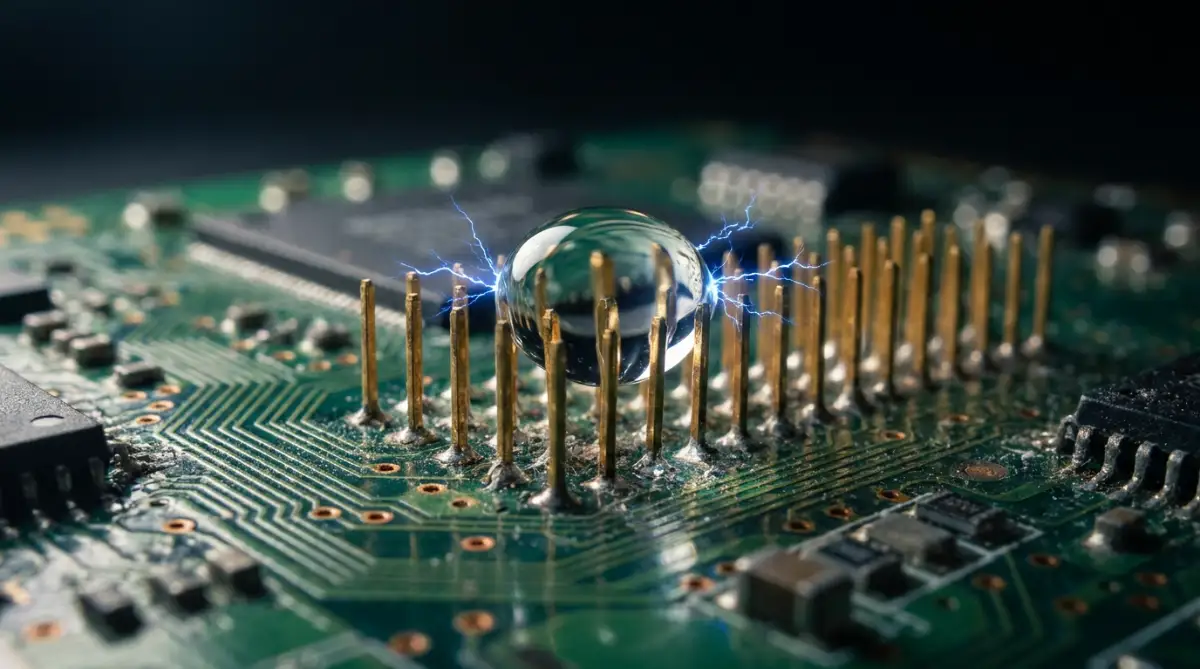
To stop this chain reaction, your very first action must be purely defensive. You need to break the electrical current before the minerals can fry your operating system. Let us walk through the exact scientific steps to lock down your hardware and increase your chances of survival.
Cut the Power Immediately
If your screen is still on when you pull it out of the water, turn the device off immediately. Do not pause to check your notifications or text your friend about what just happened. Press and hold the power button until the screen goes completely dark.
If the screen is already black, absolutely do not press the power button to see if it still works. This is the biggest mistake people make in a moment of panic. Pressing the power button sends a fresh surge of electricity straight into the wet logic board.
Think of electricity like a speeding train and the water as a set of broken tracks. If you keep the train running, it will inevitably crash and cause permanent damage. By killing the power, you stop the train and buy yourself valuable time to fix the tracks.
Strip Down the Armor
Once the device is completely powered down, you need to remove anything that can trap moisture. Modern smartphones are built with very tight gaps and waterproof seals that actually work against you once water gets inside. Take off your heavy protective case right away.
Water loves to hide in the tiny spaces between a plastic case and the glass back of your device. Next, find a paperclip or a specialized tool and pop out your SIM card tray. This tray is one of the only direct entry points to the deep inside of the phone.
Leaving the tray open creates a natural escape route for the trapped air and moisture. If your device has a removable battery, take it out immediately, though most modern designs no longer allow this. You want the phone to be as naked as possible so the air can circulate freely around the outer shell.
Real-Life Hack: The "Shake Test" Warning
- The Myth: Shaking your wet phone really hard forces the water out of the charging port.
- The Fact: Shaking actually pushes the water deeper into the dry parts of your motherboard, ruining it completely. Just tap the phone gently against the palm of your hand instead.
The Art of Surface Wiping
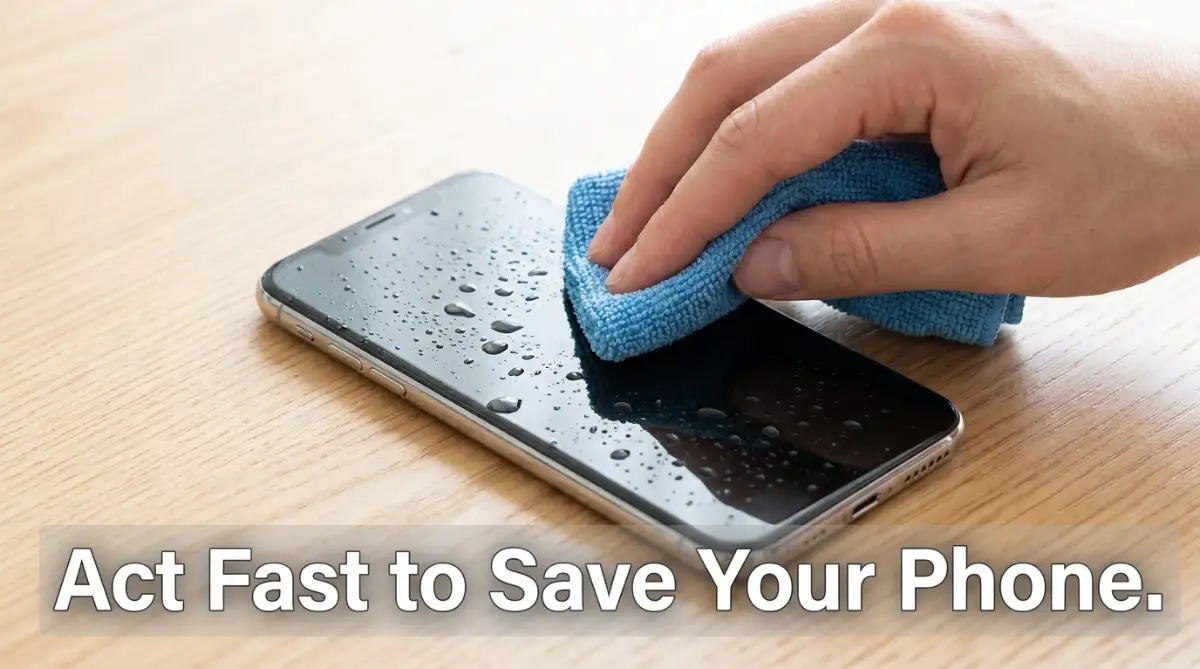
Now that the phone is bare, you need to remove the surface water without pushing it into the speaker grills. Grab a clean, dry microfiber cloth. Microfiber is highly absorbent and will not leave tiny dust particles behind like regular paper towels do.
Gently pat the entire outside of the glass and metal frame. Do not rub aggressively, as this can accidentally squeeze water droplets straight into the charging port. Pay special attention to the camera lenses, as water trapped there can permanently fog up your future photos.
I made the massive mistake of trying to turn my screen on just to check if it survived the drop. My impatience caused a tiny spark inside the motherboard, completely killing my chances of saving it. Always remember that patience is your strongest tool when dealing with wet electronics.
If you are unsure about how water physically travels inside your device, watching this quick visual breakdown will completely change how you handle wet electronics.
The Danger of Shaking and Blowing
Human instinct tells us to grab the wet phone and shake it hard to get the water out. You might even see a few drops fly out of the charging port and think you are helping. In reality, you are making the situation significantly worse.
Inside your device, there are dozens of tiny dry pockets holding sensitive components. When you shake the phone violently, the physical force pushes the water past the rubber seals and into those dry zones. The same logic applies to blowing on the charging port with your mouth.
Your breath contains high levels of natural moisture and heat. Blowing into the port just adds hot humidity to an already wet environment. Instead of forcing the water out, you must use methods that gently draw the moisture away.
Choosing the Right Drying Agent
You need a material that actively pulls moisture out of the surrounding air. For years, people have recommended putting the device in a bowl of dry rice. We need to completely forget this old myth.
Rice is incredibly dusty, and those tiny white dust particles will quickly get jammed in your charging port. When rice dust mixes with water, it creates a thick, sticky paste that ruins the internal connectors. You need a clean, scientific drying agent.
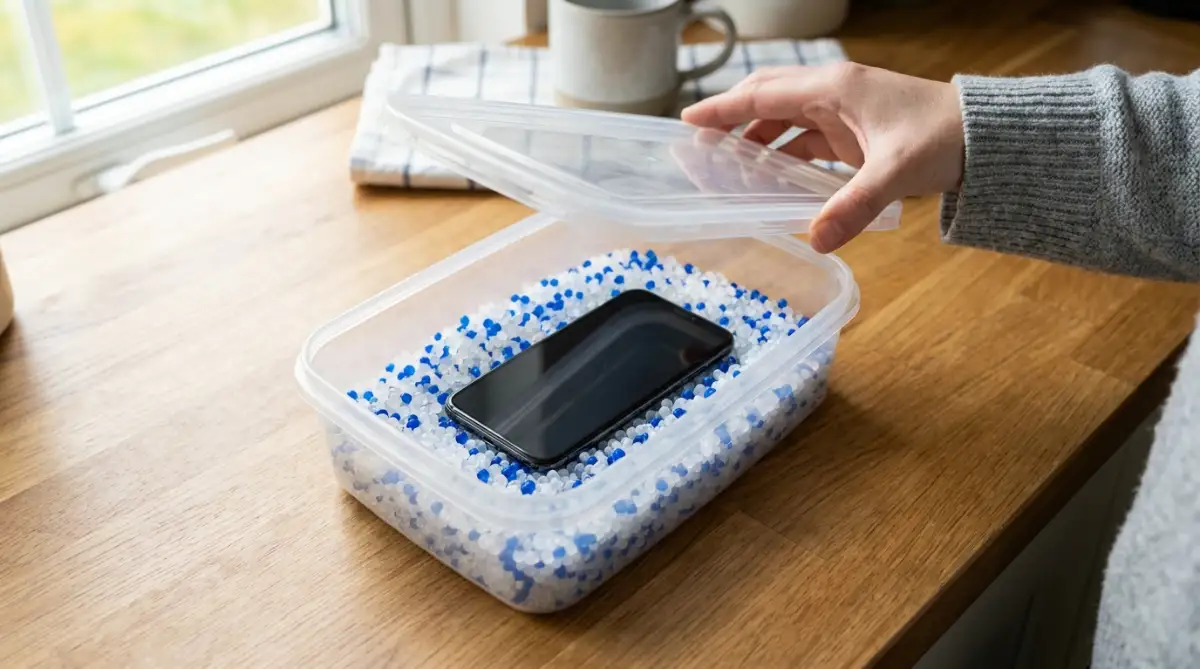
Silica gel packets are those little white bags you find in new shoe boxes or medicine bottles. They are scientifically designed to absorb massive amounts of humidity. If you do not have silica gel, crystal cat litter is made of the exact same moisture-absorbing material.
Find an airtight plastic container with a solid lid. Fill the bottom with a generous layer of silica gel packets or clean crystal litter. Bury your powered-down phone completely in the middle of the drying agent and snap the lid shut tightly.
Understanding Capillary Action
To really understand why the drying container works, we have to look at simple physics. Water moves through tiny spaces using something called capillary action. It naturally climbs into the tightest corners of your speakers and microphones.
When you place the device in a sealed box with silica gel, the gel dries out the air completely. The dry air acts like a powerful sponge, slowly pulling the moisture out from those tight internal corners. This process is not instant; it happens slowly over many hours.
If you leave the container open, the silica gel will just absorb the humidity from your room instead of your device. The tight seal forces the drying agent to focus entirely on the trapped water inside the hardware. This is a quiet, invisible battle happening right on your kitchen counter.
Dealing with Different Water Types
Not all water damage is exactly the same, and your strategy should change based on the liquid. If you drop your device in a clean cup of drinking water, your chances of recovery are actually quite high. Clean water has very few heavy minerals.
However, if you drop it in the ocean, you are facing a massive emergency. Saltwater is highly corrosive and begins eating away at the metal connectors immediately. If your phone takes a saltwater dive, you might actually need to quickly rinse it with clean, pure drinking water before drying it.
Washing a wet phone sounds completely crazy, but removing the heavy salt is essential. Pool water sits somewhere in the middle, as the harsh chlorine can also cause rapid rusting. Always remember that the dirtier the water, the faster you need to act.
The Water Danger Scale: What Did You Drop It In?
| Liquid Type | Danger Level | Why It Is Bad |
| :--- | :--- | :--- |
| Tap Water | Moderate | Contains trace minerals that slowly cause rust over a few days. |
| Pool Water | High | Chlorine eats away at internal metal connectors surprisingly fast. |
| Saltwater (Ocean) | Extreme | Highly corrosive. It starts frying the motherboard instantly. |
The Hardest Part: Waiting It Out
You have powered down the device, stripped the case, wiped the surface, and buried it in silica gel. Now comes the absolute hardest step of the entire process. You have to walk away and do absolutely nothing.
You need to leave the airtight container alone for a minimum of 48 to 72 hours. Your brain will constantly beg you to open the box after just one day to check on it. You will convince yourself that it looks dry enough to test.
Do not give in to this temptation under any circumstances. The outside of the glass might feel perfectly dry in an hour, but the dark, cramped inside takes days to evaporate. Opening the box early ruins the dry micro-climate you created and resets the whole process.
Finding Temporary Digital Solutions
Being without your primary communication tool for three straight days is incredibly difficult. You will need to find smart ways to stay connected while your hardware is healing in its plastic box. Start by letting your close friends and boss know what happened using a laptop or a borrowed device.
Many messaging applications can be easily accessed through a standard web browser on a computer. You can log into your accounts and keep your daily conversations going. If you have an old spare phone sitting in a drawer, now is the perfect time to charge it up.
Pop your freshly dried SIM card into the old device so you can at least receive basic phone calls and texts. Treat this waiting period like a small digital detox. It is frustrating, but it prevents you from rushing the drying process and ruining your expensive equipment.
Preparing for the Moment of Truth
When the long 72 hours have finally passed, it is time to open the container. Carefully pull your device out of the silica beads and gently brush off any dust. Inspect the charging port and the speaker grills under a bright light.
Look closely for any signs of foggy condensation trapped underneath the camera glass. If you still see visible moisture drops on the lenses, the inside is definitely still wet. Put it straight back into the box for another 24 hours.
If everything looks crystal clear, you can prepare for the final test. Take a deep breath, hold the device firmly, and press the main power button. The next few seconds will tell you if your rapid, scientific response was successful enough to save your digital life.
Beyond the Basics: Expert-Level Hardware Recovery Secrets
Once you successfully get your screen to light up again, your natural instinct is to celebrate and go right back to normal. However, this is exactly where the real test of patience begins. Just because the screen turns on does not mean the internal danger is completely gone.
Water damage is incredibly sneaky and can take days or even weeks to fully ruin a motherboard through slow rust. To truly protect your hardware in the long run, you need to act like a professional repair technician. The first thing you must do is immediately back up every single file you own.
Do not wait until the evening or the next morning to save your family photos and work documents. The internal wires could slowly corrode overnight, leaving you with a dead device by breakfast. If you use remote storage, learning about safeguarding your information on cloud platforms will ensure your files stay locked down while you transfer them.
Get your files onto a secure cloud server or a physical hard drive the very second your home screen loads. Once your data is safe, you can finally breathe a sigh of relief. But your hardware still needs a thorough checkup.
Finding the Hidden Liquid Damage Indicator
Every modern smart device has a tiny, hidden sticker inside it called a Liquid Damage Indicator, or LDI. Manufacturers put this sticker inside to quickly check if the hardware has taken a dive. If you want to know the absolute truth about your device's health, you need to find this little sticker.
In most modern designs, you can find the LDI directly inside the SIM card tray slot. You will need a bright flashlight and a magnifying glass to see it clearly. According to official hardware support guidelines on checking liquid damage indicators, this sticker is normally completely white or silver.
If you shine a light inside the slot and see a bright red or pink dot, your situation is serious. A red sticker means water has definitely touched the deepest parts of your motherboard. Even if the device is currently working, that red dot is a clear warning sign of future hardware failure.
Safely Clearing the Charging Port
The charging port is a deep, dark cave that holds onto moisture much longer than the rest of the body. Even after sitting in a drying agent for days, microscopic drops can cling to the metal charging pins. If you shove a metal charging cable in there while it is wet, you will instantly cause a short circuit.
You need to gently clean this area, but you cannot use anything made of metal. Never stick a needle, a safety pin, or a paperclip into your charging port. Metal tools will scratch the delicate gold pins and permanently destroy your ability to charge the battery.
Instead, use a soft plastic toothpick or the specialized edge of a plastic flosser. Gently scrape the bottom of the port to remove any pocket lint that might be acting like a wet sponge. Keeping this port completely clear prevents future electrical fires and extends the life of your battery.
Understanding Lithium-Ion Battery Risks
Water and heavy lithium batteries are a highly dangerous combination. If your hardware took a very deep plunge, there is a chance the battery casing itself was compromised. You need to monitor your device's temperature very closely over the next few days.
If the back glass gets unusually hot during normal use, turn it off immediately. A hot battery means the internal chemicals are expanding, which can eventually lead to a physical swelling of the device. Researchers studying lithium-ion chemical safety protocols clearly state that moisture inside a battery cell ruins its ability to regulate heat.
You might also notice your battery draining incredibly fast, dropping from full to zero in just a few hours. This is a clear sign that a tiny short circuit is constantly pulling power from the battery. If you notice these symptoms, you will likely need to have the battery replaced by a certified professional.
The Long-Term Impact on Your Routine
For people who work from home, losing this connection is a total nightmare. If you want to keep your productivity high during these stressful hardware emergencies, building a strong daily system is incredibly helpful. Reading about setting an unbreakable routine for remote workers can help you stay totally focused even when your tech fails you.

The Deadliest Traps People Fall Into
When our expensive gadgets break, panic completely takes over our logical thinking. We start searching the internet frantically and follow terrible advice from random social media videos. Giving in to these panic-driven mistakes is the number one reason people permanently lose their hardware.
The emotional toll of watching your screen go black makes you desperate for a quick fix. You want a magical solution that takes five minutes instead of waiting three full days. This impatience always leads to a much more expensive disaster. Let us break down the most common and dangerous reactions you absolutely must avoid.
The Hairdryer Nightmare
This is probably the most destructive myth on the entire internet. People think that blasting hot air directly into the speakers will instantly evaporate the moisture. In reality, a standard hairdryer pushes out heat that easily exceeds 140 degrees Fahrenheit.
Your smart device is held together by very specific, temperature-sensitive industrial glues. When you blast it with a hairdryer, you actually melt the waterproof seals holding the glass together. Even worse, the intense blowing force acts like a hurricane, pushing the water deeper into the motherboard.
Instead of drying the hardware, you are literally cooking the internal chips while flooding them with water. Scientific studies on the physical movement of water molecules show that heat simply turns the trapped water into heavy steam. That hot steam then condenses on the camera lenses, ruining them forever.
The Freezer Myth
Another terrible piece of advice floating around is putting the wet device into the kitchen freezer. The flawed logic here is that freezing the water will stop it from moving around and touching the circuits. This completely ignores the basic laws of physics.
When water freezes into solid ice, it physically expands by roughly nine percent. If water is trapped underneath a tiny microchip, turning it into ice will physically crack the board right down the middle. You are literally creating tiny ice wedges that shatter the most fragile parts of your hardware.
Furthermore, when you eventually take it out of the freezer, the ice will melt immediately. The sudden temperature change will also cause heavy condensation on the inside of the glass. You will end up with twice as much moisture as you started with.
The Myth of Uncooked Rice
We briefly mentioned this earlier, but it deserves a much deeper explanation because people still swear by it. Putting your hardware in a bowl of dry rice feels like a warm, comforting tradition. But hardware experts have repeatedly proven this does nothing but cause heavy damage.
According to professional repair technicians explaining the actual truth behind the rice trick, rice simply does not absorb moisture from the air fast enough to save an electrical board. It only absorbs water when it is physically touching the liquid. But the real danger lies in the thick white dust that covers every grain of rice.
This dust sneaks into your headphone jack and charging pins. Once the dust meets the high humidity of the wet device, it turns into a thick, sticky cement. When you finally try to plug a cable in, you end up shoving this dried cement directly into the metal connectors.
Ignoring the Liquid Detection Warning
Most modern operating systems are smart enough to know when their ports are wet. If you try to plug a cable into a damp charging port, a bright yellow warning will flash on your screen. The device will strictly disable the charging feature to protect itself.
Far too many people click the "Emergency Override" button just to get a quick battery boost. They think the warning is just a glitch or a minor suggestion. Overriding this block forces live electricity through a wet metal tunnel.
This usually results in a loud pop, a smell of burning plastic, and a completely dead logic board. It is just like the dangers of leaving a hot device under your pillow at night. If you want to learn more about protecting your battery, checking out the hidden dangers of improper charging habits is a great next step.
Handing Over Unlocked Devices to Strangers
If your device is heavily damaged, you might eventually need to visit a local repair shop. However, in their rush to get the hardware fixed, many people hand over their fully unlocked devices to complete strangers. They forget that their digital life is totally exposed.
A shady repair technician now has full physical access to your private emails, banking apps, and personal messages. Even if the screen is broken, the data inside is still highly vulnerable. If you are deeply concerned about remote security, reading about spotting sneaky social engineering tactics will help you stay guarded against bad actors.
Whenever possible, you must remotely wipe your data using a computer before handing the physical device to a repair shop. Your privacy is always much more valuable than a piece of broken glass. Taking steps to maintain your strict online privacy rules keeps your sensitive information out of the wrong hands.
Your Blueprint for Hardware Peace of Mind
Rescuing a wet smart device is not about luck, magic, or weird kitchen hacks. It is purely about acting quickly, staying calm, and applying simple scientific principles. By starving the water of electricity and using proper drying agents, you drastically increase your chances of digital survival.
You now have a clear, step-by-step game plan for the next time an accidental drop happens. You know exactly what household items to use and which dangerous internet myths to completely avoid. This knowledge gives you a massive advantage and protects your hard-earned money.
My personal advice to you: I always keep a small sealed jar of silica gel packets right in my desk drawer just for these exact emergencies. Being totally prepared gives me a wonderful sense of calm, and I highly suggest you build your own tiny rescue kit today!
Everyday Questions About Wet Smart Devices
Can a waterproof phone still get serious water damage?
Yes, absolutely. The water-resistant seals on modern devices naturally break down over time due to body heat, drops, and daily wear and tear. A device that was perfectly waterproof on the day you bought it might easily leak after a year of heavy use.
How do I know if my charging port is actually completely dry?
The safest way is to visually inspect it with a bright light and a magnifying glass. Most modern operating systems will also keep a "Liquid Detected" alert on your screen until the internal sensors read zero moisture. Always wait at least a full day before attempting to push a metal cable into the slot.
Will dipping my wet device in rubbing alcohol fix it faster?
Professional technicians do use 99% isopropyl alcohol to safely displace water and clean away rusty corrosion. However, attempting this at home without properly opening the shell usually just damages the screen layers and melts the internal adhesives. It is highly recommended to leave the chemical cleaning to certified experts.
Is it safe to use a wireless charging pad if the main port is wet?
While wireless charging does avoid the wet metal pins at the bottom, it still generates a massive amount of physical heat. If there is trapped moisture near the battery, this extreme heat can turn the water into steam and cause further internal damage. You should always wait until the hardware is completely dry before applying any kind of power.
Does dropping a device in the toilet require a different cleaning method?
Yes, toilet water introduces heavy bacteria along with the standard mineral damage. After you successfully dry the internal components using the silica gel method, you must gently sanitize the outer glass and metal frame. Use a slightly damp disinfecting wipe on the exterior, being very careful not to squeeze any liquid into the speaker holes.
Disclaimer: The information provided in this article is intended for educational and general informational purposes only. Water damage is highly unpredictable and attempting to recover electronics involves inherent risks. We are not responsible for any permanent damage, data loss, or hardware failure that may occur while following these steps. If your device contains highly sensitive data or a swollen battery, please seek assistance from a certified repair professional immediately.