My Long Struggle With a Dying Phone Screen
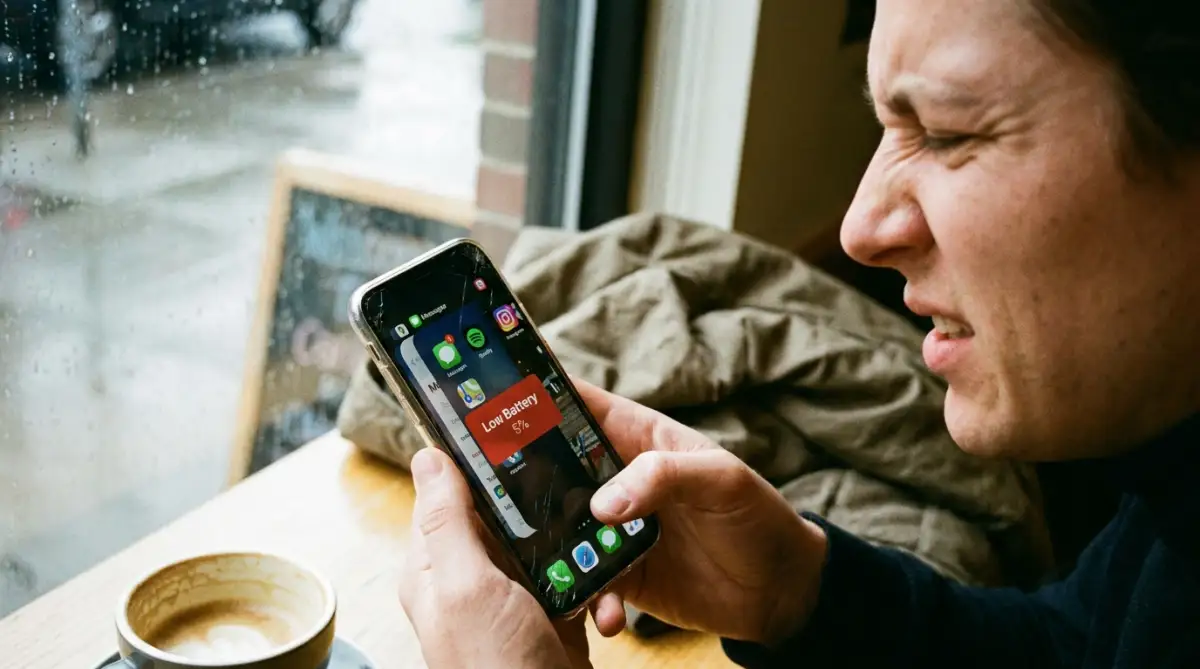
Let me guess: your phone is sitting at a terrifying 5% battery, and you are aggressively swiping away every open app hoping it survives the trip home. I used to do the exact same thing. But here is a wild secret that phone companies rarely explain clearly—constantly force-closing your apps actually murders your battery faster. Let's break down exactly why your "cleaning habit" is ruining your phone, and what you should be doing instead.
I did what I always did back then. I opened my app switcher and swiped away every single app with lightning speed. I thought I was being smart and saving every bit of power for that one call.
I watched the battery bar like a hawk, hoping it would stay alive. But something strange happened. The phone felt hot in my hand, and the battery dropped even faster than before.
I was so frustrated and confused. I had always been told that "open apps" are like "open lights" in a house. If you aren't using them, they must be draining power, right?
That afternoon, my phone died right as it started ringing. I felt a deep sense of defeat and anger toward my device. I realized then that I didn't actually know how my phone worked at all.
Many of us go through this same stress every single day. We walk around with portable chargers like they are oxygen tanks. We constantly clear our "recent apps" list because we think it makes our phones faster and our batteries last longer.
The reality is that most people are accidentally making their lives harder. The fear of a dead battery ruins our focus and keeps us tethered to wall outlets. We worry about "invisible drains" that might not even exist.
I spent weeks reading technical papers and talking to engineers to find the truth. I wanted to know why my "cleaning habit" was failing me. What I found changed the way I use my phone forever.
Most users are stuck in a cycle of worry because they apply "old computer logic" to "modern smartphone tech." It is an emotional struggle that affects our productivity and our happiness. We just want our gadgets to work, but we are unknowingly fighting against them.

Stop Swiping: Your Quick Cheat Sheet
- Empty memory (RAM) is actually a bad thing; let your phone use it.
- Force-closing apps makes your processor work twice as hard to open them later.
- Turning on Dark Mode and lowering screen brightness saves way more power than clearing background apps.
- Extreme heat ruins your battery life faster than any heavy software ever could.
How Your Phone Truly Thinks About Open Apps
To solve this battery problem, we have to understand that a smartphone is not like a PC from twenty years ago. In an old computer, the more programs you had open, the slower it got. Our phones are much smarter than that today.
When you exit an app on an iPhone or an Android, it doesn't stay "running" in the way you think it does. Instead, the system "freezes" it. It is like putting a book on a shelf rather than leaving a car engine running in the driveway.
The app stays in your RAM (Random Access Memory), but it isn't using the CPU or the battery. It is just sitting there in a state of suspended animation. This allows you to jump back in exactly where you left off without wasting energy.
The Science of RAM Management
Many people think that "Empty RAM is Good RAM." This is one of the biggest lies in the tech world. In reality, empty RAM is wasted RAM.
Your phone’s operating system wants the RAM to be full of the apps you use most. Why? Because pulling an app from the RAM takes almost zero energy. It is like opening a drawer to get your socks.
However, if you close the app completely, you empty that space. The next time you open that app, the phone has to load it all over again from the storage. This is like building the drawer and the socks from scratch every single time.
The App Lifecycle: Swiping vs. Leaving it Alone
| Action | What Happens to Memory | Battery Impact | Speed When Reopening |
| :--- | :--- | :--- | :--- |
| Force Closing | Wipes the RAM entirely | High (CPU works overtime to restart) | Slow & Laggy |
| Leaving it Open | Pauses app in the background | Nearly Zero | Instant & Smooth |
The Energy Spike Problem
Every time you launch an app from a "cold start," your phone’s processor has to work very hard. It uses a burst of energy to fetch all the data and set up the interface. This creates a small heat spike and a tiny drain on the battery.
If you close and reopen your social media apps twenty times a day, you are causing twenty of these energy spikes. If you had just left them "frozen" in the background, your phone would have used almost nothing to bring them back to life.
I used to clear my apps every ten minutes, thinking I was helping my phone breathe. I finally realized I was just making my processor work ten times harder for no reason. My phone was getting warm because it was constantly "rebooting" my daily apps.
Why the Operating System is Your Best Friend
Whether you use iOS or Android, the software is designed to handle this for you. These systems are incredibly aggressive at saving power. They know exactly when an app is trying to misbehave in the background.
If a frozen app starts using too much memory, the system will kill it automatically. You don't need to do it manually. The engineers at Apple and Google have spent thousands of hours making sure the "auto-management" is better than any human swiping.
Understanding Background Refresh
Now, you might ask, "But what about apps that actually do work in the background?" This is where people get confused. Things like GPS, music players, or file uploads are the only things that truly run in the background.
Everything else is just a screenshot of where you last were. The system is very picky about what it allows to run. If an app isn't active, it usually has about ten seconds before it is completely paused by the system.
Watch this fascinating explanation of how modern mobile operating systems manage their memory to keep your device smooth.
When You Should Actually Close an App
Is it ever okay to swipe an app away? Yes, but only in specific cases. If an app has "frozen" and isn't responding to your touch, then closing it is the right move.
If an app is acting glitchy or the screen is flickering, a "force quit" can reset it. But doing this for apps that are working perfectly is counter-productive. It is a repair tool, not a maintenance habit.
Another reason to close an app is if it is a high-drain app that you won't use for a long time. For example, if you used a heavy navigation app for a road trip and you won't need it for another week, go ahead and close it. But for your daily email or chat app? Leave them alone.
The Real Battery Killers You Are Ignoring
If closing apps isn't the problem, then what is? Most people focus on the app switcher because it is easy to see. But the true battery drains are often hidden in the settings.
The biggest drain on any phone is usually the Screen Brightness. Keeping your screen at 100% is like running a marathon at full speed. It will kill your battery faster than any background app ever could.
The Power of "Fetch" vs "Push"
Your email settings are another silent thief. If your phone is constantly "fetching" new data every minute, it is waking up the radio and using power. Setting your mail to "Push" or checking it manually can save a lot of energy.
Weak Signal Struggles
Another huge factor is your cellular signal. If you are in an area with a very weak signal, your phone will boost its radio power to try and stay connected. This is a massive battery drain. Switching to Airplane Mode or using Wi-Fi can save your phone during these times.
Breaking the Swiping Addiction
It takes time to stop a habit you have had for years. I had to train myself to stop double-tapping the home button or swiping up. At first, it felt "messy" to have so many apps in the switcher.
But then, I noticed something. My phone felt smoother. Apps opened instantly. I didn't see the "loading logo" every time I wanted to check a message.
And most importantly, my battery lasted longer. By the end of the day, I had ten or fifteen percent more power than I used to. I wasn't wasting energy on those constant "cold starts."
Comparing iPhones and Androids
Both systems handle background tasks differently, but the result is the same. Apple is very strict. They don't let apps do much in the background at all unless it is absolutely necessary.
Android is a bit more open, but modern versions are very smart. They use "Doze" mode to put apps into a deep sleep when the phone is sitting on a table. Both companies have publicly stated that closing apps does not improve battery life.
In fact, an executive at Apple once sent an email to a user confirming that swiping apps away is unnecessary. When the people who build the phone tell you to stop doing something, it is a good idea to listen.
The Role of Background App Refresh Settings
Instead of closing apps, you should look at the "Background App Refresh" setting. This allows you to choose which apps are allowed to look for new info while you aren't using them.
For example, you might want your weather app to update in the background so it is ready when you open it. But does that random game you play once a month need to update in the background? Probably not.
Turning this off for non-essential apps is a much better "Pro-Tip" than swiping them away. It stops the data transfer without causing the energy spike of a cold start. This is the secret to a long-lasting battery that the experts use.
How Temperature Affects Your Battery
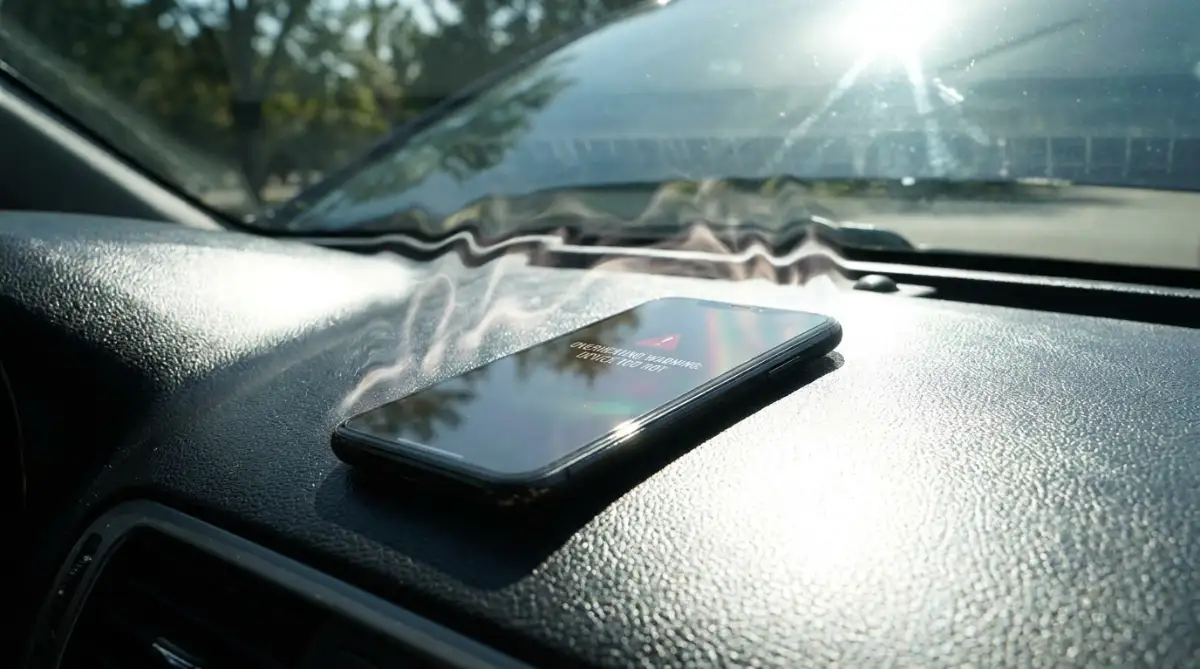
We often blame apps for a hot phone, but the environment matters more. Batteries hate heat. If you leave your phone on a hot car dashboard, the chemistry inside the battery starts to degrade.
This makes the battery less efficient, meaning it won't hold a charge as long. Charging your phone in a cool place and keeping it out of direct sunlight will do more for your battery health than any app-clearing routine.
I once thought my battery was dying because I had too many games open. It turned out my heavy phone case was just trapping too much heat during charging. Once I changed the case, the battery life improved significantly.
The Myth of Battery Calibrators
You might see apps in the store that claim to "calibrate" or "boost" your battery. Most of these are scams. They often do exactly what we are talking about—they just close your background apps for you.
Worse, these "booster" apps often run in the background themselves, using more battery than they save! Your phone already has the best battery management software built-in. You don't need a third-party app to help it.
Understanding App Cycles
Think of your apps like a set of tools. If you use a hammer every five minutes, you don't put it back in the toolbox, lock the box, and put it in the garage every time you finish a nail. You keep it on the workbench.
Your RAM is that workbench. Your storage is the garage. Keeping your tools on the workbench makes the job faster and saves your own energy. Only put the tools away when you are done for the day.
This analogy helped me explain the concept to my friends who were skeptical. When you see it this way, it makes perfect sense. The phone is designed to be a fast, ready-to-use tool. Let it work the way it was intended.
Final Thoughts for the First Step
We have covered a lot of ground today. We learned that the "app switcher" is more like a "history of what you used" rather than a list of "things that are currently draining power."
By letting go of the need to swipe, you are saving your phone's processor from unnecessary work. You are also saving yourself from the constant stress of "cleaning" your device.
In the next part, we will look at more advanced ways to actually save power and common mistakes that people make when they try to fix their phones. For now, try leaving your apps alone for twenty-four hours and see how it feels.
Mastering Your Phone’s Energy Without the Stress
Now that we have cleared up the confusion about background apps, it is time to look at what really makes a difference. You want your phone to last from your morning coffee until you plug it in at night. To do that, we need to move past the myths and focus on smart settings and hardware reality.
One of the best secrets for modern phones is embracing Dark Mode. If your phone has an OLED or AMOLED screen, this is a total game-changer for your battery life. On these screens, a black pixel is actually a pixel that is turned completely off.
When you use a white background, every single tiny light on your screen is burning energy. By switching to dark themes, you are literally telling your screen to stop working so hard. This can save a significant amount of power over a full day of scrolling. You can read more about how light-emitting diodes work at ScienceDaily, where they explain the physics of energy efficiency.
Another advanced trick is managing your Screen Refresh Rate. Many premium phones now have screens that refresh 120 times per second. This makes scrolling look very smooth, but it is a massive drain on the battery.
I usually set my phone to a "Standard" or "Dynamic" refresh rate. This allows the phone to slow down when I am just reading an article and only speed up when I am playing a game. It is a subtle change that adds extra hours to my daily usage without ruining the experience. This kind of optimization is part of how to build an unbreakable morning routine for remote workers because it ensures your tools are ready for a long day.
You should also look into Automation. Both Android and iPhone let you create "Shortcuts" or "Routines" that trigger based on your battery level. For example, I have a routine that automatically turns on Airplane Mode and lowers brightness when my battery hits 30%.
Instead of doing this manually, the phone takes care of it for me. It is a "set it and forget it" strategy that removes the anxiety of watching the percentage drop. If you enjoy making your life easier, you should check out the ultimate guide to automating daily tasks without writing a single line of code.
I once spent hours manually turning settings on and off every time I left the house. I eventually realized that my phone was smarter than me in this area. Setting up these automatic rules saved me time and saved my battery from dying during important meetings.
Lastly, keep an eye on your Location Services. Many apps ask for "Always" access to your GPS. This means your phone is constantly talking to satellites in space, even when the phone is in your pocket.
I go through my settings and change almost everything to "While Using the App." There is no reason for a shopping app or a calculator to know where I am at three in the morning. This simple audit can stop one of the biggest silent battery killers. For those who travel often, this is as important as what HR really wants when you work abroad as a digital nomad.

Traps That Drain Your Battery and Your Spirit
In our search for a better battery, it is very easy to fall into traps. These mistakes don't just hurt your phone; they make you feel frustrated and tired. We often try too hard to "fix" things that aren't actually broken.
The biggest mistake is trusting "Battery Booster" or "RAM Cleaner" apps. These apps are almost always a scam. They show you flashy animations of "cleaning" your phone, but in reality, they are just closing your background apps—which we now know is bad!
Worse, these apps often stay active in the background themselves to show you ads. They end up using more battery than they "save." I felt so foolish when I realized a "cleaning" app was the reason my phone was lagging. For more on how to stay safe from bad software, look at what hackers do with your info when big websites fail.
Another common pitfall is extreme heat while charging. People often charge their phones under a pillow or on a soft couch. This traps the heat inside the battery and causes a chemical breakdown.
Heat is the absolute enemy of Lithium-ion technology. If your phone feels hot while charging, take the case off and move it to a hard, cool surface. You can find detailed scientific studies on battery degradation at the Battery University website.
My Personal "Hot Phone" Rescue Plan:
If my phone starts feeling like a warm toaster, I do these three things immediately:
- Pull the plug: I stop charging it right away. Pushing power into a hot battery kills its total lifespan.
- Remove the case: Thick plastic or leather cases trap heat like a heavy winter jacket. Let the phone breathe.
- Drop the brightness: Lowering the screen brightness to 20% cools down the internal processor faster than anything else.
We also tend to leave unnecessary connections active. Do you really need your Hotspot, Bluetooth, and Wi-Fi all running at the same time while you are hiking in the woods? Your phone will waste energy searching for signals that aren't there.
I see people doing this all the time, and they wonder why their phone is dead by noon. It is like leaving all the faucets in your house running while you are trying to fill a small bucket. Turning off what you don't need is a basic but powerful habit.
Lastly, don't ignore your Software Updates. Many people think updates slow down their phones. While that can happen on very old devices, most updates include "efficiency improvements."
Engineers are constantly finding ways to make the software use less power. By skipping updates, you are missing out on these free battery upgrades. It is like refusing a free tune-up for your car because you are afraid the mechanic might touch the radio.
Your New Plan for a Long-Lasting Phone
You now have a complete picture of how to treat your mobile device. We have moved from the myth of swiping away apps to the reality of managing heat and screen settings. This new way of thinking will save you from constant battery anxiety.
The goal is to stop worrying about your phone and start using it as the powerful tool it is. You don't need to be a tech expert to have a phone that lasts all day. You just need to follow the natural logic of how the device was built.
By trusting your phone's built-in memory management, you are letting the engineers do their job. Focus your energy on the big things: brightness, heat, and signal strength. These are the real levers that control your battery life.
I want you to feel confident the next time you leave the house without a charger. It is a great feeling to know your phone is optimized and ready for anything. You have the knowledge now to separate the myths from the facts.
I really hope this guide makes your digital life a little easier and more peaceful. Taking these small steps today will protect your phone's hardware and your own mental health for a long time. I know I feel much better since I stopped swiping and started focusing on what actually works, and I want that same peace for you!
Common Questions About Mobile Power
Is it bad to leave my phone plugged in after it hits 100%?
Most modern phones are smart enough to stop taking a charge once they are full. However, keeping it at 100% for long periods can cause a tiny bit of stress on the battery over several years. If you want to be extra careful, try to unplug it once it is full. You can learn more about this in my guide to stop charging your phone while you sleep.
Does "Low Power Mode" hurt my phone's performance?
It doesn't hurt the phone, but it does slow it down a bit. It reduces the CPU speed and stops some background tasks to save energy. It is a great tool when you are low on battery, but you don't need to keep it on all the time if you want a fast experience.
Why does my battery drain faster in cold weather?
Cold temperatures slow down the chemical reactions inside the battery. This makes the battery think it has less energy than it actually does. Once the phone warms up, the battery level usually goes back to normal.
Should I let my battery die completely before charging it?
No, that is actually an old rule for different types of batteries. For modern smartphones, it is better to charge them more often and keep the level between 20% and 80%. Letting it hit 0% too often can actually damage the battery health over time.
Does using a live wallpaper use a lot of battery?
Yes, live wallpapers require the processor and the screen to work constantly to show the animation. If you are struggling to make it through the day, switching to a static, dark wallpaper is a very smart move.
Can a bad charging cable ruin my battery?
A cheap or damaged cable can cause uneven power flow or extra heat. It is always best to use the cable that came with your phone or a high-quality certified brand. Saving a few dollars on a cable isn't worth ruining a thousand-dollar phone.
Disclaimer: The information provided here is for general educational purposes. While these tips are based on common technical standards, every phone model and battery is different. I am not responsible for any issues that may arise from changing your device settings. Always refer to your manufacturer's official manual for the best advice for your specific gadget.