Drowning in Repetitive Work: How I Finally Broke Free
Ever felt like you are just a human copy-paste machine? Last Tuesday, after manually moving my fiftieth email attachment into a cloud folder, I finally hit a wall. If you are tired of doing the exact same boring digital chores every single day, let's talk about how to make your apps do the heavy lifting for you—without writing a single line of code.
That specific night, I decided something simply had to change. I started looking for ways to stop this endless cycle of manual data entry and save my sanity.
You probably know exactly how this frustrating situation feels in your own life. We all have those tiny, annoying tasks that slowly eat away at our daily schedule.
Maybe you spend a full hour every morning organizing your messy inbox and moving files into different folders. Or maybe you manually send the exact same welcome email to every single new client who signs up.
These little chores seem pretty harmless at first glance when you look at them individually. But when you add them up over a week, they steal massive chunks of your precious time.
This constant busywork leaves you feeling exhausted, burnt out, and highly stressed out by the time afternoon rolls around. You work incredibly hard all day long, yet when evening comes, you feel like you achieved absolutely nothing meaningful.
It is incredibly painful to watch your most productive hours disappear into administrative black holes. You know deep down that your skills are meant for bigger things, not just moving text from one app to another app.
The heavy mental load of remembering to do all these small, repetitive tasks causes serious anxiety. You are always worried that you might forget to send an invoice or update a specific client record.
This fear of making human errors keeps you on edge, completely destroying your focus and peace of mind. I knew I had to find a system that could take this heavy burden off my shoulders forever.
That is when I stumbled into the magical world of building systems without typing any complex computer language. It completely transformed my life, and I am going to show you exactly how it can change yours too.
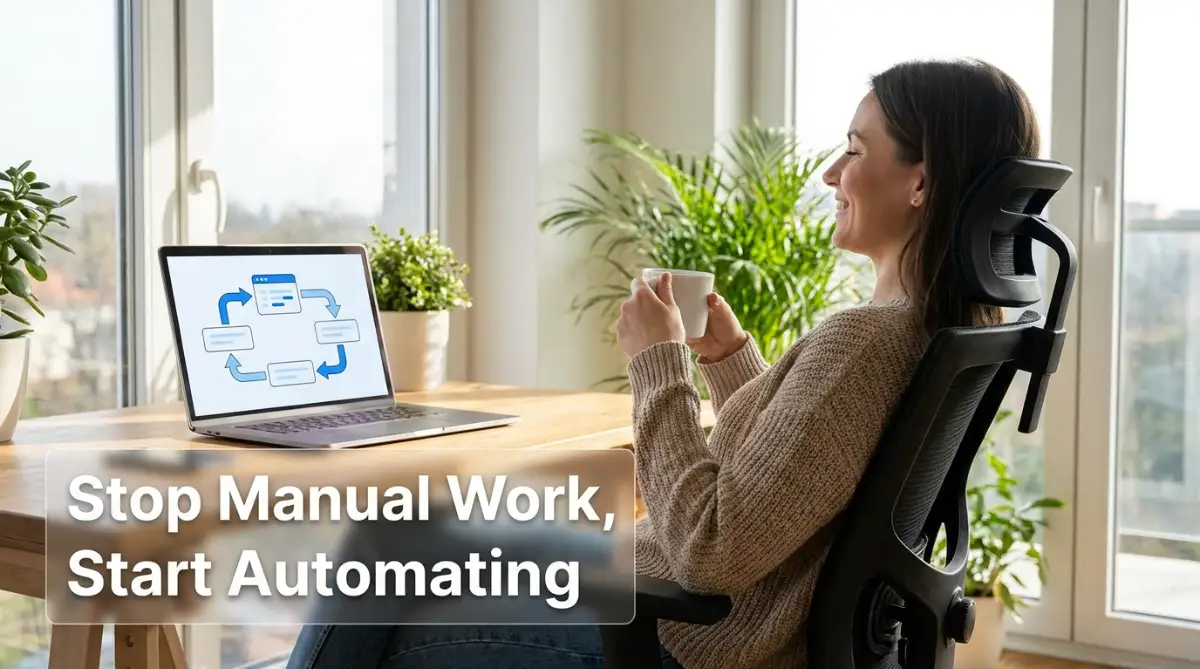
What You Will Take Away From This Guide:
- How to spot the sneaky "Time Vampires" hiding in your daily routine.
- The simple "Trigger and Action" logic that makes apps talk to each other.
- Steps to build your first free automated workflow today, no coding needed.
- The biggest newbie mistakes to avoid (like the dreaded infinite loop).
Escaping the Busywork Trap Without Becoming a Programmer
When I first heard about building automated systems, I immediately pictured a dark room full of hackers typing green text on black screens. I have zero technical background, and the thought of learning complex computer languages terrified me.
But then I discovered something amazing that completely shifted my perspective. You do not need to be a computer genius or a software engineer to make apps talk to each other anymore.
Modern platforms have created a completely visual way to connect your favorite tools together. Think of it exactly like playing with digital Lego blocks.
You just pick one block, snap it into another block, and suddenly, they work together perfectly. If you know how to drag a mouse and click a button, you already have the skills to build powerful workflows.
Breaking Down the Biggest Myths
Before we start building our first digital assistant, we need to clear up some common misunderstandings. Many people stay away from these powerful tools because they believe things that are simply not true.
Let us look at a quick comparison between what people think and what is actually real.
Seeing this reality check gave me the confidence to finally try it out. I realized I had absolutely nothing to lose and countless hours of free time to gain.
Finding Your Hidden Time Vampires
You cannot fix a problem if you do not know exactly where it is hiding. The very first thing we need to do is identify the tasks that are secretly stealing your time.
I call these tasks "Time Vampires" because they quietly suck the energy right out of your productive day. To find them, you need to track your daily actions for just two or three days.
Keep a simple piece of paper next to your keyboard. Every time you find yourself doing a task that feels incredibly boring and repetitive, write it down immediately.
Are you downloading email attachments and saving them to a specific cloud folder one by one? Write that down on your paper.
Are you taking notes from a meeting and manually copying them into your team's project management board? Add that to your list right away.
Once you have a list of tasks, apply the "Rule of Three" to filter them out. If you do a specific digital task more than three times a week, it is the perfect candidate for your new digital assistant to handle.
My Personal Time-Saving Calculator
To give you a clear idea, here is how my daily routine shifted after I set up a few basic automations. You will be surprised by the math:
The Restaurant Waiter Analogy: How It Actually Works
To understand how these platforms operate, let us imagine you are sitting in a nice restaurant. You are the customer, the kitchen is where the food is made, and the waiter is the person who connects you two.
In the digital world, the customer is the first app you use, like your email inbox. The kitchen is the second app, like your personal calendar or a spreadsheet.
They cannot talk to each other directly because they speak completely different languages. You need a waiter to take the order from the customer and deliver it to the kitchen.
The software we are going to use acts exactly like that highly efficient waiter. It waits for something to happen in App A, takes that information, and immediately delivers it to App B.

For example, when a new email arrives with a specific word in the subject line, the waiter notices it instantly. The waiter then runs over to your spreadsheet and writes down the details from that email.
This happens completely in the background while you are busy focusing on deep, meaningful work. You never have to manually copy and paste that information ever again.
Setting Up Your Very First Digital Workflow
Now that you understand the basic concept, it is time to get our hands dirty and build something real. We are going to start with something incredibly simple but highly effective.
Let us say you want to save every single email attachment you receive directly into a specific folder on your cloud drive. Doing this manually takes a few minutes every time, but we will make it happen instantly.
First, you will sign up for a free account on a popular platform like Zapier or Make. When you log in, you will see a big button that says "Create" or "Make a new workflow".
Quick Tip: Zapier vs. Make – Which one should you pick?
If you are wondering which site to open in a new tab right now, here is my honest take:
- Go with Zapier if: You want the absolute easiest, most beginner-friendly setup. It connects to almost everything and takes minutes to learn.
- Go with Make if: You are a bit more visual and want a generous free plan. It lets you build cooler, complex paths for free, though it might take an extra day to get used to the interface.
Click that button, and the platform will ask you to choose a "Trigger". A trigger is simply the starting event, the thing that wakes your digital waiter up from his nap.
Watch This Quick Example Before You Start!
If you are feeling a little overwhelmed by these visual steps, do not worry at all. I highly recommend watching this visual walkthrough to see exactly how simple dragging and dropping these blocks really is.
Connecting the Dots and Testing
So, for our specific example, you will search for your email provider in the trigger search bar. You will select the option that says "New Email with Attachment".
The platform will ask you to quickly log into your email account to give it permission to look at your inbox safely. Once connected, it is time to set up the "Action".
The action is what you want the waiter to do once he gets the trigger signal. You will search for your cloud storage app, like Google Drive or Dropbox.
You will select the action called "Upload a File". Then, you just match the visual fields together.
You tell the platform to take the attachment from Step 1 and put it into a specific folder in Step 2. It really is as simple as drawing a line between two boxes on your screen.
Finally, you hit the bright "Test" button to make sure everything works perfectly. If the test is successful, you just turn your new system on.
From that moment forward, every single attachment you receive will automatically magically appear in your folder. You just successfully built your very first automated system without typing any complex commands.
I remember exactly how I felt when I successfully built my first connection.
My Personal Pro Tip: When I first started, I tried to automate my entire business in one single day, which left me incredibly confused and frustrated. I quickly realized my biggest mistake was moving too fast. My advice is to pick just one tiny, simple task—like saving attachments—and let it run for a week. Once you see that small win working flawlessly, your confidence will skyrocket, and you will naturally understand how to build bigger, better systems.
Expanding Your New Superpowers
Once you master that first simple workflow, a whole new world of possibilities opens up for you. You will start looking at every manual task on your computer and wondering if a machine can do it instead.
Let us look at some highly practical ways you can use these tools to reclaim your daily schedule.
Think about your daily social media posting routine. Instead of logging into four different platforms every morning, you can create one simple system.
You can write your post in a simple spreadsheet on Monday. Your new digital assistant will automatically read that spreadsheet and publish the post to all your social accounts at the exact time you specified.
Or consider how you handle your personal monthly expenses. Every time you buy something online, you get an email receipt.
You can set up a system that reads your inbox for the word "Receipt". It will extract the amount you paid and log it directly into your personal finance tracking board.
You will always know exactly how much money you are spending without ever touching a calculator. These small automations compound over time, giving you back entire days of your life every single month.
Why Empathy and Focus Matter Here
The ultimate goal of using these tools is not to become a lazy person who does absolutely no work. The real goal is to remove the robotic tasks so you can focus on being incredibly human.
You can focus on creating high-quality work that requires true human empathy and strategic thinking. A computer can move numbers around, but it can never understand a client's specific emotional needs.
By offloading the boring administrative work to the machines, you are actually protecting your own mental health. You are setting clear boundaries that allow you to do your best work without burning out.
I want you to take a deep breath right now and think about the most annoying digital chore you have to do today. Write it down, and promise yourself that you will try to build a visual system for it this week.
You have absolutely nothing to lose except the heavy burden of manual data entry. You are entirely capable of learning this, and the feeling of watching a machine do your chores is absolutely priceless.
Remember, every single expert you see online today started exactly where you are right now. They started with one simple trigger and one simple action.
Start small, stay highly consistent, and watch how quickly your daily productivity completely transforms. You are now stepping into a much smarter way of working, and I am genuinely excited for your journey ahead.
Leveling Up Your New Superpowers: Pro Strategies for Long-Term Success
Once you get comfortable building basic connections, a massive shift happens in your brain. You stop looking at manual chores as something you "have to do" and start seeing them as puzzles you can easily solve.
To help you get the most out of these incredible platforms, we need to talk about some advanced strategies. These are the exact methods professionals use to keep their digital assistants running smoothly in the background.
By mastering just a few clever techniques, you will save hundreds of hours over the next few months. You will quickly move from being a beginner to someone who operates with extreme efficiency.
Adding a Smart Bouncer to Your Digital Club
One of the most powerful features you can use is called "Conditional Logic" or a filter. To understand this easily, imagine a large, strong bouncer standing completely still at the front door of a very exclusive VIP club.
The bouncer looks at every single person trying to enter the building. If the person is on the VIP list, the bouncer opens the door and lets them walk right in.
If the person is not on the VIP list, the bouncer simply politely turns them away. You can set up your visual workflows to act exactly like this intelligent bouncer.
Let us say you have a system that sends you a text message every time you get a new email. If you get fifty emails a day, your phone will never stop buzzing, which completely destroys your productivity.
Instead, you can add a simple visual filter step in the middle of your workflow. You tell the platform: "Only send me a text message if the email comes directly from my most important client."
Now, your system silently checks every incoming message for you. It ignores the useless newsletters and only interrupts you when something genuinely requires your immediate human attention.
This simple filtering trick is incredibly effective for protecting your deep mental focus throughout the busy workday. It keeps the noise out and only lets the absolute most important information reach your personal dashboard.
The Magic of the Digital Assembly Line
When you first start, you usually build simple one-step workflows that connect just two apps together. But the real magic happens when you start linking multiple different actions together like a factory assembly line.
Imagine what happens when a brand new customer buys a digital product from your online store. In a manual world, you would have to do four or five different things one by one.
You would add their name to your email list, send them a welcome packet, create a new folder for them, and message your team. Doing this manually for every single customer is exhausting and highly prone to human error.
With advanced no-code tools, you can string all these actions together from a single starting point. When the customer clicks the purchase button, the system automatically triggers a chain reaction.
First, it adds their email to your subscriber database perfectly. Second, it generates a beautiful custom welcome document and emails it to them directly.
Third, it sends a quick celebration message to your private team chat room. You can literally handle the entire onboarding process while you are fast asleep in your bed.
According to Harvard Business Review's insights on time management, reducing context-switching is one of the best ways to improve your daily output. These multi-step assembly lines completely eliminate the need for you to constantly bounce between different software tabs.
Bringing Artificial Intelligence Into the Mix
You might think that adding artificial intelligence to your daily systems requires an advanced engineering degree. I am very happy to tell you that this is completely false.
Modern platforms now have simple drag-and-drop blocks that instantly connect your workflows to powerful AI models. You can easily insert an AI step right into the middle of your digital assembly line.
For example, you can set up a system that reads incoming customer complaint emails. The AI block will automatically analyze the text, figure out what the customer is angry about, and write a polite draft reply.
This is an amazing way of teaching machines to interpret human requests without you having to read fifty angry emails a day. You still get to review and approve the final message, but the heavy lifting is completely done for you.
Many small business owners are actively upgrading your daily customer interactions using exactly this method. It makes your small, one-person business feel incredibly massive and highly responsive to your clients.

The Dark Side of Automation: Silent Traps That Will Break Your Workflows
As incredibly powerful as these visual tools are, they come with a few dangerous hidden traps. When you give a machine the power to do things automatically, you also give it the power to make mistakes incredibly fast.
I have personally broken my own systems multiple times because I ignored some basic warning signs. I want to share these painful experiences so you do not have to repeat my silly errors.
If you avoid these specific pitfalls, you will enjoy a completely stress-free experience. If you ignore them, you might wake up to a massive digital disaster.
The Terrifying Infinite Loop Disaster
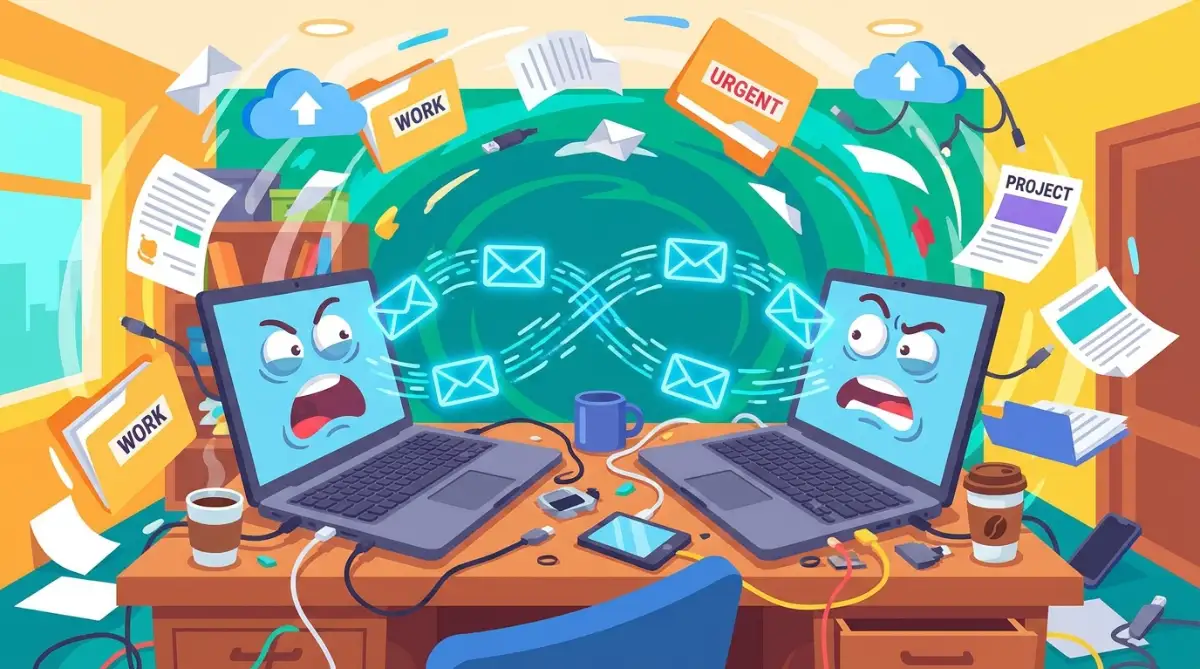
This is easily the most common and the most frightening mistake a beginner can ever make. An infinite loop happens when you accidentally tell two apps to constantly trigger each other in a never-ending circle.
Imagine you set up a rule that says: "When I get an email in Gmail, copy it to my Outlook inbox." Then, a week later, you forget about that rule and make a new one.
You make a new rule that says: "When I get an email in Outlook, copy it back to my Gmail inbox." You have just created a massive, self-feeding digital monster.
An email arrives in Gmail, sends a copy to Outlook, which then immediately sends a copy back to Gmail. The system sees the new copy in Gmail and sends another one to Outlook.
This happens thousands of times a minute, completely filling up your storage space and crashing your accounts. Always draw your workflows on a physical piece of paper first to make sure they do not loop backward.
The Broken Password Trap
We all know we are supposed to change our passwords regularly to stay secure online. Following the official NIST guidelines on secure password practices is highly recommended for everyone.
However, when you change your email or cloud storage password, you suddenly break the connection to your automation platform. The platform no longer has the correct digital key to enter your account.
The worst part is that the platform usually fails completely silently in the background. It just quietly stops saving your attachments, and you might not notice for three full weeks.
By the time you finally realize what happened, you have completely lost massive amounts of important client data. You are left scrambling to manually fix everything, which defeats the entire purpose of automating.
To prevent this painful situation, create a simple checklist for whenever you update your security details. While you are keeping your digital information highly secure, remember to also re-authenticate your apps inside your no-code dashboard.
The Robotic Empathy Failure
When you first discover how much time you can save, you might feel tempted to automate literally everything. You start sending automatic birthday emails, automatic thank-you notes, and automatic follow-ups.
This is a massive mistake that can severely damage your personal and professional relationships. People are very smart, and they can instantly tell when a machine is talking to them instead of a real human being.
If a highly emotional client sends you a sad email about a major problem, receiving an instant, robotic "Thanks for reaching out!" reply is incredibly insulting. You must always protect the human element in your business communications.
You need to focus on maintaining ethical boundaries with automation at all times. Automate the boring data entry, the file sorting, and the spreadsheet updates.
Never automate personal empathy, deep relationships, or highly complex customer service issues. Keep the machines strictly in the background where they belong, handling the numbers while you handle the actual people.
The Danger of the "Set and Forget" Mindset
Many beginners believe that once they build a system, they never have to look at it ever again. This mindset is highly dangerous because the digital world is constantly updating and changing.
Software companies update their platforms, change their visual layouts, and sometimes completely remove certain features. If the app you are connecting to suddenly changes its rules, your automated system will instantly break.
You need to schedule a quick ten-minute review session at the end of every single month. Look at your dashboard and make sure all your little green success lights are still shining brightly.
Check for any error messages and test your most important workflows manually just to be completely safe. A well-maintained system is exactly like a well-maintained car; it needs occasional tune-ups to run perfectly.
Taking just ten minutes a month to check your connections is a very small price to pay. It is much better than spending ten hours fixing a broken system that failed silently while you were away.
Your 24-Hour Action Plan for a Smarter Workday
We have covered a massive amount of incredibly helpful information together today. You now completely understand that you do not need to be a professional hacker to make your software apps talk to each other.
You know exactly how to spot the boring tasks that are secretly draining your daily energy. You also understand how to visually drag and drop blocks to make those annoying tasks completely disappear.
Most importantly, you know exactly what common traps to easily avoid as you begin building your digital empire. Now, it is time for you to actually take action and change how you operate on a daily basis.
Building Your Very First Masterpiece Today
I want you to stop reading articles and start physically building something right now. Pick the absolutely easiest, most annoying, five-minute task you do every single morning.
Sign up for a free beginner account on a platform of your choice. Do not try to build a massive, ten-step assembly line on your very first try.
Just connect two basic apps together and watch the magic happen right before your eyes. Once you see that first automatic action run successfully, your entire perspective on work will change forever.
You will suddenly realize that you have a tireless digital assistant working for you completely for free. You can finally start focusing on building a comfortable and pain-free remote setup while the machines handle the boring paperwork.
The goal here is not perfection; the true goal is simply getting started and reclaiming your precious personal time. Every minute you save is a minute you can spend with your family, reading a book, or just resting peacefully.
My Final Advice: I completely transformed my own career the day I decided to stop doing manual data entry. My biggest realization was that being "busy" is not the same thing as being "productive." I highly encourage you to build your first simple connection today; it is the absolute best gift you can ever give to your future self!
Answers to Your Most Burning Questions About No-Code Tools
What is the absolute easiest platform for a complete beginner to try first?
For someone with zero technical background, platforms like Zapier or Make are incredibly easy and visual. They both offer a completely free plan that lets you drag and drop blocks easily. Their menus are very clear, and they guide you through every single step naturally.
Can these automated systems really run when my computer is turned off?
Yes, absolutely! These tools run completely in the cloud on highly secure, external servers. You can turn off your laptop, go completely off the grid, and your workflows will continue running beautifully in the background.
Is it completely safe to give these platforms access to my personal email?
Highly trusted platforms use extremely secure, bank-level encryption to handle your sensitive data. They follow strict global security standards, similar to the W3C accessibility standards for web tools and privacy laws. However, you should only connect trusted, well-known apps and avoid giving permissions to random, unknown third-party software.
Will learning these tools eventually replace my actual job?
Not at all; these systems are designed to replace your most boring chores, not your actual human skills. By letting the computer handle the endless data entry, you become much more valuable to your company. You will finally have the free time to focus on highly creative, strategic work that a machine can never replicate.
Disclaimer: The information provided in this article is for educational and informational purposes only. We are not officially affiliated with or sponsored by any of the specific software platforms mentioned. Always review the privacy policies and security terms of any third-party tool before connecting them to your personal or business accounts. Your individual results and time saved may naturally vary based on your specific daily tasks.