Escaping the Trap of Endless Repetitive Tasks
You finally get that dream remote job, and suddenly you realize half your day is just copying and pasting things from one spreadsheet to another. Sound familiar? I used to spend hours feeling like a human robot, completely drained before lunch even hit. Let me show you how I completely escaped the copy-paste trap and built a tiny invisible system that does my boring work for me.
This is a quiet struggle that so many remote workers face every single day. We are told that working from home brings freedom, but the reality often feels like being chained to a keyboard. When you spend hours doing repetitive administrative tasks, your mental peace quickly begins to slip away.
You start waking up with a heavy feeling in your chest, knowing that the same mindless tasks are waiting for you. The boundary between personal life and work completely disappears. You might find yourself checking emails during family dinners or organizing files while you should be resting. This constant state of busywork does not just kill your productivity; it actively destroys your motivation.
Your brain is built for problem-solving and creativity, not for acting like a copy-paste machine. When you force yourself to do the exact same manual clicks day after day, a deep sense of frustration builds up. It makes you question your skills and your career choices. The worst part is the hidden mental fatigue.
But what if you could hand off the most boring parts of your job to a silent, invisible helper? What if you could reclaim those lost hours and finally focus on the work that actually matters?
Before You Read: My 3 Quick Takeaways
- Stop the copy-paste: You are paid for your brain and ideas, not for manual data entry.
- Start incredibly small: Try to automate just one annoying email or file transfer today.
- You do not need to code: Modern tools are entirely drag-and-drop. If you can move a mouse, you can do this!
The Invisible Digital Assistant Working While You Sleep
Let us talk about a completely different way to approach your daily remote routine. You do not need to work longer hours to get more done. Instead, you need to understand the quiet power of Robotic Process Automation (RPA).
Think of RPA as an invisible digital assistant living inside your computer. This assistant does not need coffee breaks, never gets tired, and never makes a simple typing mistake. It watches the repetitive clicks you make on your screen and learns how to do them for you.
When you hear words like "robotic" or "automation," you might imagine complex machines or confusing technical scripts. But the modern software industry has changed completely. Today, these tools are built for ordinary people who just want to get their time back.
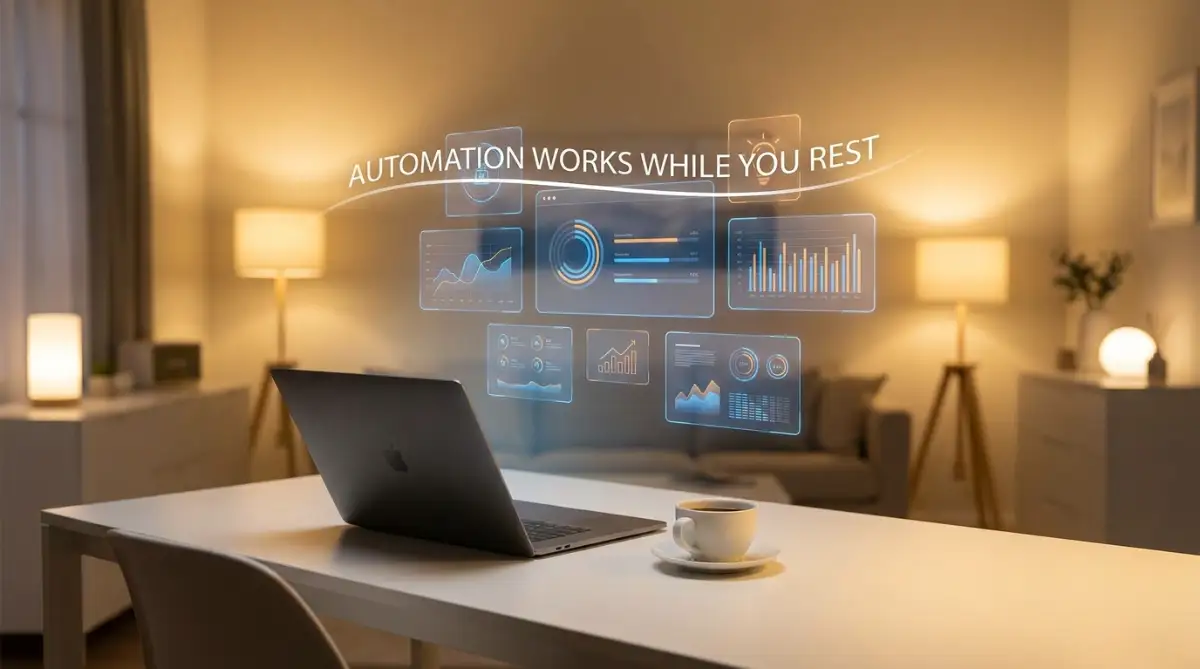
Imagine waking up in the morning to find that your inbox is already sorted. The daily reports you usually spend an hour creating are already generated and sent to your manager. This is not science fiction; this is what happens when you let smart software handle your digital chores.
My Personal "No-Code" Starter Pack:
- Zapier: The absolute easiest way to make your Gmail talk directly to your Slack.
- Make (formerly Integromat): Perfect for connecting Google Sheets to literally anything else.
- IFTTT: Great for super simple, everyday phone and smart home automations.
Why Manual Work is Hurting Your Remote Career
Before you can fix the problem, you need to see exactly where your time is leaking. Most remote workers do not realize how much time they waste on micro-tasks. Moving a file from one folder to another might only take ten seconds.
But if you do that fifty times a day, those seconds add up to hours of lost focus. Every time you switch between different software applications, your brain loses its concentration. It takes an average of twenty minutes to get your deep focus back after a small interruption.
When you act as the bridge between two tools that do not talk to each other, you are holding back your own career. You are paid for your unique human insight, not for your ability to hit "Ctrl+C" and "Ctrl+V." By holding onto these manual habits, you miss out on opportunities to show your real value to your team.
The Real-Life Magic of Automated Workflows
Let me give you a practical scenario of how this actually looks in a normal remote workday. Meet Sarah, a customer support manager working from her living room. Every time a new client signs up, Sarah used to manually create a new folder, add their details to a tracker, and send a welcome email.
This process took her about fifteen minutes per client. On a busy day, she spent three hours just doing this administrative setup. Then, she connected a simple RPA software to her daily routine. Now, when a client signs up, the software instantly catches the data.
The software creates the folder, updates the tracker, and sends a personalized welcome email in the background. Sarah literally does nothing but watch the system work smoothly. She gained three hours back every single day. She used that time to actually talk to clients and improve the service, which is what she loves doing.
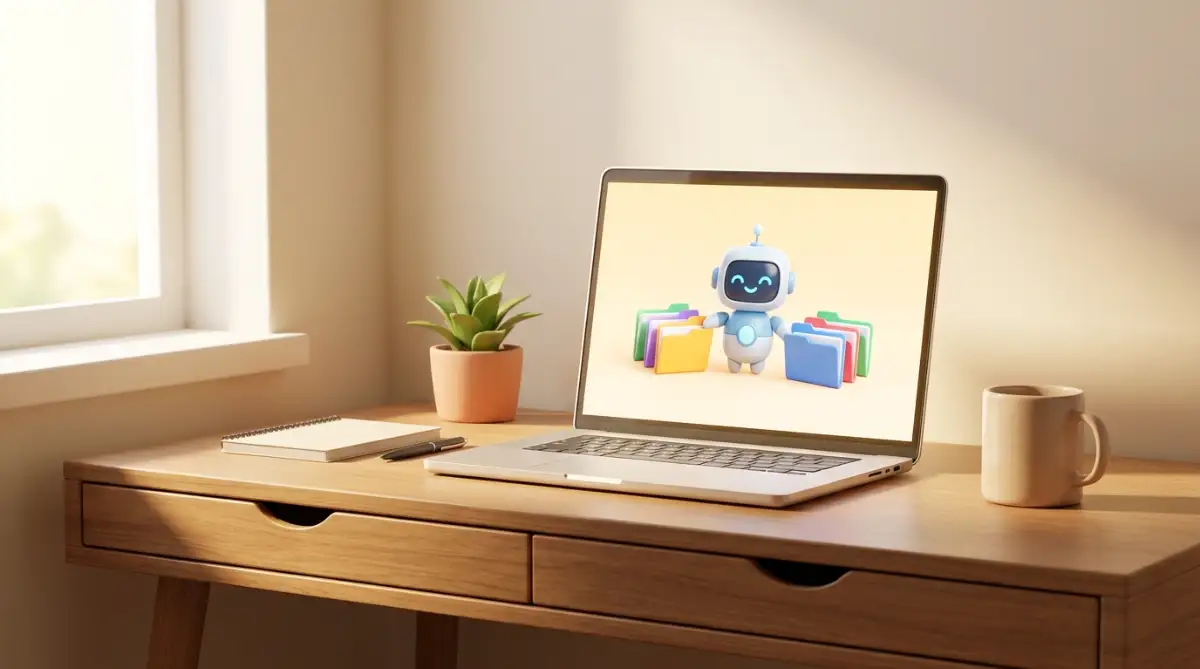
This is the exact shift that changes a stressful remote job into an enjoyable one. You stop managing data and start managing results.
Smart Ways to Identify Automatable Tasks
So, how do you figure out which parts of your day can be handed over to automation? You do not need a degree in computer science. You just need to observe your own habits for a few days.
Keep a simple notepad next to your keyboard. Write down every task you do that requires zero brain power. If a task follows a strict set of rules, it is the perfect candidate for automation.
For example, if you always download attachments from a specific sender and save them to a specific Google Drive folder, write that down. If you always send a reminder message on Slack when a deadline is approaching, write that down.
These rule-based, repetitive actions are exactly what RPA software is designed to handle. Once you have a list of these tasks, you will be shocked at how much of your job is just robotic repetition.
The "Rule of 3" for Everyday Automation:
Here is a personal rule I follow: If I catch myself doing the exact same manual click three times in a single week, I stop what I am doing and automate it. It might take me 15 minutes to connect the apps today, but it guarantees I save hours over the next month.
Overcoming the Fear of Letting Go
Many remote workers hesitate to use automation because they are afraid of losing control. They worry that a software bot might send the wrong email or delete an important file. This fear is completely normal, but it holds you back from experiencing true productivity.
You have to trust the systems you build. Modern RPA tools come with testing modes. You can watch the software run through the steps perfectly before you let it work on its own. Start small. Pick just one tiny task that annoys you the most.
Automate that single task and watch how it performs for a week. Once you see the software working flawlessly, your confidence will grow. You will naturally start looking for more ways to optimize your digital workspace.
I used to think setting up automation was too technical and would take way too much time to learn. I wasted months doing manual data entry just because I was scared of breaking the software. Once I finally spent a lazy Sunday afternoon connecting my email to my task manager, I felt foolish for waiting so long; it was as simple as connecting puzzle pieces together.
Watch this quick breakdown to see exactly how an everyday remote worker set up their first automation bot without writing a single line of script.
Myth vs Reality: The Truth About Everyday AI
There is a lot of noise online about AI and automation taking over jobs. Let us clear up some of this confusion right now. When you understand the reality, you stop fearing the technology and start using it to your advantage.
As you can see, the barriers to entry are practically gone. The tools are ready, affordable, and incredibly user-friendly. The only thing stopping you is the habit of doing things the hard way.
Rebuilding Your Morning Routine with Smart Software
Let us reimagine your remote work morning. Right now, you probably open your laptop, check your email, organize your daily tasks, and spend thirty minutes just getting ready to work. By applying RPA concepts, your morning can look totally different.
Your software can automatically pull your meetings for the day and organize them into a neat list. It can scan your emails for urgent messages from your boss and highlight them for you. It can even mute your notifications during your designated deep-work hours.
You sit down with your coffee, and your digital workspace is completely prepped and ready for you. You do not waste any mental energy on organization. You just dive straight into the creative and meaningful parts of your job.
This level of organization reduces daily anxiety. When you know the background systems are handling the details, you can breathe easier. You feel more in control of your remote environment.
The Direct Impact on Remote Team Collaboration
Automation does not just help you individually; it completely changes how remote teams work together. Think about how much time your team spends asking for updates or tracking down files. "Did you send that invoice?" or "Where is the latest draft?"
When you use RPA to connect your team's software, communication becomes seamless. If someone uploads a finished project to a shared folder, the software can automatically notify the right manager on the team chat. No one has to remember to send an update message.
Remote work can sometimes feel lonely, but it feels even worse when your only interaction with teammates is chasing them for files. Automation removes this friction. It allows your team conversations to be more about strategy, ideas, and actual human connection.
Protecting Your Mental Health in a Digital Space
We need to talk about the psychological benefits of removing robotic work from your life. Remote work burnout is very real. It usually happens because we feel overwhelmed by the sheer volume of tiny digital tasks.
Every automated task is a small weight lifted off your mind. When you know a software bot is handling your weekly data export, you do not have to keep a mental note about it. Your brain gets more space to relax and think clearly.
You start to enjoy your job again. You have the energy to close your laptop at the end of the day and actually be present with your family. You stop feeling like a servant to your computer and start acting like the manager of your own digital tools.
This is the unspoken benefit of software automation. It is not just about increasing company profits or doing more work in less time. It is about protecting your sanity and taking your personal life back from the endless grind of remote administrative work.
Mastering the Art of Silent Software Helpers
Once you understand the basic concept of handing over your repetitive chores to software, you are ready to explore the next level. Many remote workers stop after they automate just one or two simple emails. But the real magic happens when you start connecting different tools together to create a seamless digital assembly line.
This is what industry experts call workflow orchestration. Instead of just focusing on one small chore, you look at your entire day from a bird's-eye view. According to leading researchers at MIT Sloan, the most significant productivity gains come from reshaping entire workflows rather than just single tasks. When your apps talk to each other directly, you remove yourself as the middleman.
Let us look at a real-life scenario to understand how powerful this can be. Imagine you are a remote project manager handling a team of freelance writers. Normally, when a writer submits a draft, you have to download it, rename it, move it to a specific client folder, and then message the editor to review it.
This multi-step process requires your constant attention. However, with advanced setup, you can connect your team's file-sharing app directly to your communication tool. You are essentially
When a writer drops a file in the submission folder, the automation software instantly catches it. It renames the file based on your custom rules, moves it to the correct client folder, and sends an automatic direct message to your editor. You never even have to touch your mouse.
The Domino Effect of Smart Organization
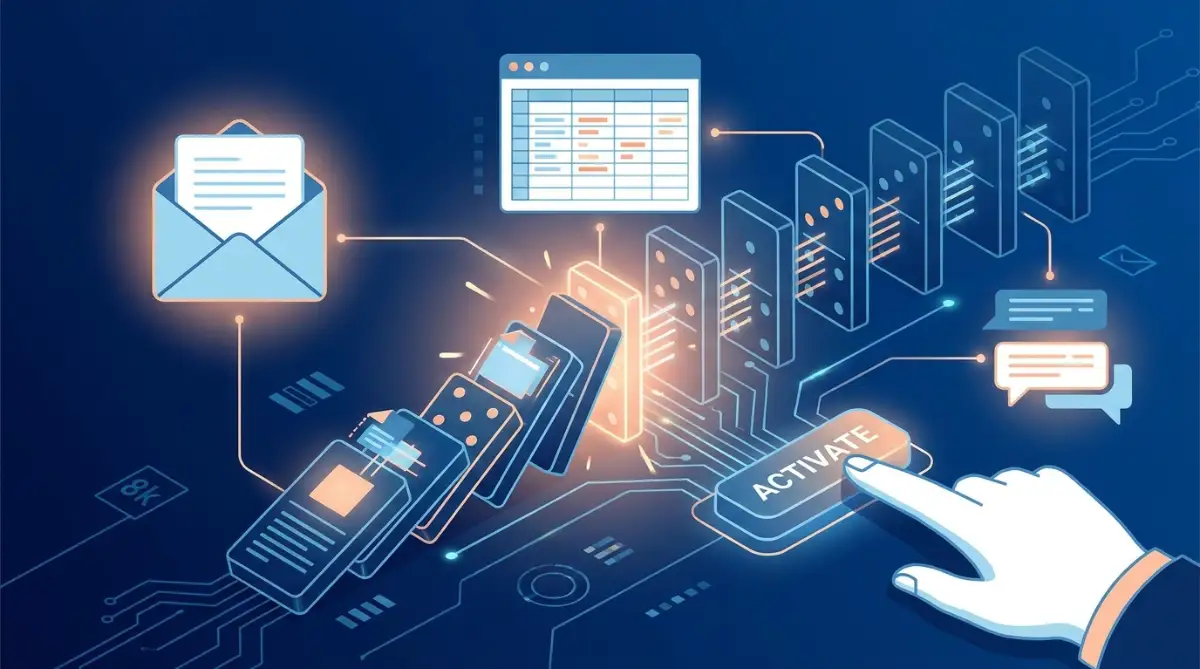
To achieve this level of efficiency, you need to think about your tasks in terms of triggers and actions. A trigger is the event that starts the process, like receiving a new email with an invoice. The action is what you want the software to do next, like saving that invoice to a specific accounting folder.
When you chain multiple actions to a single trigger, you create a powerful domino effect. One simple event can launch five different helpful background processes while you focus on deep work. This entirely changes how you approach your desk every morning.
In fact, this strategy is the secret weapon to help build an unbreakable morning routine for remote workers. Instead of spending your first hour sorting through the mess of yesterday, your digital assistant has already organized everything for you. You sit down with a clear mind, ready to tackle high-value creative projects.
Expert Insight: Quality Over Quantity
"Do not try to automate your entire job on the first day. The secret to long-term success is finding the one annoying task that drains your energy the most, and fixing that first. Once you master that, the rest becomes incredibly easy."
This specific approach keeps you from feeling overwhelmed by new technology. You should always aim to automate tasks that follow strict, unchanging rules. If a task requires human empathy, creative judgment, or complex problem-solving, leave it to your own brain. Your goal is not to replace yourself, but to give yourself better digital tools.
By focusing only on rule-based data entry, you ensure your software bots remain highly accurate. You will quickly notice that your days feel lighter and your stress levels drop significantly. This mindful approach to technology is exactly how top-performing remote professionals protect their energy and their time.

The Dangerous Pitfalls of Poor Software Management
While building an automated workspace sounds like a dream, it can easily turn into a nightmare if you are not careful. One of the biggest traps new users fall into is trying to automate a broken process. If your current manual workflow is messy and disorganized, adding software to it will only create a faster mess.
Imagine a machine that prints labels for shipping boxes. If you feed the machine the wrong addresses, it will not fix the addresses for you; it will just print a thousand wrong labels in record time. The same logic applies to your daily remote tasks.
Before you introduce any smart software to your system, you must organize your digital environment manually first. If you skip this step, you will end up spending more time fixing the software's mistakes than you would have spent doing the task yourself. This kind of frustration directly leads to psychological burnout and occupational stress for remote employees.
The Set-It-and-Forget-It Trap
Another massive mistake is assuming your digital assistant never needs a performance review. Software updates, password changes, and new platform rules happen all the time in the tech world. If an app changes its login security, your background automation might silently fail.
I once heard a story about a remote sales agent who set up an automatic email responder for new leads. He was so proud of his setup that he stopped checking his outbound folder entirely. Three weeks later, he realized the software connection had broken, and fifty potential clients had been completely ignored.
You must schedule a weekly five-minute audit of your automated systems. Just peek behind the curtain to ensure everything is running smoothly and no errors are piling up. Think of it like checking the oil in your car; it takes almost no time but prevents total engine failure.
Ignoring the Silent Security Risks
When you connect different applications together, you are actively sharing your professional data across multiple platforms. Many people blindly click "Allow Access" without reading what permissions they are giving to third-party bots. This is a massive vulnerability for anyone working from home.
If you are handling sensitive client information, you need to understand how to secure your personal data on cloud computing platforms. Giving an unverified automation tool access to your company emails can lead to serious privacy breaches. You never want to find out the hard way what hackers do with your info when big websites fail.
Always stick to well-known, highly rated automation platforms that encrypt your data. Ask your IT department before you connect a new bot to your main work accounts. A little bit of healthy caution will save you from devastating professional embarrassment down the road.
The Loss of the Human Touch
Finally, be very careful about automating your communication with real people. It is perfectly fine to use software to sort incoming messages or send standard appointment reminders. But using bots to reply to complex client questions or team concerns is a terrible idea.
People can always tell when they are talking to a pre-programmed machine. If your boss sends a thoughtful message about your recent project, and they receive an instant, generic "Thanks for the update!" response, it damages your professional relationship. You must protect your human empathy at all costs.
Always keep understanding online privacy for remote employees and professional etiquette at the front of your mind. Use automation to handle the invisible background data, not to replace your actual voice. Your unique personality and emotional intelligence are the main reasons you were hired in the first place.
Your Roadmap to a Healthier Remote Work Experience
We have covered a massive amount of ground today, from the hidden emotional toll of manual data entry to building advanced background systems. The most important thing to remember is that technology should always serve you, not the other way around. You have the power to redesign your workday exactly how you want it.
By taking a step back and identifying your most repetitive chores, you open the door to a much more peaceful professional life. Top organizations already know that maintaining core services and enhancing productivity relies heavily on smart digital tools. There is absolutely no reason why you, as an individual remote worker, cannot use those same strategies for your own mental peace.
If you want to start exploring these tools, I highly recommend reading up on machine learning myths for beginners to truly understand how harmless and helpful these systems are. You do not need a computer science degree to reclaim your free time. You just need a little bit of curiosity and the willingness to try something new.
Setting Healthy Digital Boundaries
Once your software starts doing the heavy lifting, you will suddenly find yourself with extra hours in your day. Please, do not fill those hours with even more stressful work. Use that reclaimed time to step away from your screen, stretch your legs, and reconnect with your family.
Part of working smarter is knowing when to completely disconnect from the digital world. Just as you might read about the hidden danger of charging your phone while you sleep, you should recognize the danger of leaving your mind "plugged in" to work constantly. Let the bots work through the night while you get the deep rest you actually deserve.
I know exactly how scary it feels to hand over your daily tasks to a silent software program for the first time. But my professional life completely changed the day I decided to stop working like a machine and start managing one instead. I promise you, once you experience the freedom of an automated workday, you will never look at your laptop the same way again.
Common Questions About Smart Workflow Software
Does robotic process automation require coding skills?
Not anymore. Most modern platforms use simple, visual drag-and-drop interfaces that anyone can understand. If you know how to draw a flowchart on a piece of paper, you have all the skills needed to set up a basic software bot.
Will automation software make my remote job obsolete?
Absolutely not. These tools are designed to take over the boring, repetitive chores that hold you back from doing meaningful work. By removing data entry from your plate, you actually become much more valuable to your employer because you can focus on strategy and creativity.
How do I know which daily tasks to automate first?
Look for tasks that you do exactly the same way every single time, requiring zero creative thought. Moving files, copying numbers into spreadsheets, and sending standard weekly reports are the best places to start. If a task feels incredibly boring and robotic, it is the perfect candidate.
Can individual freelancers afford these advanced tools?
Yes, the software market has completely changed in recent years. Many top-tier automation platforms offer free basic plans that are more than enough for a single remote worker. You do not need a massive corporate budget to start building your own digital assistant.
Is it safe to connect my personal accounts to automated bots?
It is safe as long as you use reputable, well-known automation platforms that prioritize encryption. However, you should always review the permissions you are granting and avoid sharing highly sensitive personal passwords. Always read the privacy guidelines before connecting a new app to your main email address.
Disclaimer: The information provided in this article is for educational and informational purposes only. We do not provide specific IT, security, or professional career advice. Always consult with your company’s IT department before integrating third-party software into your professional workflows. We may earn a small commission from affiliate links included in our content at no extra cost to you, which helps support our work.