The Hidden Nightmare Inside Your Old Gadgets
Imagine handing over your old smartphone to a stranger at a coffee shop, totally forgetting that your banking app is still silently logged in. That terrifying scenario almost happened to me last year when I tried selling my used gadgets for some quick cash. I thought dragging my personal files to the trash bin was enough, but I was completely wrong. Let me show you exactly how to permanently wipe your devices so your private life never ends up in the wrong hands.
My heart completely stopped at that exact moment. That simple, uneducated mistake exposed my entire financial history and private life to a complete stranger. I spent days changing my account passwords, monitoring my bank statements, and feeling incredibly foolish. The worst part was the constant anxiety that kept me awake at night, wondering what else I had accidentally left behind on that hard drive.
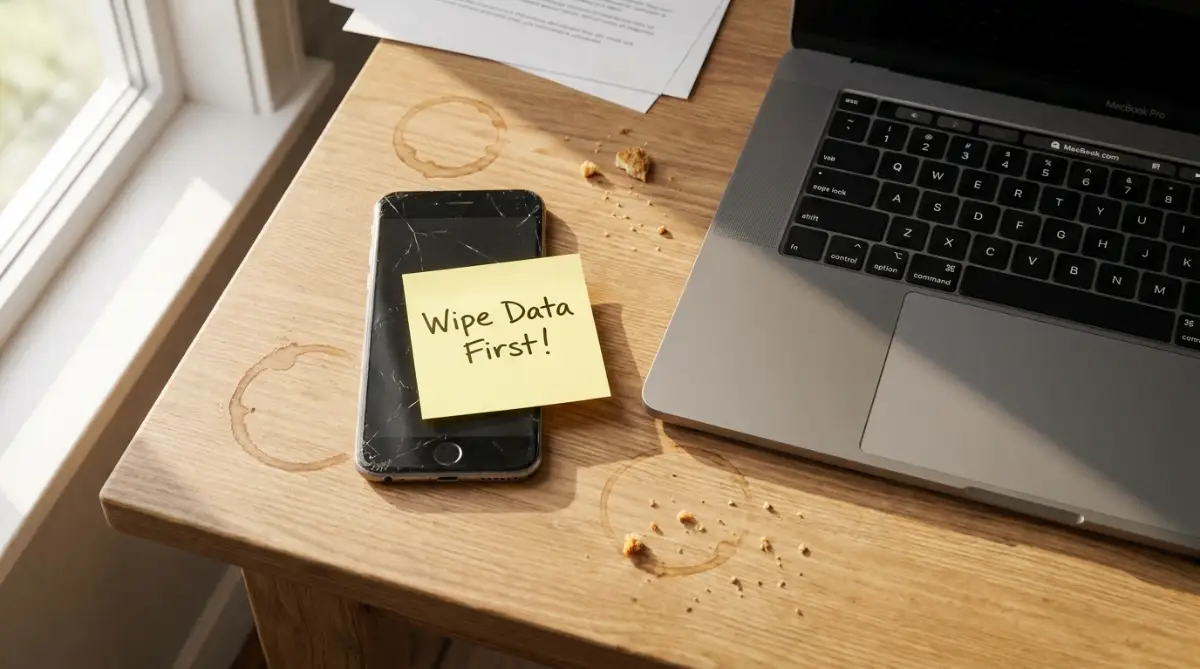
Millions of everyday people make this exact same error every single day without realizing the danger. We happily upgrade our smartphones, trade in our premium tablets, or donate old computers to charity. We assume that a simple delete button or a quick reset makes us completely invisible to the next owner.
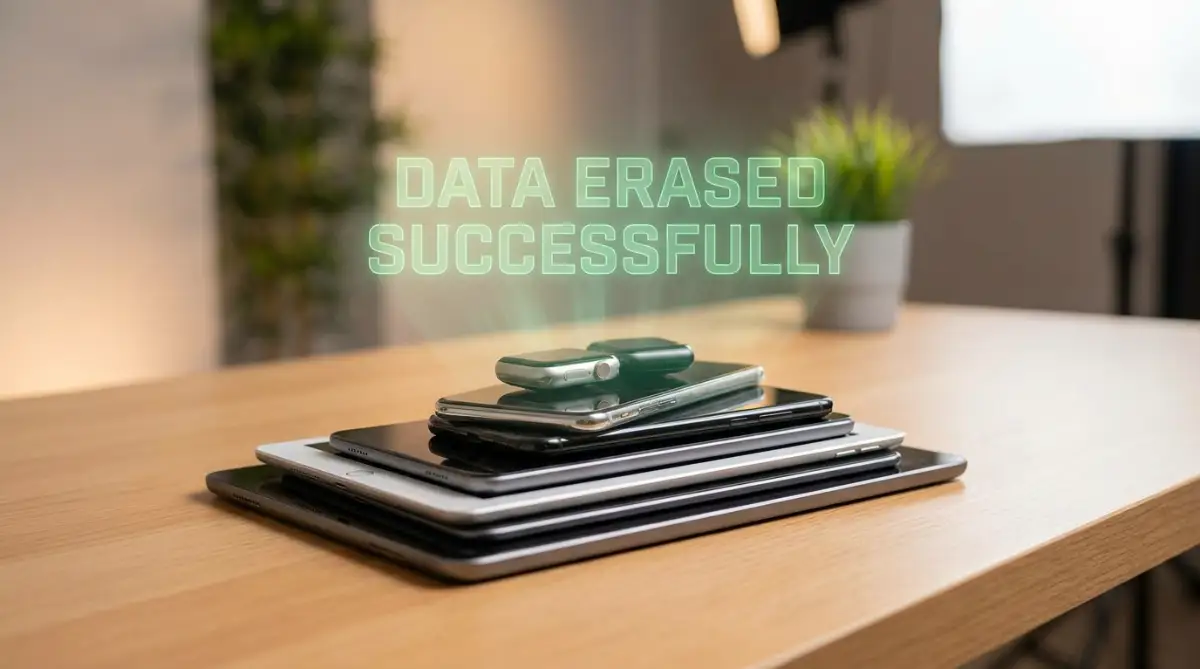
Your Pre-Sale Action Plan
- Never trust the regular trash bin; it only hides your files from plain sight.
- Always encrypt your hard drive right before you hit the factory reset button.
- Physically check every tiny slot for forgotten SD memory cards and SIM cards.
- Sign out of all cloud accounts so you do not accidentally lock the device for the next owner.
Decoding the Illusion of the Delete Button
Most of us have a very visual understanding of how computers work. We think that dragging a file into a digital trash can physically destroys the item forever. However, the modern reality of digital storage is completely different and slightly terrifying. When you hit the delete button, you are not actually removing the information from your device.
You are simply telling the computer that the space is now available to be written over. The actual photos, documents, and messages stay perfectly intact hidden deep inside the memory drive. Anyone with a cheap, widely available recovery software can easily bring those deleted files back from the dead.
Reality Check: Can they really find my deleted stuff?
Yes, they absolutely can. Free recovery tools take about five minutes to download from the internet. I actually tested this on my own old thumb drive recently. Even after formatting it twice, I still easily recovered over 400 old family photos. The "Delete" button just hides the file from your screen; it does not destroy the actual data.
The Table of Contents Analogy
To understand this better, imagine your computer's hard drive as a massive, thick textbook. When you save a file, the computer writes a chapter and adds the title to the table of contents. When you delete that file, the system only takes an eraser and rubs out the title from the table of contents.
The actual pages of the chapter remain completely untouched inside the book. The computer just pretends the chapter does not exist anymore. Until new information is written exactly over those old pages, a stranger can easily flip through your book and read your secrets.
Why Solid State Drives Change the Game
Old laptops used spinning magnetic disks to store information, which were notoriously easy to recover data from. Modern premium gadgets and thin laptops use Solid State Drives (SSDs) to hold your information. These newer drives use complex flash memory chips that operate very differently than old spinning disks.
While SSDs are much faster, they still suffer from the same basic deletion flaws if not handled correctly. Simply putting files in the trash on a modern tablet is just as dangerous as doing it on an old desktop. You need a specific, thorough strategy to force the device to scramble the actual memory chips.
The Truth About Digital Cleanliness
There are plenty of confusing rumors about how to properly clean a device before selling it. Let us look at a simple breakdown of what actually keeps you safe. Understanding these differences is the first major step toward protecting your digital identity.
By simply acknowledging these technical realities, you stop fighting against false assumptions. You can finally start building a cleaning routine that actually protects your privacy.
Building Your Digital Safety Net
Before you even think about wiping your old electronics, you have to secure the things you want to keep. The biggest mistake people make is rushing into the cleaning process and losing precious memories forever. You need a solid, organized strategy to move your digital life from the old hardware to a safe location.
Organizing the Digital Clutter
Start by going through your device and organizing your scattered files into master folders. We often leave important PDFs in our download folder and random family videos on the main desktop screen. Gather everything into clearly labeled folders like "Tax Documents," "Family Photos," and "Work Projects."
This simple organization prevents you from accidentally forgetting a highly sensitive file hidden in a random location. Once everything is gathered, you can accurately see exactly how much storage space you need for your backup. Do not rush this organizing phase; taking your time here guarantees you will not lose anything important.
I once wiped an old smartphone without realizing my entire vacation photo album was saved locally instead of the cloud. I lost hundreds of irreplaceable memories simply because I was in a hurry to trade the phone in at the store. Now, I always physically check my local storage folders before I even think about touching the reset button.
Watching exactly how easily strangers recover deleted files will completely change your perspective on device recycling.
The Double Backup Strategy
Relying on just one single backup method is like putting all your eggs in a very fragile basket. If your only backup drive gets dropped on the floor, your entire digital history vanishes instantly. This is why technology professionals always recommend using a combined backup approach.
First, upload your organized folders to a secure, encrypted cloud storage service. Second, copy those exact same folders onto a physical, external hard drive that you keep safely in a desk drawer. Having both a digital cloud copy and a physical offline copy guarantees your information is safe no matter what happens.
Verifying the Transfer
Copying large amounts of data can sometimes cause random errors or corrupted files. Before you move on to the wiping phase, physically open the files on your backup drive. Play a few of the videos, open a couple of complex documents, and make sure the photos load correctly.
You need absolute confirmation that the data transferred perfectly before you destroy the original copies. Taking five extra minutes to verify your backup gives you complete peace of mind during the final wipe.
Severing the Hidden Cloud Connections
Our modern gadgets are deeply intertwined with vast online networks and cloud services. Your phone or laptop is constantly talking to internet servers to sync your messages, emails, and location data. If you simply wipe a device without breaking these connections, you create massive security risks for yourself.
The Danger of Activation Locks
Companies have introduced powerful anti-theft features designed to make stolen gadgets useless to thieves. These systems link the physical hardware directly to your personal email account. If you wipe a tablet without turning this feature off, the next owner will not be able to use it at all.
Worse yet, if you leave your account logged in, a smart buyer might find a way to access your cloud storage. You must manually go into the system settings and sign out of your primary user accounts. This officially tells the company servers that you no longer own this specific piece of hardware.
Deauthorizing Premium Software Licenses
Many expensive software programs, like professional photo editors or music production tools, limit how many computers you can use. They tie your expensive digital license to the physical motherboard of your current machine. If you sell the computer without deauthorizing the software, you lose that expensive license forever.
Open up your most used premium applications and look for an option to "Sign Out" or "Deauthorize This Computer." This releases your paid license back to the cloud, allowing you to easily install the program on your brand new computer. It also prevents the new owner from using your paid subscriptions for free.
My 2-Minute Deauthorization Checklist:
Before handing over your computer, make sure you manually sign out of:
- Your Apple iCloud or Google Accounts.
- Expensive software like Adobe Creative Cloud or Microsoft 365.
- Gaming platforms like Steam or Epic Games.
- Your trusted device lists on Netflix and Spotify.
Removing the Physical Memory Traps
We spend so much time worrying about the digital files that we completely forget about the physical hardware traps. Many devices have tiny, hidden compartments that hold massive amounts of our personal information. Leaving these tiny chips inside a sold device is a massive breach of your own digital hygiene.
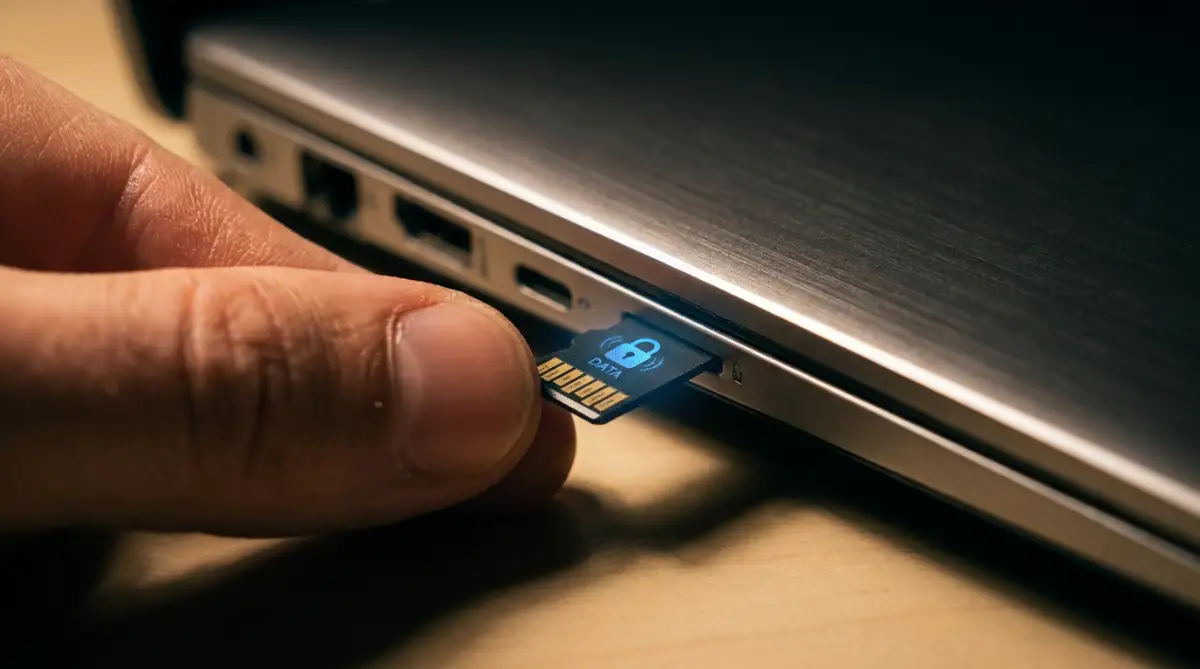
The Forgotten SD Cards
Many premium laptops and smartphones have expandable memory slots hidden behind tiny doors. We often insert a MicroSD card to hold extra music or photos and then completely forget it exists. These cards act as secondary hard drives that do not get erased during a standard system reset.
Always take a small flashlight and physically inspect all the ports and slots on your device. Pop out any memory cards you find and store them safely. A single forgotten memory card can hand over thousands of private family photos to a complete stranger.
Extracting the SIM Card
If you are recycling a smartphone or a cellular-enabled tablet, the SIM card is your most critical physical asset. This tiny piece of plastic holds your actual phone number and sometimes your saved contacts. If you leave it in the phone, the new owner can receive your private text messages.
Since many banks use text messages for two-factor authentication, a stolen SIM card gives hackers direct access to your money. Use a paperclip or a SIM ejector tool to pop the tray open and remove the card. You can safely cut the old plastic SIM card in half with scissors if you are getting a new one.
Unpairing Your Smart Accessories
Your old gadget likely has a long list of trusted Bluetooth devices saved in its memory. It automatically knows how to connect to your smart television, your wireless headphones, and your car's audio system. If the new owner lives near you, their new device might automatically try to connect to your personal accessories.
Go into the Bluetooth menu and manually tell the device to "Forget" every single paired accessory. This severs the invisible wireless trust between your old gadget and your current home environment. It is a tiny step, but it completely closes a very sneaky wireless loophole.
Pro-Level Data Destruction Strategies for Everyday Users
You already know that simply hitting the delete button is a massive security trap. Now, we need to talk about the actual methods professionals use to guarantee an empty hard drive. The good news is that you do not need expensive software to wipe your computer like an expert. Your modern gadgets already have incredibly powerful security features built directly into their system settings.
You just need to know exactly where these hidden settings live and how to activate them properly. The absolute best way to ensure your old files are gone forever is to scramble them before deleting them. This simple concept is known as data encryption, and it is your strongest defense against digital snoops.
The Magic of Pre-Wipe Device Encryption
Imagine taking that massive textbook full of your personal secrets that we talked about earlier. Instead of just erasing the table of contents, what if you could translate the entire book into an alien language? Data encryption does exactly this by scrambling your readable files into a massive, unreadable puzzle.
If a stranger tries to open an encrypted file, all they will see is a totally random mix of symbols. Before you even think about factory resetting your phone or laptop, you must turn on device encryption. Both modern smartphones and computers offer this feature entirely for free in their security menus.
Once your drive is fully encrypted, you can safely proceed with the standard factory reset. The reset process will throw away the digital translation key used to read the alien language. Even if a buyer uses powerful recovery tools, they will only recover jumbled, useless code instead of your private photos.
Trusting the Overwrite Method
Sometimes you might have a much older laptop that does not support modern device encryption. In these specific cases, you have to rely on a different scientific method called overwriting. This strategy involves forcing the computer to write completely blank data over your existing personal files.
Think of overwriting like taking a thick black marker and crossing out every single word on a page. You write over the sensitive information so many times that the original text is completely buried. Professional cybersecurity organizations like the National Institute of Standards and Technology highly recommend this exact overwriting method for older magnetic hard drives.
Both Windows and Apple computers have hidden tools that allow you to overwrite your empty space. When you go to wipe a Mac, for example, the system will offer you a specific security slider. Always drag that slider to the "Most Secure" setting, which forces the machine to overwrite the disk multiple times.
Breaking the Cloud Sync Chain Properly
We rely heavily on online storage to keep our documents safe across multiple devices. But this constant connection creates a very dangerous bridge between your old hardware and your new life. If you just start deleting files from a synced folder, the system will delete them from your cloud storage too.
You must physically log out of every single cloud service before you manually delete anything from the screen. Go into your system settings and completely sign out of your main user accounts. You can review the official Apple Support guide for preparing your Mac to see exactly how to deauthorize these deep system connections safely.
This is also the perfect time to review your software habits and clean up your digital footprint. If you frequently use online platforms for work, you must learn how to keep your private data safe while using SaaS tools daily. Disconnecting these professional tools ensures the next owner cannot accidentally log into your corporate workspace.
Essential Do's and Don'ts for Tech Disposal
To keep things extremely simple, I always follow a strict mental checklist before letting any gadget go. It helps me avoid those small, careless mistakes that lead to huge privacy disasters down the road. Keep these quick rules in mind the next time you decide to upgrade your technology.
- Do verify your backups: Always check your external drives twice before wiping the original machine.
- Do remove external media: Double-check every single port for hidden SD cards or USB receivers.
- Don't rely on the trash bin: Emptying the digital trash does absolutely nothing to protect your privacy.
- Don't forget physical cleaning: Wipe the screen and keyboard to remove physical fingerprints and smudges.
Taking the time to safely backup your data before a major system change is the most important rule on that list. Rushing through the backup process is the exact reason so many people lose their favorite memories during a device upgrade.

The Heartbreaking Mistakes People Make When Selling Tech
You can read all the safety guides in the world, but human error is always the biggest risk factor. We get excited about holding our brand new gadgets, and we rush through the recycling process of the old ones. This sudden rush of excitement makes us completely blind to the obvious digital doors we leave wide open.
I have seen incredibly smart people make terrible mistakes simply because they trusted a confusing screen prompt. These simple errors do not just cause mild embarrassment; they can lead directly to stolen bank funds. Let us walk through the most dangerous traps you might face when preparing your old devices for a new home.
Scenario: The Quick Format Disaster
Imagine a college student who decides to sell their gaming laptop to pay for next semester's books. They open the disk management tool, right-click on the main drive, and select the "Quick Format" option. A tiny loading bar zooms across the screen, and the computer suddenly looks perfectly empty and brand new.
They happily hand the laptop over to a stranger for cash, feeling great about the transaction. What they do not realize is that a "Quick Format" is just a software illusion designed for speed. It only deletes the digital filing system, leaving every single downloaded document and saved password sitting openly on the hardware.
This specific mistake is how massive amounts of private information end up being sold on the internet. If you work from home, making this error could easily compromise your employer's private records. Understanding the proper steps for protecting company data from public leaks is non-negotiable for remote workers selling old equipment.
Leaving Forgotten Browser Sessions Active
Most of us rely entirely on our web browsers to remember our passwords for streaming sites and email accounts. When we get ready to sell a computer, we might delete our personal folders but completely forget about the browser. We leave Google Chrome or Safari perfectly intact, assuming the new owner will just use their own account.
However, if you do not actively clear your browser data, your active login cookies remain completely valid. The buyer can simply open the internet and instantly load into your private social media feeds without typing a password.
This gives a stranger total freedom to read your private messages or post embarrassing things under your name. Taking five minutes to adjust your hidden social media privacy settings and clear your browser cookies will stop this from happening. Always uninstall your primary web browser entirely before handing over any laptop or tablet.
Ignoring the Hidden Wireless Bridges
Your personal smartphone knows the secret digital handshakes for everything in your daily life. It automatically connects to your home router, your wireless earbuds, and your smart television without asking. We almost never think to delete these saved network locations before trading in our phones.
If you sell your phone to someone who lives in your same apartment building, their new phone will recognize your router. It might try to automatically connect to your private home network because the saved password is still valid.
Furthermore, leaving your device history full of open connections is a terrible security habit overall. We already know that bad actors easily use public Wi-Fi to steal personal data from unsuspecting users. You must go into your network settings and tell the device to manually forget every single saved wireless connection.
The Inbox Danger Zone
There is a very specific reason why tech experts tell you to remove your email accounts from old devices first. Your main email address acts as the ultimate master key to your entire digital identity. If a buyer can access your inbox on the old tablet, they can easily click "Forgot Password" on any website.
They can send password reset links directly to the device they are holding in their hands. They can lock you out of your bank, your gaming profiles, and your online shopping accounts in minutes.
This is also how random strangers end up subscribing your email address to endless promotional lists. If you want to stop receiving endless spam emails, you have to tightly control where your inbox is actively logged in. Never leave a device unattended while your primary email is still syncing messages in the background.
Common Questions About Trashing Your Tech
Does a standard factory reset delete everything permanently?
A basic factory reset only removes the data index, not the actual files buried in the storage drive. Unless the device was fully encrypted before the reset, someone with recovery software can often bring your old photos back. Always ensure encryption is turned on before pressing the reset button.
Should I just physically destroy my old hard drive instead?
If the gadget is broken beyond repair and holds highly sensitive tax or medical documents, physical destruction is incredibly effective. You can safely remove the internal storage drive and drill a few holes straight through the metal casing. This guarantees that nobody will ever read that data, but it obviously destroys the resale value.
How do I wipe a laptop screen that refuses to turn on?
If the screen is totally black but the computer still receives power, try plugging it into an external television monitor. If the entire motherboard is dead, you will have to open the laptop case with a screwdriver. You must manually remove the physical SSD or hard drive before sending the broken laptop to a recycling center.
Can I just throw my old smartphone in my regular trash can?
You should never throw electronics in the regular household garbage due to the highly toxic chemicals inside the batteries. Environmental groups and organizations like the Electronic Frontier Foundation strongly advise using certified e-waste facilities. They will safely recycle the heavy metals and often provide a certified data destruction service.
Will pulling out the SIM card delete my text messages?
Removing the physical SIM card takes away your phone number and network access, but it does not delete your old messages. Most modern smartphones save text messages and chat histories directly to the internal memory chip, not the SIM. You still have to perform a complete system wipe to erase your chat history.
Your Final Checklist Before Letting Go
Securing your personal privacy does not require a degree in computer engineering or expensive software tools. It simply requires you to slow down, stay organized, and follow a logical path before letting your old gadgets go. You just need to respect the massive amount of personal history those little glass screens actually hold.
Start by securing your memories with a solid double-backup strategy so you never lose a precious family photo. Then, break the invisible chains connecting your old hardware to your personal cloud accounts. Finally, use the built-in encryption and reset tools to scramble the memory chips beyond repair.
By treating your digital hygiene with this level of respect, you take complete control over your personal privacy. You can confidently sell your old tech, knowing that your secrets are perfectly safe. You get to enjoy your new gadgets without carrying the heavy anxiety of a potential data breach.
I used to rush through my device upgrades, assuming the big tech companies would automatically protect my privacy for me. My perspective completely shifted when I realized that taking just thirty minutes to wipe my hardware properly brings absolute peace of mind. I highly encourage you to follow these exact steps today, so you can trade in your old electronics with total confidence.
Disclaimer: The information provided in this blog post is for educational and informational purposes only. It does not constitute professional cybersecurity or IT advice. Always use your best judgment and consult with certified technicians when dealing with highly sensitive corporate data or physically dismantling electronic devices.