The Silent Thief Stealing Your Best Work Hours
You stare at your screen, your eyes burning, while you manually copy one client name into a spreadsheet for the hundredth time today. If you feel like a tired human robot doing chores a computer should clearly be doing, you are completely right to be frustrated. Let me show you how to set up simple, invisible background helpers that handle the boring copy-paste work for you, so you can actually log off and enjoy your evening.
I felt completely like a human robot, wasting my best creative energy on tasks that a machine could easily do. It was incredibly frustrating to know I had big, important projects to work on, but I was totally trapped by endless manual clicking. My back hurt, my brain was totally fried, and my daily motivation was slowly dropping down to zero. I knew there had to be a smarter way to manage my workday without losing my mind.
When you spend all your time acting like a human bridge between two different software programs, your mental health takes a huge hit. You start making silly mistakes because your brain simply cannot focus on doing the same boring action a hundred times in a row. It makes you feel completely unvalued at your job, knowing your true skills are hidden behind a wall of copy-and-paste duties.
Why do we keep accepting this completely exhausting routine as normal? The truth is, most folks simply do not know that invisible, free helpers are waiting to take these tasks off their plates forever.
Quick Action Guide: What You Will Learn Here
- Why doing simple repetitive tasks physically drains your brain power.
- How to use the basic "If This, Then That" rule to connect your apps for free.
- Why you should always draw your workflow on real paper before touching your computer.
- The danger of automating a bad habit and making a mess even faster.
Escaping the Copy-Paste Trap with Smart Systems
Finding a real, permanent fix starts with completely changing how you view your daily computer chores. You have to stop thinking of yourself as the main engine that makes your office software run. Instead, you need to start viewing yourself as the clever manager who tells the software how to run by itself.
The magic happens when you discover the world of open-source workflow systems. These are completely free, community-built tools that act like an invisible bridge between your favorite daily applications. They quietly sit in the background of your computer, passing information from one app to another without you ever lifting a finger.
But you cannot just blindly turn on a software program and expect it to read your mind instantly. You have to build a very clear, logical map of your daily habits before you hand them over to an automated system. Let us walk through the exact, practical steps you need to take to win your freedom back.

The Science Behind Task Fatigue
To truly understand why you need this change, we have to look at what repetitive tasks actually do to your human brain. Every time you make a tiny decision, like where to save a file, you burn a small amount of mental energy. Scientists call this specific problem decision fatigue, and it is a very real, measurable drain on your body.
When you do this hundreds of times a day, your brain physically runs out of the energy needed for creative thinking. This is exactly why you feel so incredibly tired at the end of a shift, even if you just sat in a comfortable chair all day. You are forcing your highly evolved human mind to do the work of a basic calculator.
By passing these boring actions over to a software program, you are actually protecting your own physical health. You suddenly have the mental space to solve complex problems, help your clients better, and actually enjoy your work again. It is not just about saving twenty minutes; it is about saving your sanity.
Identifying Your Biggest Daily Time Wasters
The very first practical step is to go on a hunting trip to find exactly where your time is leaking out. You cannot fix a messy workflow if you do not know exactly what actions are taking up your day. For the next three days, keep a simple notepad right next to your computer keyboard.
Every single time you catch yourself moving data from one window to another window, write it down on the pad. Pay special attention to anything you do more than three times a week, like downloading invoices or updating a contact list. You are looking for highly predictable tasks that follow the exact same rules every single time you do them.
Once you have this master list, you will easily spot your worst offenders. Maybe you spend thirty minutes every Monday just sorting incoming customer support emails into different folders. These predictable, rule-based chores are the absolute perfect candidates for your new digital helper to take over.
I remember my biggest mistake was trying to automate my entire morning routine on day one, which completely broke my email system. My best advice is to start with just one tiny repetitive task and watch it work perfectly for a week before moving on.
Understanding the Simple "If This, Then That" Logic
You do not need to be a math genius or know any complex programming languages to make this work. The entire concept of modern automation is built entirely on a very simple, conversational rule called "Trigger and Action." Once you understand this basic human logic, you can connect almost anything on your computer.
Rookie Mistake vs. Pro Move: Setting Up Rules
- The Rookie Mistake: Trying to automate an entire 10-step sales process on the very first day and crashing the system.
- The Pro Move: Automating just one annoying step. For example, setting a rule that says, "If someone fills out my website contact form, send me a quick text message." Master the small wins first before building a giant machine.
Think of a trigger as the starting gun at a race; it is the specific event that wakes your software up. An action is simply what the software does after it hears that starting gun go off. For example, "IF I receive an email with an attachment (Trigger), THEN save that attachment to my cloud drive (Action)."
It really is that wonderfully simple to understand. When you look at your notepad of wasted time, try to translate those chores into this basic two-step sentence. This exercise completely demystifies the software and makes the entire process feel like giving instructions to a smart intern.
Why Open Source Tools Are Your Best Friend
You might be wondering why you should specifically look for open-source solutions instead of paying for famous brand-name software. When a tool is open-source, it means the underlying blueprint is totally public and constantly improved by thousands of passionate people. You are getting enterprise-level power without paying massive monthly subscription fees to a large corporation.
These tools are completely transparent, meaning security experts around the world can check them for any hidden problems. They also offer incredible flexibility because they do not force you to stay locked inside one specific company's ecosystem. If you want to connect a totally obscure, tiny application to your main workflow, open-source communities usually have a free plugin for it.
Most importantly, you own your own data and your own automated systems. You do not have to worry about a greedy company suddenly doubling their prices and holding your daily workflows hostage. It gives you total control over your own digital office environment.
Mapping Your Process on Real Paper First
A huge trap that many smart people fall into is rushing straight to the computer to build their new system. They start clicking buttons and connecting apps before they actually understand the full path their information needs to travel. This almost always leads to messy errors, lost data, and a massive headache later in the week.
Before you touch any software, grab a blank piece of paper and a large, colorful marker. Draw a little box representing where your information starts, like a customer filling out a form on your website. Then, draw clear arrows showing every single place that specific information needs to go.

Does the name need to go into a spreadsheet? Draw a box for that. Does your sales team need a chat notification? Draw a box for that, too. This physical map acts as your perfect blueprint, guaranteeing you do not miss any tiny steps when you finally build it digitally.
Watch this incredible visual breakdown to fully grasp the concept:
Testing with Fake Data (The Safety Net)
When you finally set up your very first automated path, you will likely feel a huge rush of excitement. You will want to immediately turn it on and let it handle all your real, important client emails right away. Please, for your own safety, resist this urge and use fake information for your first few tests.
Create a dummy email address and send yourself a few test messages with completely fake names and numbers. Watch the software closely to see exactly how it handles your test data as it moves through the steps. Sometimes, a tiny setting is slightly wrong, and the information ends up in the wrong folder entirely.
By testing in a completely safe, fake environment, you prevent massive embarrassing mistakes, like sending a blank email to a real customer. Take your time, make small adjustments, and wait until the system runs perfectly three times in a row. Only then should you confidently flip the switch and let it handle your real daily work.
Overcoming the Fear of Letting Go
A very strange psychological hurdle happens when you finally get a working automated system running perfectly. You will likely feel a deep, nagging urge to constantly double-check the software's work every five minutes. Because you are so used to doing the heavy lifting yourself, you simply do not trust the invisible machine yet.
This is a totally normal human reaction to sudden change in a workplace environment. However, if you manually check every single automated action, you are completely defeating the purpose of saving time. You have to slowly train your brain to trust the logical rules you just carefully built.
Give yourself permission to only check the final results once at the very end of the day. As you see the perfect results piling up without your physical effort, your anxiety will naturally start to fade away. Soon, you will completely forget the system is even running, and you will just enjoy the magical results appearing on your screen.
Keeping Your Digital Workspace Clean
Just like a physical desk, your new automated systems require a little bit of regular cleaning and organization. As months go by, you might change the folders on your computer or switch to a brand new email provider. If you forget to tell your automated helper about these changes, the entire chain will suddenly break.
Make it a solid habit to do a ten-minute digital audit on the first Monday of every single month. Quickly glance at your active workflows and make sure all the connections are still showing as healthy and active. This tiny bit of regular maintenance prevents huge backups and keeps your office running smoother than ever.
You should also clearly name every single workflow you create with very descriptive titles. Instead of naming a project "Task 1," name it "Saves New Client Invoices to Google Drive." This makes it incredibly easy to fix things if something goes wrong six months down the road.
Scaling Up: How to Build Your Own Digital Assembly Line
Once you successfully set up your very first simple trigger, a whole new world of productivity opens up for you. You will quickly realize that you do not have to stop at just one single action per workflow. The real magic happens when you start chaining multiple actions together to build a complete digital assembly line.
Imagine a single customer email starting a beautiful domino effect across your entire office software suite. The email arrives, your open-source tool instantly saves the attached invoice, alerts your team on chat, and logs the customer’s name into your database. All of this happens in about three seconds while you are busy enjoying your morning coffee.
This kind of advanced setup requires a slightly different way of thinking about your daily office habits. You are no longer just reacting to problems; you are proactively designing a system that handles problems before you even see them. Let us look at some highly effective ways to maximize these free tools without getting totally overwhelmed.
Integrating Smart Text Reading
In the early days of software, passing information meant moving exactly identical files from one folder to another folder. Today, open-source communities are building tools that actually understand the words inside your documents. You can set up workflows that read a client email and decide if the client is happy or angry based on their words.
This is highly possible because we are learning how natural language processing algorithms actually work and putting them into everyday office tools. If a client writes an angry email, your workflow can automatically tag it as high-priority and text your manager instantly. If it is just a standard thank-you note, the system quietly files it away without bothering anyone.
This completely changes how your customer support team manages their limited daily energy and time. You stop treating every single message like an emergency and let the software sort the noise from the truly important conversations.
Creating the "Check Engine Light" for Workflows
One of the smartest things you can do as an advanced user is to build safety alarms into your automated paths. Sometimes, a website you connect to might temporarily go offline, or a password might suddenly expire. When this happens, your digital intern gets confused and stops working, but it usually will not tap you on the shoulder to tell you.
You need to create a specific rule that automatically sends you a direct text message if any part of your system fails. Think of this just like the warning lights on your car dashboard that tell you when the oil is running low. Catching a broken connection early prevents you from losing a whole week of important customer data.
According to technical guidance from the Cybersecurity and Infrastructure Security Agency (CISA), maintaining active logs and failure alerts is highly recommended when using third-party open-source integrations. A simple failure alert keeps your business data safe and gives you complete peace of mind while you sleep.
Documenting Your Invisible Digital Intern
As you add more and more connections to your daily routine, your background systems will become quite complex. You might easily forget exactly how you connected your email to your calendar six months ago. If you ever leave your current job or hire an assistant, they will be completely lost trying to understand your invisible workflows.
You must build a simple, clean rulebook that explains exactly what your software is doing behind the scenes. Just open a basic text document and write out the exact steps your workflows follow in plain, simple English. Every time I build a new automation, I spend five minutes writing down its exact purpose, which has saved me hours of confusion later on.
This exact documentation also helps protect your business data and intellectual property in the long run. By knowing exactly where your information flows, you can easily secure your creative rights today and prevent sensitive client details from leaking into public cloud folders.
Overcoming the Fear of Job Replacement
A very common concern I hear from smart office workers is the fear that automating their tasks will make them useless. They worry that if a free open-source tool can do their job, the boss will simply fire them. This creates a highly toxic mindset where people actively avoid learning about new efficiency tools.
The truth is actually the exact opposite; employees who know how to build digital systems become the most valuable people in the building. You are not automating yourself out of a job; you are upgrading yourself from a simple data-entry clerk to a systems manager. If you understand the truth about AI replacing software engineers, you know that human creativity will always be in high demand.
When you free up your schedule from copying and pasting, you finally have time to do high-level strategic thinking. You can focus on building better relationships with your clients, which is something a background script will never be able to do.

The Hidden Traps That Will Break Your Digital Office
Stepping into the world of smart office design is incredibly exciting, but it is not completely without risks. Many enthusiastic beginners rush into building complex systems and end up creating a massive, stressful mess for their entire team. If you do not respect the logical rules of software, your clever tools can quickly turn into your absolute worst nightmare.
The biggest danger comes from assuming that automation instantly fixes bad business habits. If your current manual process is slow, confusing, and full of errors, automating it will just make those errors happen much faster. Let us explore the dangerous pitfalls you must carefully navigate to keep your office running smoothly.
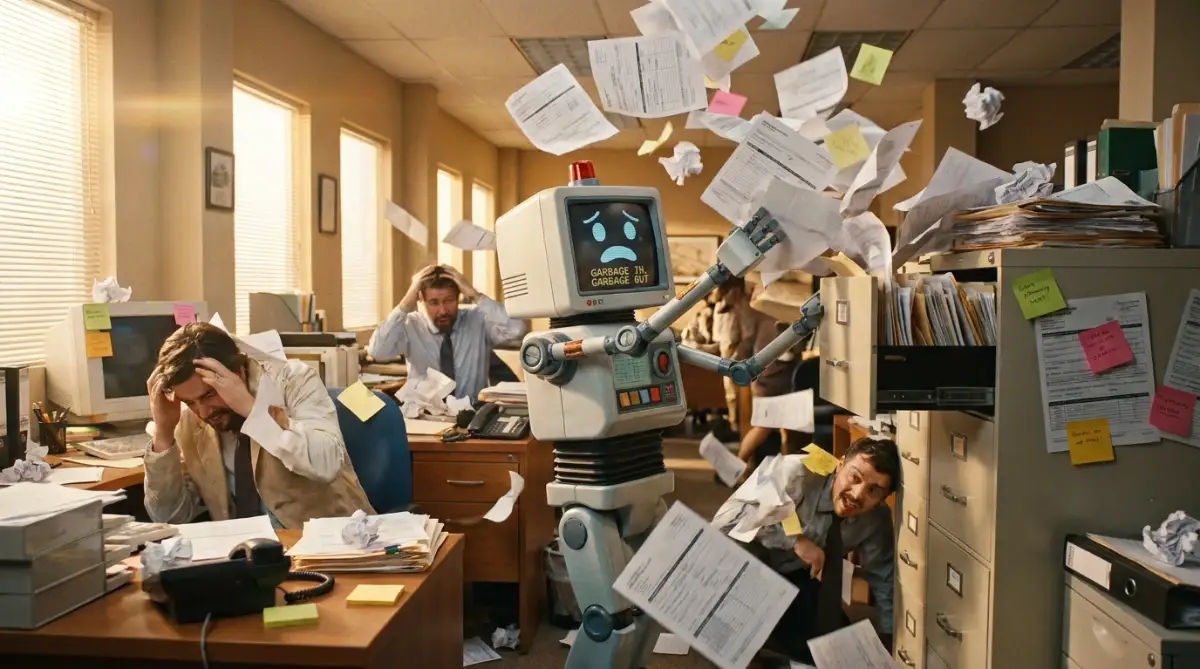
The "Garbage In, Garbage Out" Disaster
Imagine you have a messy, highly disorganized physical filing cabinet where you constantly lose important papers. If you buy a super-fast robot to put papers into that exact same messy cabinet, you still have a broken system. You just have a robot making the mess at lightning speed instead of you doing it slowly by hand.
Before you even think about connecting two applications, you must perfectly clean up your manual process first. If your sales team is lazy and types client names in all lowercase letters, your new system will copy those exact ugly mistakes into your main database. You have to force everyone to follow strict, clean data entry rules before turning the power on.
Many businesses rush to automate things like contract approvals without having a solid paper trail in place. They totally forget to ask if spoken business deals are legally binding in their state, and their automated system ends up approving invalid contracts. Always perfect the human logic completely before introducing the machine logic.
Real-World Example: The 100-Hour Rule
I used to manually download payment receipts from my email and upload them to a Google Drive folder. It took me about two hours every single week. After setting up a free open-source trigger, the software now spots the email, grabs the PDF, and files it away in exactly 3 seconds. That tiny, simple change gave me back over 100 hours of my life this year!
The Ghost Town Effect
One of the most dangerous things you can do is set up an incredible background system and then totally forget it exists. Open-source communities are constantly updating their code to make things faster, safer, and much more efficient. If you never log into your dashboard to check for these free updates, your system will eventually break down.
Applications change their internal rules all the time, and a workflow that ran perfectly in January might suddenly stop working in July. If you are not paying close attention, you might lose hundreds of customer support tickets into a digital black hole. This causes massive panic when a client calls to ask why nobody has replied to their urgent emails for three weeks.
You cannot treat your digital workflows like a microwave that you just plug in and ignore forever. They are more like digital pets that need a tiny bit of regular attention and care to stay perfectly healthy.
Over-Automating Human Connections
There is a very sharp, distinct line between saving time and completely losing your human touch with clients. Just because you can automate an email reply does not mean you always should do it. Sending a highly robotic, totally generic "Thank you for your business" email instantly makes your clients feel completely unvalued.
People do business with other people, not with perfectly coded software scripts. If a long-time customer writes an emotional email about a problem, an automated template response will likely make them furious. You have to intentionally leave blank spaces in your digital factory where a real human being steps in to say hello.
According to deep psychological research from Stanford University, taking away personal human interaction in the workplace often leads to a massive drop in team morale and client trust. Use your background tools to handle the heavy math and data sorting, but always keep your personal communication highly authentic.
Ignoring Security and Vulnerabilities
Because open-source platforms are built by public communities, you have a deep responsibility to use them safely. Many beginners casually connect their company’s highly secure financial database to a random, unverified public plugin just to save five minutes. This carelessly opens a massive back door for hackers to walk right into your sensitive files.
You must be incredibly strict about exactly what information you allow to pass through these third-party connections. You would never hand your company credit card to a random stranger, so do not hand your database passwords to an untested script. It is deeply critical to understand the basics of fixing machine learning vulnerabilities and software security before handling sensitive client details.
Always stick to highly reviewed, officially supported plugins verified by the Open Source Initiative or large, trusted developer communities. Protecting your customers' privacy is always significantly more important than saving a few hours of manual data entry.
Your Roadmap to a Stress-Free Workday
Making the bold switch from manual copy-pasting to smart, background processing will totally transform your daily office life. You are no longer acting like a tired human bridge between two totally disconnected software programs. You have successfully built a highly efficient digital factory that quietly does the heavy lifting while you focus on what really matters.
The initial setup definitely takes a little bit of patience, some deep logical thinking, and a lot of paper mapping. There will be moments where a connection fails, and you have to dig around to figure out exactly why it broke. But the massive reward of opening your laptop to see your worst chores already finished is worth every single minute of effort.
Remember that true workplace productivity is not about working harder or staring at your screen for ten hours straight. It is about working incredibly smart and using the free tools available to protect your most valuable asset: your creative energy. Start with one tiny, simple task today, watch it run perfectly, and slowly build your confidence from there.
Common Questions About Open Source Automation
Are free automation tools actually safe for my business data?
Yes, they are generally highly secure, especially because open-source code is constantly reviewed by thousands of security experts globally. However, you must always make sure you are downloading official plugins and using highly complex passwords for all your connected accounts. You should never pass highly sensitive information, like raw credit card numbers, through basic workflow triggers.
Do I need to know how to write code to use these platforms?
Absolutely not; the vast majority of modern tools are built with a beautiful, simple drag-and-drop visual interface. You simply click on the icon of the app you want to use and fill out a basic form to connect them. If you know how to send an email or use a basic spreadsheet, you already have all the technical skills you need.
What happens if an app updates and completely breaks my connection?
When an application updates its security rules, your workflow might temporarily pause and show a clear error message on your dashboard. You usually just have to log back into the tool and click a single button to refresh your secure connection. This is exactly why checking your digital systems once a month is a highly recommended safety habit.
Will running these tools slow down my old office computer?
No, these specific workflows do not actually run on your local computer's physical hard drive or memory. They run completely in the cloud, meaning remote servers handle all the heavy lifting and data sorting. You could easily manage a massive automated office system using a highly basic, ten-year-old laptop.
How long does it actually take to see real time-saving results?
You will instantly feel the relief the very first time you watch the software do your worst chore perfectly. Most office workers report getting back at least three to five hours of totally free time within their first week of setup. As you slowly add more tasks to your digital assembly line, those saved hours will multiply incredibly fast.
Disclaimer: The information provided in this article is for educational and informational purposes only and does not constitute professional IT, cybersecurity, or legal advice. Always consult with your company's official IT department or a certified software professional before connecting third-party tools to your secure business network.