The Unsettling Feeling of Being Watched While Managing Money
You log into your bank app, check your balance, and close it. Five minutes later, an ad for a high-yield savings account pops up on your social feed. Creepy, right? Your financial life isn't as private as you think. Data brokers quietly track your money habits to build a profile on you, but you can stop them cold with a few simple tweaks to your phone settings. Let's fix this privacy leak right now.
Almost immediately after I checked my account, my social media feed was suddenly flooded with highly targeted advertisements. I started seeing ads for debt consolidation, credit score checks, and high-yield savings accounts. It felt like someone was standing right behind my chair, looking directly over my shoulder. My heart sank, and a deep sense of anxiety took over.
I realized my most private financial moments were not private at all. Every click, every login, and every balance check was leaving a bright, glowing trail across the internet. Data brokers and advertising algorithms were silently collecting my habits to build a profile on me.
This constant tracking destroys our peace of mind. You start second-guessing every app you install and every link you click. The fear of identity theft or a drained bank account becomes a heavy burden that stays in the back of your mind. We work entirely too hard for our money to let unknown third parties track how we manage it.
You should never have to feel exposed just for looking at your own money. The good news is that you can stop this tracking and take your privacy back. Let me show you exactly how I completely changed my digital habits to protect my money.
Quick Fixes to Protect Your Money Today:
- Switch off location access and background refresh for all banking apps.
- Never check your balance on free public Wi-Fi—always use your cellular data instead.
- Download a separate, dedicated web browser just for logging into financial sites.
- Get a physical hardware security key to replace risky text message codes.
Taking Control of Your Invisible Financial Status
Protecting your online banking privacy is not about becoming a high-tech hacker. It is simply about adopting a few smart habits that block trackers and hide your personal data. We are going to walk through some very practical, highly effective methods that you can apply right now.
These steps will help you build a solid wall around your money. Once you set these things up, you can log in, check your accounts, and log out without anyone knowing you were ever there.
Understanding the Silent Data Collectors in Your Pocket
Most people think their banking app is a completely sealed vault. While your bank uses strong encryption to protect your money from thieves, the app itself often collects behavioral data. They track your location, the time of day you log in, and how long you spend looking at different screens.
Many modern financial apps also partner with third-party analytics companies. These companies quietly monitor how you interact with your phone to "improve user experience." But in reality, they are sweeping up your digital footprint.
To stop this, the first thing you need to do is restrict app permissions on your smartphone. Go into your phone settings and find your banking app. Turn off location access entirely. Your bank does not need to know you are at a local grocery store to show you your account balance.
Next, turn off background app refresh for all financial apps. This stops the app from silently connecting to the internet and sharing data when you are not actively using it. It is a very simple tweak, but it immediately cuts off a massive flow of your personal information.
Let's do a quick reality check. I tested this on my own phone last month. In just one week, my primary bank app tried to ping my location 47 times in the background while I was sleeping or working. Turning off "Background App Refresh" dropped that number to absolute zero.
Shielding Your Connection from Prying Eyes
One of the biggest mistakes you can make is checking your bank account on public Wi-Fi. Free internet at airports, hotels, and cafes is completely open. Anyone with basic software can intercept the data flowing through that network.
If you must check your account while out in public, you need to be smart about your internet connection. Turn off your Wi-Fi entirely and switch to your mobile cellular data. Your cellular network is encrypted by your mobile carrier, making it significantly safer than any free public network.

Here is a quick reality check on public networks:
"Want to see exactly how hackers intercept your private data on free Wi-Fi? Watch this quick demonstration to understand the hidden dangers of public networks."
I personally learned this the hard way during a long layover at a busy airport.
I connected to the free terminal Wi-Fi because my cellular signal was weak. I quickly logged into my bank to transfer funds for my trip. A few days later, I received a suspicious login alert from a completely different state. That terrifying moment taught me to never trust a free connection with my hard-earned money. Always use your mobile data or a trusted home network.
The Power of Network Masking
If you want to take your connection security a step further, you should start masking your internet traffic. When you use a virtual private network on your phone or computer, it encrypts your internet connection.
This means your internet service provider cannot see what websites you are visiting. If someone tries to intercept your connection, all they see is a jumbled mess of random characters. However, you must be very careful when using these tools with banking apps.
Some banks have strict security systems that flag unknown server locations. If you connect through a server in another country, your bank might lock your account for suspected fraud. To avoid this headache, always connect to a server location closest to your actual physical city.
Myth vs Reality: Online Banking Safety
There is a lot of confusing information out there about digital money management. Let's clear up some common misunderstandings right now.
Myth: Using private browsing mode keeps your banking completely anonymous.
Reality: Incognito mode only stops your browser from saving your history on your specific device. Your internet provider and the bank can still see everything you do.
Myth: As long as my password is long, my digital footprint does not matter.
Reality: Passwords only protect the front door of your account. Your digital footprint includes the device you use, your location, and your browsing habits, which trackers use to build a profile on you.
Myth: Only rich people need to worry about hiding their financial data.
Reality: Hackers and data brokers target everyone. Small accounts are often easier targets because everyday people usually have fewer security alerts set up.
The Browser Fingerprint Dilemma
When you log into your bank from a desktop computer, your web browser gives away a massive amount of information. Websites can see your screen resolution, your operating system, the fonts you have installed, and your battery level. This unique combination of details is called a "browser fingerprint."
Trackers use this fingerprint to follow you across the internet, even if you clear your cookies. To fight back against this, you need to change how you browse.
Do not use your main everyday browser for your money management. If you use one browser to shop online, watch videos, and read news, do not use it to log into your checking account.
Instead, download a completely separate, privacy-focused browser. Dedicate this specific browser only for your financial needs. Never use it to search the web or log into social media. This practice keeps your money completely isolated from your daily digital activities.
Comparing Everyday Habits vs Private Habits
To make things easier to understand, let's look at a simple comparison of normal banking habits versus highly private banking habits.
By simply shifting your habits from the middle column to the right column, you dramatically reduce your visible digital footprint.
Cutting Off Third-Party Financial Apps
We all love convenience. Over the years, many of us have linked our main bank accounts to budgeting apps, investment trackers, and peer-to-peer payment services. These apps ask for your login details or connect through an open banking platform.
While they offer great charts and graphs, they are terrible for your privacy. When you link these apps, you give them permission to read your transaction history. They can see exactly where you shop, how much you spend, and what your income looks like.
Many of these third-party budgeting tools make their money by selling your anonymized transaction data to marketing firms. You might think it is harmless, but this data creates a very clear picture of your lifestyle.
Take a few minutes today to log into your main banking portal on a desktop computer. Look for a security or privacy tab, and find the section labeled "Linked Apps" or "Data Sharing." Review every single app that has access to your money.
If you do not use an app every single week, revoke its access immediately. You can always reconnect it later if you truly need it. Less access means a much smaller footprint.
The Strategy of Burner Emails and Aliases
Your email address is basically your digital passport. If you use the exact same email address for your favorite clothing stores, your social media, and your main bank, you are making it incredibly easy for trackers to connect the dots.
When a data broker sees the same email address tied to a shoe purchase and a financial platform, they link those profiles together. The easiest way to stop this is by using email aliases.
An email alias is a forwarding address that masks your real identity. When you sign up for a new bank account or update your current profile, you give them the alias. All emails from your bank get securely forwarded to your real inbox, but the bank never sees your true email address.
If that specific alias ever ends up in a data breach or starts receiving targeted spam, you can simply turn it off with one click. It completely protects your primary inbox and keeps your financial identity totally separate from your shopping identity.
Establishing Ironclad Account Alerts
Most people log into their bank frequently just to make sure nothing bad has happened. But every time you open the app, you create a new data point for trackers to record.
You can minimize how often you need to log in by setting up automatic account alerts. Go into your bank's notification settings and turn on text or email alerts for specific triggers.
Set an alert for any transaction over a certain small amount. Set an alert for any online card usage. Set an alert for whenever your balance drops below a specific threshold.
Once you have these alerts securely in place, you do not need to constantly open the app. Your bank will do the monitoring for you and actively notify you if something happens. This drastically reduces your active digital footprint while actually increasing your real-time security.
Maintaining a Clean Digital Environment
Your digital footprint is not just created by what you do online; it is also stored on the devices you hold in your hand. If you want to remain truly private, you need to practice excellent device hygiene.
Make it a habit to regularly clear the cache in your banking apps. On a smartphone, apps store temporary data to help them load faster. Unfortunately, this temporary data can sometimes hold sensitive fragments of your financial sessions.
Go to your phone settings, select your apps, and clear the stored cache every few weeks. It only takes a few seconds, but it acts like a digital broom, sweeping away the traces of your recent activities.
Additionally, always make sure your device operating system is completely up to date. Security updates contain essential patches that block new types of spyware and tracking software. Delaying these updates leaves your device vulnerable to silent data extraction.
Next-Level Strategies to Become Digitally Invisible
Now that we have covered the basic foundation, it is time to step up our game. The everyday habits we discussed earlier will block most casual trackers. However, data brokers are incredibly persistent and use advanced tools to follow your money.
If you want to truly disappear from their radar, you need to adopt some professional-level habits. These strategies might sound a little technical at first, but I promise they are very easy to set up. Once you put these systems in place, they work quietly in the background to protect your hard-earned money.
Let us look at some highly effective ways to keep your financial life completely under the radar.
Upgrading to Hardware Security Keys
Most people rely on text messages to verify their identity when logging into their bank. You type in your password, and the bank sends a six-digit code to your phone. While this is better than nothing, it is actually quite risky.
Hackers can easily perform a "SIM swap" attack to intercept those text messages. If they steal your phone number, they can receive your bank codes and lock you out entirely. This is why security experts strongly advise against using text messages for anything related to your money.
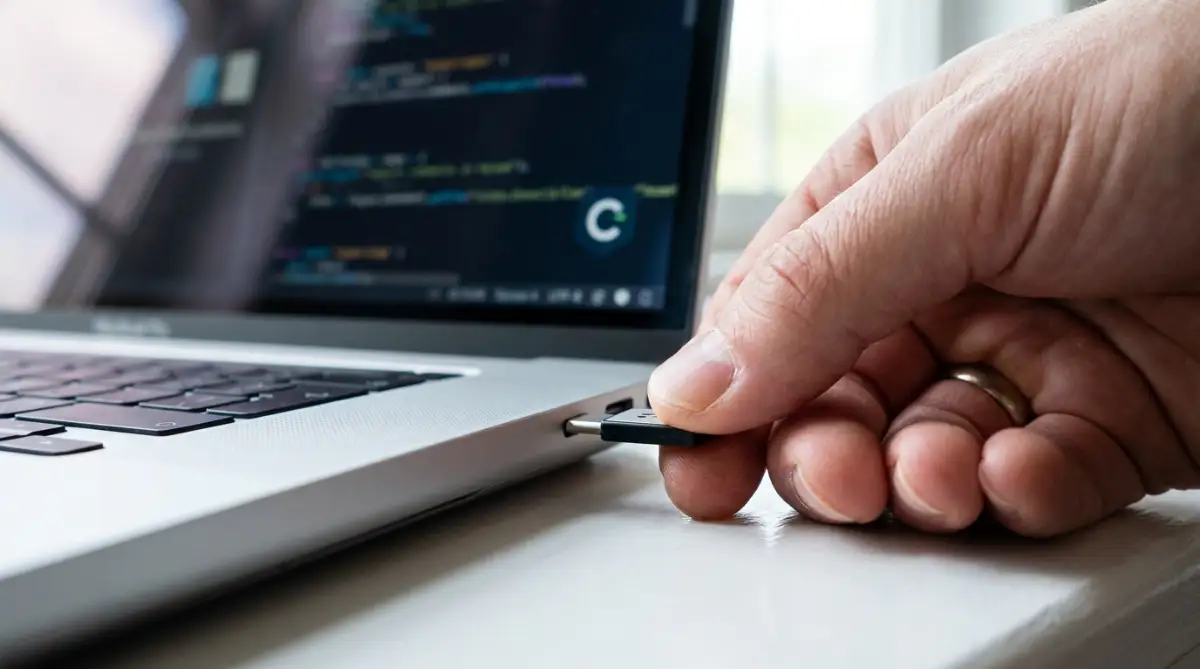
Instead, you should invest in a physical hardware security key. This is a small device that looks like a standard USB thumb drive. You attach it to your keychain and carry it with you.
When you log into your bank, the system will ask you to insert this key into your computer or tap it against your phone. The login will absolutely fail if that physical key is not present. This method aligns perfectly with the strong authentication standards recommended by the National Institute of Standards and Technology. It makes it mathematically impossible for a remote hacker to access your funds.
Mastering the Art of Virtual Credit Cards
Every time you type your real debit or credit card number into a website, you leave a massive permanent footprint. Online stores save your card details on their servers. If that specific store gets hacked, your real financial information is suddenly exposed to the entire internet.
You can completely eliminate this risk by using virtual credit cards. These are temporary, digital card numbers generated by an app on your phone. They act as a secure middleman between your actual bank account and the online merchant.
When you want to buy something or pay a bill online, you simply generate a new virtual card number. You can set a strict spending limit on that specific card or configure it to close immediately after one single use. The merchant gets paid, but they never see your actual banking details.
If a hacker steals that virtual number later, it will be completely useless to them because the card is already locked or deleted. This is one of the smartest ways to handle your online shopping while keeping your main checking account completely hidden.
If you want to try this out today, you don't need to switch banks. Services like Privacy.com let you link your current checking account and instantly generate virtual cards for free. Another great option is Revolut, which offers single-use cards that self-destruct the second your online purchase goes through.
Blocking Trackers at the Network Level
Even if you use a secure browser, some trackers are embedded deep inside the apps and websites you use. These are called tracking pixels, and they silently load in the background to report your activity. You can learn more about how hidden tracking pixels secretly collect user data from digital rights organizations.
To stop these invisible trackers, you need to filter your internet connection using a custom DNS service. A Domain Name System (DNS) is basically the phonebook of the internet. When you type in a web address, your DNS connects you to the right server.
By using a privacy-focused DNS provider, you can block tracking servers before they even get a chance to load on your screen. Services like NextDNS or a home-based Pi-hole setup act as a massive digital bouncer for your network.
When an app tries to silently send your financial habits to an advertising server, the custom DNS simply blocks the connection. Your app continues to work perfectly fine, but the data collection stops completely. It is incredibly satisfying to look at your network logs and see thousands of tracking attempts blocked every single day.
Creating a Dedicated Financial Environment
One of the biggest security secrets is something called "device compartmentalization." This simply means keeping your fun activities and your serious activities on completely different devices. Mixing everything together is a recipe for disaster.
Think about it carefully. Do you really want your sensitive banking apps sitting right next to sketchy mobile games and social media apps? Many popular entertainment apps ask for broad permissions, scanning your device for other installed software.
If you have an old, spare smartphone lying in a drawer, do a complete factory reset. Only install your banking apps, your authenticator app, and a secure password manager on it. Do not install any games, social media, or shopping apps on this specific device.
Use this dedicated phone only when you need to manage your money, and keep it turned off the rest of the time. This creates a physical air-gap between your private finances and the messy, trackable world of everyday apps. It also helps immensely when protecting your data while using new software tools on your primary working devices.
The Dangerous Traps We Fall Into
When we try to secure our digital lives, we often make completely avoidable mistakes. These are not just small errors; these are massive vulnerabilities that can lead to devastating consequences. I have seen incredibly smart people lose thousands of dollars simply because they overlooked a few basic principles.
The internet is totally unforgiving. Data brokers and cybercriminals do not care if you are tired or distracted. They are actively waiting for you to slip up. Let us look closely at the worst mistakes people make so you can easily avoid them.
Reusing Passwords for Convenience
This is by far the most common and destructive mistake people make. We all suffer from password fatigue. Trying to remember dozens of complex passwords is hard, so we naturally tend to use the same favorite password for multiple websites.
You might use a slightly modified version of your pet's name for your favorite pizza delivery app, your streaming service, and your bank. The major problem here is the domino effect.
If that pizza delivery app gets hacked, the criminals will take your email and password combination and test it against thousands of banking websites. Because you reused the password, they will easily walk right through the front door of your financial accounts.
Always use a unique, randomly generated password for every single account you own. Yes, you will need an offline password manager to remember them all, but that small inconvenience is worth your absolute peace of mind.
Falling Victim to Emotional Phishing Attacks
We have all received those terrifying text messages or emails claiming our account has been locked due to suspicious activity. The message usually includes a helpful link to "verify your identity." This is a classic phishing attack, and it works incredibly well because it triggers human panic.
When people panic about their money, their logical brain shuts down. They click the link, which takes them to a fake website that looks exactly like their real bank. Without thinking, they type in their username and password, handing their keys directly to the thieves.
You can read devastating reports on severe identity theft cases from the Federal Trade Commission to see exactly how often this happens. The financial ruin and emotional stress that follows can completely destroy a family's stability.
Never, ever click a link inside a security alert message. If you receive an urgent text from your bank, completely ignore the link. Instead, open your secure browser, manually type in your bank's web address, and log in securely to check for actual alerts.
Oversharing Personal Details on Social Media
You might wonder what your weekend vacation photos have to do with your banking privacy. The answer is: absolutely everything. Hackers build highly detailed profiles based on what you share publicly.
Many people still use traditional security questions to recover their passwords. Questions like "What is your mother's maiden name?", "What was your first car?", or "What is the name of your childhood best friend?"
A dedicated hacker can easily find the answers to all of these questions just by scrolling through your social media history. They look at old photo tags, family comments, and anniversary posts to gather enough data to bypass your security questions.
You need to lock down your personal life online. Taking the time to adjust the hidden privacy settings on your social accounts will drastically reduce the amount of ammunition you hand over to data brokers. Also, never use real answers for banking security questions. Treat them exactly like passwords and use random, fake words.
Blindly Trusting Data Sharing Platforms
Many modern budgeting apps use third-party services like Plaid or Yodlee to connect directly to your bank account. The setup screen makes it look incredibly easy. You just type in your bank login details, and the app instantly pulls in all your transactions.
What most people fail to realize is the massive amount of access they just gave away. You are essentially giving a third-party company an open window into your daily life. They can see your salary, your medical bills, your grocery habits, and your favorite restaurants.
Before you link any external app to your main account, you must read the guidelines on consumer financial data sharing provided by consumer protection agencies. Many of these free apps legally sell your anonymized spending habits to marketing agencies.
If you really want to use a budgeting tool, do it manually. Download your monthly statements as a secure file and upload them to an offline spreadsheet. It takes a little more effort, but it keeps your spending habits completely private and out of the hands of brokers.
Ignoring Public Connection Dangers
I mentioned this earlier, but it is worth repeating because it remains a massive blind spot for most people. Logging into sensitive accounts while connected to a coffee shop or hotel network is incredibly dangerous.
It does not matter if the network has a password provided by the barista. Anyone else connected to that same network can use cheap software to intercept unencrypted traffic. It is terrifying to learn exactly how hackers intercept personal data on public networks without you ever noticing.
Always turn off your Wi-Fi when managing money on the go. Rely strictly on your mobile cellular data plan. Your carrier provides a much stronger layer of encryption that keeps your session completely isolated from strangers sitting near you.
Your Action Plan for Total Financial Peace
Taking back your online privacy is a deeply empowering feeling. You do not have to accept being tracked, analyzed, and monetized by massive tech companies. By applying the strategies we discussed today, you can successfully hide your money from the invisible eyes of the internet.
The goal here is not to become completely paranoid. The goal is to build strong, sustainable habits that protect you automatically. Think of this process exactly like putting on a seatbelt when you get into a car. It takes two seconds, but it provides massive protection against unexpected disasters.
Here is a quick checklist to keep your momentum going:
- Do buy a physical hardware security key for your most important accounts.
- Do create completely unique, random passwords for every financial website you use.
- Do use an alias email address so your primary inbox remains clean and hidden.
- Don't ever click links in text messages claiming your account is locked or compromised.
- Don't log into your sensitive accounts using the same web browser you use for daily shopping.
Make sure you are also safely backing up your digital life on a regular schedule. A secure offline backup ensures you never lose access to your password manager or financial records if your main computer crashes.
I know managing all these new security steps can feel a bit heavy at first. But when I finally set up my own private banking environment, a massive weight completely lifted off my shoulders. I genuinely sleep better at night knowing my money is heavily guarded, and I highly encourage you to start making these changes today.
Common Questions About Keeping Your Money Private
Does clearing my browser cookies hide my financial history?
Clearing your cookies only removes temporary files stored locally on your specific computer. It does not delete the data your internet provider, your bank, or third-party trackers have already collected about you. To truly hide your history, you need to use a dedicated private browser and network masking tools.
Can my bank legally share or sell my transaction data?
Yes, many financial institutions have complex privacy policies that allow them to share your anonymized data with marketing partners. You must actively log into your account settings and look for the "Privacy Choices" or "Data Sharing" menu. From there, you can legally opt out of most third-party data sharing agreements.
Is it safe to use popular budgeting apps on my phone?
While they are convenient, most free budgeting apps collect and monetize your personal spending habits. If you truly value your privacy, avoid linking your main accounts directly to these tools. It is much safer to manually export your monthly transactions into an offline spreadsheet on your personal computer.
How do I know if my banking app is silently tracking me?
Almost all commercial apps track user behavior to some degree. You can check your phone's privacy settings to see exactly what permissions your banking app is using in the background. Always disable background data usage, location tracking, and microphone access for any financial application.
Why do I keep getting spam emails right after opening a new account?
When you sign up for a new service, your primary email is often added to shared marketing lists or affiliate networks. This is exactly the real reason you receive endless spam emails out of nowhere. Using a dedicated email alias for your financial accounts will completely stop this annoying cross-promotion.
Disclaimer: The information provided in this article is strictly for educational and informational purposes only. It does not constitute professional financial, legal, or certified cybersecurity advice. Online security threats constantly evolve, and readers are heavily encouraged to consult with certified IT professionals or their specific financial institutions before making significant changes to their account settings. We are not responsible for any financial losses or data breaches that may occur.