My Digital Nightmare: When Forgetting One Word Cost Me Everything
Let's be honest, we all have that one physical notebook. You know, the one with crossed-out passwords, random numbers, and weird symbols hidden under your keyboard. I used to rely on that exact same messy system until I locked myself out of my own bank account when I needed it the most. That single moment of pure panic forced me to figure out a better way to handle my digital life, and I am going to show you exactly how to do it without losing your mind.
You have probably felt that exact same wave of frustration at least once this week. We are all trying to juggle dozens of online accounts, from email and banking to streaming services and social media profiles. Memorizing a unique string of characters for every single website is practically impossible for the average human brain.
So, what do most of us actually do instead? We end up using the same familiar phrase across every single platform we own. Sometimes, we might change a single number at the end, thinking that tiny adjustment makes us extremely clever. But the harsh reality is, this common habit leaves our personal information sitting completely exposed to hackers.
When a cybercriminal figures out the login details for your favorite shoe store, they do not just stop there. They immediately take that exact same email and secret phrase and test it on your banking app, your personal email, and your social media accounts. In just a few seconds, a tiny data breach on an obscure website can completely ruin your digital life.
Many people try to fix this by writing everything down on colorful sticky notes scattered around their computer monitors. While this might seem like an easy fix, it is incredibly dangerous if anyone else walks into your room or office. Plus, physical notebooks get lost, ruined by spilled coffee, or accidentally thrown into the trash all the time.
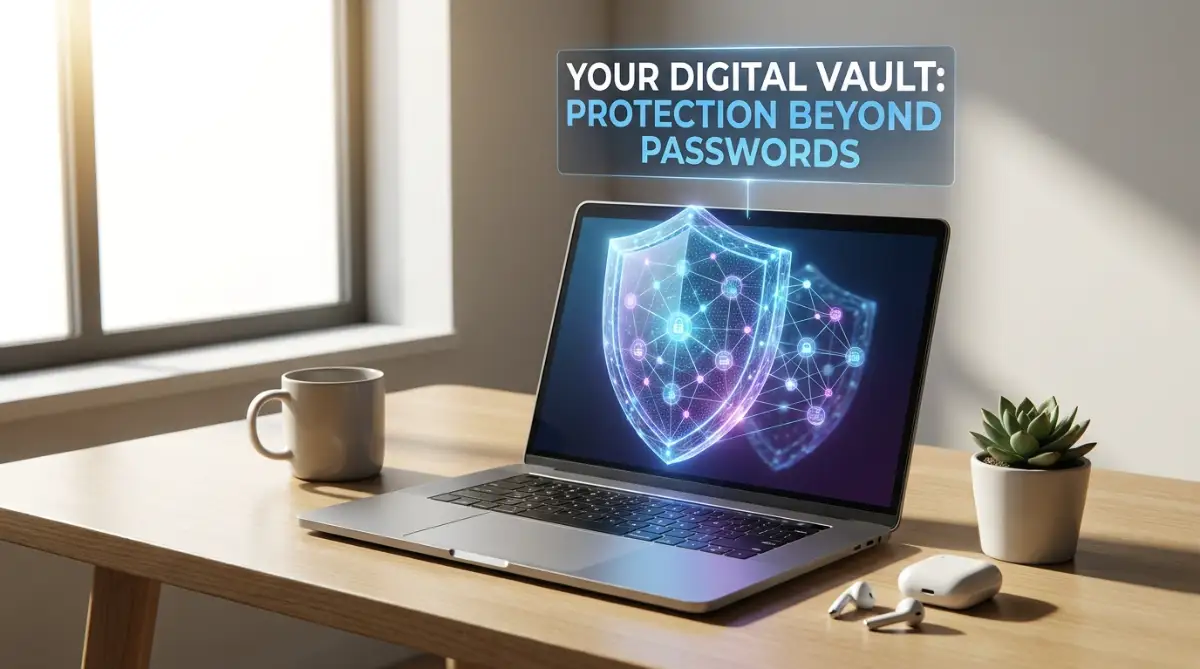
Your Quick Security Action Plan:
- Stop letting your web browser save your passwords; it is the absolute first place hackers look.
- Use a long, funny sentence as your main key instead of a weird mix of symbols.
- Turn on two-factor authentication so nobody can log in without holding your physical phone.
- Write your master key on a piece of paper and hide it somewhere super safe inside your house.
How Digital Vaults Actually Protect Your Identity Behind the Scenes
If you are tired of clicking the "forgot my login" button every single day, you are definitely not alone. The best way to solve this massive headache is by understanding how a dedicated digital vault actually works to keep your identity safe. Many people are terrified of putting all their digital eggs in one basket, but the science behind these tools is genuinely fascinating and highly secure.
Instead of forcing your brain to remember fifty different complicated phrases, a digital vault remembers them all for you. You only have to memorize one single, incredibly strong phrase to unlock the entire system. Once you open the vault, it automatically fills in your details on websites, completely saving you from typing anything manually.
The Magic of Zero-Knowledge Security Explained Simply
When you hear tech experts talk about online privacy, they always mention something called zero-knowledge architecture. This sounds like confusing tech jargon, but it is actually a very simple and beautiful concept. Basically, it means that the company providing your digital vault literally knows absolutely nothing about what you store inside it.
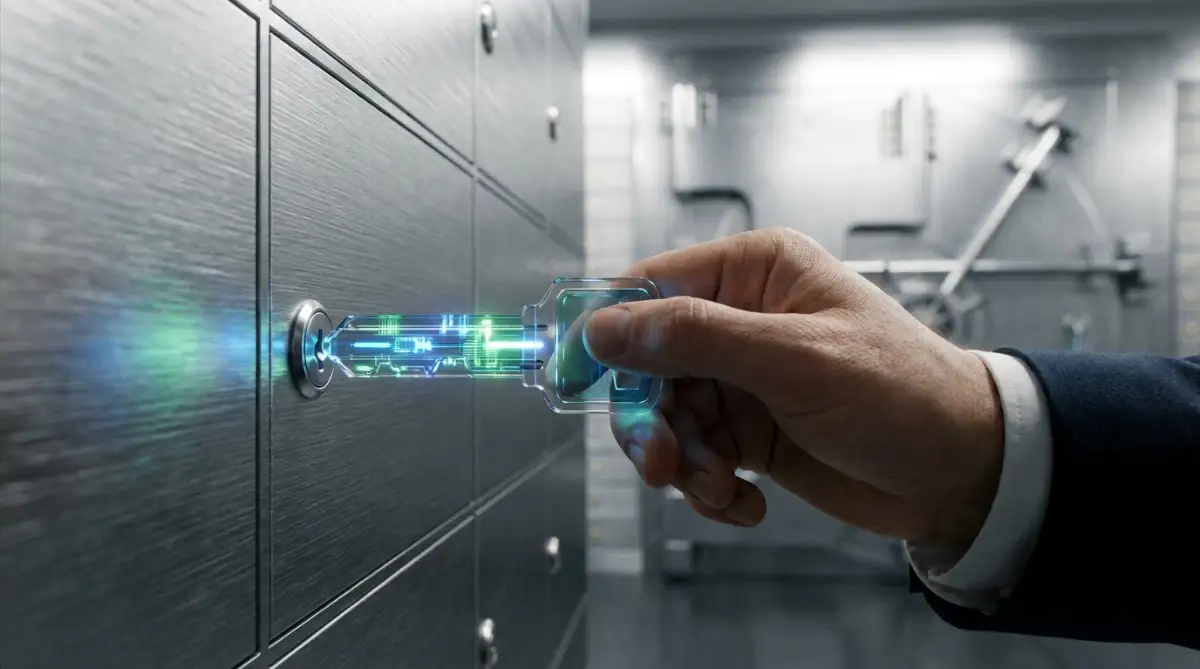
Imagine you walk into a highly secure bank and ask for a private safety deposit box. You put your most valuable jewelry inside the box, lock it with your unique key, and take the key home with you. The bank manager knows you have a box in their building, but they have absolutely zero idea what is inside it.
Pro Tip: I used to think writing my master phrase in a notebook was silly, but I learned the hard way after getting locked out of my own vault. Now, I keep a physical copy of my main key hidden securely inside a book on my shelf, and it gives me complete peace of mind.
Even if the bank gets robbed by heavily armed thieves, those criminals cannot open your specific box without your unique physical key. This is exactly how top-tier privacy companies treat your personal data on their servers. Your information is locked and scrambled into an unreadable mess before it ever leaves your computer or smartphone.
Because the company does not hold the key to unscramble your data, they cannot see your passwords, credit card numbers, or private notes. If a hacker manages to break into the company's main servers, all they will find is useless, jumbled lines of meaningless text. This brilliant mathematical design is exactly why millions of people trust these tools with their most sensitive information.
If you are still feeling a bit confused about how this encryption magic happens behind the scenes, you need to watch this quick breakdown. This visual guide makes the entire process incredibly easy to understand in just a few minutes!
The Scary Truth About Major Company Hacks
You might be wondering about the terrifying news headlines you occasionally see regarding massive data breaches. It is absolutely true that some major privacy companies have been targeted by highly sophisticated cybercriminals recently. Hearing that a company holding millions of private vaults got hacked is enough to make anyone panic and delete their account.
However, we need to look closely at what the hackers actually stole during these highly publicized incidents. In the vast majority of cases, the hackers only managed to steal the locked, scrambled versions of the digital vaults. Because of that zero-knowledge design we talked about earlier, the thieves could not actually read any of the stolen information.
Unless the hackers also magically guessed the extremely complex master keys of those specific users, the stolen data remained completely useless. This proves that the underlying mathematical scrambling process actually works exactly as it is supposed to during a real crisis. While a breach is always scary, the core protection mechanisms successfully prevented mass identity theft.
Cloud-Based vs. Offline Storage: Which Makes More Sense?
When you decide to organize your digital life, you will notice there are two main ways to store your information. The most popular method is cloud-based storage, which means your encrypted vault is saved on a secure server on the internet. The biggest advantage of this method is that your information syncs instantly across your phone, tablet, and work computer.
If you add a new bank account on your laptop, your phone will automatically know the login details five seconds later. This convenience makes cloud-based options incredibly popular for ordinary people who just want a smooth, easy experience. The downside is that your scrambled data lives on a server owned by someone else, which makes some people nervous.
On the other hand, offline storage means your digital vault lives entirely on your personal device, like your phone or hard drive. Your data never touches the internet, meaning a remote hacker in another country cannot steal it from a company server. However, if you accidentally drop your phone in a lake and do not have a manual backup, your data is gone forever.
Why Your Web Browser is a Terrible Place for Secrets
Almost every web browser today will kindly offer to save your login details when you visit a new website. It pops up a little box asking if you want to remember this information for next time, and most of us just click yes. It feels incredibly convenient, but relying on your internet browser for serious security is a massive mistake.
Think of your web browser like a regular glass window on the front of your house. It is designed to let you see the outside world clearly, not to act as a reinforced steel safe for your valuables. If a malicious software program gets into your computer, one of the first things it attacks is your browser's saved data.
Most browsers do not encrypt your saved information nearly as well as a dedicated privacy tool does. Anyone who borrows your laptop and opens your browser can often dig into the settings and clearly read your private details. Moving your information out of your browser and into a heavily armored digital vault is one of the smartest moves you can make.
Browser Auto-Fill vs. Real Digital Vaults:
- Your Web Browser: Leaves your passwords sitting in a simple text file on your hard drive. If a basic virus hits your PC, hackers can grab this file instantly.
- A Digital Vault: Scrambles your passwords into crazy math equations before they even save to the app. Even if someone steals your physical laptop, they get absolutely zero usable information.
Building Unbreakable Habits Without Stress
Protecting your online identity does not mean you have to become a paranoid computer genius who lives off the grid. It simply requires making a few smart, intentional changes to how you handle your daily digital routine. The first major shift is learning to let go of the idea that you need to know your own passwords.
When you create a new account somewhere, you should let your software generate a completely random string of characters for you. A phrase like "hG7!mQ9#vL2" is virtually impossible for a computer program to guess, let alone a human being. Because your software remembers it automatically, you never actually have to look at that ugly string of text again.
This process might feel strange at first because you are giving up manual control of your memory. But after a few days, you will realize how incredibly freeing it is to just click a button and log in securely. Your brain is meant for generating creative ideas and enjoying life, not for acting like a filing cabinet for random symbols.
Two-Factor Authentication: Your Second Layer of Armor
Even with the strongest vault in the world, you should never rely on just one single lock to protect your house. This is where two-factor authentication comes into the picture as your ultimate backup security guard. By turning this feature on, you force websites to ask for a second piece of proof that you are the real owner.
Usually, this second proof is a temporary six-digit code that pops up on your personal smartphone. So, even if a hacker somehow managed to steal your master key and open your vault, they still cannot get into your bank. They would physically need to have your smartphone in their hands to type in that quickly changing code.
Most modern privacy tools actually have this code-generating feature built directly into their mobile apps now. This means you do not have to juggle multiple different apps just to log into your favorite online store. Adding this extra layer of friction for hackers makes you an incredibly difficult target, so they will usually just give up and move on.
What Happens If You Lose Your Master Key?
The biggest fear stopping people from taking control of their online privacy is the fear of forgetting their one main phrase. Because the system is designed so strictly, the company truly cannot help you reset it if you completely forget it. If you lose that master phrase, everything locked inside your digital safe is permanently sealed away forever.
This terrifying thought is exactly why creating an emergency access plan is absolutely essential from day one. You should write down your extremely complex master phrase on a piece of high-quality paper using a waterproof pen. Take that piece of paper and lock it inside a physical fireproof safe or a bank safety deposit box.
Some premium tools also allow you to designate a trusted friend or family member as an emergency contact. If you are ever in an accident or completely locked out, that trusted person can request access to your account. You will have a specific amount of time to deny their request; if you do not deny it, they can help you recover your digital life.
Overcoming the Mental Hurdles of Digital Change
The trick is to not try and change every single one of your hundreds of accounts all on the same afternoon. That approach will only make you feel completely overwhelmed, exhausted, and ready to quit entirely. Instead, just focus on securing your most important digital assets first, like your primary email and your main financial accounts.
Once you see how smoothly the system works for your bank, you can slowly start updating your social media and shopping profiles. Taking it one small bite at a time transforms a massive, scary chore into a completely manageable weekend project. Before you know it, your entire digital footprint will be locked behind military-grade scrambling technology, keeping you totally safe.
Leveling Up Your Personal Privacy Game
Once you understand the basic mechanics of a secure digital safe, you can start using it like a true privacy expert. You do not need a computer science degree to master these advanced techniques. You just need a willingness to adjust a few simple daily habits.
The most powerful secret to long-term online safety is completely ditching traditional complicated passwords for your main vault. Instead, you should start using a long, memorable "passphrase" that makes perfect sense to your brain but is impossible for a machine to guess.
For example, typing "Blue Elephants Dance In The Rain!" is incredibly easy to remember and fast to type on a keyboard. According to the National Institute of Standards and Technology (NIST) digital identity guidelines, length is actually much stronger than complexity when it comes to defeating automated hacking tools. A long sentence beats a short string of confusing symbols every single time.
My 3-Step Recipe for the Perfect Passphrase:
- Pick four random words you can easily picture in your head (like Purple Dinosaurs Eat Pizza).
- Add one special character you actually use often (like a question mark).
- Stick a memorable number at the very end.
- That is it! You now have a master key that is mathematically unbreakable but super easy to type on your phone.
Organizing Your Digital Chaos Effectively
Many people download a privacy tool, dump all their old accounts into it, and quickly become completely overwhelmed by the mess. To avoid this frustration, you should treat your new tool like a well-organized physical filing cabinet. Create specific folders for your banking, your social media, and your casual shopping websites.
If you are a freelancer or someone working remotely in rural areas, keeping your work logins completely separate from your personal accounts is a game-changer. This simple separation prevents you from accidentally sharing private client data on your personal profiles.
You can also use the secure notes feature inside your vault to store things beyond just website logins. I highly recommend storing your Wi-Fi router details, your tax identification numbers, and even a copy of your passport inside these encrypted notes. Finding the best way to keep your information secure every single day means building a system that you actually enjoy using.
The Power of Biometric Fallbacks
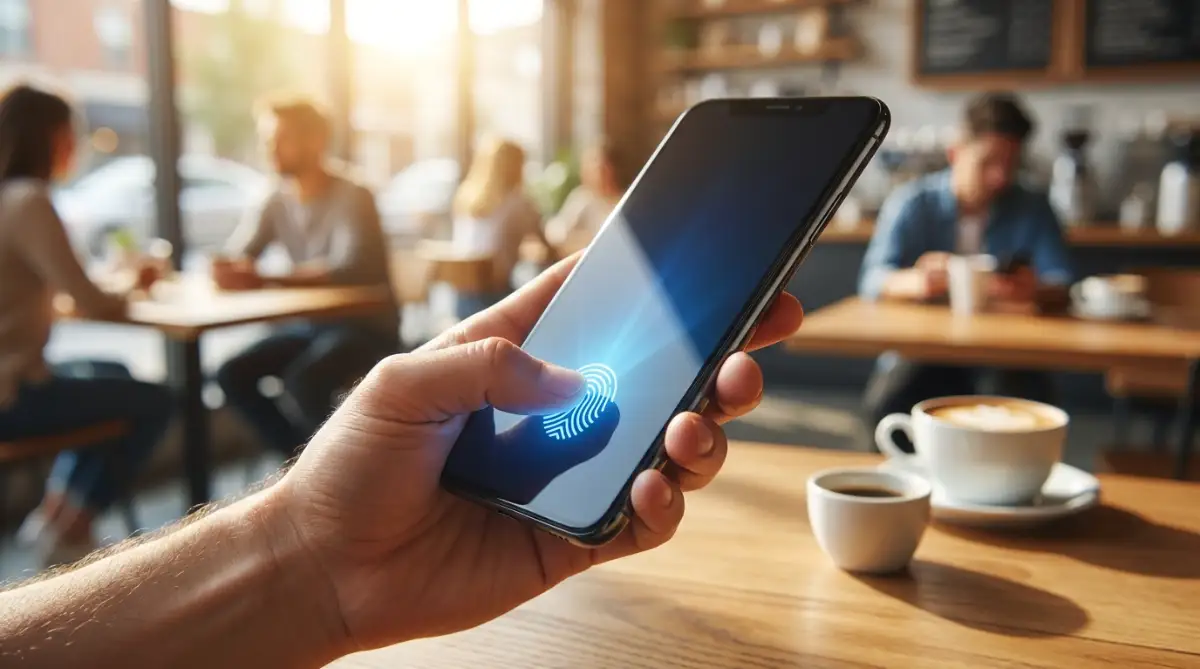
Typing a long master phrase on a tiny smartphone keyboard while standing in line for coffee is incredibly frustrating. This is exactly where the biometric features on your modern devices become your best friend. Most reputable security apps allow you to unlock your vault using your fingerprint or a facial recognition scan.
This means the app temporarily stores a heavily encrypted version of your master key in a secure hardware chip inside your phone. Understanding how your smartphone really manages background apps helps you see why this biometric shortcut is actually extremely safe.
If a thief steals your phone on the subway, they cannot open the vault because they do not have your physical face or fingerprint. Just remember to completely restart your phone once a week, which forces the app to ask for your manual master phrase again. This small habit ensures you never accidentally forget the main key that protects your entire digital life.
Setting Up a Digital Legacy Plan
We rarely want to think about emergencies, but planning for the unexpected is a huge part of being digitally responsible. If you are ever involved in a serious accident, your family will desperately need access to your online bank accounts and medical portals.
Without a digital legacy plan, your loved ones could spend months fighting with tech companies in court just to close your accounts. The smartest thing you can do today is set up an emergency access protocol inside your security settings.
You can designate your spouse or a trusted family member to request access to your vault if you are unavailable. The system will send you an urgent email, and if you do not respond within a specific waiting period, it grants them entry. This brilliant feature provides incredible peace of mind for both you and your entire family.

The Dangerous Traps That Ruin Digital Safety
Even with the best tools in the world, human error remains the biggest threat to your online privacy. People often get a false sense of invincibility once they install a security app, leading them to make silly, devastating mistakes.
One of the most heartbreaking scenarios happens when people completely rely on a local, offline vault but refuse to make backup copies. Imagine you are on vacation and you accidentally dropped your phone in water while taking a picture near the pool. If your entire digital life was stored exclusively on that ruined device, everything is permanently gone.
Following proper CISA recommendations on data backups and recovery is absolutely essential for anyone using an offline strategy. You must regularly export an encrypted backup file to a separate USB drive and hide it safely in your home. Relying on just one physical piece of technology to hold your entire identity is a massive gamble.
The Fake App Phishing Trap
Another terrifying pitfall is rushing into an app store and downloading the first free privacy tool you see. Hackers constantly create fake, copycat applications that look exactly like the highly trusted, premium security tools.
If you download one of these malicious apps, you are literally handing your most sensitive information directly to a cybercriminal. You must be deeply aware of the hidden risks of sideloading unofficial mobile apps or downloading software from unverified internet forums. Always go directly to the official website of the security company and follow their specific download links to guarantee authenticity.
The Browser Extension Blunder
Many users love adding random third-party extensions to their web browsers to block ads, find shopping coupons, or summarize articles. However, these little add-ons often demand broad permissions to read and change all the data on the websites you visit.
If you have your digital safe unlocked while using a shady browser extension, that rogue program might silently scrape your personal information. Just like the dangers of adding ai tools to your website without checking the code, unverified browser tools can act as silent spies.
To stay completely safe, you should regularly audit your browser and delete any extensions you do not actively use every single day. The fewer third-party tools you have running in the background, the harder it is for someone to peek over your digital shoulder. For an excellent, unbiased guide on cleaning up your digital footprint, you can explore the Electronic Frontier Foundation's guide to defending your digital privacy.
Reusing the Master Key (The Ultimate Sin)
The absolute worst mistake you can ever make is using your new, super-strong master passphrase on another random website. Some people get so proud of their clever new master key that they decide to use it for their personal email too.
If that email provider ever suffers a data breach, hackers will instantly have the exact key needed to unlock your entire digital vault. Your master phrase must remain completely unique, sacred, and never typed into any other login box on the internet. Treating this one single phrase with the highest level of respect is the foundation of your entire personal security system.
Stepping Into a Stress-Free Digital Life
Taking complete control of your online privacy might feel like climbing a massive mountain at first, but the view from the top is absolutely worth it. You do not have to fix every single broken login today, nor do you need to become a paranoid tech expert.
Start incredibly small by downloading a highly rated tool, setting up your master passphrase, and securing your top three most important websites. Once you experience the magic of logging into your bank with just one simple click, you will never want to go back to the old way.
The mental relief of never having to click the "forgot my login" button again is truly a wonderful feeling. I used to wake up in a cold sweat worrying about hackers draining my bank account, but taking these simple steps completely changed my life. My digital world finally feels safe and organized, and I know you can experience this exact same peace of mind starting today.
Common Questions About Digital Vaults
Can my digital vault be hacked easily?
No system on earth is completely invincible, but high-quality digital vaults are incredibly difficult to break into. Because they use zero-knowledge architecture, even if the company's main servers are compromised, hackers only get scrambled, unreadable data. Your information remains completely safe as long as your master key is strong and kept secret.
Do I need to pay for a premium online security tool?
Many highly respected privacy companies offer excellent free versions that are perfect for ordinary daily use on a single device. However, upgrading to a paid plan is usually quite affordable and unlocks highly convenient features like multi-device syncing and priority customer support.
What happens if the privacy company goes out of business?
Top-tier privacy tools allow you to easily export all of your saved information into a standard spreadsheet file at any time. If a company announces they are shutting down, you will have plenty of time to download your data and smoothly transfer it to a different competitor.
Is it safe to use my fingerprint to unlock my personal data?
Yes, using your fingerprint or facial scan on a modern smartphone is a highly secure way to quickly access your information. The biometric data is locked inside a specialized hardware chip on your phone and is never sent to the software company's internet servers.
Should I delete my old accounts after securing my main ones?
Yes, deleting old accounts you no longer use is an excellent way to reduce your overall digital footprint. The fewer websites that hold your name, email, and personal details, the less likely you are to be caught up in a random corporate data breach.
Disclaimer: The information provided in this article is for educational and informational purposes only and does not constitute professional cybersecurity, legal, or financial advice. Always conduct your own research and consult with a certified IT professional before making significant changes to your personal data security systems. We are not responsible for any data loss or security breaches that may occur.