

The Frustrating Reality of Sudden Website Crashes
Have you ever clicked on your own website, expecting to see your beautiful homepage, only to get slapped with a nasty "508 Resource Limit Reached" error? It is a terrible feeling. You might instantly think your hosting company is just trying to force you into an expensive server upgrade. But honestly, that is usually not the case. I am going to show you exactly why your site is randomly crashing and how you can fix it today, without spending a single extra penny.
When you run a website, dealing with unexpected downtime is one of the most stressful experiences you can go through. You pour your heart, soul, and hard-earned money into building an online presence, only to have a random server error lock the doors to your business. The worst part is the feeling of complete helplessness when you do not understand the technical jargon.
You try to contact your hosting support team, and they usually reply with a generic, unhelpful message. They often tell you that your site is simply using too much power and immediately suggest that you pay them more money for an expensive server upgrade. This feels incredibly unfair when you know your website does not even have that many daily visitors yet.
Today, we are going to pull back the curtain on this highly confusing error message. We will look closely at what your web server is actually doing behind the scenes when it decides to shut down your site. More importantly, we will explore the sneaky, hidden reasons why this keeps happening to you.

Fixing the 508 Error (At a Glance):
- What it really means: Your website is temporarily paused for using way too much server power (CPU or RAM).
- The usual suspects: Fake bot traffic, heavy background backups, or bloated plugins doing too much work.
- The quick fix: Turn on a free CDN to block bad bots and install a good caching tool immediately.
- What NOT to do: Do not blindly buy an expensive hosting upgrade before finding the actual root cause.
Demystifying the Invisible Walls of Web Hosting
To completely eliminate this frustrating problem, we first need to understand the basic rules of the game. When you buy a standard web hosting plan, you are basically renting a small piece of a very large computer. This massive computer, known as a server, is shared with hundreds of other website owners just like you.
Because everyone is sharing the exact same machine, the hosting company has to set strict boundaries to keep things fair. Imagine a large apartment building that shares a single, massive hot water tank in the basement. If one single tenant decides to take a five-hour shower, they will drain all the hot water, leaving everyone else in the building shivering in the cold.
To prevent this unfair scenario, the building manager puts a special meter on every shower to limit how much hot water one person can use at a time. Your web hosting company does the exact same thing using a piece of software called CloudLinux. This software creates an invisible box around your website with very strict resource limits.
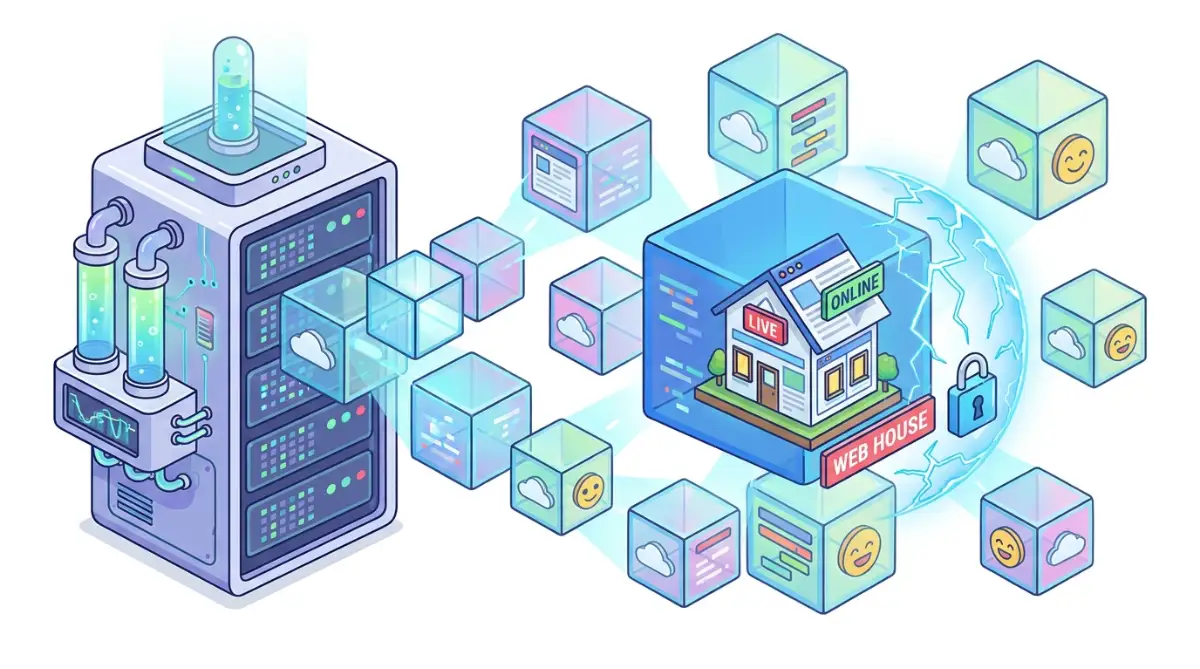
When your website tries to pull more power than your invisible box allows, the hosting company immediately cuts the cord to protect the other sites on the server. Instead of letting your site slow down the entire machine, it simply throws a 508 Resource Limit Reached error on your screen. Your site is temporarily paused until your power usage drops back down to a normal, acceptable level.
The Four Pillars of Server Power
To figure out exactly why your site is hitting these limits, we need to look at the four specific resources your hosting company is monitoring. Think of these four resources as the basic ingredients your website needs to function properly. If you run out of just one of these ingredients, the entire recipe completely falls apart.
The first major resource is your CPU Usage, which acts as the main brain of your web server. Every time a visitor clicks a link, your website has to do complex math to build the next page, and this requires serious brain power. If your site asks the server to solve too many complicated math problems all at once, your CPU usage spikes dramatically.
The second resource is Physical Memory, which is commonly known as RAM. You can think of RAM as the size of the desk your server uses to do its daily work. If your website has massive, heavy applications running in the background, it completely covers the desk with clutter. When there is no more room left on the desk to open a new file, your site crashes.
The third limit is your Entry Processes, which is highly misunderstood by most beginners. This simply means how many different tasks your website can process at the exact same split second. If your limit is set to twenty, and twenty-one people try to load your checkout page at the precise same millisecond, that twenty-first person gets the dreaded 508 error screen.
Finally, we have the I/O Usage, which stands for Input and Output speed. This measures how fast your website can read data from the server's hard drive and deliver it to the visitor. If you have a giant website with thousands of massive images loading at once, you will quickly hit this speed limit.
The 60-Second Server Audit Checklist
Before you panic, ask yourself these three simple questions right now:
- Question 1: Did you install a brand new plugin in the last 48 hours? (If yes, turn it off and see if the error magically stops).
- Question 2: Are you running a big database backup during your busiest daytime traffic hours? (If so, move your backups to 2 AM).
- Question 3: Do you have a security wall blocking fake traffic? (If no, set up a free Cloudflare account today).
Sneaky Culprit 1: The Hidden Attack of Bad Bots
Now that we understand the rules, let us look at the sneaky things that secretly drain your resources. Many people assume they are getting a 508 error because their website has suddenly become incredibly popular. They check their analytics dashboard, expecting to see thousands of real human beings reading their articles.
However, the reality is often much darker and far less exciting. A massive portion of the traffic hitting your website every day is completely fake. The internet is constantly crawling with automated software programs known as bots, and they are extremely hungry for data.
Some bots are actually very helpful, like the Google search bots that scan your pages to help you rank in search results. But there are thousands of aggressive, malicious bots that scour the internet looking for vulnerabilities, scraping your content, or trying to guess your passwords. These bad bots do not read your site slowly like a normal human would.
They aggressively hammer your server, clicking hundreds of links in a single second. This massive, unnatural spike in activity instantly exhausts your Entry Processes and spikes your CPU usage through the roof. The most frustrating part is that these automated attacks usually happen completely silently in the background while you are sleeping.
Watch this incredibly clear breakdown of how automated bot traffic secretly drains your hosting resources and triggers server errors.
To stop this massive drain on your resources, you need to set up a digital bouncer at the front door of your website. Using a web application firewall can help identify these aggressive bots and block them before they even touch your server. This simple protective shield can often eliminate your 508 errors entirely overnight.
Sneaky Culprit 2: The Danger of Bloated Add-ons
If your website is built on a popular platform like WordPress, you have access to thousands of amazing plugins and themes. These tools make it incredibly easy to add powerful new features to your site without writing any code. However, this convenience comes with a very heavy hidden cost.
Every single plugin you install adds extra weight to your website's daily workload. Some poorly coded plugins act like massive energy vampires, silently draining your server's memory with every page load. You might have a simple plugin that shows related posts at the bottom of your articles, completely unaware of the damage it is causing.
To find those related posts, the plugin might be forcing your database to scan through five thousand old articles every single time a visitor loads a page. This causes a massive, unnecessary CPU spike that quickly pushes you over your hosting limits.
My biggest mistake was treating my website exactly like a smartphone and downloading every shiny new plugin I could find on the market. I quickly realized that just three poorly coded, outdated add-ons were secretly draining ninety percent of my server memory behind the scenes. Once I deleted them, my website ran smoother than it ever had before.
You must be incredibly strict about what you allow to run on your digital property. If a plugin does not directly help you make money or significantly improve your user experience, you should delete it immediately. Keeping your active plugin count as low as possible is the ultimate secret to maintaining a highly stable website.
The Plugin Purge: Keep vs. Delete
Not sure what to keep? Here is a quick cheat sheet for a healthy website:
- Keep it: Caching plugins, security firewalls, and lightweight SEO tools.
- Delete it: "Related posts" generators (they eat your CPU alive), live chat widgets (use a third-party hosted one instead), and broken link checkers (do this off-site).
Sneaky Culprit 3: Unoptimized Background Tasks
Sometimes, your website hits a resource limit when absolutely nobody is visiting your site. This ghost-like phenomenon happens because of automated background tasks, commonly known as Cron jobs. These are scheduled tasks that your server runs automatically to keep your site maintained.
Your website might be scheduled to run a full database backup every day at noon. Or perhaps it is checking for theme updates, publishing scheduled posts, or sending out automated email newsletters. While these tasks are very helpful, they require an enormous amount of server power to execute.
If you have three heavy background tasks scheduled to run at the exact same minute, your CPU usage will instantly skyrocket. The server simply cannot handle all that heavy lifting at once, and it briefly throws a 508 error.
The smartest way to solve this is to spread out your heavy tasks during your quietest hours. Schedule your massive backups to run at three in the morning when your human traffic is incredibly low. By managing your background schedule wisely, you give your server plenty of breathing room to handle its daily chores.
Analyzing the Myth vs. Reality of Hosting Limits
When dealing with these highly frustrating server issues, it is very easy to fall for bad advice. Let us clear up some of the most common misunderstandings about website resources.
Understanding these realities gives you the power to actually fix the underlying issue, rather than just throwing more money at your hosting provider. By taking a closer look at your traffic, cleaning up your plugins, and managing your background tasks, you can completely eliminate these sudden crashes.
You do not need an advanced computer science degree to keep your website running smoothly. You just need to understand how your digital house consumes power and take smart, logical steps to reduce your overall waste.
Mastering Your Server Resources Like a True Professional
Now that you know what causes these sudden website crashes, you are ready to take full control of your digital property. You do not need to be a server engineer to keep your website running smoothly and perfectly stable. You just need to adopt a few incredibly smart habits that professional web developers use every single day.
When I first learned how to manage my own web traffic, I thought I had to constantly monitor my dashboard every hour. I quickly realized that setting up a few automated safety nets does almost all the hard work for you. Let us explore some powerful, real-world strategies that will dramatically reduce the heavy load on your hosting account.
If you are currently frustrated and understanding why your unlimited hosting is suddenly full, these exact strategies are your absolute best starting point. The goal here is to make your website work smarter, not harder.
The Magic of Website Caching
Imagine you are working at the front desk of a busy library, and a hundred people ask you for the exact same book. Instead of walking to the back room a hundred different times, you would simply keep a copy of that popular book right on your desk. This simple act of keeping the final product close by is exactly how website caching works.
Every time a visitor clicks on your homepage, your server normally has to process dozens of heavy PHP scripts and database requests. This puts a massive strain on your server's memory and processor. Caching completely bypasses all this heavy lifting by taking a simple, static picture of your final webpage.
When the next visitor arrives, the server simply hands them that static picture instantly. This tiny change can easily cut your server resource usage in half overnight. Most modern hosting providers offer free caching tools right inside your main dashboard.
Spreading the Load with a Content Delivery Network
Your website physically lives on a single computer located somewhere in a specific city or country. If your server is in London, a visitor from Australia has to wait while data travels thousands of miles across the ocean. This long journey forces your server to keep a connection open for a much longer time, silently eating up your entry processes.

You can fix this massive delay by using a Content Delivery Network, often called a CDN. Think of a CDN as having dozens of tiny franchise stores located in every major city around the globe. According to official documentation from web performance experts at web.dev, a CDN stores copies of your heavy images and files on servers right next to your visitors.
When that user from Australia visits your site, the CDN delivers the heavy files from a local server in Sydney, rather than bothering your main server in London. This completely shields your actual hosting account from massive traffic spikes.
Cleaning Your Digital Filing Cabinet
Your database is the beating heart of your website, storing every single comment, post, and setting. Over time, this digital filing cabinet becomes incredibly cluttered with old, useless junk. Every time you delete a plugin, it often leaves behind hidden folders and orphaned data that you never see again.
When your database gets too heavy, every single search query takes twice as long to process. This forces your CPU to work extremely hard just to find basic information for your visitors. You must perform regular maintenance to keep this cabinet clean and organized.
I strongly recommend using a free database optimization tool to automatically sweep away spam comments, old post revisions, and expired temporary options. Just remember to always protect personal information securely by downloading a full backup before you ever touch your database files.
Real-Life Do's and Don'ts for Server Health
To keep things incredibly simple, I have put together a quick checklist of practical habits you should start building today. These are the exact rules I follow whenever I launch a brand new digital project.
- Do test your new plugins on a hidden staging site first. Running a pre-launch testing guide for custom software projects helps you spot massive server spikes before they affect your live customers.
- Do not upload giant, uncompressed photographs directly from your digital camera to your website. Always compress your images before uploading so your server does not struggle to load them.
- Do use a dedicated email marketing service like Mailchimp or ConvertKit. Do not ever use your own web server to send out thousands of bulk newsletter emails, because that will trigger a massive 508 error instantly.

The Silent Mistakes Destroying Your Uptime
When people see a scary error screen, human panic usually takes over and logic goes entirely out the window. In a desperate rush to get their website back online, beginners often make highly emotional decisions that actually make the situation much worse. Let us walk through the most dangerous traps you need to avoid when dealing with resource limitations.
These common missteps can easily cost you hundreds of dollars in unnecessary fees. They can also create massive security holes that invite hackers straight into your digital living room.
The Blind Server Upgrade Trap
The most common reaction to a 508 error is throwing your credit card directly at the problem. You log into your hosting dashboard, see a bright red warning banner, and immediately click the button to upgrade your monthly plan. You suddenly go from paying ten dollars a month to paying fifty dollars a month, hoping the problem disappears forever.
Here is the absolute reality: if you have a broken pipe leaking water into your basement, buying a larger basement does not actually fix the pipe. If a poorly coded plugin is stuck in an infinite loop, it will easily consume your newly upgraded server resources in just a few days. You will find yourself staring at the exact same crash screen, just with a much lighter wallet.
Before you ever spend a single penny on an upgrade, you must find out exactly what is draining your power. You can easily view your raw access logs inside your cPanel to see exactly which files are being hit the hardest. Official cPanel resource usage guidelines explain exactly how to read these helpful graphs to spot the actual culprit.
Falling Behind on Core Updates
Many website owners are completely terrified of the "update" button. They worry that updating their core software or PHP version will accidentally break their beautiful design. So, they ignore the warning messages and let their website run on outdated technology for months at a time.
This is a massive mistake for your server health. Software developers constantly release new updates to make their code run faster and use much less memory. If you are running an outdated version of PHP, your server is working twice as hard to perform the exact same tasks.
When you find yourself fixing open source installation failures, outdated server software is almost always the hidden cause. Keeping everything fully updated is the easiest, most effective way to ensure your site runs efficiently and stays comfortably below your power limits.
Relying on Ping Services Too Heavily
It is very natural to want to know the exact second your website goes offline. Because of this fear, many beginners sign up for five or six different uptime monitoring services. These tools constantly send automated bots to "ping" your homepage every sixty seconds just to make sure it is still alive.
While having one reliable monitor is smart, having six of them is actually causing your own server problems. Every single time one of those monitors checks your site, it uses a tiny piece of your entry processes. If multiple monitoring tools ping your site at the exact same moment, they can accidentally trigger a 508 error themselves!
You should pick one highly trusted uptime monitor and set it to check your site every five minutes instead of every single minute. This gives you plenty of peace of mind without unnecessarily exhausting your hosting account.
Ignoring the Impact of Slow External Scripts
Sometimes, the thing slowing down your server is not actually hosted on your server at all. We love adding cool features to our websites, like live chat bubbles, embedded social media feeds, and complex tracking codes. These are known as external scripts because they pull information from outside servers.
If that outside server is having a bad day and responding very slowly, your website has to sit there and wait for it. Your server holds an active connection open, chewing up your entry limits, just waiting for a simple Facebook widget to finally load. This completely hidden delay can cause sudden bottlenecks during your busiest traffic hours.
To prevent this frustrating issue, you must carefully audit every external script you add to your pages. The Google Search Central guidelines on page speed strongly recommend delaying external scripts until the visitor actually interacts with the page. This keeps your initial load times lightning fast and perfectly safe from server limits.
Your Action Plan for a Crash-Free Website
We have successfully navigated through the confusing maze of web hosting limits together. You now understand exactly what the dreaded 508 error means, and more importantly, you know that it is easily fixable. You are no longer totally in the dark when your hosting company starts talking about CPU usage and physical memory.
You know that bad bots and automated scrapers are often the hidden culprits causing massive traffic spikes in the middle of the night. You also understand that having a clean, optimized digital environment is much better than blindly upgrading to a more expensive hosting tier. The best part is that you can implement these protective measures immediately without needing to hire an expensive developer.
If you decide that your current hosting company is simply not giving you enough room to grow, you can always move to a better provider. When you do make that jump, knowing how to speed up domain propagation will ensure you do not lose any valuable traffic during the big move. Sometimes, finding a company that truly supports smart startup cloud scaling is the final piece of the puzzle.
By utilizing strong caching, activating a free content delivery network, and cleaning your database regularly, your website will feel completely brand new. You will finally be able to run aggressive marketing campaigns without the constant, terrifying fear of a sudden server crash.
Common Questions About Web Hosting Limits
Will upgrading my hosting plan permanently fix a 508 error?
Not always. If the error is caused by a broken plugin, a massive bot attack, or messy database loops, your new upgraded resources will simply get used up too. You absolutely must find and fix the root cause before you spend money on a larger server plan.
How long does a 508 resource limit error usually last?
This specific error is usually temporary and resolves itself automatically once the heavy server load drops back down. Depending on your hosting provider, the block might last anywhere from five minutes to a full hour.
Does getting a 508 error negatively affect my Google SEO rankings?
If it only happens once for a few minutes, Google will likely just come back later and your rankings will be totally fine. However, if your site crashes every single day, Google will notice the unreliability and will quickly drop you down in the search results.
What exactly is physical memory usage in my cPanel dashboard?
Physical memory is simply the RAM allocated specifically to your hosting account. It represents the temporary workspace your server uses to process current tasks, like running a PHP script or searching your database for a blog post.
How do I stop bad bots from draining my server resources?
The most effective way is to use a free Web Application Firewall (WAF) like Cloudflare. This acts as a smart bouncer that identifies known malicious bots and blocks them from ever reaching your physical server.
I know how incredibly stressful technical errors can be when you are just trying to run your digital business. But my biggest realization was that every error message is just a stepping stone to making your website infinitely stronger. Take a deep breath, follow these simple optimization steps today, and watch your website performance totally transform.
Disclaimer: The information provided in this article is for general educational and informational purposes only and does not constitute professional technical, financial, or legal advice. While every effort has been made to ensure accuracy, web hosting technologies and server configurations change rapidly. We highly recommend consulting with your specific hosting provider's technical support or a certified system administrator before making significant changes to your server settings or website architecture.


