
The Midnight Panic: Why Hitting 'Publish' Feels Like a Nightmare
You just hit the 'Publish' button. Your heart is pounding, and instead of celebrating, you are glued to the screen praying the server does not crash. We have all been there. Launching a new app or website shouldn't feel like defusing a bomb, but without a proper safety net, it usually does. Today, I am going to show you how to test your product so well that you can actually sleep peacefully on launch night.
Instead, the main server completely crashed within twenty short minutes. Users immediately lost their saved data, the client was absolutely furious, and my personal reputation took a massive, painful hit.
I felt completely lost and defeated at that moment. My confidence evaporated instantly, leaving me questioning if I was even cut out for this industry. That terrible, sleepless night taught me a very hard, unforgettable lesson about what happens when you skip thorough quality checks.
So many developers and project managers go through this exact same heartbreaking cycle. You pour your blood, sweat, and tears into building a beautiful piece of technology. You obsess over the design, tweak the features, and finally get everything looking perfect.
But as launch day approaches, a dark cloud of anxiety starts hanging over your head. You start wondering what hidden errors are lurking inside the system.
Developers wake up in cold sweats, dreaming about broken payment gateways and angry customer emails. This constant fear of failure drains your energy and makes you hate the very project you once loved building.
When an untested application breaks, the real-world consequences are actually quite severe. Customers get frustrated when they cannot log into their accounts or complete a simple purchase. They immediately lose trust in the brand and run straight to a competitor's website.
Negative reviews start pouring in across social media platforms, completely destroying the brand's public image. For the people working behind the scenes, this means endless hours of emergency fixing, angry client meetings, and the constant threat of losing your job or your business.

Quick Summary: What You Will Learn Today
- Why testing core buttons and forms is your absolute first priority.
- How to send fake traffic to your site to spot server weaknesses early.
- The simple trick to stop hackers from finding your admin panels.
- Why manual human testing beats expensive automated bots every time.
Reclaiming Your Sanity: The Actionable Blueprint for a Flawless Launch
Breaking free from this cycle of fear requires a massive shift in how you approach the final stages of your project. We need to stop treating quality assurance as an afterthought or a rushed task at the end of the month.
Instead of crossing your fingers and hoping for the best, you need a highly structured, logical system. Let us break down the exact, step-by-step phases you need to follow to ensure your next digital product handles the real world perfectly.
These are not just random theories. These are heavily tested, practical strategies that you can start applying to your current workflow immediately.
Phase 1: The Core Functionality Audit (Making Sure the Engine Actually Runs)
Think about buying a brand-new, expensive sports car straight from the dealership. It has a beautiful paint job, comfortable leather seats, and an amazing sound system. But when you try to turn the key, the engine simply refuses to start.
All of those beautiful features are completely useless if the core mechanics fail to operate. This same exact logic applies perfectly to your custom digital products.
Before you even worry about how pretty the buttons look, you must verify that every single basic function works exactly as intended. Start by mapping out every possible action a normal person might take inside your application.
Can a new user create an account without getting a strange error message? Does the password reset link actually arrive in their email inbox within a few seconds?
These might seem like incredibly obvious things to check, but they are exactly what breaks most often during a big release. You must intentionally try to break your own forms by entering completely wrong information.
Type letters into the phone number box. Try to upload a massive file where a small profile picture is supposed to go. See how the system reacts to these mistakes.
If your application simply crashes instead of showing a polite, helpful error message, you have a major problem to fix. The goal here is to ensure the core logic holds strong against human error.
Watch this incredibly helpful breakdown of how simple functional errors can completely ruin a major product release.
My Go-To Testing Stack for Beginners
To make your life easier, you do not need hundred-dollar enterprise software. Here are the tools I personally use to find breaking points before my users do:
- For Stress Testing: Loader.io (Sends thousands of fake users to your site in seconds).
- For Broken Links: Screaming Frog (Crawls your app to find dead ends).
- For Mobile Checks: BrowserStack (Lets you see your app on real, physical phones).
Phase 2: The High-Pressure Performance Stress Test
It is very easy for your application to feel incredibly fast and smooth when only three developers are clicking around inside it. You might think your product is lightning fast because pages load instantly on your local network.
But what happens when five hundred actual people try to log in at the exact same second? Real-world traffic behaves completely differently than a controlled, quiet environment.
Pro Tip: I remember my team testing our new app with just five people in the office, and we honestly thought it was the fastest thing we had ever built. We were so proud of ourselves until launch day hit, and the sudden rush of one hundred real users completely melted our main database. Always test your systems with at least double the traffic you actually expect to receive.
You need to actively simulate heavy traffic loads to see exactly where your servers start to struggle and slow down. There are plenty of excellent, easy-to-use tools available today that can send fake traffic to your website.
Watch closely how your database handles a sudden spike in search queries or massive data requests. Does the loading screen freeze? Does the entire system lock up and kick people out?

Identifying these specific breaking points now gives you the time to upgrade your server capacity before real people get disappointed. A slow application is often judged just as harshly as a completely broken one.
Modern internet users simply do not have the patience to wait ten seconds for a single page to load. If you fail this test, they will close the tab and never return to your product again.
Phase 3: The Unbreakable Security Shield
In today's digital environment, launching an application with weak security is like leaving the front door of your house wide open in a bad neighborhood. Hackers and malicious bots are constantly roaming the internet, actively looking for easy targets.
If you are collecting any kind of personal information, you carry a massive responsibility to protect that data at all costs. An exposed database or a simple security flaw can lead to a devastating data breach.
Start by ensuring every single piece of sensitive data is heavily encrypted, both when it is stored and when it is traveling across the internet. Check your user permission levels incredibly carefully.
Can a regular, everyday user somehow access the administrative dashboard just by changing the website address in their browser? You would be deeply shocked by how often this simple mistake happens in professional projects.
Make sure your payment gateways are strictly following all required industry standards for financial protection. Run automated security scans to check for known vulnerabilities in the third-party plugins or libraries you used.
It is always better to delay a launch by a few days to fix a security hole than to face a massive lawsuit later. Building trust takes years, but a single security mistake can destroy that trust in five minutes.
Phase 4: The Device and Environment Harmony Check
You might love using the newest iPhone and the latest version of the Google Chrome browser. Your application probably looks absolutely stunning on that specific setup.
But your actual users will be using hundreds of different device combinations, older screen sizes, and completely different operating systems. Some will be on five-year-old Android phones, while others will be using a large desktop monitor with Safari.
Your product must deliver a consistent, beautiful experience across all of these different environments. This phase requires an immense amount of patience and attention to small details.
Start by checking your responsive design elements on actual physical mobile devices, not just computer simulators. Does the main navigation menu overlap with the logo on a smaller screen?
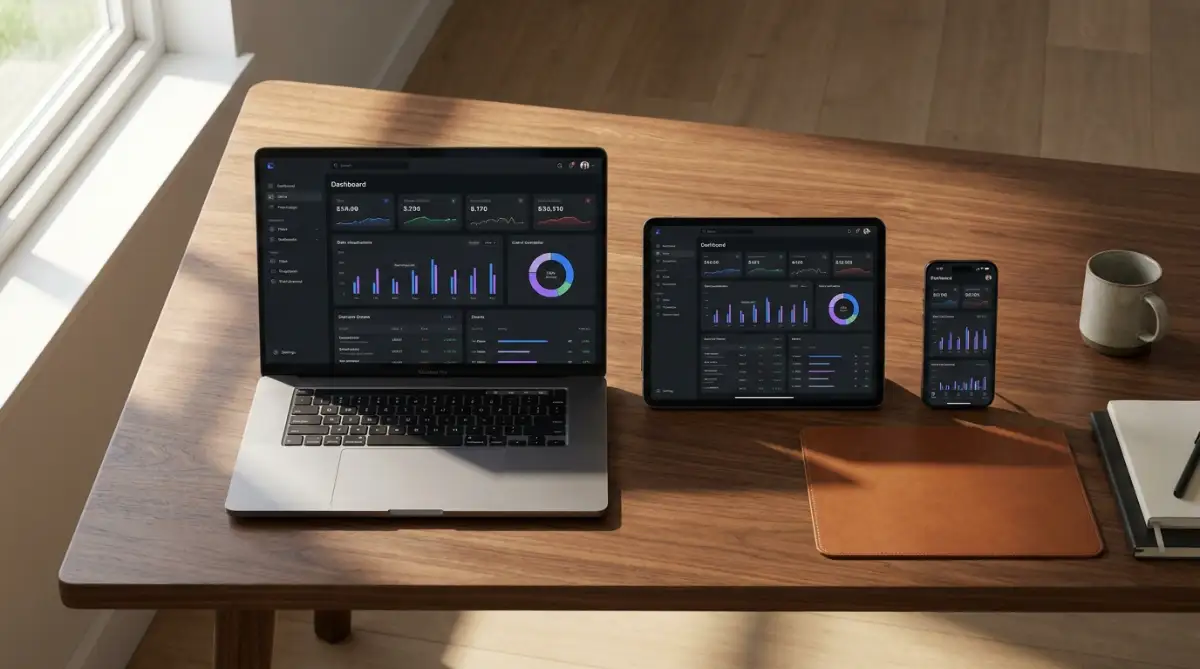
Are the primary action buttons large enough for a normal human thumb to comfortably tap without hitting the wrong link? You must also test different internet speeds.
Not everyone has access to a blazing-fast fiber connection in their home. Try throttling your network speed down to a basic 3G connection and see if your application remains usable.
Myth vs. Reality: The Automated Testing Illusion
There is a very common misunderstanding in the tech community regarding how bugs should be found. Many people believe that buying an expensive automated testing tool will solve all their problems instantly.
They set up a few basic scripts, watch the green checkmarks appear on the screen, and blindly assume the product is perfect. This is a very dangerous illusion that leads to massive blind spots.
Reality: Automated scripts are incredibly dumb. They only check exactly what you specifically tell them to check, nothing more.
If a button turns completely invisible but technically still functions when clicked, the automated script will say everything is fine. A human being, however, will immediately notice that the button cannot be seen.
To help you understand the balance, here is a simple breakdown of how these two methods should work together:
You need a healthy mix of both approaches to achieve true confidence in your product. Let the machines handle the boring, repetitive math equations and background server checks.
Let actual human beings click around, get confused, and find the weird visual bugs that machines completely ignore. This balanced strategy is exactly how top-tier agencies release incredibly stable software every single time.
Phase 5: The Usability and Logic Flow Inspection
You know exactly how your application works because you spent months looking at the internal blueprints. You know that to change a profile picture, you have to click the small gear icon, navigate to settings, and then hit the upload tab.
To you, this process feels completely logical and incredibly straightforward. But to a brand-new user who has never seen your interface before, this might feel like an impossible maze.
Usability testing is all about putting your product in the hands of someone who knows absolutely nothing about it. You sit back, remain completely quiet, and simply watch them try to complete a basic task.
Do they hesitate when looking for the checkout button? Do they click on an image thinking it is a link, only to get frustrated when nothing happens?
These small moments of friction are incredibly valuable pieces of data for your team. Every time a user has to stop and think about what to do next, you risk losing their attention entirely.
Your goal is to make the journey from the homepage to the final goal as smooth and effortless as sliding down a slide. Remove unnecessary form fields, make your instructions incredibly clear, and never assume the user knows what you are thinking.
By prioritizing this human element, you transform a merely functional application into a truly lovable product. People remember exactly how a software made them feel, and frustration is a very hard feeling to erase.
Pushing Boundaries: Pro-Level Strategies for a Bulletproof Release
Now that we have covered the basic foundation, it is time to look at how top-tier engineering teams handle their releases. The best agencies do not just aim for a functional product; they aim for an indestructible one.
You want to build a system that can take a massive beating from unpredictable users and still run perfectly. Achieving this level of quality requires stepping away from standard checklists and embracing a more aggressive testing mindset.
One of the smartest things you can do is implement a true staging environment before anyone else sees the product. A staging server is an exact, identical replica of your live production environment.
This means it has the same server settings, the same database structure, and the exact same file paths. You should never test your final updates directly on your live server, because a single wrong line of code can crash the whole system.
By pushing everything to a staging environment first, you create a safe sandbox to break things without real users ever knowing. If you completely destroy the staging server during a stress test, you can simply reset it and try again.
This process acts like a dress rehearsal for your big opening night. You get to practice the actual deployment steps, ensuring you know exactly which buttons to press when launch day finally arrives.
The Power of Chaos Engineering and Edge Case Hunting
Another incredibly effective strategy is intentionally trying to destroy your own work through chaos engineering. Most developers only test the "happy path," which is the exact sequence of clicks a perfect user would make.
But real people do not follow instructions perfectly, and they will click things in a completely random order. What happens if someone rapidly double-clicks the "Submit Payment" button because they are impatient?
Does your database record the order twice and accidentally double-charge their credit card? You need to actively hunt for these strange edge cases before a customer finds them and gets angry.
Real-World Fact: In 2020, a major retail brand lost over $2 million on Black Friday just because a random edge case let impatient buyers double-click the checkout button, locking up the entire payment gateway. Always disable the submit button the exact second someone clicks it!
I highly recommend studying the global security standards provided by trusted organizations like the Open Web Application Security Project (OWASP). They outline exactly how hackers exploit strange user inputs to break into systems.
For instance, if a user enters a strange symbol like an apostrophe into their name field, a poorly coded database might interpret that as a command and crash. By actively practicing the habit of keeping sensitive information secure daily, you build a protective wall around your users from day one.
You must act like a detective looking for the strangest possible ways a person could misuse your features.
Mastering the Slow Rollout and Beta Feedback Loops
Instead of opening the floodgates and letting everyone in at once, consider using a phased rollout strategy. This means you quietly release the new product to just five percent of your most trusted users.
You let them explore the interface, find the hidden bugs, and report back to your team in a private channel. Because the audience is so small, any sudden server crashes are incredibly easy to manage and fix.
This strategy prevents the absolute nightmare of one thousand people experiencing a massive glitch at the exact same moment. You can slowly increase the traffic to twenty percent, then fifty percent, as you build confidence in the system's stability.
During this beta phase, you must listen heavily to user feedback without getting defensive about your work. Sometimes, a feature that makes perfect logical sense to an engineer feels like a complete mess to an average person.
If three different beta testers complain that they cannot find the settings menu, you do not argue with them. You immediately redesign the menu layout because the data is telling you clearly that your design is confusing.
This feedback loop is what separates average products from applications that people genuinely love using every single day. By continuously refining the product based on real human behavior, you ensure long-term success well past launch day.

The Trap Doors: Catastrophic Flaws That Ruin Great Products
Even with a solid plan, many talented teams fall into hidden traps that completely derail their projects. One of the most common and dangerous mistakes is suffering from the "Works on My Machine" illusion.
A developer will proudly show off a feature on their high-end, heavily modified personal laptop, and it runs beautifully. But they completely forget that their laptop has massive amounts of processing power that an average smartphone simply lacks.
When you test solely on premium hardware, you blind yourself to the reality of normal users. Imagine someone trying to access your platform while sitting in a car, dealing with handling highly unstable network conditions on an older mobile device.
If your application takes twenty seconds to load a massive background image, that user will simply close the window and give up. You must actively throttle your internet speed and use older, slower devices to see how your product actually performs in the wild.
Another massive trap is ignoring the physical limitations of your target audience. So many modern designs use light gray text on a white background because it looks clean and minimalistic.
However, this design choice makes your content completely invisible to anyone with slight visual impairments or older monitors. Following the standards set by the Web Accessibility Initiative (WAI) is not just about being polite; it is about keeping your doors open to everyone.
If a blind user cannot navigate your menus using a standard screen reader, you are actively blocking paying customers from using your service.
Ignoring Third-Party Limits and Financial Leaks
We heavily rely on external tools to make our applications better, like email sending services, weather widgets, or payment processors. A major mistake teams make is forgetting that these third-party services often have strict usage limits.
You might launch your product and suddenly get a massive wave of new signups. If your email provider has a limit of five hundred free emails per day, your account will get automatically blocked.
Suddenly, new users stop receiving their account verification codes, and your entire onboarding process completely freezes. This exact scenario often leads to massive frustration and plugging unexpected financial leaks because you have to scramble to upgrade subscriptions in the middle of a crisis.
Furthermore, if you are integrating new automated chat systems, you need to be deeply aware of the hidden dangers of third-party AI integrations. These external tools can sometimes slow down your main website or unexpectedly crash if their parent server goes offline.
Always have a backup plan or a polite error message ready just in case a third-party plugin fails during your launch week. You should never let someone else's server outage completely destroy your brand's reputation.
The Silent Failure and the Lack of Empathy
Perhaps the most heartbreaking mistake I see is when an application fails silently without telling the user what went wrong. A customer fills out a long, detailed contact form, clicks the submit button, and the screen just sits there doing absolutely nothing.
The spinning loading wheel just turns forever, leaving the person wondering if their message actually went through. Did the payment work? Did the file upload? They have zero idea.
This silent failure causes an immense amount of anxiety for the end-user. If something breaks behind the scenes, your system must immediately display a polite, clear message explaining exactly what happened.
Something as simple as "We are sorry, our servers are overloaded right now, please try again in five minutes" is infinitely better than a blank screen. This approach shows genuine empathy for the person sitting on the other side of the monitor.
Building great software is ultimately about respecting the time and emotional state of the humans using it. If you forget the human element, all the fancy coding in the world will not save your product from failing. If you are ever curious about how the back-end structures support these user experiences, you might find learning about open-source software architecture basics incredibly eye-opening.
Your Blueprint for a Stress-Free Deployment
Launching a new digital product should be an incredibly proud and exciting moment for you and your entire team. It represents months of hard work, creative problem-solving, and endless cups of late-night coffee coming together.
By shifting your mindset from rushed last-minute checks to a highly structured testing phase, you eliminate the midnight panic entirely. You no longer have to cross your fingers and pray that the servers hold up.
Instead, you can hit the publish button with absolute, unshakeable confidence because you have already simulated every possible disaster. You have tested the edge cases, secured the data, and optimized the experience for real-world internet speeds.
Your product is no longer fragile; it is battle-tested and ready to serve your audience exactly as you intended. Remember that quality assurance is an ongoing journey, not a single destination you reach and forget about.
As your platform grows and modern web standards evolve, you will need to revisit these checklists to keep everything running smoothly. Embracing this continuous cycle of improvement is the true mark of a professional developer.
I honestly wish I had known all of this before I faced that terrifying midnight server crash early in my career. My goal today is to help you bypass that unnecessary pain, so your next big launch feels like a massive victory instead of a stressful nightmare.
Burning Questions Before Hitting Publish
How long should the testing phase actually take?
The length of your testing phase heavily depends on the size and complexity of your project. For a medium-sized application, you should strictly dedicate at least two to three full weeks purely to testing. You need enough buffer time to actually fix the bugs you find without delaying the promised launch date.
Can I test my application all by myself?
You can definitely test the basic functions, but you should never rely solely on your own eyes. Because you built the product, you automatically have massive blind spots and naturally avoid clicking things that might break. Always bring in a fresh set of eyes, preferably someone who knows nothing about the project, to find the real friction points.
What is the most important thing to test first?
Always prioritize anything related to user security, private data handling, and financial transactions. A strange visual glitch on a background image is annoying, but a broken payment gateway will actively destroy your business. Make sure the absolute core functions are completely bulletproof before worrying about the cosmetic details.
How do I handle bugs found by users after the launch?
First, you must thank the user genuinely for taking the time to report the issue. Do not get defensive. Log the bug into your tracking system, recreate the exact steps they took, and push a patch to your staging server immediately. Keep the user updated on your progress, and let them know exactly when the fix goes live.
Is mobile testing really that important if it is a desktop app?
Yes, it is absolutely essential because user habits have completely shifted toward mobile browsing. Even if your main tool is designed for massive desktop monitors, people will still try to log in and check their dashboards from their phones on the train. If the mobile view is completely broken and unusable, they will instantly assume the entire product is low quality.
Disclaimer: The information provided in this article is for educational and informational purposes only. Every software project is unique, and testing requirements may vary heavily based on your specific industry standards and local data compliance laws. We strongly recommend consulting with a certified cybersecurity expert before handling any sensitive financial or personal user data.