The Silent Creative Burnout We All Ignore
Let be brutally honest. If I have to manually cut out one more messy head of hair using the pen tool, I might just throw my laptop out the window. We became digital designers to make cool things, not to be mindless robots repeating the same boring tasks every single day. If your creativity feels completely dead lately, you are not alone—but there is actually a surprisingly easy way to fix it without quitting your job.
Every single day, countless talented creators face this exact same mental drain. We spend so much time on repetitive, boring tasks that we lose the energy to actually be creative. You know exactly what I mean if you have ever spent hours just cutting out loose strands of hair from a complex photo background.
This constant pressure quietly ruins our mental peace and steals our joy. We start dreading client emails because they usually mean another night of mind-numbing pixel pushing. Family dinners get skipped, and a good night's sleep becomes a luxury we can rarely afford.
We slowly turn into exhausted machines instead of inspired artists. This toxic cycle makes so many wonderful designers quit the industry entirely. They simply cannot handle the endless demand for faster outputs without any real help.

Quick Wins: How to Get Your Weekends Back
- Stop starting from zero: Use smart text prompts to instantly generate five rough ideas instead of staring at a blank screen for hours.
- Let the machine do the boring stuff: One-click background removal and auto-resizing can save you at least ten hours a week.
- Train a custom assistant: Feed your past designs into a private model so it learns your unique style, not some generic internet look.
- Stay the boss: Always zoom in and double-check the final output. You are the creative director; the software is just your intern.
Fixing the Broken Creative Process Forever
We need to completely rethink how we approach our daily software habits. The good news is that smart automation is stepping in to save our sanity and our weekends. Let me walk you through how you can actually fix this exhausting cycle right now.
Instead of doing everything manually, we can start using smart assistants to handle the heavy lifting. This is not about being lazy; it is about protecting your creative energy for the things that actually matter. When you stop fighting your software, you start enjoying your art again.
Overcoming the Blank Canvas Syndrome
Every project starts with an idea, but forcing your brain to generate brilliant concepts on demand is incredibly hard. In the past, we would spend hours scrolling through social media trying to find a spark of inspiration. Now, intelligent software tools can generate visual mood boards based on simple text descriptions in seconds.
You just type what you are feeling, and the program gives you twenty different visual directions instantly. This completely removes the anxiety of starting from absolute zero. You become an art director guiding the process, rather than a tired worker pushing pixels.
My personal realization: I used to spend hours searching Pinterest for the perfect reference image, which usually left me feeling overwhelmed and completely drained. The moment I started generating my own rough concept images using text prompts, my brainstorming time was cut in half. I finally had the energy to actually design the final product.
Eliminating Mind-Numbing Repetition
Think about how much time you waste resizing the same graphic for ten different social media platforms. It is the most boring part of the job, and it easily eats up half of your working day. Modern software platforms now feature automated resizing tools that instantly adapt your layout to fit any screen perfectly.
The program understands where the text should go and how the background should stretch without distorting your original vision. This means you design something perfectly just one time, and the system handles the rest. You can finally say goodbye to spending your Friday nights making tiny adjustments to Instagram banners.
If you are tired of manually resizing every single social media banner, you need to watch this quick breakdown. This completely changed how I look at automated design scaling, and it will save you hundreds of hours.
The Magic of Instant Background Removal
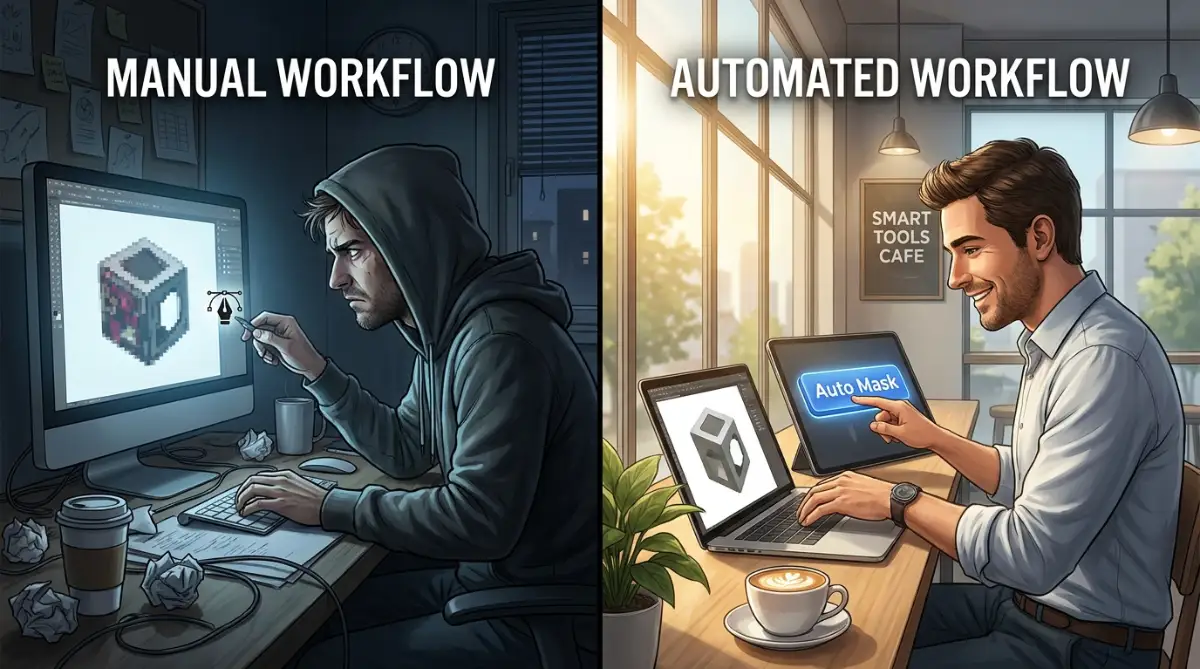
Let us talk about the absolute nightmare of masking out complex backgrounds manually. For decades, the pen tool was our only reliable option for cutting out subjects smoothly. We would zoom in at 800% and carefully click around every single detail until our wrists ached.
Today, smart selection tools can detect a subject and remove a complicated background perfectly with just one single click. Even transparent objects like glass and tricky details like curly hair are handled flawlessly in milliseconds. This single feature alone is saving graphic designers thousands of hours every single month.
Generating Realistic Textures and Assets
Sometimes your project needs a very specific element, like a glowing neon sign or a vintage crumpled paper texture. Finding high-quality stock photos that perfectly match your vision is incredibly frustrating and often expensive. Smart generation tools allow you to create these specific assets out of thin air right inside your main workspace.
You do not need to leave your canvas or browse through confusing stock libraries anymore. You simply ask your software to create a rusty metal texture, and it appears on your screen instantly. This gives you absolute freedom to experiment with wild ideas without worrying about budget constraints.
Making Sense of Typography Choices
Choosing the right font combination can feel like trying to solve a complicated math puzzle. You can spend hours testing hundreds of fonts, only to end up using the same three reliable typefaces you always use. New smart typography features analyze the mood of your artwork and suggest perfect font pairings automatically.
The software understands the visual weight of your design and recommends typography that balances perfectly with your graphics. This takes the stressful guesswork out of typesetting and makes your final layouts look incredibly professional. It is exactly like having a master typographer sitting right next to you, giving you friendly advice.
Myth vs. Fact: Typography Automation
- The Myth: Smart font tools will make every website look exactly the same.
- The Reality: They actually do the exact opposite. By suggesting combinations you would never naturally think of, they push you out of your safe "Arial & Helvetica" comfort zone. I recently used an auto-pairing tool that mixed a wild retro display font with a clean modern serif, and my client approved it instantly.
Managing the "Make it Pop" Feedback
We all deeply hate receiving vague client feedback that asks us to make the design "pop" more. In a traditional setup, you would have to manually adjust colors, shadows, and highlights to present five new variations. Smart variations let you recolor an entire complex illustration with a single click based on different color theories.
You can instantly generate a warm summer version, a dark mode version, and a neon cyberpunk version of the exact same design. When you present all these options to your client immediately, they are usually blown away by your speed. You look like a creative genius, and you did not even have to break a sweat.
A Quick Reality Check on the Industry
Many people are completely terrified that these new automated tools are going to steal their jobs. This fear is very natural, but it comes from a misunderstanding of how creative work actually functions. Tools cannot talk to clients, understand human empathy, or strategically plan a brand's emotional journey.
As you can see from this simple comparison, the goal is purely to remove the boring mechanics of our job. The human brain is meant for big ideas, empathy, and strategic thinking, not for cutting out backgrounds. When you embrace these helpers, you actually become much more valuable to your clients.
Finding the Right Software SaaS Tools
Pick just one repetitive task that you hate doing, and find a smart tool that automates it. Once you trust the system with that small task, you can slowly start automating larger parts of your process. This gentle approach prevents you from feeling overwhelmed by entirely new technology.
Protecting Your Mental Health as a Creative
The most important benefit of updating your workflow is getting your personal life back. When your software handles the heavy lifting, you actually get to finish your work at a reasonable hour. You can close your laptop, go for a walk, and spend time with people you love.
Your worth as an artist is not measured by how many hours you suffer in front of a computer screen. By working smarter, you protect your mental health and ensure you can keep creating beautiful things for years to come. Remember, a rested and happy designer will always produce much better work than an exhausted one.
Structuring Complex Layouts Easily
Another area where traditional workflows fail is during the layout structuring phase of large projects. Designing a forty-page magazine or a massive website wireframe requires intense mathematical precision and alignment. We used to rely heavily on manual grids, pulling guide lines one by one to keep everything looking neat.
Now, smart layout engines can automatically distribute your elements perfectly based on established design principles. If you drag an image onto the canvas, the text automatically wraps and adjusts itself to maintain perfect visual balance. This removes the frustrating trial-and-error phase of basic graphic composition.
Enhancing Low-Quality Client Images
Every designer knows the pain of receiving a tiny, blurry image from a client who expects a billboard-sized print. In the past, we had to heavily blur the image or add fake noise to hide the terrible pixelation. Today, intelligent upscaling algorithms can study a low-resolution photo and actually recreate the missing details naturally.
The software intelligently guesses what the blurry pixels should look like and sharpens the image beautifully. This magical feature has saved countless client relationships and prevented massive printing disasters. You no longer have to send angry emails asking for higher-resolution files that the client simply does not have.
The Future of Team Collaboration
Working with other designers on a single file used to cause endless version control nightmares. We would save files as "Final_Version_03_Real_Final.psd" and pray that nobody accidentally overwrote our hard work. Modern cloud-based SaaS tools allow multiple artists to work on the exact same canvas at the exact same time smoothly.
You can watch your teammate's cursor move across the screen as they adjust the typography while you work on the colors. These platforms use smart syncing to ensure that conflicting changes are handled without breaking the main design. Teamwork finally feels like a fun jamming session rather than a stressful file management chore.
Generating Complex Color Palettes
Building a cohesive color palette from scratch requires a deep understanding of color theory and human psychology. Sometimes you find a beautiful hero image, but you struggle to extract the perfect supporting colors for the text and buttons. Smart palette generators can now analyze any photograph and instantly extract a mathematically perfect color scheme.
These tools will even check the contrast ratios automatically to ensure your design is fully readable for visually impaired users. You get a beautiful, accessible color system in seconds, saving you the headache of manually testing swatches. This ensures your final product is both beautiful and highly functional for everyone.
Mastering the Next Level of Creative Automation
Once you stop fighting with the basic tools, a completely new world of creative freedom opens up. You are no longer just an operator pushing pixels around a screen; you transform into a true creative director. Now, we can look at some highly advanced strategies that professionals use to dominate their daily tasks.
These are not secret tricks, but rather smart habits that completely change how you manage massive design projects. When you understand how to talk to these smart assistants, your daily output will double without any extra stress. Let me share exactly how you can implement these professional techniques into your own daily routine.
Perfecting the Art of the Prompt
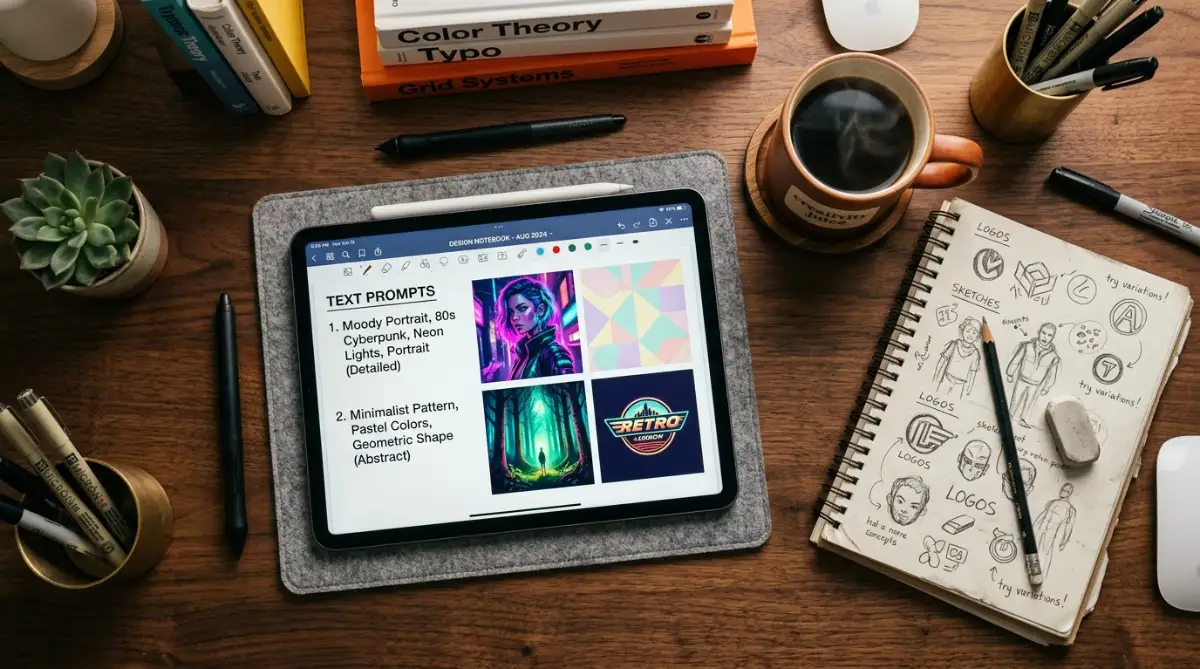
Learning how to write text prompts for image generation is quickly becoming the most valuable skill a designer can have. You cannot simply type "make a cool logo" and expect a masterpiece to appear on your screen. You have to communicate with the machine exactly like you would instruct a junior graphic designer.
If you want a specific style, you must describe the lighting, the mood, the color palette, and the exact camera angle. The best creators keep a detailed digital notebook filled with their most successful text combinations. You can save these proven text strings and use them repeatedly to maintain a consistent visual style across a massive brand campaign.
Training Your Own Private Assistants
One of the most powerful things you can do is teach a smart program to understand your specific visual style. Instead of relying on generic outputs, modern platforms allow you to upload your previous artwork to train a custom model. The software studies your unique brush strokes, your preferred color combinations, and your specific layout habits.
After a few hours of learning, this private model will start suggesting new concepts that genuinely look like you created them. This is an incredible way to maintain your unique artistic voice while generating initial drafts at lightning speed. It is important to explore ethical machine learning practices to ensure you are safely building upon your own original data.
My Expert Realization: I used to spend days trying to perfectly match a client's specific illustration style for a new marketing campaign. The moment I started training a custom private model on their approved past assets, my initial drafts were instantly accurate. It felt like I had cloned myself, giving me the freedom to take on twice as many clients without breaking a sweat.
Building a Smart Asset Library
Every veteran designer has a messy folder full of random textures, icons, and transparent images collected over a decade. Managing this massive pile of files usually requires endless searching and deep frustration when you cannot find that one specific paper texture. Smart asset management systems now automatically tag and categorize your entire library based on what the image actually contains.
You simply search for "blue vintage car transparent background," and the system instantly pulls up exactly what you need. Some platforms even let you generate missing assets directly inside the search bar if they do not exist in your current library. If you are serious about optimizing expensive software subscriptions, replacing multiple stock photo memberships with an intelligent custom library is a massive money saver.
Automating the Client Proofing Phase
Sending design drafts back and forth through email is a guaranteed way to lose track of important feedback. We have all experienced the nightmare of a client approving the wrong version because the email thread became entirely too confusing. Modern smart proofing tools analyze your canvas and generate presentation links that update instantly when you make a change.
Clients can click directly on the image to leave a specific comment, and that note appears right inside your design software. The system even automatically translates complex design terms into simple language so the client understands your choices better. This completely removes the friction of managing overseas design feedback when you are dealing with completely different time zones.
Protecting Brand Guidelines Strictly
Keeping a large team aligned with strict corporate brand guidelines is a never-ending battle. Someone always accidentally uses the wrong shade of corporate blue or stretches the main logo slightly out of proportion. Smart templates can now lock specific elements and warn users automatically if they break a foundational brand rule.
The software acts like a friendly traffic cop, ensuring that every exported banner matches the exact visual identity perfectly. Leading industry organizations, like the AIGA (American Institute of Graphic Arts), often emphasize how strict consistency builds long-term consumer trust. By automating this quality control check, your senior designers do not have to waste time babysitting junior staff members.

The Hidden Traps That Can Ruin Your Reputation
While these powerful software features feel like absolute magic, they come with some extremely dangerous pitfalls. I have watched incredibly talented people ruin their professional reputation because they trusted the machine a little too much. Let us have an honest conversation about the disastrous mistakes you must avoid at all costs.
When you start letting automation do the heavy lifting, your brain naturally wants to completely switch off. This lazy mindset is the exact reason why we are seeing a massive flood of terrible, generic artwork hitting the internet daily. You have to remember that these tools are your assistants, not your final creative directors.
The Embarrassment of Leftover Artifacts
We have all seen those heavily mocked images online where a generated person has six fingers or three legs. These awkward mistakes happen constantly, and if you are not paying close attention, they will slip right past you. A client noticing an impossible structural error in your final delivery is deeply humiliating and highly unprofessional.
You must act as an aggressive editor, zooming in on every single corner of your canvas before hitting the export button. Never assume that the software perfectly understood your intention or handled the background blur correctly. You must always maintain a sharp, critical eye to catch these bizarre glitches before your audience does.
Losing Your Unique Creative Soul
The absolute biggest danger of relying entirely on smart generators is the complete loss of your personal artistic touch. When everyone uses the exact same popular prompts, the entire internet starts to look exactly the same. Your portfolio will slowly turn into a boring, plastic-looking collection of generic corporate artwork.
To prevent this, you must aggressively inject your own messy, human perspective back into the generated foundation. Add custom brush strokes, intentionally break a perfect grid, or mix in actual hand-drawn elements to create a natural texture. You never want to look back at your work and realize you cannot recognize your own signature style anymore.
Ignoring the Legal and Moral Rules
The entire creative industry is currently fighting massive legal battles regarding how these visual generation models were actually built. Many early systems were trained on copyrighted artwork without asking the original creators for proper permission. If you blindly use these generated elements in commercial client work, you could unknowingly trigger a massive legal nightmare.
You need to understand the hidden risks of automated integrations before using them for high-paying corporate clients. Always use professional platforms that offer clear legal protection and transparently pay the original artists for their training data. According to researchers at the MIT Computer Science and Artificial Intelligence Laboratory (CSAIL), ethical data sourcing is becoming a mandatory standard for all modern enterprise software.
Forgetting the Target Audience completely
Sometimes a smart tool will suggest a wildly complex layout that looks incredibly futuristic and visually stunning. However, a visually stunning layout is completely useless if your specific audience cannot figure out where the "Buy" button is. You can easily get so distracted by flashy new software tricks that you completely forget about basic human usability.
Always test your beautifully complex designs against the actual needs of the everyday people who will interact with them. A simple, boring layout that converts sales perfectly is always better than an overly complicated masterpiece that confuses everyone. Do not let intelligent software convince you to abandon basic design fundamentals just because a complex effect looks cool.
My 3-Step "Sanity Check" Before Sending Files to Clients:
- The 300% Zoom Rule: I force myself to zoom way in on the edges of the image. Did the smart masking tool accidentally chop off half an ear?
- The Grandma Test: Is the "Buy Now" button clear enough that my sweet grandma could find it in under three seconds?
- The Color Contrast Check: I run the final image through a free web accessibility checker to make sure the text is not totally unreadable for colorblind users.
Overlooking Basic Technical Fundamentals
Because smart tools can automatically fix colors and adjust messy lighting, many new designers skip learning basic color theory entirely. This becomes a massive problem when the software gets confused and you have to fix a layout manually. If you do not understand why complementary colors work together, you will be completely helpless without your automated assistants.
You must still spend time studying typography, negative space, and traditional composition rules. Think of your software as a powerful calculator; it is incredibly helpful, but you still need to know how basic math works to use it properly. A solid foundation of traditional knowledge is what separates true professionals from simple machine operators.
Letting the Cloud Dictate Your Schedule
Most of these incredibly powerful rendering tools require a constant, stable connection to an external server to function properly. If your internet suddenly drops right before a major client deadline, your entire workspace might freeze completely. Relying entirely on cloud-based processing means you are completely at the mercy of your service provider's server stability.
Always have a backup plan that involves traditional, offline software tools installed directly on your local hard drive. If you are dealing with handling heavy cloud-syncing issues, learning how to work effectively offline is absolutely mandatory. Never let an unexpected server outage become the reason you fail to deliver a massive project on time.
Stepping Confidently Into Tomorrow's Studio
The way we create digital art is changing faster than ever, and feeling a little intimidated is completely normal. However, you have an incredible opportunity right now to adapt and completely redefine how you operate your creative business. Those who embrace these smart assistants are going to build wildly successful careers with much less daily stress.
You do not have to learn everything in a single weekend to stay relevant in this shifting industry. Start by picking just one tiny, frustrating task in your daily routine and find a smart way to automate it. As you slowly build your confidence, you will naturally start implementing more advanced techniques into your workflow.
According to excellent resources like the modern workflow guides at Smashing Magazine, adapting slowly is the best way to prevent overwhelming software fatigue. Your goal is simply to build a sustainable system that gives you more time to actually think and breathe. When the machine handles the boring pixels, you finally have the energy to tell genuinely amazing visual stories.
My Final Thoughts: I used to let the fear of new technology paralyze me, constantly worrying that my hard-earned design skills would become useless. Once I actually sat down and forced myself to learn these smart helpers, my entire career completely transformed for the better. I now finish my client projects in half the time, and I finally have the energy to work on my own passion projects during the weekends.
Frequently Asked Questions About Smart Design Assistants
Will these automated tools completely replace human graphic designers?
Absolutely not; these programs are simply advanced assistants that handle tedious mechanical tasks and generate rough ideas. Human emotion, strategic brand thinking, and deep empathy are things a machine can never replicate properly. Clients will always need a human expert to translate their messy business goals into a structured visual strategy.
How do I protect my original artwork from being copied by smart software?
You should proactively look for specific portfolio platforms that allow you to opt out of machine learning data scraping. Always read the terms of service carefully when uploading your final designs to any new portfolio network. Additionally, exploring how to safely manage handling sensitive client data securely will help you protect both your art and your clients' privacy.
Do I need to buy a super expensive computer to run these new features?
Most modern smart generation tools actually process all the heavy lifting on remote cloud servers, not on your physical machine. As long as you have a stable internet connection and a decent web browser, you can access incredibly powerful rendering capabilities. You do not need to spend thousands of dollars on a massive graphics card to stay competitive today.
Can my clients tell if I used smart generation tools for their project?
If you are lazy and leave strange visual artifacts or generic styles in your final delivery, they will absolutely notice immediately. However, if you use these tools correctly to enhance your own unique process and manually refine the details, the workflow becomes invisible. The final product should simply look like a highly polished piece of professional artwork.
Is it legally safe to use generated images in a commercial campaign?
The legal rules are currently changing very quickly, but you must always use enterprise-level platforms that offer commercial indemnification. These professional tools are specifically trained on fully licensed stock imagery to completely avoid any copyright infringement issues. You should never use free, unverified generators for serious client work that involves corporate money.
Disclaimer: The software tools and creative strategies discussed in this article are for informational and educational purposes only. Software features, legal guidelines regarding generated assets, and platform policies change frequently. Always consult with a qualified legal professional regarding copyright concerns and verify software terms of service before using automated tools in commercial client projects.