The Day I Accidentally Ruined My Premium Display
Have you ever grabbed a paper towel and some glass cleaner to wipe a smudge off your expensive new monitor, only to realize you just made a huge mistake? Most of us do this without thinking twice. But modern computer screens aren't made of tough glass like your windows—they are covered in super delicate plastic coatings. If you want to stop ruining your expensive tech with horrible cleaning habits, let me show you the absolute safest way to get a flawless, scratch-free display.
As soon as the liquid dried, I noticed a terrifying sight under the desk lamp. A permanent, swirling cluster of micro-scratches now lived right in the center of my beautiful screen. I felt completely foolish and incredibly frustrated with my own carelessness. My expensive investment was permanently scarred because I did not understand how incredibly fragile modern displays actually are. I spent the next few days feeling sick every time I sat down to work.
Instead, they are slowly stripping away the delicate anti-glare layers and creating permanent, tiny scratches. These scratches catch the sunlight, distort the pixels, and completely ruin the visual experience. It completely destroys your mental peace when you have to stare at a damaged screen for eight hours a day. You find your eyes constantly drifting toward that one scratched spot instead of focusing on your work.
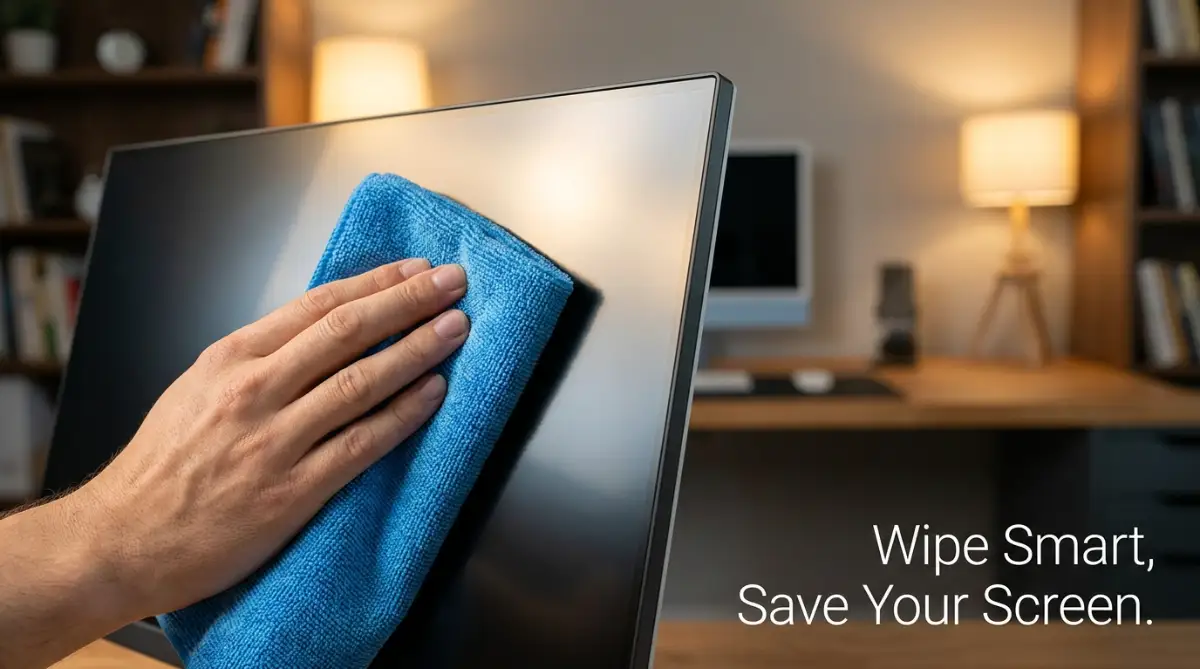
Your 60-Second Screen Cleaning Cheat Sheet:
- Turn it off first: Never clean a warm, powered-on monitor. Heat makes liquids evaporate way too fast and leaves terrible streaks.
- Dry sweep before you wipe: Lightly wipe away loose dust with a dry microfiber cloth before you add any wet liquids.
- Ditch the tap water: Only use 100% pure distilled water to avoid crusty mineral spots on your plastic display.
- Spray the cloth, not the screen: Never spray liquid directly onto your monitor. It can drip down into the bottom frame and cause a permanent short circuit.
Why Modern Displays Are Shockingly Fragile
Before we look into the actual cleaning process, you really need to understand what you are touching. When you press your finger against a modern computer screen, you are not touching a solid, durable piece of thick glass. You are actually interacting with a highly engineered, microscopic layer of synthetic plastics and chemical coatings.
Most premium monitors today use special anti-glare or anti-reflective treatments on the very top layer. This specific coating is extremely soft and incredibly sensitive to physical pressure. It is designed to scatter ambient room light so you can comfortably work without seeing your own reflection. However, this same amazing technology makes the surface a magnet for natural skin oils, airborne dust, and accidental sneeze droplets.
If you look at a simple paper towel under a powerful microscope, it does not look soft at all. It looks like a messy web of sharp, rough wood fibers. When you rub those sharp wood fibers against a soft anti-glare coating, it acts exactly like light sandpaper. You might not see the damage after the first wipe, but the micro-scratches will definitely accumulate over time.
The Hidden Dangers of Household Chemicals
Physical scratching is only one part of the danger. The liquids you use can actually dissolve the monitor completely. The vast majority of standard household glass cleaners contain harsh chemicals like ammonia, heavy alcohol, and strong artificial fragrances. These chemicals are absolutely fantastic for cleaning your bathroom mirror or your kitchen windows.
However, they are completely devastating to delicate monitor screens. When ammonia touches an anti-reflective coating, it immediately begins a harsh chemical reaction that breaks down the protective layer. This creates ugly, cloudy patches on your display that look like permanent water stains. Once this chemical burn happens, the screen is permanently ruined and cannot be restored.
Myth vs. Reality: Screen Cleaning Products
- The Big Myth: Windex or standard bathroom glass cleaners are perfectly safe for my computer setup.
- The Reality: Standard glass cleaners are packed with ammonia. Ammonia actually melts the synthetic anti-glare layer on your screen, leaving permanent cloudy chemical burns. Always check the label—if it is made for windows, keep it far away from your computer!
Even simple tap water carries hidden dangers that most people completely ignore. Normal tap water is absolutely packed with microscopic minerals like calcium, heavy magnesium, and chlorine. When you wipe your screen with tap water, the moisture eventually evaporates into the air. But those heavy minerals stay behind, drying into hard, crusty white streaks across your display.
The Ultimate, Zero-Damage Cleaning Protocol
Now that we understand the hidden risks, it is time to look at the exact scientific method for safely maintaining your tech. This is not just a random collection of tips. This is a deliberate, highly careful process designed to protect your expensive hardware investment while keeping your workspace completely flawless.
Step 1: Cooling Down the Pixels Before Touching
This is the very first thing you must always do, yet almost everyone forgets it entirely. You absolutely must turn off your monitor and let it sit for at least ten to fifteen minutes. Modern displays generate a surprising amount of internal heat, especially if you are working with high brightness levels or running heavy applications.
Cleaning a warm screen is a massive mistake. If you apply any sort of moisture to a hot display, the liquid will evaporate far too quickly. This rapid evaporation traps smudges and leaves terrible streaks behind before you even have a chance to wipe them away. Furthermore, a completely black, powered-off screen makes it infinitely easier to spot hidden dust particles and oily fingerprints.
Turning off the power also completely eliminates any static electricity buildup on the surface of the plastic. Static electricity actually pulls microscopic dust particles straight out of the air and glues them to your screen. By cutting the power, you release this magnetic grip, making the physical cleaning process much smoother and safer.
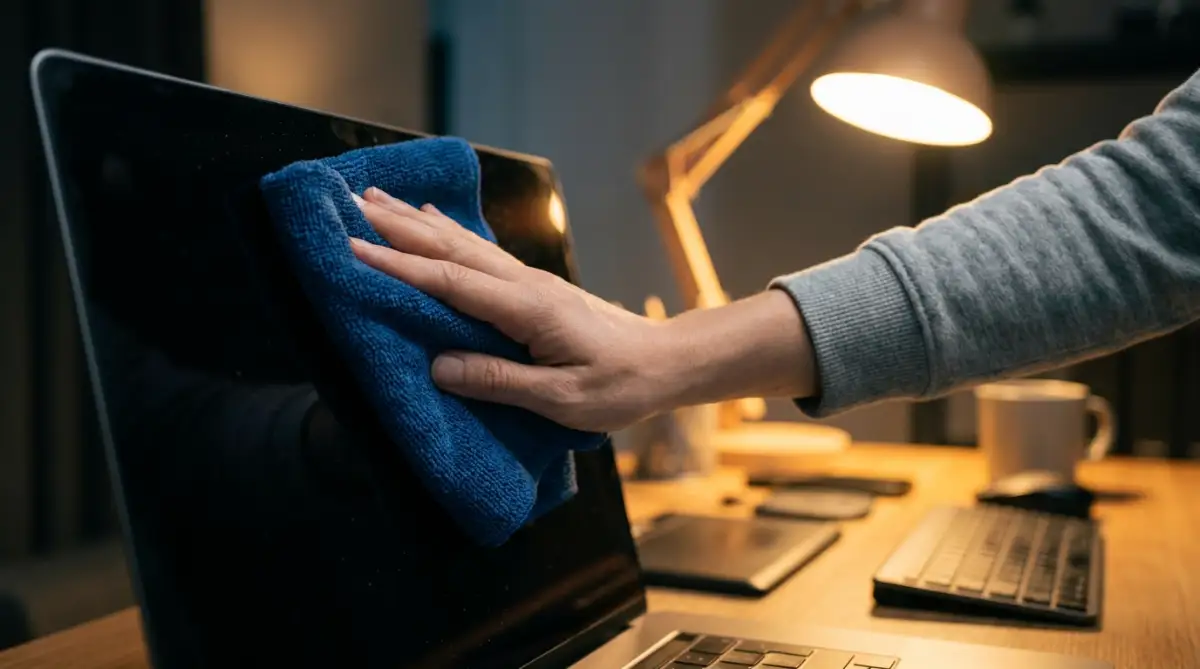
Watch Exactly How to Prep Your Screen Before Cleaning!
If you want to see a visual demonstration of the perfect screen preparation process, this expert breakdown shows you exactly what to look for.
Step 2: The Gentle Dry Sweep Method
Never start your cleaning process with a wet cloth. Your screen is likely covered in tiny, invisible pieces of sharp dust and hard microscopic debris. If you immediately press a wet cloth into this dusty surface, you will just drag those sharp particles across the soft plastic coating. This creates the exact micro-scratches we are trying to avoid.
You need a high-quality, completely clean microfiber cloth designed specifically for optical lenses or delicate screens. Do not use the thick, fluffy microfiber towels meant for drying cars, as they can easily trap large particles of dirt. You want a tightly woven, silky-smooth microfiber cloth, similar to what you get when you buy an expensive pair of prescription eyeglasses.
Gently drape the clean microfiber cloth over your hand and lightly sweep it across the entire display. Do not apply any pressure at all with your fingers. Let the natural weight of the soft cloth do all the heavy lifting. Move in straight, slow lines from the left side of the monitor to the right side, gently pushing the loose dust off the edge of the bezel.
Step 3: Mixing the Perfect Safe Cleaning Solution
If the gentle dry sweep removed all the dust but left behind oily fingerprints, we need to introduce a safe liquid. Remember, tap water is full of hard minerals, and household cleaners are full of aggressive chemical acids. The absolute safest liquid you can ever use on a delicate monitor screen is pure, 100% distilled water.
Distilled water has been scientifically boiled into vapor and condensed back into liquid form. This unique process strips away every single mineral, chemical, and hidden impurity. It is basically thirsty water that safely lifts away oils without leaving any hard mineral streaks behind. You can easily buy a large jug of pure distilled water at almost any local grocery store for a very low price.
Why Tap Water is the Ultimate Enemy:
| Liquid Type | What is actually inside? | End Result on Your Screen |
| :--- | :--- | :--- |
| Tap Water | Calcium, chlorine, and hard minerals | Crusty white streaks and tiny scratches |
| Filtered Water | Fewer chemicals, but still holds minerals | Mild cloudy spots that are hard to wipe off |
| Distilled Water | 100% pure, boiled and vaporized H2O | Flawless, streak-free finish every single time |
If you are dealing with incredibly stubborn, sticky messes that pure water cannot remove, you can create a highly diluted custom mixture. Mix perfectly equal parts of pure distilled water and simple white vinegar in a small, clean spray bottle.
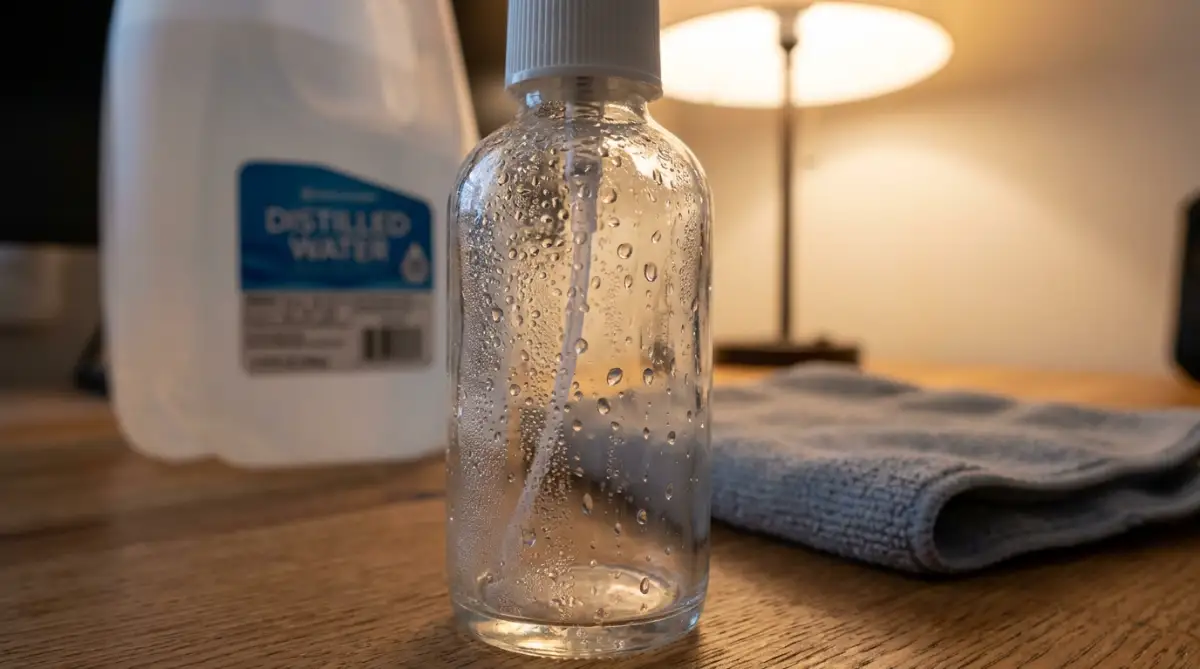
The natural acidity of the white vinegar is gentle enough for screen plastics but powerful enough to break down sticky organic residues.
My Personal Realization on Screen Maintenance
I used to think that applying extreme pressure was the only way to get rid of a tough, oily smudge. I would push my thumb aggressively into the screen until the panel actually flexed backward. I quickly learned that this extreme pressure actually damages the liquid crystals living inside the monitor, creating dead pixels that never light up again. The real secret is entirely about letting the right liquid gently break down the oil, rather than trying to forcefully scrape it away with your muscles.
Step 4: The Two-Cloth Wiping Technique
Now it is time to actually remove those stubborn fingerprints without causing any permanent harm. You will need two completely separate, perfectly clean optical microfiber cloths for this specific phase. One cloth will act as your damp lifter, and the other cloth will be your dry polisher.
Never, ever spray your cleaning liquid directly onto the monitor screen itself. Liquid can easily run down the front of the smooth glass and seep straight into the bottom bezel. Once moisture gets inside the internal electrical components, it will cause a permanent short circuit and completely destroy the device.
Instead, gently spray one or two light mists of your distilled water directly onto your first microfiber cloth. The fabric should feel slightly damp to the touch, but it should never be dripping wet. Gently press this damp cloth against the smudge and wipe using broad, smooth, overlapping circular motions.
Immediately follow up with your second, completely dry microfiber cloth. Lightly buff the exact same area using the same gentle circular motions until the remaining moisture completely vanishes. This fast, two-step system prevents any streaks from drying onto the surface and leaves your premium display looking like it just came out of the original factory box.
Myth vs Reality: Common Screen Care Mistakes
There is an enormous amount of terrible advice floating around the internet regarding tech maintenance. Many popular "life hacks" will actually destroy your expensive equipment in a matter of seconds. Let's look at some of the most common myths and completely expose the hidden dangers behind them.
Understanding the Importance of Environmental Control
You can actually reduce the number of times you need to clean your monitor simply by controlling your immediate environment. A massive portion of screen dust actually comes from dead skin cells, pet hair, and tiny fabric fibers floating through your home office. By maintaining a clean surrounding workspace, your screen will naturally stay cleaner for much longer periods.
Consider placing a small, high-quality HEPA air purifier somewhere near your computer desk. This machine will actively pull floating dust particles right out of the air before they ever get a chance to settle on your delicate monitor. It is an amazing passive defense system that protects both your expensive tech and your own respiratory health.
You should also train yourself to never point directly at your screen with your bare fingers. Human skin is naturally covered in a constant layer of microscopic sweat and natural body oils. Every single time you tap your monitor to show something to a friend, you are stamping a permanent oil mark onto the fragile plastic. Use a designated pointing stick or simply point with the back end of a dry pen to keep your display completely safe.
What Happens If You Already Have Scratches?
If you are reading this guide because your display already has a few unfortunate micro-scratches, you need to stay calm. There are many dangerous rumors online claiming that you can easily polish out screen scratches using standard bathroom toothpaste or baking soda. You must never attempt this dangerous internet trick under any circumstances.
Toothpaste contains heavy abrasive compounds designed to aggressively scrub hard enamel from human teeth. If you rub toothpaste into a monitor scratch, it will completely destroy the surrounding anti-glare coating and make the damaged area look ten times worse. You will turn a tiny, almost invisible scratch into a massive, cloudy white blur right in the center of your vision.
The honest truth is that you cannot physically repair a scratch on a synthetic monitor coating. However, you can significantly minimize the visual distraction by making sure the screen is completely free of surrounding dust and oils. A perfectly clean display reflects ambient light much more evenly, which naturally helps to hide the appearance of existing microscopic damage.
Next-Level Maintenance Strategies for a Flawless Display
Getting your screen perfectly clean is only half the battle when it comes to long-term tech care. You also need to know exactly how to maintain that beautiful, factory-fresh appearance over the coming months. I have spoken with multiple professional hardware technicians who constantly deal with damaged panels. They all agree that building a proper maintenance routine is the only way to genuinely protect your expensive hardware.
One of the biggest secrets actually has nothing to do with the monitor itself, but rather how you treat your cleaning tools. Your microfiber cloth is a delicate tool that requires its own specific cleaning routine. Over time, these cloths absorb massive amounts of natural skin oils, airborne dirt, and sticky dust particles. If you keep using a dirty cloth, you are simply dragging old, abrasive dirt back across your fragile display.
You should ideally wash your optical cleaning cloths after every three or four heavy uses. However, you must never wash them with your regular laundry or use standard fabric softeners. Fabric softeners work by coating materials in a thin, greasy chemical layer that makes clothes feel fluffy. If that greasy chemical transfers to your monitor, it will create a terrible cloudy smear that is incredibly difficult to remove.
Instead, hand wash your microfiber tools in a clean sink using a few drops of mild, unscented dish soap. Rinse them repeatedly with warm water until the water runs completely clear, ensuring no soap residue is left behind. Finally, hang them up to air dry completely in a dust-free area instead of tossing them into a heated mechanical dryer.
The Flashlight Inspection Trick
Even when you think you have done a perfect job, invisible streaks often hide in plain sight. Normal overhead room lighting rarely hits your display at the correct angle to reveal oily smudges. To guarantee a truly flawless finish, you need to use a dedicated, directional light source. This is a trick used by professional display calibrators when setting up high-end graphic design studios.
Turn your monitor completely off so the screen is deep black and highly reflective. Take your smartphone, turn on the built-in LED flashlight, and shine it across the screen from a sharp side angle. This harsh directional light will instantly illuminate every single missed fingerprint, dust particle, and dried water spot.
Once you identify the exact location of the hidden smudges, you can gently spot-clean those specific areas. This prevents you from unnecessarily wiping the entire panel over and over again, which minimizes the overall physical friction. By reducing friction, you actively extend the lifespan of the fragile anti-reflective screen treatments designed to reduce eye strain.
Protecting the Fragile Edge Bezels
Most people focus entirely on the center of the glass and completely forget about the outer edges. Modern displays feature ultra-thin, almost invisible bezels that sit completely flush with the main glass panel. These microscopic gaps between the frame and the screen are massive traps for stubborn dirt and liquid. If you accidentally spray moisture directly onto the glass, gravity will pull that liquid straight down into these vulnerable gaps.
Once liquid sneaks past the outer plastic frame, it travels directly into the internal electrical ribbons that power the liquid crystals. This is exactly how permanent vertical dead pixel lines form across a previously healthy display. If you are ever dealing with major liquid tech accidents, like when you have dropped your phone in water, you know that moisture is the ultimate enemy of internal electronics.
To clean the extreme edges of your monitor, wrap your damp microfiber cloth around the flat end of a wooden cotton swab. Gently glide this soft, precise tool along the corners and extreme borders to pick up trapped dust without risking any moisture damage. This extreme level of precision ensures zero liquid ever gets anywhere near the sensitive electrical housing.
Setting Up a Tech-Safe Environment
Your surrounding environment plays a massive role in how often you actually need to wipe down your gadgets. If you are eating greasy food at your desk or burning heavy candles, airborne particles will instantly stick to your screen. Creating a clean workspace naturally reduces your daily maintenance workload and keeps your expensive investments totally safe.
I highly recommend keeping a dedicated, enclosed storage pouch specifically for your clean microfiber tools. Leaving your cloths sitting openly on your desk allows them to collect random room dust while you are not looking. When you are focused on essential habits for remote workers, keeping your physical workspace sanitized should be right at the top of your priority list.

The Most Dangerous Tech Care Mistakes
It breaks my heart when I see someone casually destroy a beautiful piece of modern technology out of simple ignorance. We are constantly trained by television commercials to aggressively spray blue chemical liquids onto every single glass surface in our homes. But treating a premium gaming monitor like a cheap bathroom mirror is a guaranteed recipe for immediate disaster. Let us walk through the most devastating mistakes you must avoid at all costs.
The Paper Towel Catastrophe
The most common mistake people make happens strictly out of sheer convenience and laziness. You see a smudge on your screen, so you run to the kitchen, tear off a piece of dry paper towel, and scrub the glass. While a paper towel feels soft against your skin, it is entirely made of heavily processed, dry wood pulp.
Rubbing processed wood fibers against a synthetic plastic coating is literally no different than using light sandpaper. The first time you do this, you might not notice the microscopic scratches hiding in the anti-glare layer. But after a few months of this terrible habit, your display will develop a cloudy, permanently scratched circle right in the center of the screen.
These scratches capture the sunlight pouring into your room and scatter it unevenly, destroying your color accuracy and visual clarity. Once you physically scrape away this top chemical layer, absolutely nothing can bring it back. You cannot simply polish out the damage like a minor car scratch, meaning your expensive investment is forever ruined.
The Chemical Melting Effect
Using generic household glass cleaner is probably the fastest way to instantly void your manufacturer warranty. Standard window cleaners rely heavily on strong ammonia and heavy alcohol to quickly dissolve tough outdoor grime. According to major display manufacturing standards, these aggressive chemicals will literally melt the synthetic polymers used on modern monitor surfaces.
I once had a friend who sprayed heavy glass cleaner directly onto his brand-new editing monitor before a big project. Within twenty seconds, the harsh ammonia reacted with the screen coating and left a massive, cloudy chemical burn running down the right side. He thought he could just wipe it away with a wet cloth, but the actual plastic structure of the screen had been permanently eaten away.
If you value your devices, you must treat them with the utmost care and respect. We spend so much time thinking about digital protection, like setting up robust smart home security, but we completely ignore basic physical hardware safety. Always read the warning labels on your cleaning supplies, and never let ammonia anywhere near your personal electronics.
Pushing Past the Breaking Point
Another major pitfall is applying heavy physical pressure when trying to remove a stubborn, dried-on spot. Sometimes a tiny droplet of soda or coffee splashes onto your display and dries into a hard, sticky crust. The natural human instinct is to push your thumb heavily into the cloth and aggressively scrub the spot until it vanishes.
Pressing firmly into an LCD or OLED panel physically crushes the fragile liquid crystals resting just underneath the plastic layer. These crystals require a very specific amount of breathing room to shift colors and display accurate images. When you forcefully compress them, they can easily burst or get permanently stuck, resulting in a cluster of glowing dead pixels.
You should never apply more pressure to your screen than you would apply to your own closed eyelid. If a sticky spot refuses to come off with gentle circular motions, you simply need a slightly more diluted vinegar mixture. Patience and the right gentle liquid will always solve the problem without risking permanent structural damage to your hardware.
Your Weekend Maintenance Blueprint
Maintaining an absolutely flawless, scratch-free workspace does not require hours of exhausting daily labor. It simply requires you to adopt a few smart, deliberate habits that protect your gear from accidental harm. By shifting your mindset from aggressive scrubbing to gentle lifting, you will instantly extend the visual lifespan of all your favorite gadgets.
Make it a habit to perform a gentle dry sweep every single Sunday evening before starting your new work week. Turning off your monitors, grabbing a clean optical cloth, and removing the weekly dust takes less than two minutes. This tiny weekly ritual prevents heavy buildup and keeps your environment looking incredibly professional.
If you happen to manage a complex desk setup while working with global clients, having a clean screen massively reduces your daily eye strain. A perfectly clean display means sharper text, more vibrant colors, and significantly fewer annoying light reflections hitting your eyes. Your digital workspace should feel like a premium, comforting environment that genuinely supports your daily workflow.
Remember to take proper care of your cleaning supplies just as much as you care for your computer. Keep your distilled water tightly sealed, wash your cloths regularly without softeners, and never share your dedicated monitor cloth for other household chores. Consistency is the absolute secret to keeping your premium technology looking brand new for years to come.
I really hope this guide helps you avoid the terrifying mistakes I made when I first started buying premium tech. Taking just a few extra minutes to clean things the right way will save you so much frustration and money down the road. Treat your beautiful screens with the gentle care they deserve, and they will give you a flawless viewing experience every single day!
Frequently Asked Questions About Display Care
Can I use wet wipes or baby wipes on my computer display?
You should never use standard baby wipes or antibacterial hand wipes on any delicate technology. These products contain moisturizing skin lotions, heavy alcohol, and artificial fragrances that will leave a permanent greasy smear on your glass. Always stick to pure distilled water and a high-quality, perfectly clean microfiber cloth.
What should I do if a bug gets squashed on my screen?
Do not try to aggressively scrape a dried bug off your monitor with your fingernail. Lightly dampen a small corner of your microfiber cloth with a diluted white vinegar mixture and gently hold it over the spot for ten seconds. The mild moisture will naturally soften the organic material, allowing you to wipe it away with zero heavy pressure.
How do I safely clean my laptop keyboard without ruining the screen?
Keyboard oils constantly transfer onto laptop screens whenever you close the lid for the day. To prevent this, always wipe down your keyboard keys with a separate, slightly damp cloth before closing your computer. You can also place a thin, clean microfiber sheet over the keyboard before shutting the laptop to act as a safe physical barrier.
Is it safe to use a vacuum cleaner to remove heavy screen dust?
Using a household vacuum cleaner near sensitive electronics is incredibly dangerous and highly discouraged. Vacuums generate massive amounts of invisible static electricity that can easily arc into your device and destroy the internal motherboard. Always use a gentle, dry optical cloth to safely sweep dust off the edges instead of relying on heavy suction power.
Can I use standard eyeglass cleaning sprays on my gaming monitor?
Not all eyeglass cleaners are created equal, and many contain mild detergents that might react badly with specific anti-glare screen treatments. If you want to be completely safe, check the official monitor care guidelines from your specific device manufacturer. However, mixing your own pure distilled water is always the safest and most affordable option available.
Disclaimer: The information provided in this article is for general educational and informational purposes only. While I strive to provide accurate and up-to-date tech maintenance tips based on professional recommendations, individual device specifications and manufacturer warranties may vary greatly. Always consult your specific product manual or contact the official manufacturer support team before applying any cleaning solutions to your personal electronics. The author and publisher are not responsible for any accidental damage, loss of warranty, or hardware malfunction resulting from the application of these methods.