How My "Smart" Gadget Almost Ruined My Focus (And How I Fixed It)
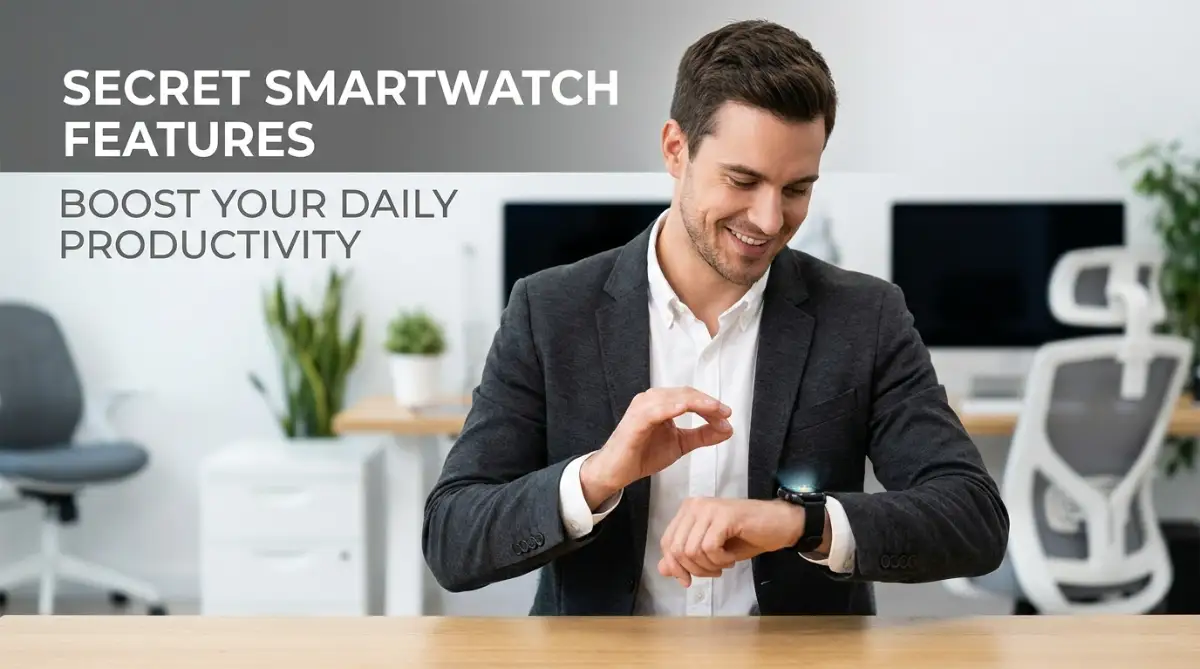
You know that feeling when you buy a new gadget thinking it will magically fix your chaotic life? Yeah, I fell for that too. I strapped this shiny notification machine to my wrist, and within three days, my stress levels were off the charts. But before throwing it in a drawer, I found a few hidden settings that actually turned it into the silent, helpful personal assistant I originally paid for.

Instead, my shiny new gadget quickly turned into a relentless distraction machine. Every five minutes, a tiny buzz would pull my attention away from the important work sitting right in front of me.
I found myself glancing down at useless promotional emails while trying to have a quiet dinner with my family. My stress levels went through the roof because I always felt like someone, somewhere, was demanding my immediate attention.
The very device I bought to organize my life was actually destroying my daily peace of mind. I could not read a book for ten minutes without my wrist vibrating over a random social media notification.
I honestly got so frustrated that I almost threw the watch in a dark drawer and gave up on smart wearables altogether. It felt like I had paid good money just to strap a tiny anxiety-inducing robot directly to my body.
But before giving up entirely, I decided to dig deep into the hidden settings menu that most of us never bother to check. I realized that out of the box, these devices are designed to steal your attention, not protect it.
When you lose your focus, a ten-minute job suddenly stretches into an exhausting hour of disjointed effort. This constant context-switching makes your brain incredibly tired long before the workday is even over.
The good news is that you can completely reverse this situation right now. You do not need to buy a new device or download expensive third-party apps to fix this problem.
Your watch already has incredibly powerful tools built right into its core software to help you take back control. You just need to know exactly where to find them and how to set them up properly.
Let me show you exactly how to transform your annoying notification machine into a silent, highly effective personal assistant.
Myth vs. Fact: The Smartwatch Distraction Trap
- The Myth: You need all notifications turned on so you never miss an emergency.
- The Fact: You can easily set VIP contacts (like family or your boss) to bypass silent modes. This means you will still get the call for a real emergency while blocking 99% of useless app spam.

Quick Takeaways for Your Digital Reset:
- Turn off the "Mirror Everything" setting to instantly cut out 90% of your daily wrist distractions.
- Use silent, haptic alarms for a smoother, distraction-free work timer.
- Treat "Theater Mode" as your absolute secret weapon for deep focus and face-to-face meetings.
- Use voice memos directly on your wrist to clear your brain without ever touching your phone.
Unlocking the Hidden Tools Already Sitting on Your Wrist
Most people only use about ten percent of what their wearable technology can actually do. We track our steps, check the time, and read text messages, completely ignoring the advanced settings hidden underneath.
By making a few simple tweaks, you can completely change how you interact with your technology daily. Let us walk through some incredibly practical ways to make your watch work for you, instead of against you.
Setting Up Silent Haptic Timeboxing for Unbroken Concentration
Time management experts always recommend breaking your day into focused blocks of work. You pick a single task, set a timer for twenty-five minutes, and work without stopping until the alarm goes off.
This method is amazing for getting things done, but using your phone as the timer creates a massive trap. The second you pick up your phone to start the timer, you see three new text messages and immediately lose track of your goal.
This is where the hidden power of your smartwatch comes in to save the day. You can easily set up silent, haptic-only alarms directly on your wrist to manage your work sessions.
A haptic alarm does not make any loud, stressful noises that disrupt your working environment or annoy your coworkers. Instead, it just gives your wrist a gentle, silent tap to let you know your focus session is complete.
This completely removes your smartphone from the equation, keeping your eyes away from addictive social media apps. You simply tell your watch to start a timer, put your head down, and wait for the silent tap.

The Real-Life Benefit of Silent Timers
Think about a time when a loud, blaring phone alarm suddenly jolted you out of a really good flow state. That sudden loud noise causes a tiny spike in cortisol, which instantly breaks your concentration and makes you feel slightly stressed.
By switching strictly to haptic feedback, your body stays relaxed while your mind stays completely sharp. You can seamlessly transition between working and taking short breaks without any jarring interruptions.
My 3-Minute Silent Setup Checklist:
- Open your watch settings and tap "Sound & Vibration."
- Turn the system volume all the way down to zero.
- Set the vibration strength to "High" or "Prominent."
- Turn on "Vibrate on Silent" so your timers still tap your wrist gently.
I use this exact method when I am writing long articles or reviewing complex documents. I set a simple thirty-minute silent timer, ignore the rest of the world, and let my wrist gently guide my schedule.
The "Theater Mode" Hack for Instant Distraction Blocking
Almost every modern smartwatch has a setting called "Theater Mode" or "Cinema Mode" hidden in the quick settings panel. It was originally designed to keep your screen dark while you are sitting in a dark movie theater.
However, this simple little button is actually the ultimate secret weapon for deep, focused work. When you activate this mode, your screen will not turn on even if you move your wrist or receive a notification.
Normally, whenever your watch vibrates, your natural human reflex is to instantly turn your wrist and look at the screen. That half-second glance is all it takes to completely derail your train of thought and ruin your focus.
Why Screen Wake is Destroying Your Attention Span
Every time a glowing screen lights up in your peripheral vision, your brain naturally stops what it is doing to process the new information. Even if you choose to ignore the message, part of your mental energy has already been wasted.
Theater mode completely stops this automatic visual distraction dead in its tracks. If a message comes through, the screen stays perfectly black, allowing you to easily ignore it until you are ready.
This is especially helpful when you are having an important face-to-face conversation with someone. There is nothing ruder than an illuminated screen constantly flashing on your wrist while someone is trying to talk to you.
I use Theater Mode during every single important meeting, deep work session, and family dinner. It gives me the freedom to wear my watch without becoming a slave to its bright, flashy screen.
I used to leave my screen set to "always-on" because I thought it looked much cooler and more like a traditional watch. But turning that feature off and relying on Theater Mode when working literally gave me back hours of lost concentration every single week. My battery life also doubled, which was a fantastic accidental bonus!
Turning Your Watch into a Frictionless Second Brain
Have you ever had a brilliant idea while taking a walk, only to completely forget it by the time you got home? Or maybe you remembered an important grocery item while washing the dishes, but your hands were too wet to grab your phone.
We lose hundreds of great ideas and important tasks simply because writing them down is too inconvenient in the moment. Trying to remember everything creates a massive amount of mental clutter, which naturally increases daily anxiety.
Your smartwatch is secretly the best tool in the world for fixing this specific problem. Almost all of them have a built-in voice memo or digital assistant feature that requires exactly zero typing.
Clearing Your Mental RAM on the Go
In psychology, there is a concept explaining how unfinished tasks tend to stay stuck in your memory, distracting you from your present work. Your brain keeps reminding you about the milk you need to buy, preventing you from focusing on your current project.
The easiest way to silence these nagging thoughts is to immediately capture them in a trusted system outside of your head. You can program one of the physical buttons on your watch to instantly open an audio recording app.
When a random task pops into your head, you just press the button, speak your thought aloud, and let it go. The watch automatically transcribes your voice into text and syncs it directly to your phone's note-taking app.
Look at how simple this process can be to implement right now:
Here is a brilliant video that perfectly explains how to set up these instant voice captures to clear your mind. Take a quick look at this setup to see how easily you can capture fleeting ideas without ever touching your smartphone!
This completely removes the friction of having to unlock your phone, open an app, and type with your thumbs. You just speak into your wrist like a secret agent and immediately go back to whatever you were doing.
I use this feature constantly when I am driving, cooking, or walking on the treadmill. It feels incredibly freeing to know that my ideas are safely saved without me having to hold onto them in my brain.
Using Biometric Reminders to Prevent Afternoon Burnout
Most productivity advice focuses entirely on managing your time, but true efficiency is actually about managing your physical energy. You cannot force yourself to do great work if your body is completely exhausted and dehydrated.
We often get so caught up in answering emails that we sit frozen in our chairs for four hours straight. By the time the afternoon rolls around, we suffer from massive brain fog and cannot get anything done.
Your wearable gadget is continuously monitoring your heart rate, movement, and physical state throughout the entire day. You can use this hidden data to stop the afternoon crash before it even happens.
The Science Behind Scheduled Physical Resets
When you sit completely still for long periods, the blood flow to your brain naturally begins to slow down. This lack of circulation makes it significantly harder to solve complex problems or think creatively.
You can set up custom movement reminders that track exactly how long you have been sitting in your chair. Instead of a generic hourly beep, configure the watch to only alert you if you have been completely inactive for fifty minutes.
When you feel that specific vibration on your wrist, you must treat it as an unbreakable rule to stand up. Walk to the kitchen, drink a large glass of water, and stretch your legs for just two minutes.
That tiny break forces fresh blood back into your brain and physically resets your posture. You will return to your desk feeling noticeably sharper and much more prepared to tackle the next big task.
Many devices also have a hidden hydration tracking face that you can add right next to the clock. Seeing a visual ring that tracks your daily water intake makes drinking enough water feel like a fun daily game.
Staying properly hydrated is scientifically proven to improve mood, memory, and cognitive performance. Letting your wrist gadget manage this basic biological need frees up your mind to focus heavily on your actual work.
Automating Quick Replies to Protect Your Time
Text messages are the absolute enemy of a productive workday. Whenever someone texts you a simple question, pulling out your phone to answer it often leads to twenty minutes of doom-scrolling.
You open the phone to reply with a simple "yes", and suddenly you are checking the news and browsing social media. Your smartwatch has a highly underutilized feature called custom quick replies that completely stops this bad habit.
Instead of relying on the generic default responses like "Okay" or "Call you later", you can write your own custom templates. You just go into the companion app on your phone and create highly specific responses that fit your normal daily conversations.
Building Your Own Text Shortcuts
For example, I have a custom reply that says, "I am in deep work mode right now, I will review this at 4 PM." Another one simply says, "Received, adding this to my daily task list now."
When a message comes in that needs a quick acknowledgment, I can respond perfectly with one single tap on my wrist. The other person feels respected because they got an instant reply, and I never had to touch my smartphone.
This simple boundary creates a massive protective wall around your most productive hours. You are essentially using the watch as a digital secretary to handle low-level communication while you do the real heavy lifting.
By completely removing the phone from the texting process, you eliminate the temptation to open other distracting applications. It keeps your brain firmly planted in the task at hand while still maintaining your important daily relationships.
It takes less than five minutes to set up these custom messages, but it will literally save you hours of wasted time every month. Start paying attention to the phrases you type most often, and turn them into single-tap wrist commands today.
Master-Level Strategies for Sustained Daily Focus
Once you have mastered the basic settings, it is time to turn your wearable device into an advanced personal assistant. Most people set up their gadget on the first day and never touch the configuration menus ever again.
This is a massive missed opportunity for long-term efficiency. By setting up dynamic, changing environments on your wrist, you can train your brain to naturally switch into work mode.
Let us look at some truly powerful strategies that professionals use to stay sharp all day long. These methods require a little bit of initial setup, but they pay off massively in the long run.
The Psychology of Contextual Watch Faces
Your brain strongly associates visual cues with specific physical behaviors and mental states. When you put on gym clothes, your mind naturally prepares for physical exertion and exercise.
You can use this exact same psychological trick with the digital face displayed on your wrist gadget. Having the same busy, data-heavy screen active twenty-four hours a day is incredibly overwhelming for your mind.
Instead, I highly recommend creating two completely different customized faces based on your current physical location. Set up a strict "Office Face" that only displays a minimal clock and your next calendar appointment.
Remove the weather widget, the fitness rings, and any colorful background images during your professional hours. A clean, boring screen removes the temptation to play with the device when you should be concentrating.
Once your workday is over, you can automatically switch to a "Home Face" featuring a photo of your family and your daily step count. This simple visual change acts as a mental boundary, helping you leave your office stress behind.
Automating Your Workflow with Hidden NFC Shortcuts
This is a brilliant trick that almost nobody knows about, and it feels like absolute magic when you use it. Modern smart wearables have tiny built-in chips designed to read Near Field Communication (NFC) tags.
You can buy a pack of cheap, blank NFC stickers online and place them around your house or office. By holding your wrist near one of these stickers, you can instantly trigger a chain of automated actions.
For example, you can stick a tiny tag right on the corner of your main working desk. When you sit down to work, you simply tap your wrist against the desk edge.
This single tap can automatically silence your phone, start a focus timer, and open your daily project list. Setting up these physical triggers makes securing your smart home environment and managing your daily routines incredibly seamless.
You never have to dig through complex menus or open any applications manually. It completely removes the friction between deciding to work and actually starting the work.
Hacking Your Morning Routine with Sleep Phase Alarms
Productivity does not actually start when you sit down at your desk in the morning. Your ability to focus heavily depends on exactly how you woke up from your sleep cycle.
Traditional loud alarms wake you up forcefully, often interrupting a deep sleep phase and causing massive grogginess. Scientists call this disoriented feeling "sleep inertia", and it can ruin your mental clarity for several hours.
To understand how badly this impacts your brain, you can review the National Institute of Neurological Disorders and Stroke explanation of normal sleep cycles. Your tiny wrist gadget is uniquely equipped to solve this biological problem perfectly.
Because it monitors your heart rate and nighttime movement, it knows exactly when you are in a light, easily breakable sleep phase. You can set a "smart alarm" window between 6:30 AM and 7:00 AM.
The device will wait patiently until it detects you entering a light sleep stage within that timeframe. Then, it will wake you up with a soft, gentle vibration that mimics waking up naturally.
You will get out of bed feeling instantly refreshed, alert, and ready to tackle your hardest projects immediately. I have been using this specific method for months, and it has completely eliminated my need for three cups of morning coffee.
The Hidden Traps: How We Accidentally Sabotage Our Gadgets
Even with the best intentions, it is incredibly easy to misuse wearable technology and accidentally increase your daily stress. These devices are essentially tiny computers, and treating them exactly like smartphones is a guaranteed recipe for disaster.
If you do not set strict personal boundaries, your smart device will quickly turn into an annoying, demanding boss. Let us walk through the most common mistakes people make so you can easily avoid them.
The "Mirror Everything" Disaster
When you first pair a new wearable to your phone, the setup process usually asks if you want to mirror all notifications. Most people blindly click "Yes" because they think they might miss something important.
This single button click is the biggest mistake you can possibly make for your mental health. Your wrist will start buzzing for group chat memes, promotional retail emails, and useless game updates.
Every single buzz breaks your concentration, forcing you to mentally reset your current task. The American Psychological Association's research on multitasking clearly shows that this constant context switching destroys your cognitive ability.
Your brain physically tires out just from deciding whether a notification is important or not. You must aggressively turn off alerts for almost everything, leaving only direct phone calls and emergency calendar reminders active.
Understanding how managing background applications works on your main device will help you limit what gets pushed to your wrist. Your watch should be a strict VIP filter, not an open door for everyone to interrupt you.
Trying to Become a Tiny Screen Typist
Another massive pitfall is trying to use the watch to perform actual, complex work. The screen is barely two inches wide, yet people still try to type out long email replies on it.
I see people squinting at their wrists on the train, aggressively pecking at tiny digital keyboards. This process is painfully slow, highly frustrating, and usually results in embarrassing autocorrect mistakes.
Your smartwatch is designed for quick data triage, not deep content creation. When an email comes in, use the watch to quickly read the subject line and decide if it is urgent.
If it needs a detailed, thoughtful response, flag it and move to your actual computer later. Do not waste your valuable energy fighting with a tiny interface when you have better tools available.
Using the right tool for the job prevents your brain from feeling like a cooling down an overworked machine halfway through the afternoon. Keep your interactions with the watch under five seconds, or you are entirely defeating its purpose.
The Third-Party App Overload
Because app stores are heavily advertised, we often feel pressured to download dozens of productivity trackers onto our wearables. We install separate tools for water tracking, pomodoro timers, habit streaks, and mood logging.
Running all of these heavy applications simultaneously completely drains your device's battery by lunchtime. Instead of feeling productive, you just end up feeling anxious about finding a charging cable.
Furthermore, constantly interacting with poorly optimized tools increases the risk of software crashes. You should always be cautious about installing unverified third-party tools that slow down your system.
Stick to the native, built-in tools that came securely pre-installed on the device. They are highly optimized for your specific battery and usually perform the exact same functions much more smoothly.
Even when working remotely in isolated areas without a strong internet connection, the built-in native alarms and offline voice memos will always work perfectly. Keep your system as lightweight and simple as possible.
Your Personal Game Plan for Tomorrow
We have covered some incredibly practical ways to completely change your relationship with your digital wearable. The main goal here is to stop letting technology dictate your schedule and start using it to protect your peace.
You now know how to silence the unnecessary noise, use haptic feedback for deep work, and wake up feeling properly rested. Reading about these strategies is great, but taking immediate physical action is what will actually change your daily life.
I challenge you to treat tonight as a complete digital reset for your personal gadgets. Before you go to sleep, open the companion app on your phone and aggressively turn off ninety percent of your wrist notifications.
Set up a simple, clean display face that does not overload you with useless numbers and bright colors. Make sure you understand how safeguarding your personal data online works before syncing your new voice memos to the cloud.
A Final Personal Thought Before You Go
I used to honestly believe that being highly productive meant being available to everyone at every single second of the day. My wearable gadget initially made me a prisoner to my own inbox, draining my joy and creative energy. Taking back control of these hidden settings finally gave me the quiet mental space I desperately needed to do my best work. I know that if you apply just two of these small changes today, you will wake up tomorrow feeling incredibly empowered and ready to win your day.
Common Questions About Managing Smart Wearables
Will turning off notifications drain my battery faster?
No, it is actually the exact opposite! Every time your watch vibrates, lights up its screen, and connects to your phone, it consumes significant battery power. By turning off unnecessary alerts, you will easily extend your battery life by an entire day.
Can I still receive emergency calls if I use Theater Mode?
Yes, you absolutely can receive emergencies. Theater Mode mostly prevents the screen from waking up automatically when you move your arm. You can easily whitelist specific family members so their phone calls will always vibrate your wrist, even in focus modes.
Are sleep phase alarms genuinely better for your health?
Yes, waking up during a light sleep phase is highly recommended by medical professionals. The Cleveland Clinic's guide to digital eye strain and sleep hygiene highlights how abrupt awakenings cause severe mental grogginess. Your watch gently nudges you when your body is already naturally preparing to wake up.
Should I wear my watch tightly for the best heart rate tracking?
You should wear it snugly, but never tight enough to restrict your natural blood flow. If you take the watch off and see deep red marks on your skin, it is definitely too tight. A comfortable fit about one finger's width above your wrist bone provides the most accurate health data.
Does keeping the screen dark at night improve sleep quality?
Absolutely, a bright screen flashing in a dark room tricks your brain into thinking it is daytime. The Harvard Medical School on blue light explains how artificial light disrupts your natural melatonin production. Always use a dedicated sleep mode to keep your screen completely black while resting.
Disclaimer: The information provided in this article is for educational and informational purposes only. It does not constitute professional medical, psychological, or technical advice. Please consult with the official manufacturer’s manual for specific instructions regarding your personal electronic devices. We are not responsible for any issues resulting from device modifications.