The Terrifying Reality of a Connected Home
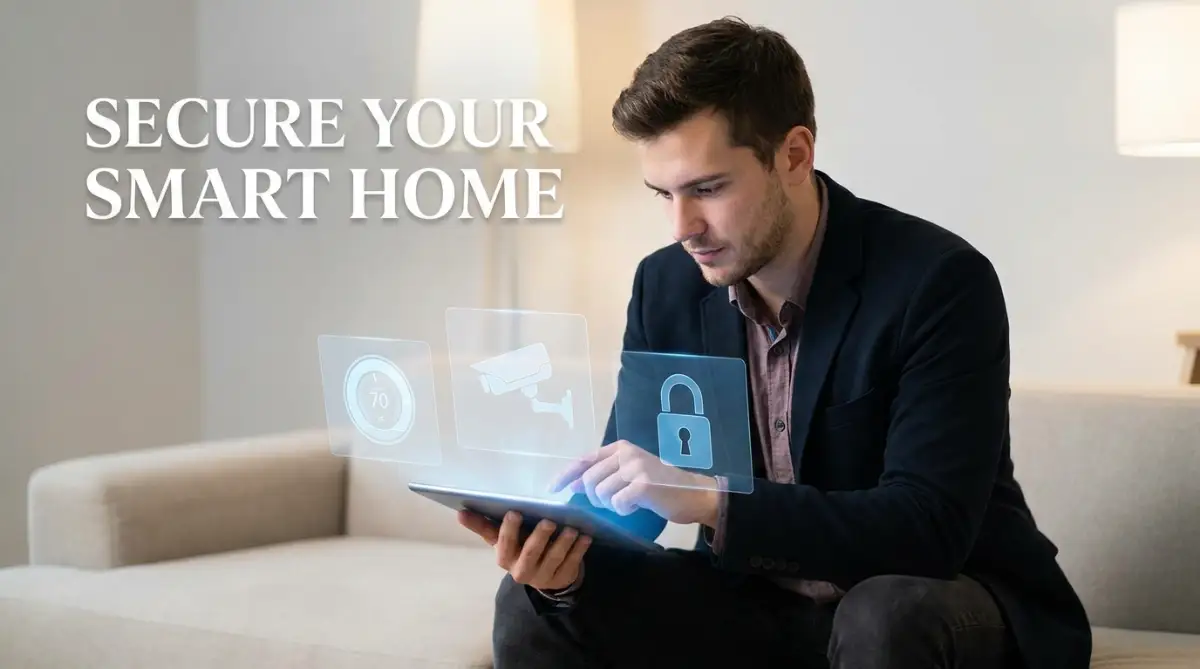
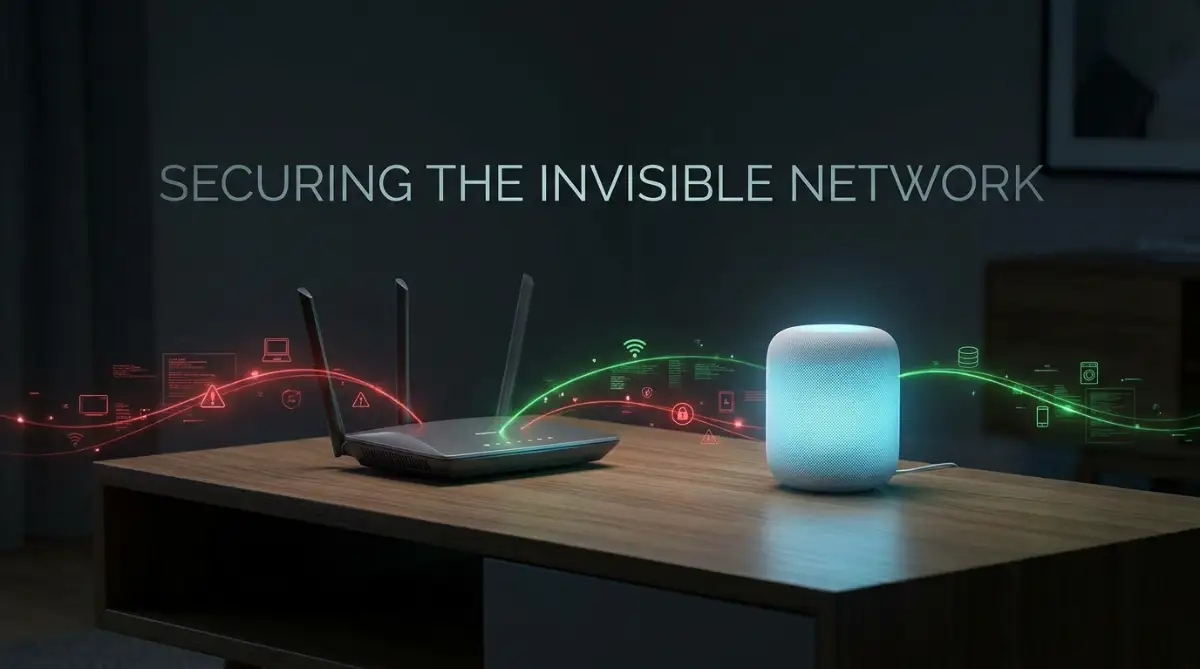
Imagine sitting in your living room late at night, and suddenly, the security camera in the corner softly clicks and turns directly toward you. You didn't move it. You didn't open the app. Someone else did. This isn't a scene from a horror movie; it is exactly what happens when you plug cheap smart gadgets into your home network without securing them first. Let's talk about how easily hackers use your new smart bulb to get into your bank account, and exactly how you can lock them out.
My heart completely dropped into my stomach during that moment. I realized right then that someone else was watching me inside my own living room. That single terrifying experience completely shattered my peace of mind and changed how I view technology. Your home is supposed to be your ultimate safe space, a place where you can finally relax away from the public eye.
But when unknown digital intruders silently slip into your network through a cheap smart bulb or a connected thermostat, that safety instantly disappears. People everywhere are inviting these digital Trojan horses into their bedrooms and kitchens without a single second thought. We plug in baby monitors and smart refrigerators just because they are heavily marketed as convenient lifestyle upgrades. We never actually stop to wonder who else might be listening to our private family conversations or watching our daily routines.
This constant background fear quietly drains your mental energy every single day. Instead of enjoying a relaxing evening, you are nervously unplugging devices or covering camera lenses before you go to sleep. You are supposed to own your gadgets, but suddenly it feels like they own and monitor you.
The saddest part is that most people have absolutely no idea how exposed their daily routines really are. A clever hacker can easily figure out exactly when you leave for work just by monitoring your smart thermostat's heating schedule.
Quick Security Checks (Do This Today):
- Change Default Passwords: Never leave a new gadget set to "admin123".
- Use the Guest Network: Put all your smart plugs and bulbs on your router's separate guest Wi-Fi.
- Update the Firmware: Hackers look for old software. Check your companion apps and tap update right now.
- Cover the Lens: When you are home, physically cover or turn your indoor cameras toward the wall.
How Everyday Gadgets Become Open Windows for Hackers
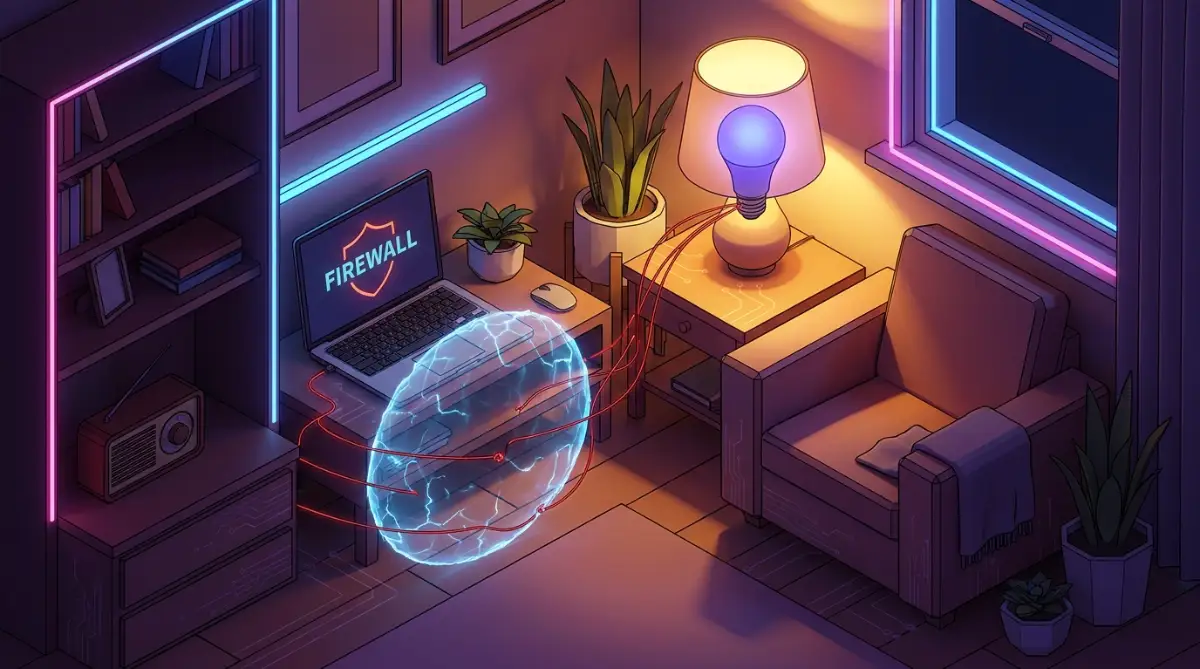
To actually fix this massive problem, we need to understand how these devices operate in the background. Think of your home Wi-Fi network as a highly secure digital fortress with a strong, heavy front door. Your laptop and your smartphone are usually locked securely behind this main door. However, every time you connect a new smart plug or an automated coffee maker, you are basically cutting a new window into your fortress walls.
These tiny smart gadgets are broadly known as the Internet of Things, or IoT devices. They are designed to be cheap, fast, and incredibly easy to set up for the average consumer. Because manufacturers want to keep the costs low, they often completely ignore basic cybersecurity protocols during the manufacturing process. They prioritize convenience over your personal digital safety.
When you buy a smart light bulb, it rarely comes with advanced encryption or a complex firewall. It just connects to your internet and waits for your commands. Hackers do not usually target your laptop directly anymore because laptops have strong antivirus software. Instead, they target the weakest link in your house, which is almost always a cheap smart gadget. Once they crack the password of your smart bulb, they are officially inside your home network.
The Massive Danger of Factory Default Passwords
One of the absolute biggest mistakes consumers make happens within the first five minutes of opening a new device. Almost every single smart home gadget comes with a factory default username and password. These default credentials are usually something incredibly simple, like "admin" for the username and "12345" for the password.
Manufacturers print these exact passwords in the instruction manuals and often publish them openly on their company websites. They expect you to change the password the moment you plug the device into your wall. Unfortunately, the vast majority of people completely skip this step because they just want the device to work immediately. Hackers use automated software programs to scan the internet for devices that still use these default passwords.
I used to think my home network was completely safe just because my main Wi-Fi router had a really strong password. My biggest mistake was forgetting that every single smart plug I connected also needed its own security check. Now, I never connect a new gadget without changing its factory default password first, even if it takes me a few extra minutes.
If a hacker finds your device and guesses the default password, they gain full administrative control over that gadget. From there, they can easily snoop on your network traffic and steal sensitive data passing through your router.
Myth vs Reality: The Truth About Smart Home Safety
There is a lot of confusing information online about what makes a home network truly secure. Let us clear up some common misunderstandings right now so you can make highly informed decisions. When you understand the actual reality, you can take control of your digital privacy without feeling overwhelmed.
As you can clearly see, assuming you are safe is the most dangerous thing you can do. You have to actively build digital walls around your devices to keep your family protected.
The Strategy of Network Segmentation
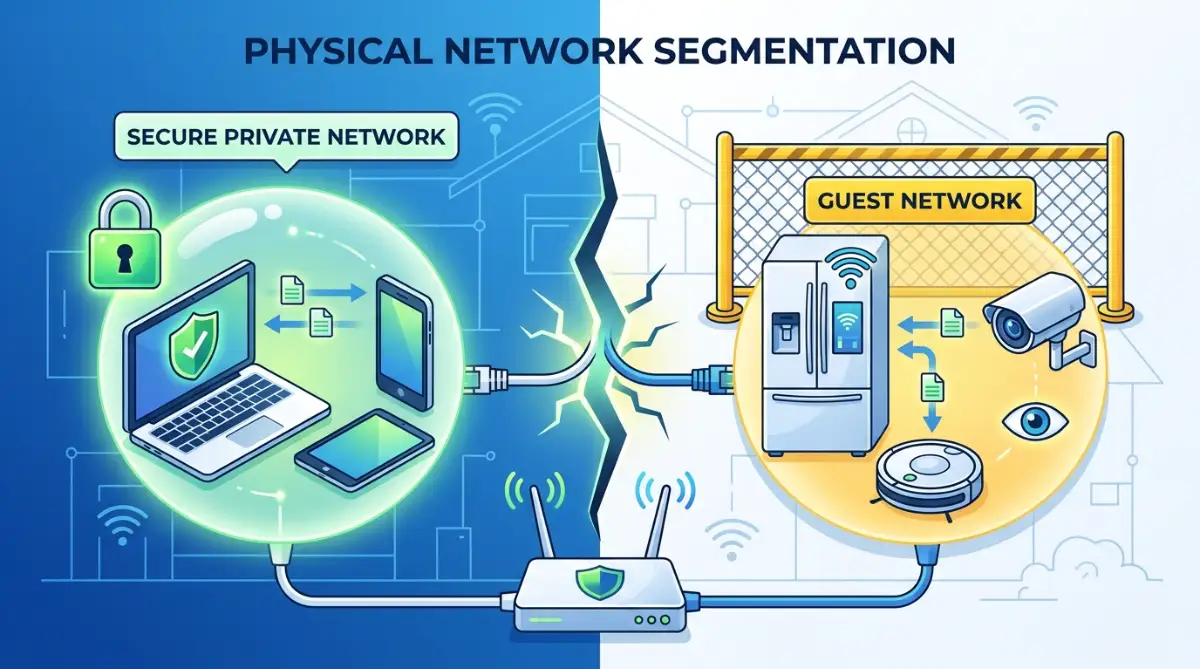
If you want to dramatically increase your home security, you need to understand the concept of network segmentation. This sounds like a highly technical term, but it is actually a very simple and practical strategy. Most modern internet routers allow you to create a separate "Guest Network" alongside your main home network.
Usually, people use this guest network for visiting friends so they do not have to share their main password. However, cybersecurity experts use this feature for a completely different reason. You should connect all of your smart home devices exclusively to this secondary guest network.
By doing this, you are physically separating your vulnerable gadgets from your important personal computers. Think of it like putting your smart gadgets in a separate, locked room inside your house. If a hacker manages to break into your smart coffee maker, they are trapped inside the guest network.
They cannot jump from the coffee maker over to your personal laptop to steal your banking information. Your main network, where you do your online shopping and remote work, remains completely hidden and secure. This one simple adjustment stops almost all severe cyber attacks in their tracks.
Here is a quick cheat sheet on how you should mentally divide your home network:
If you feel overwhelmed by your router settings, you are definitely not alone. Watch this incredibly simple breakdown to see exactly how you can block unauthorized access to your smart home network in less than five minutes.
Why Firmware Updates Are Non-Negotiable
Another massive vulnerability in smart homes is outdated software running quietly in the background. We are all used to ignoring software update notifications on our phones because they pop up at inconvenient times. But ignoring an update for your smart door lock or security camera is incredibly dangerous.
When a company releases a firmware update for a device, they are not always adding fun new features. Most of the time, they are urgently patching a newly discovered security hole that hackers are actively exploiting. Cybercriminals constantly study old software versions to find weak spots they can break through.
If you leave your smart devices running on software from a year ago, you are basically leaving your digital front door wide open. You must make it a strict habit to check the companion apps for your devices every single month. Better yet, dive into the settings menu of each app and enable automatic software updates.
This ensures your devices are always armed with the latest security defenses while you are sleeping. Taking five minutes a month to tap "update" can literally save you from a devastating privacy invasion.
Managing Microphones and Camera Permissions
We intentionally place devices with highly sensitive microphones and high-definition cameras into our most private living spaces. Smart displays sit on our kitchen counters, and voice assistants rest on our bedside tables. You have to be extremely proactive about when these devices are allowed to listen or watch.
Almost all smart speakers have a physical mute switch located directly on the device itself. You should actively use this hardware switch whenever you are having a private conversation or a sensitive phone call. Do not rely solely on voice commands to turn the microphone off, because software can easily glitch or be bypassed.
For indoor cameras, always look for models that include a physical privacy shutter that covers the actual glass lens. If your camera does not have one, simply turning it to face the wall when you are home works perfectly well. You should also regularly review the privacy settings within the device's mobile application.
Many popular voice assistants are set by default to save audio recordings of your commands to help "improve their services." You need to go into the app settings and manually delete your voice history on a regular basis. You should also completely disable the option that allows the company to use your audio data for internal research.
Understanding the Risks of Cloud Storage
Finally, you must be deeply aware of where your smart devices are actually saving your personal data.
Myth vs. Fact: The Cloud Security Illusion
Myth: If my home network is secure, my cloud-stored camera footage is completely safe.
Fact: Even if your home is a digital fortress, the moment your video hits a manufacturer's server, it is out of your hands. If the company gets breached, your living room footage gets breached. Always look for local MicroSD storage options first.
When your video doorbell records a clip of someone walking up to your porch, that video does not usually stay on the device. Most modern gadgets instantly upload your video and audio data to external cloud servers owned by the manufacturer.
This means your private moments are sitting on a massive server farm thousands of miles away. If that specific company experiences a major data breach, your personal videos could be leaked onto the public internet. You completely lose control over who gets to view your data once it enters the cloud.
Whenever possible, look for smart home devices that offer local storage options instead of mandatory cloud subscriptions. Devices that record directly to a physical MicroSD card keep your data securely inside your own home. If you must use a cloud service, ensure the company uses end-to-end encryption to protect your files.
By keeping your data local, you cut off the main supply line that hackers use to steal private information. You retain total control over your digital life, which is exactly how a smart home should actually function. Taking these deliberate steps transforms your vulnerable living space back into the secure sanctuary it was always meant to be.
Next-Level Defenses for Your Connected Lifestyle
Taking control of your digital privacy is not a one-time event. It requires building a few simple, long-term habits that protect your network around the clock. Once you master the basics of changing passwords, you are ready to implement advanced security layers. These professional strategies will turn your ordinary living room into an impenetrable digital fortress.
The most powerful secret that cybersecurity experts use is called MAC address filtering. This sounds like an overly complicated tech term, but it is actually very easy to understand. Every single device you own has a unique physical hardware signature known as a MAC address. Think of this address like a permanent fingerprint for your smartphone, television, or digital assistant.
Instead of just relying on a Wi-Fi password, you can tell your router to only accept specific fingerprints. You act exactly like a strict bouncer standing outside an exclusive club with a VIP list. If a hacker tries to connect a rogue device to your network, the router simply ignores them because their fingerprint is not on your approved list. This single step stops almost all unauthorized access instantly.
Securing Your Home Office Setup
If you work from home, protecting your local network becomes even more important. You are likely accessing highly sensitive corporate data right from your kitchen table. Connecting a cheap, unsecured smart plug to the same network as your work laptop is a massive risk.
Many professionals do not realize how easily understanding online privacy for remote employees overlaps with their personal home safety. A compromised smart speaker can easily be used to listen in on your confidential business meetings. You must strictly separate your work devices from your entertainment gadgets.
The Cybersecurity and Infrastructure Security Agency (CISA) strongly recommends placing all IoT devices on an entirely separate network band. This ensures that even if a criminal hacks your smart thermostat, they cannot jump over to your company laptop. Taking this professional advice seriously will save you from a devastating corporate data breach.
Creating Physical Network Boundaries
Another highly advanced strategy is creating physical time limits for your devices. You do not actually need your smart lights or robotic vacuum connected to the internet while you are fast asleep. The longer a device sits completely idle online, the more time cybercriminals have to test its defenses.
You can use simple simple steps to lock down your smart home network today by logging into your router and setting up internet downtime schedules. Tell your router to automatically block internet access to all smart appliances between midnight and six in the morning. This drastically reduces the window of opportunity for automated night-time cyber attacks.
This physical disconnection strategy is incredibly effective for your peace of mind. Just as you might read about the hidden danger of charging your phone while you sleep, leaving open internet connections overnight creates unnecessary risks. Cutting the connection while you rest guarantees your network remains completely silent and secure.
Managing The Dangers of Remote Cloud Storage
We also need to talk about where your connected cameras and doorbells actually store their data. Many popular brands force you to upload your personal video clips to their remote cloud servers. You might think this makes your files safer, but it actually takes the control entirely out of your hands.
If you are using these services, you must know how to secure your personal data on cloud computing platforms by enabling multi-factor authentication (MFA). If a hacker steals your app password, MFA requires them to also have your physical phone to log in. Without this secondary check, your private home videos are incredibly easy to steal.
Experts at the National Institute of Standards and Technology (NIST) have repeatedly highlighted that cloud-dependent devices present unique privacy challenges for everyday consumers. Whenever possible, buy cameras that save videos directly to a local memory card inside your house. Keeping your data locally stored completely cuts off the cloud supply line that cybercriminals rely on.
Dangerous Habits That Leave Your Home Exposed
Building a safe network is completely useless if you accidentally leave the digital back door wide open. Many people make terrible mistakes simply because they trust technology a little too much. When you understand these common traps, you can easily avoid the emotional trauma of a privacy invasion.
The sheer panic of hearing a stranger's voice come through your baby monitor in the middle of the night is something no parent should ever experience. These terrifying moments almost always happen because of simple human errors. We buy cheap gadgets, rush through the setup process, and blindly accept every single app permission.
Buying Generic, Unbranded Gadgets
One of the absolute biggest mistakes you can make is buying incredibly cheap, knock-off devices from unknown online sellers. You might think you are scoring a great deal on a smart security camera, but you are actually paying a massive hidden price. These generic companies rarely provide software updates or security patches for their products.
Researchers from the Princeton University IoT Inspector project found that many cheap smart TVs and gadgets constantly send tracking data to unknown overseas servers. These devices are essentially built with intentional backdoors to harvest and sell your personal habits. Saving twenty dollars on a generic smart plug is never worth compromising your entire family's privacy.
Always stick to well-known, reputable brands that have a clear, public history of fixing software bugs quickly. A trusted brand will force you to create a strong password during setup, while a cheap knock-off will gladly let you use "admin123."
The Nightmare of Reused Passwords
Another fatal error is using the exact same password for your smart home app that you use for your other accounts. People do this for convenience, completely forgetting how connected the digital world really is. If the server of a smart bulb company gets breached, hackers will steal your login details.
Once they have your email and password, they will immediately test those exact details on banking websites and social media platforms. You do not want to experience what hackers do with your info when big websites fail. A single compromised light bulb application can quickly lead to stolen credit cards and hijacked email accounts.
You must use a completely unique, random password for every single smart gadget application on your phone. Using a reliable password manager removes the stress of remembering all these different logins. This simple habit creates a massive firewall between your harmless gadgets and your highly sensitive financial data.
Falling for Fake Support Scams
As smart homes become more complex, people often search online for technical support when a device stops working. Cybercriminals take heavy advantage of this confusion by setting up fake support websites for popular brands. When you call their fake hotline, they will sound incredibly professional and helpful.
They will slowly convince you to grant them remote access to your network to "fix" your broken smart speaker. Once they are inside, they silently install tracking software. If you want to protect yourself, you need to recognize manipulative tactics and spot a social engineer before they trick you.
Never give a random support agent remote access to your router or your computer. Always use the official support number found directly inside the device's original packaging or companion app. A little bit of healthy suspicion is your best defense against these smooth-talking scammers.
Smart Home Security Do's and Don'ts
To make this incredibly easy to remember, here is a quick breakdown of how you should handle your connected devices from now on.
- Do: Manually check your smart device applications for software updates every single month.
- Don't: Place security cameras in highly private areas like bedrooms or main bathrooms.
- Do: Use a dedicated "Guest Wi-Fi" network exclusively for all your IoT gadgets.
- Don't: Connect your main work laptop to that same guest network.
- Do: Physically cover the lenses of smart displays in your kitchen or living room when not in use.
If you just follow these basic principles, you instantly make yourself a much harder target. Hackers are extremely lazy; they always look for the easiest, most exposed houses on the digital block. By adding just a little bit of friction, you force them to move on and leave your family alone.
Your Blueprint for a Hack-Proof Living Space
Securing your home does not mean you have to throw away all your favorite smart gadgets and live entirely off the grid. It simply means taking a deliberate, mindful approach to the technology you bring into your personal sanctuary. You hold all the power to dictate exactly how these devices behave inside your walls.
By changing default passwords, setting up separate networks, and updating software regularly, you completely block the most common entry points. You stop being a passive consumer and start acting as the active security manager of your own home. The IEEE strongly advises consumers to view home network security as an ongoing lifestyle habit rather than a one-time chore.
Once you put these digital walls in place, the constant background anxiety of being watched will finally disappear. You can actually enjoy the convenience of voice commands and automated lighting without looking over your shoulder. Your home becomes a true safe haven again.
Common Questions About Securing IoT Devices
Can someone actually hack into my smart TV?
Yes, it is entirely possible. Smart TVs connect to your Wi-Fi and have built-in microphones or cameras that can be hijacked. Always keep your TV software updated and consider unplugging it from the internet if you only use it for standard cable viewing.
Should I turn off my Wi-Fi router every single night?
Turning off your router completely stops all remote cyber attacks while you sleep. However, it also disconnects essential devices like automated security cameras or smart alarms. A better strategy is setting up a schedule inside your router settings to only block internet access for specific non-essential gadgets.
Are cheap smart bulbs safe to use on my network?
Extremely cheap, unbranded smart bulbs often lack basic security encryptions and rarely receive software updates. They can act as an easy backdoor for hackers to enter your main home network. Always place these cheaper devices on a totally separate guest Wi-Fi network to isolate them.
How do I actually know if my smart camera is hacked?
Look for strange warning signs like the camera physically moving on its own, unusual clicking noises, or the LED recording light turning on when you are not using it. You might also notice a sudden, massive spike in your monthly internet data usage. If you suspect a hack, unplug the device immediately and perform a hard factory reset.
Does a strong Wi-Fi password protect all my gadgets?
A strong Wi-Fi password only protects the main entrance to your network from outsiders. If a hacker breaches the manufacturer's cloud servers, they can access your smart device directly through the companion app. You still need strong, unique passwords for every individual device account to stay completely safe.
Disclaimer: The information provided in this article is for educational and informational purposes only. We do not provide specific IT, security, or professional technical advice. Always consult with a certified cybersecurity professional or your internet service provider before making major changes to your network settings. We may earn a small commission from affiliate links included in our content at no extra cost to you, which helps support our work.