Let's be honest—nothing ruins a perfect remote work morning faster than a frantic message from your IT department. You grab your coffee, connect to the beautiful hotel's "free" Wi-Fi, and suddenly, some invisible guy three tables away is trying to steal your login credentials. I had to learn the hard way that hotel internet is basically an open playground for hackers. If you want to stop feeling paranoid every time you type your password on the road, I am going to show you exactly how to bulletproof your laptop in just a few minutes.
Everything seemed perfectly normal until my phone buzzed with an urgent message from our IT director. Someone from an unknown location was actively trying to download sensitive customer files using my exact login credentials. My heart started beating incredibly fast, and my hands actually shook as I slammed my laptop shut. I had blindly trusted the hotel network without realizing that a hacker was sitting just a few feet away, quietly stealing my data.
This terrifying experience is actually a very common nightmare for remote workers around the world. We travel to amazing places, check into beautiful hotels, and immediately ask for the Wi-Fi password. We rarely stop to think about who else is watching our online activity.
When you use an unsecured hotel network, your private business information is basically flying through the air completely unprotected. Anyone with a cheap piece of software can intercept your passwords, read your private emails, and break into your company portals. It feels like you are leaving the front door of your office completely wide open for thieves.
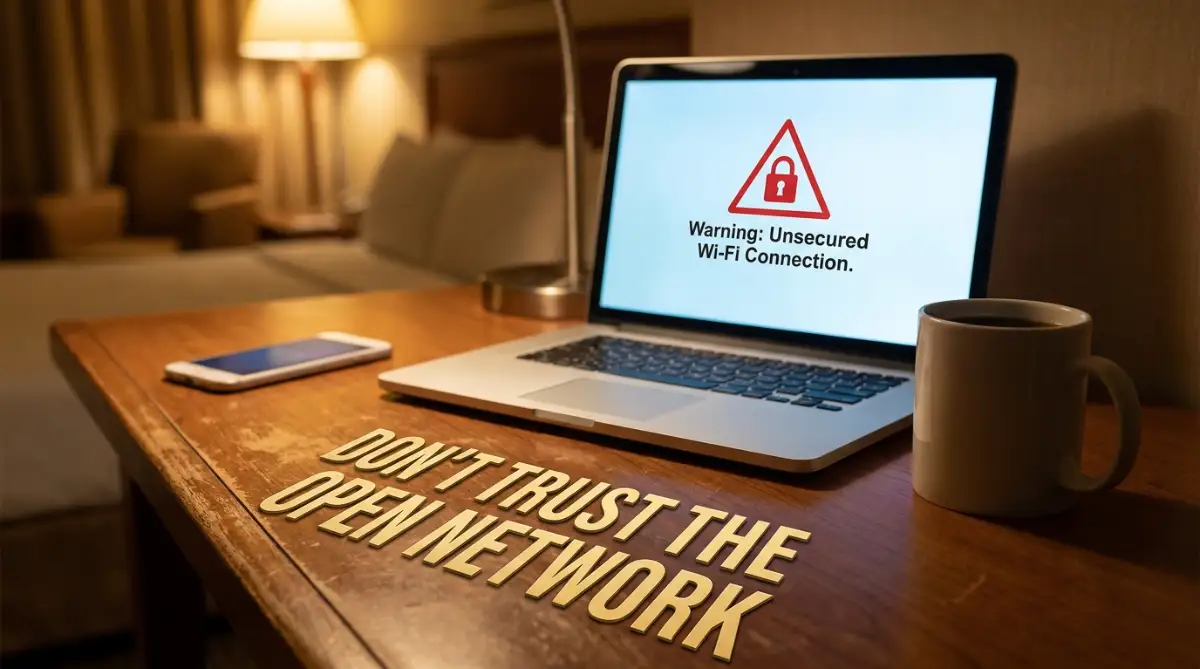
Your 60-Second Security Checklist:
- Never trust "free" hotel Wi-Fi blindly—it is incredibly easy to hack.
- Always run a premium VPN with a "Kill Switch" turned on to prevent data leaks.
- Ditch text message codes and switch to an Authenticator App for logging into work portals.
- Keep a separate browser (like Brave or Firefox) just for your sensitive business tasks.
- Consider picking up a travel router to lock down all your personal devices at once.
The Hidden Mechanisms of Public Network Attacks
To truly protect yourself, we first need to understand how these invisible attacks actually happen. Most people think hackers are breaking into their laptops directly, but that is rarely the case. Hackers usually attack the network itself, acting like an invisible middleman.
Think of a public Wi-Fi network like a crowded restaurant. When you send your password to your company portal, it is like shouting your order across the room to the waiter. Anyone sitting nearby can easily hear exactly what you ordered.
In the digital world, this is known as a Man-in-the-Middle attack. A hacker uses simple software to capture the invisible radio waves traveling between your laptop and the hotel router. Because the network has no real encryption, they can read your data just like a postcard in the mail.
Even worse, hackers often set up fake Wi-Fi networks that look exactly like the real ones. If you are staying at "The Grand Hotel," a hacker might create a network called "Grand Hotel Guest." The moment you connect to their fake network, they control absolutely everything you see and do online.
Real-Life Scenario: The "Evil Twin" Attack
Imagine sitting in the lobby of a nice resort. You look at your phone and see two Wi-Fi networks:
- Option A: "Resort Guest Wi-Fi"
- Option B: "Resort Guest Wi-Fi (Fast-5G)"
- Most people will click the "Fast" option without thinking twice. The problem? That second network is often a hacker sitting in a van outside, mirroring the real network to watch every single website you load. Always verify the exact network name with the front desk before you connect.
This simple trick completely bypasses your regular computer antivirus software. You could have the most expensive laptop in the world, but if the network is compromised, your data is completely exposed. We have to change how your device talks to the internet.
Upgrading Your Digital Armor
Now that we know how the bad guys operate, let us talk about how to completely block them. The very first thing you must do is change how you view free internet connections. You must treat every single hotel network as a hostile, dangerous environment.
You need to build a secure tunnel that hides your online activity from everyone else in the room. This is where a high-quality Virtual Private Network (VPN) becomes your best friend. But please understand, not all VPNs are created equal.
Free VPN applications are often just as dangerous as the public Wi-Fi you are trying to avoid. Many free services actually track your data and sell it to advertising companies to make a profit. If you are handling sensitive company portals, you must invest in a premium, paid security service.
When you turn on a premium VPN, it wraps all of your data in a layer of heavy encryption. Going back to our restaurant analogy, it is like handing the waiter a locked steel box instead of shouting your order. Even if a hacker intercepts the box, they have absolutely no way to open it and read what is inside.
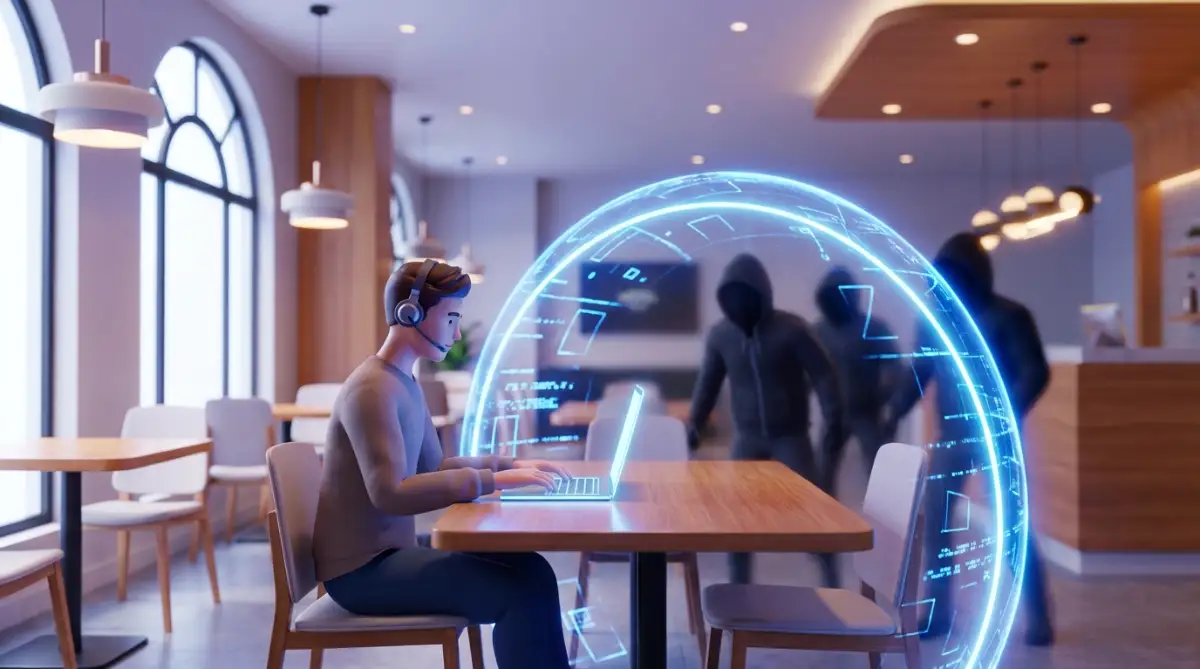
Watch this incredibly helpful video to see a live demonstration of how public Wi-Fi hacking works and how a simple encrypted tunnel stops it instantly.
The Danger of Auto-Connect Features
Here is a small setting that causes massive problems for traveling professionals. Most smartphones and laptops are programmed to automatically connect to any familiar Wi-Fi network they find. This is designed for convenience, but it is a massive security failure.
If your phone automatically connects to a fake "Hotel Guest" network while you are sleeping, your device will start syncing data in the background. Your emails, calendar events, and company chat messages will quietly flow into the hacker's hands. You will not even realize it happened until it is far too late.
My Personal Pro Tip: After my near-disaster in Paris, I went deep into my phone and laptop settings to completely turn off the 'Auto-Join' feature for Wi-Fi. Now, my devices only connect to the internet when I manually select a network and turn on my security tools first. It takes me five extra seconds, but it gives me total peace of mind.
Solving the Captive Portal Headache
If you travel often, you already know about the absolute worst part of hotel Wi-Fi. It is that annoying webpage that pops up asking for your room number and last name before you get internet access. In the tech world, this is called a captive portal.
Captive portals are incredibly frustrating because they actively block your VPN from connecting. Your computer cannot reach the internet to turn on the secure tunnel until you fill out the hotel's web form. This creates a highly dangerous window of time where your device is completely unprotected.
During those few seconds before your VPN connects, background apps on your computer might try to sync sensitive data over the open network. To fix this, you must enable a specific feature in your security software called a "Kill Switch."
A Kill Switch is a brilliant tool that completely blocks all internet traffic on your device until a secure connection is fully established. If the hotel Wi-Fi drops, or if you are stuck on a captive portal screen, the Kill Switch freezes everything. No company data can accidentally leak out during those vulnerable moments.
Once you enter your room number and agree to the hotel terms, your VPN will connect safely. Only then will the Kill Switch open the gates and allow your background applications to start syncing normally. This one setting is essential for remote workers.
Rethinking Your Authentication Habits
Let us talk about the front door to your company portals. Even with the best network security, passwords get stolen. People use the same weak password for their business email that they use for their personal Netflix account.
If a hacker buys a list of stolen passwords from the dark web, they will automatically try those same passwords on your company portals. This technique is highly successful because humans are naturally terrible at creating unique passwords for every single website.
To completely stop this threat, you must implement a strong layer of secondary protection. Two-Factor Authentication (2FA) is no longer just a nice suggestion; it is a mandatory requirement for working on hotel Wi-Fi. However, you need to understand which type of 2FA actually works.
Myth vs Reality: Authentication Methods
Many people think receiving a text message code is a great way to secure their accounts. Unfortunately, this is a dangerous misconception that hackers easily exploit.
The Common Myth: SMS text messages are a highly secure way to verify my identity when logging into work portals.
The Digital Reality: Phone numbers can be easily hijacked through a method called SIM swapping. A hacker can trick your phone provider into moving your phone number to their device, allowing them to receive your security codes instantly.
Instead of relying on basic text messages, you should use a dedicated Authenticator Application. Apps like Authy or Google Authenticator generate temporary codes directly on your physical device. These codes change every thirty seconds and do not travel over the vulnerable cellular network.
When you use an authenticator app, a hacker could have your exact username, your password, and control over the hotel Wi-Fi. But without holding your physical unlocked smartphone in their hands, they still cannot access your company data. It is an incredibly powerful feeling to know your portals are locked down that tightly.
Creating an Isolated Work Environment
When you use the exact same laptop for downloading personal movies and accessing secure business networks, you mix two very different worlds. This mixing creates unnecessary risks. You might accidentally download a malicious file while browsing personal sites, which later compromises your work data.
You do not need to buy a second expensive laptop just for work. Instead, you can create a completely separate, isolated environment right inside your current computer. Many smart remote workers do this by setting up a dedicated browser.
For example, you could use Google Chrome strictly for your personal shopping, social media, and travel booking. Then, you download a high-security browser like Brave or Firefox, and use it only for your company portals. You never mix the two activities.
You can take this a step further by using completely different user profiles on your computer's operating system. When it is time to work from the hotel cafe, you log into your 'Work' profile. This profile has restricted permissions, meaning even if a virus tries to install itself, it cannot access the core system files.
By keeping your personal digital life away from your corporate duties, you drastically reduce the chance of an accidental data leak. It is a simple organizational habit that provides a massive boost to your overall security.
The Secret Weapon: Travel Routers
Sometimes, you check into a hotel and realize the provided Wi-Fi is just too dangerous or unstable to fix with software alone. Maybe the network has strange administrative restrictions that keep kicking your devices off. In these moments, you need to take total physical control of your connection.
This brings us to one of the best-kept secrets of long-term digital nomads: the portable travel router. A travel router is a tiny, inexpensive device that fits right in the palm of your hand. It completely changes how you connect to the internet while traveling.
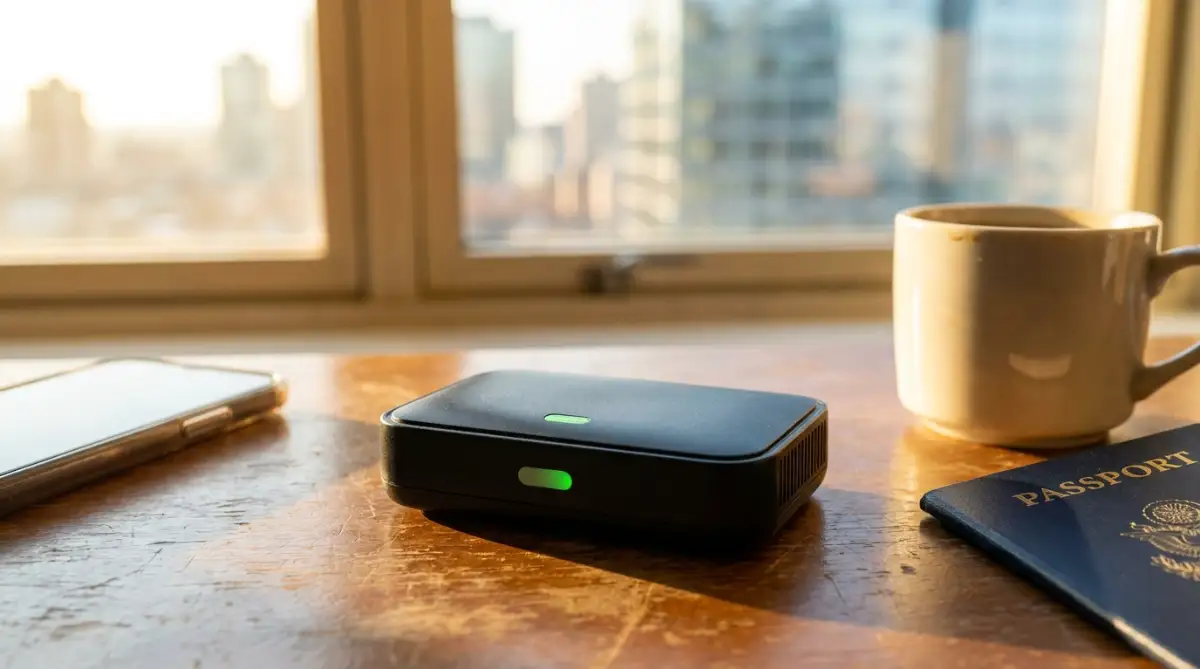
When you get to your hotel room, you plug this little device directly into the wall using an ethernet cable. Alternatively, you can connect the travel router wirelessly to the hotel's main Wi-Fi. The router then broadcasts its own private, secure Wi-Fi signal just for your devices.
Why is this so amazing? Because you can install your secure VPN directly onto the travel router itself. This means everything connected to your private travel router—your phone, your laptop, even your smart watch—is instantly encrypted. You never have to worry about forgetting to turn on your software apps again.
Quick Comparison: Software VPN vs. Hardware Travel Router
- Software VPN: Cheap and easy to install, but you have to remember to turn it on for every single device (phone, laptop, tablet). Plus, captive portals often block them.
- Travel Router: Costs around $40 to $80 and acts as a physical barrier. It protects all your devices automatically the moment they connect to it. It is the ultimate "set it and forget it" tool for anyone who travels heavily.
Furthermore, you only have to log into the annoying hotel captive portal one single time using the router. Once the router is approved by the hotel system, all of your other devices simply connect to your private network automatically. It saves you an incredible amount of time and removes all the daily frustration.
Using a travel router gives you the power of a secure home office network, no matter where you sleep at night. It is the ultimate tool for making sure your company portals stay completely locked away from prying eyes.
Taking Control: Advanced Defense Tactics for Remote Workers
Once you have set up a basic secure tunnel, you are already ahead of most traveling professionals. However, highly targeted attacks can sometimes slip past basic defenses. If you want to truly master your digital security, you need to understand a few advanced concepts that IT experts use every day.
These proactive habits will transform your laptop into a digital fortress. You will never have to worry about someone sneaking into your company portal while you are sleeping. Let me walk you through these pro-level secrets using simple, everyday terms.
Sealing the Invisible DNS Leaks
Many remote workers turn on their security software and instantly assume they are completely invisible. But there is a hidden flaw called a DNS leak that happens all the time without you knowing. To understand this, you need to know how your computer finds websites.
When you type a company portal address into your browser, your computer sends a request to a digital phonebook called a Domain Name System (DNS). Sometimes, even with a secure tunnel turned on, your computer accidentally sends this phonebook request outside the tunnel. This means anyone watching the hotel network can see exactly which websites you are trying to visit.
Imagine putting a highly confidential letter inside a heavy, locked steel box. But then, you accidentally write the exact destination address on the outside of the box with a bright red marker. A hacker cannot read the letter, but they know exactly who you are talking to, which is a massive security risk.
To fix this, you must go into your security app settings and manually turn on "DNS Leak Protection." This forces every single phonebook request to travel safely inside your encrypted tunnel. Security agencies often talk about protecting network infrastructure from unauthorized access, and sealing these invisible leaks is the perfect place to start.
The Magic of Cloud-Based Workspaces
If you handle highly sensitive client financial records, keeping that data on your physical laptop is a terrible idea. If your laptop gets stolen from a hotel cafe, that data goes with it. The absolute best way to protect company files is to ensure they never touch your hard drive in the first place.
This is where a Virtual Desktop Infrastructure (VDI) or a "Cloud PC" becomes incredibly useful. Instead of running heavy company software on your actual computer, you log into a secure machine that lives inside a heavily guarded data center. Your physical laptop simply becomes a viewing screen.
It is exactly like watching a live video stream of another computer. You can move the mouse and type on the keyboard, but the actual files remain hundreds of miles away in a secure vault. If a hacker somehow breaks into your hotel network, they will find absolutely nothing on your physical device to steal.
Many modern companies now require this setup for their remote teams. It provides an amazing sense of relief because you literally cannot lose data that you do not physically possess. This approach perfectly aligns with learning how to stay safe on public wi-fi essential habits for remote workers.
Automating Your Defense Systems
The biggest enemy of digital security is simple human error. After a long, exhausting flight, you might forget to turn on your protective software before checking an urgent email. Hackers count on you being tired, distracted, and rushed.
To prevent this, you must automate your security habits so you do not even have to think about them. Go into your application settings and find the option labeled "Auto-Connect on Untrusted Networks." Turn this feature on immediately.
Now, whenever your laptop detects a new Wi-Fi signal at a coffee shop or hotel, it will automatically launch your secure tunnel before any data is sent. By completely removing human memory from the equation, you ensure your understanding the best way to keep your information secure every single day becomes an effortless reality.

The Dangerous Traps That Expose Your Work Data
Even with the best tools, smart people make silly mistakes that completely destroy their digital safety. Hackers do not always need sophisticated software to break into your company portals. Sometimes, they just wait for you to accidentally open the door for them.
Let us look at the most common behavioral traps that catch remote workers off guard. Recognizing these mistakes early will save you from an incredibly stressful conversation with your boss.
The Luxury Hotel Illusion
The Scenario: You just checked into a gorgeous, five-star resort in Bali. The lobby is beautifully designed, the staff is incredibly polite, and the Wi-Fi network requires a room number and a special access code. Because the environment feels so premium, you assume the internet must be highly secure.
The Reality: This is a massive psychological trap. Hackers love luxury hotels exactly because the guests naturally lower their guard. A password that is shared with hundreds of guests every single week offers absolutely zero real protection.
Do not let expensive furniture trick you into trusting a public network. A hacker simply books a cheap room for one night to get the shared password. Once they are inside the network, they can easily monitor all the wealthy guests who are busy working on high-level business deals.
What to Do Instead: Treat a five-star hotel network with the exact same suspicion you would give to a random free Wi-Fi connection at a bus station. Always use your secure tools, regardless of how safe the physical building feels.
Ignoring the Annoying Update Reminders
We have all been there. You are right in the middle of a deep work session, and a little box pops up saying your web browser needs to update. You quickly click "Remind Me Tomorrow" because you do not want to interrupt your flow.
This innocent habit is incredibly dangerous. When technology companies release software updates, they are usually patching massive security holes that hackers have just discovered. By hitting delay, you are actively choosing to leave a known broken lock on your digital front door.
Hackers write automated scripts specifically designed to find laptops running outdated software on public networks. They know exactly which flaws to exploit. The official guidelines for securing digital identities always list immediate software patching as a top priority for exactly this reason.
Make it a strict personal rule to install every single software update the moment it appears. Yes, it might cost you three minutes of productivity today. But it will save you from a catastrophic data breach tomorrow.
Using Unknown Hardware and Ports
Your Wi-Fi connection is not the only way a hacker can steal your company data. Many remote workers safely navigate the internet but completely fail when it comes to physical hardware. They plug their devices into strange places without a second thought.
If your laptop battery is dying in a hotel lobby, never plug your device directly into a public USB port on the wall. Hackers easily modify these ports to secretly install tracking software onto your machine while it charges. This is a technique called "Juice Jacking," and it is extremely common.
You must always carry your own physical charging block and plug it directly into a standard electrical outlet. If you want to know more about this specific threat, I highly recommend you read why you must stop using airport charging stations before reading this warning.
Similarly, never pick up a random USB drive you find on a hotel desk and plug it into your work laptop. Hackers intentionally leave these infected drives in business centers, hoping a curious worker will plug them in. Once inserted, the drive silently installs a virus that captures your company portal passwords.
Leaving Your Devices Unattended
This mistake sounds incredibly obvious, but it happens constantly. You are working in the hotel cafe, and you need to use the restroom. The cafe is mostly empty, and the barista is friendly, so you leave your laptop open on the table for just two minutes.
Two minutes is more than enough time for someone to walk by, slip a tiny infected USB stick into the side of your computer, and walk away. Or worse, they simply snap a quick photograph of the sensitive client data visible on your bright screen.
Physical security is just as important as network security. If you are going to master smart home security how to lock down your devices from hackers, you must apply those same strict rules on the road. Always lock your screen when you stand up, even if you are just grabbing a napkin. Better yet, pack up your laptop and take it with you.
Your Blueprint for Stress-Free Remote Work Security
Protecting your company data while traveling does not have to feel like a full-time job. You simply need to build a few small, consistent habits that run in the background of your daily life. Once these habits become automatic, you can finally enjoy the freedom of location independence.
You will no longer feel anxious when you open your laptop in a new country. Instead, you will have total confidence knowing your digital doors are completely locked. Let us look at a simple plan you can follow every single time you sit down to work.
The "Before You Log In" Action Plan
Instead of trusting your memory, treat your security like an airplane pilot treats a pre-flight checklist. Before you type a single password into a company portal, run through these quick steps:
- Verify the Network Name: Ask the hotel front desk for the exact spelling of their official Wi-Fi network to avoid falling for fake hacker hotspots.
- Activate Your Secure Tunnel: Manually turn on your encrypted connection and ensure the Kill Switch feature is actively running.
- Check for Software Updates: Glance at your browser and operating system settings to confirm you are running the latest versions.
- Open Your Dedicated Work Browser: Close all personal tabs and launch the specific, isolated browser you use only for business tasks.
- Have Your Authenticator Ready: Keep your smartphone nearby to quickly input your temporary two-factor codes when logging in.
Following this simple list takes less than sixty seconds. But those sixty seconds provide an impenetrable wall of protection around your most sensitive files. This level of organization is the true secret to working with global clients without losing sleep while managing complex projects on the road.
Frequently Asked Questions About Hotel Network Safety
Can hotel owners see what websites I visit on their Wi-Fi?
If you are simply browsing without any extra security, the hotel network administrator can absolutely see a list of the websites you visit. However, they usually cannot see the exact pages or passwords if the website uses basic encryption. Using a premium secure tunnel completely blinds the hotel staff from seeing anything you do online.
Does using my cellular data protect me better than hotel Wi-Fi?
Yes, using your phone as a mobile hotspot is generally much safer than connecting to an open hotel network. Cellular networks have built-in encryption that is significantly harder for a local hacker to intercept. If you are struggling with a bad signal in your room, check out these clever ways on how to fix unstable internet while working remotely in rural areas.
Is it safe to check my bank account on public networks if I use the official app?
Most official banking applications use very strong encryption by default, making them safer than logging in through a regular web browser. If you want to dive deeper into this, you can read about how modern encryption protocols hide your browsing activity from attackers. However, for total peace of mind, you should always run your own secure tunnel before opening any financial app on a public network.
Why does my security software keep disconnecting in my hotel room?
Hotels often use restrictive network firewalls that actively try to block secure tunnels from forming. This is usually done to stop guests from downloading massive movie files. If your connection keeps dropping, try changing the connection protocol inside your security app settings from UDP to TCP, which often sneaks through hotel firewalls much easier.
Should I turn off Wi-Fi completely when I am not working?
Absolutely. Leaving your Wi-Fi receiver turned on while walking around a city allows your phone to constantly shout out its location to every network it passes. Turning off your Wi-Fi saves a massive amount of battery life and prevents your device from accidentally connecting to malicious hotspots hidden in tourist areas.
A Final Word From Me: I used to spend hours worrying that a single mistake on a hotel network would destroy my career. But once I implemented these simple, daily habits, I finally stopped worrying about hackers and started enjoying my beautiful travel destinations again. My hope is that you apply these easy steps today, so you can experience that exact same freedom and total peace of mind!
Disclaimer: The information provided in this article is for educational and informational purposes only. The strategies discussed are based on personal experience and general industry research. Always exercise caution and consult with your company's IT department for specific security protocols before accessing sensitive corporate data on public networks.